Bonterra EveryAction enables nonprofits to increase efficiency, optimize supporter and prospect interactions, and raise more money by providing expansive fundraising, digital, and organizing tools on a unified CRM.
N/A
Salesforce Nonprofit Cloud
Score9 out of 10
N/A
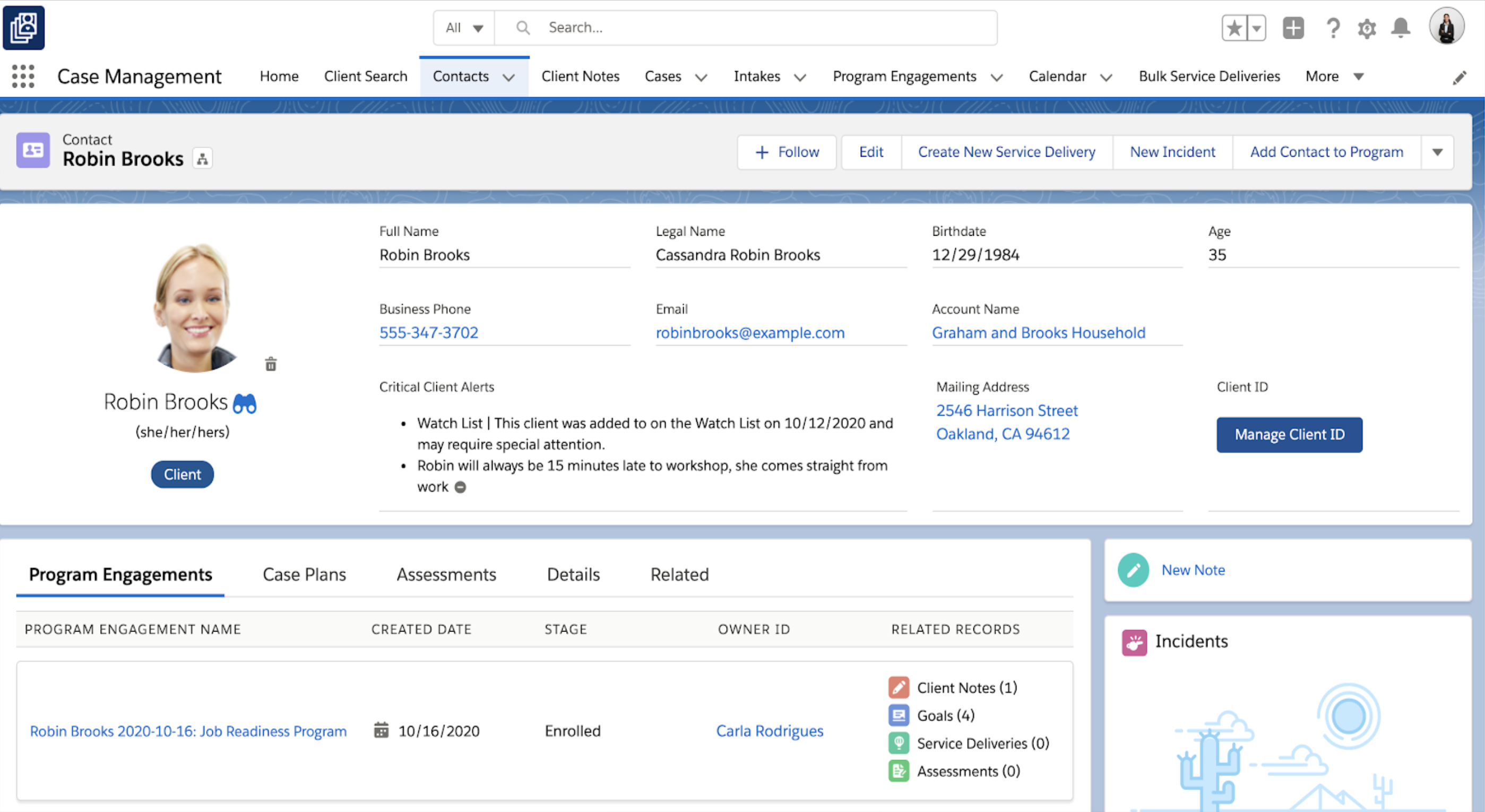
Salesforce for Nonprofits, the Salesforce.org Nonprofit Cloud, is a nonprofit constituent relationship management platform from Salesforce, which supports constituent engagement, fundraising, and grants. Nonprofit editions contain Salesforce Lightning Edition along with the former Nonprofit Success Pack (NPSP) combined.
Bonterra EveryAction is a good CRM to use if your company has institutional fundraisers, grants, and individual fundraising, as it is suited to manage the processes that go along with all of those. I've heard that SalesForce has more functionality than Bonterra EveryAction, but I think that Bonterra EveryAction has plenty to learn and is extremely useful.
A de minimis incentive was given to thank the reviewer for their time. The incentive was not used to bias or drive a particular response, nor was the incentive contingent on a positive endorsement. More Info
If you only want to track donations, I'd go with something simpler. If you want to track donations and programs and connections between them, there may be nothing better. If you have no technical abilities and no budget, restricted yourself solely to what it does as described exactly in the manual. If you can't devote about 0.25FTE to the constant maintenance and upgrades, don't go with it.
A de minimis incentive was given to thank the reviewer for their time. The incentive was not used to bias or drive a particular response, nor was the incentive contingent on a positive endorsement. More Info
One stop shop for creating newsletters, sending them out to mailing lists, and tracking analytics (including donations).
Grants management (we are able to track funds received, reports due, and all points of contact associated with a given donor organization).
Contact records (the new contact record feature makes it easy to find past donation history, demographic information, survey responses, communication preferences, etc. for a given contact. We are also able to import information from our donor prospect software into the contact record so everything is in one place).
A de minimis incentive was given to thank the reviewer for their time. The incentive was not used to bias or drive a particular response, nor was the incentive contingent on a positive endorsement. TR verified that a representative sample of customers was invited. More Info
A de minimis incentive was given to thank the reviewer for their time. The incentive was not used to bias or drive a particular response, nor was the incentive contingent on a positive endorsement. TR verified that a representative sample of customers was invited. More Info
A de minimis incentive was given to thank the reviewer for their time. The incentive was not used to bias or drive a particular response, nor was the incentive contingent on a positive endorsement. More Info
A de minimis incentive was given to thank the reviewer for their time. The incentive was not used to bias or drive a particular response, nor was the incentive contingent on a positive endorsement. More Info
We will never us EA, nor recommend them to another org, simply based on their failed promises to deliver training, on-boarding and then charging our account during our free 3 month period, then after cancelling the contract their legal department tried to force us to sign a cancellation agreement that barred us from writing reviews, making comments, etc!
A de minimis incentive was given to thank the reviewer for their time. The incentive was not used to bias or drive a particular response, nor was the incentive contingent on a positive endorsement. More Info
A de minimis incentive was given to thank the reviewer for their time. The incentive was not used to bias or drive a particular response, nor was the incentive contingent on a positive endorsement. More Info
It's just so easy--there isn't a lot of techy lingo or graphics, so a regular person can log in and have a sense of what does what. There might be a few terms you need to learn, but everything is in common English so you can almost always find what you're looking for.
A de minimis incentive was given to thank the reviewer for their time. The incentive was not used to bias or drive a particular response, nor was the incentive contingent on a positive endorsement. TR verified that a representative sample of customers was invited. More Info
I think Salesforce has so much functionality that it makes it difficult in terms of overall usability. Once you can figure it out, it's a 10/10, it's just getting there. If you're willing to do the work to figure it out then you're golden. For what it's worth, I don't know if you're going to find something with this level of functionality that's easier to figure out
A de minimis incentive was given to thank the reviewer for their time. The incentive was not used to bias or drive a particular response, nor was the incentive contingent on a positive endorsement. More Info
The only issue I have had with availability is when I don't have my work phone with me, which prevents me from providing a multi-factor authentication code to access the portal. Other than that, I have not had an issue with availability or outages.
A de minimis incentive was given to thank the reviewer for their time. The incentive was not used to bias or drive a particular response, nor was the incentive contingent on a positive endorsement. TR verified that a representative sample of customers was invited. More Info
A de minimis incentive was given to thank the reviewer for their time. The incentive was not used to bias or drive a particular response, nor was the incentive contingent on a positive endorsement. TR verified that a representative sample of customers was invited. More Info
I feel like product support and training should go hand in hand. Having to pay $5k to learn how to use a database is absolutely ridiculous and should be offered with the cost of your database, as it is with every other database I've ever used in the last 10 years of my career. With that being said, once I took the training, I found that the support was much more available. Having training and support behind a paywall is bad business in my opinion
A de minimis incentive was given to thank the reviewer for their time. The incentive was not used to bias or drive a particular response, nor was the incentive contingent on a positive endorsement. More Info
I have never had bad conversations with any support people with Salesforce but we also have not used them very much. I put it a little less because we are struggling to switch to lightning (some of our custom features do not migrate well) and it feels like the help and support for a little organization is not incredibly helpful unless we want to spend a lot of money.
A de minimis incentive was given to thank the reviewer for their time. The incentive was not used to bias or drive a particular response, nor was the incentive contingent on a positive endorsement. More Info
They went through all the features and explained in easy-to-digest details what features the system had. They were also responsive to questions we had. We were able to check in with the support team after training and received prompt followups that helped supplement the training after we had real-world experience using the system.
A de minimis incentive was given to thank the reviewer for their time. The incentive was not used to bias or drive a particular response, nor was the incentive contingent on a positive endorsement. TR verified that a representative sample of customers was invited. More Info
It natively integrated with NGP Van extremely well. it also integrated very well with our zoom platform and our use of the Mobilize platform. The bulk upload feature allowed us to move large amounts of initial data into the platform easily. The removal of duplicates was also a fairly easy task.
A de minimis incentive was given to thank the reviewer for their time. The incentive was not used to bias or drive a particular response, nor was the incentive contingent on a positive endorsement. More Info
Nation Builder—I would say this is a very pared-down version of VAN that requires extensions and outside software to do about 80% of what VAN can do natively. NB does have a better geocoding system that can geocode a location with just the address and does not require coordinates.
A de minimis incentive was given to thank the reviewer for their time. The incentive was not used to bias or drive a particular response, nor was the incentive contingent on a positive endorsement. TR verified that a representative sample of customers was invited. More Info
As a cloud native organization with no previous Microsoft infrastructure, Salesforce was a more logical and effective option for us. The suite of products was also far more comprehensive and required less customization. We were able to adopt a "configure not code" approach to our development of systems to support our mission that lowered the cost of upgrades.
A de minimis incentive was given to thank the reviewer for their time. The incentive was not used to bias or drive a particular response, nor was the incentive contingent on a positive endorsement. More Info
A de minimis incentive was given to thank the reviewer for their time. The incentive was not used to bias or drive a particular response, nor was the incentive contingent on a positive endorsement. TR verified that a representative sample of customers was invited. More Info
Communicating with your audiences at a regular pace is a good thing, and Bonterra Development + Digital makes that easy enough to do. We see lower-than-normal open rates for our industry (per one study I read), but our overall reach is better than had we nothing. It's hard to give the credit for that to Bonterra Development + Digital.
A de minimis incentive was given to thank the reviewer for their time. The incentive was not used to bias or drive a particular response, nor was the incentive contingent on a positive endorsement. TR verified that a representative sample of customers was invited. More Info
Salesforce has allowed us to easily track donor communications in one area, which I believe has improved our donor communication overall.
Salesforce for Nonprofits has made it easier on my org to track and pull donation-related information and has reduced the amount of time we need to do these regular tasks.
A de minimis incentive was given to thank the reviewer for their time. The incentive was not used to bias or drive a particular response, nor was the incentive contingent on a positive endorsement. More Info