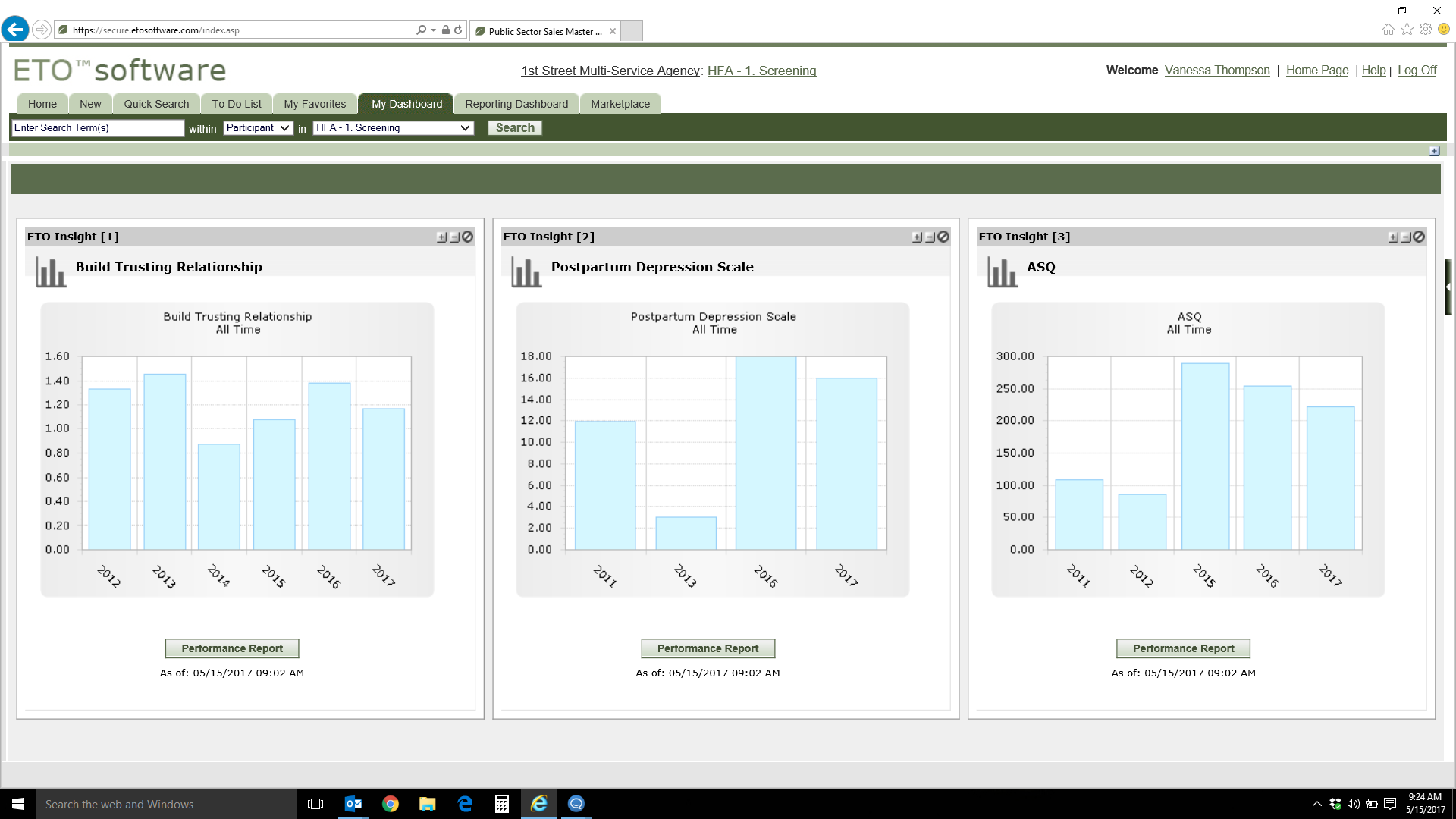
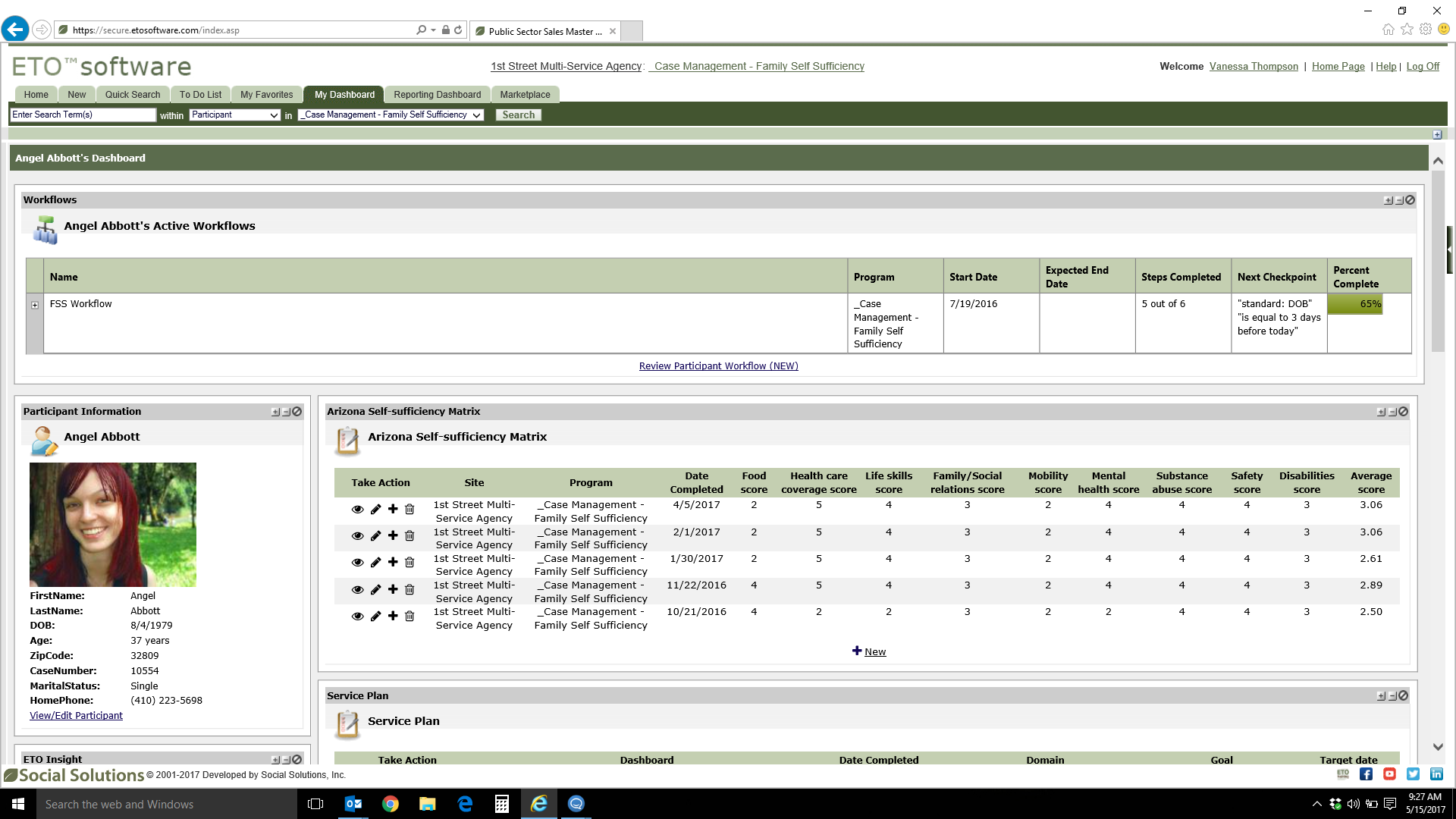
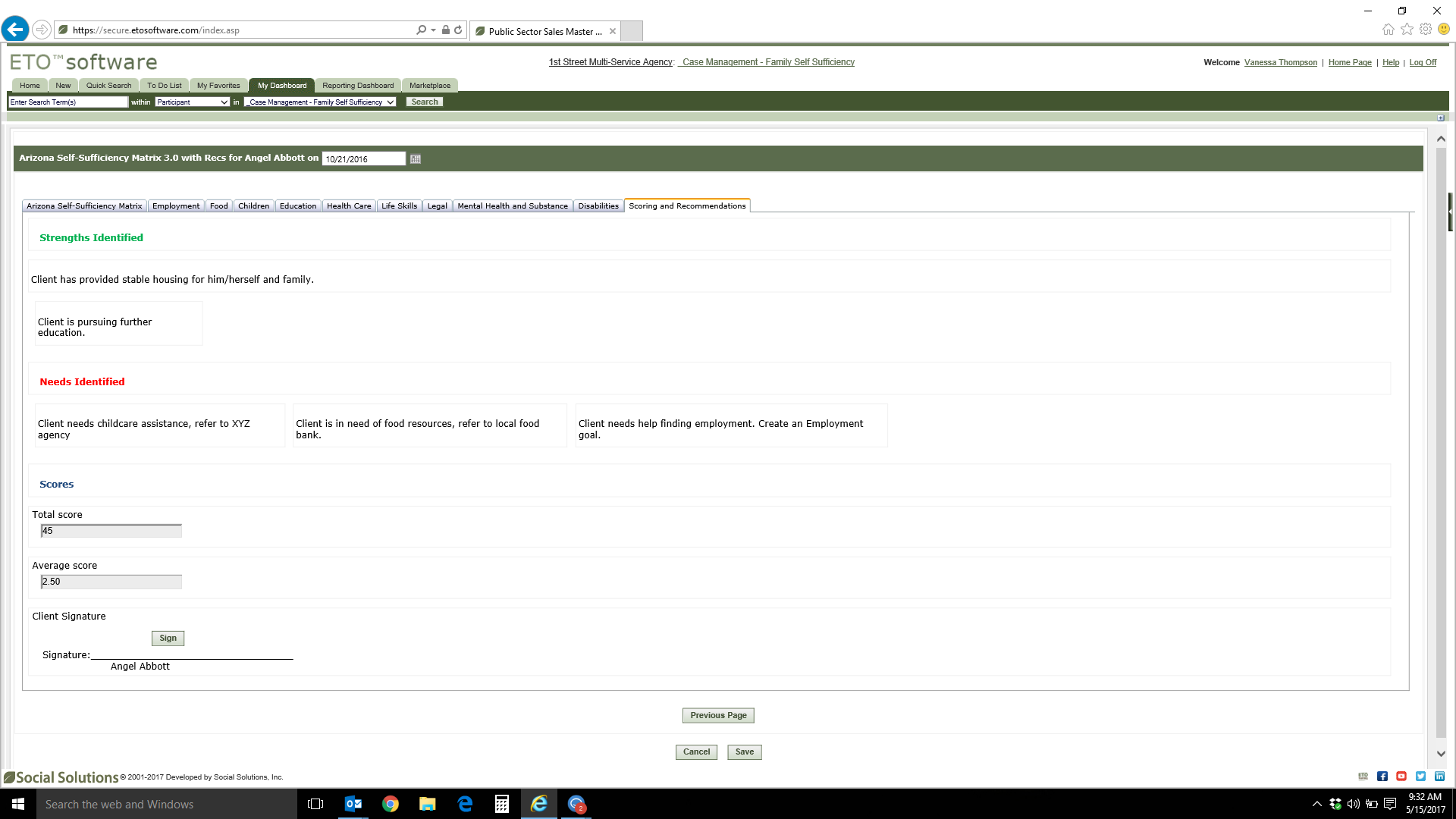
Bonterra ETO is a case management platform that consolidates data, caseloads, and service delivery programs, helping users to save time and serve more people. ETO is purpose-built for organizations looking to improve their program and case management. ETO is built in accordance with industry security standards and includes tools that helps users to focus on advancing their missions, as well as: Reduce time spent entering data into separate systems to increase…
N/A
Salesforce Service Cloud
Score8.4 out of 10
N/A
Service Cloud is a customer service platform that helps businesses manage and resolve customer inquiries and issues. It provides tools for case management, knowledge base, omni-channel support, automation, and analytics, enabling companies to deliver exceptional customer service experiences.
ETO Social Solutions should be avoided until they start caring about the problems generated by their software. In regards specifically to the ARMS suite utilized by the entire state of California, until the ETO software learns how to speak with SOMS, and unless it can be customized by knowledgeable people who consult with front-line users. It is not appropriate to provide the state legislature with bad data. I have 6 years of experience with it and I have multiple sources of agreement from fellow users throughout the state.
It is a helpful tool, but it can be a bit cumbersome to manage. It is also a bit expensive, but we already use CRM for Salesforce and it is convenient to be able to immediately tag contacts and accounts when the tickets come into the system and tie them directly to the account. I do know an integration with Jira is possible (we use Jira internally for our engineering team to escalate issues) but it is not configured right now so managing the connection between support tickets and Jira tickets is manual and hard to keep up with
A de minimis incentive was given to thank the reviewer for their time. The incentive was not used to bias or drive a particular response, nor was the incentive contingent on a positive endorsement. More Info
ETO's customization allows for the use of so many different and unique applications.
The ability to build extremely customized reports also allows us to get very detail oriented results or very broad building wide stats.
The additional added features such as workflow, referrals, and ETO Engage are useful in their own way and add more ways to better track and record data while simplifying some end-user processes.
A de minimis incentive was given to thank the reviewer for their time. The incentive was not used to bias or drive a particular response, nor was the incentive contingent on a positive endorsement. More Info
A de minimis incentive was given to thank the reviewer for their time. The incentive was not used to bias or drive a particular response, nor was the incentive contingent on a positive endorsement. TR verified that a representative sample of customers was invited. More Info
The user interface is not intuitive and exceptionally difficult for non-tech savvy people to learn.
The system is not as customizable as we were led to believe at the initial purchase.
The system does not interface well with other systems. Organizationally we are moving towards data integration, and we will likely replace ETO because of this limitation.
Considering the limitations of the system, the cost is quite high. We've seen only marginal benefits of this system over pen and paper, and the ROI is not promising.
The initial build process was very frustrating. We didn't understand what the developer was billing us for. Something like simple touchpoint forms was billed for more hours than it would seem to require.
A system like this should be both fully mobile compatible and have offline functionality.
We would benefit from more nuanced security settings.
A de minimis incentive was given to thank the reviewer for their time. The incentive was not used to bias or drive a particular response, nor was the incentive contingent on a positive endorsement. More Info
A de minimis incentive was given to thank the reviewer for their time. The incentive was not used to bias or drive a particular response, nor was the incentive contingent on a positive endorsement. TR verified that a representative sample of customers was invited. More Info
Social Solutions has been great for our organization. It has allowed us to not only report on data, but to dive into it to see trends and give snapshots of the current status of our neighbors. Social Solutions has been helpful in getting us to see additional ways we can use our data and ways that it is easier for front line staff to use this tool
A de minimis incentive was given to thank the reviewer for their time. The incentive was not used to bias or drive a particular response, nor was the incentive contingent on a positive endorsement. TR verified that a representative sample of customers was invited. More Info
Professional edition works best for a small company with lower call volumes and is very useful but as you grow exponetially I think it has limited ability to do all the things we want to - SLA management, defect, release management to name a few. Reports and dashboards being available in real time.
As a technically savvy person with experience learning new database software systems I find ETO relatively straightforward now that I've been trained in it's use. However, many of our staff are less technically savvy and the learning curve for ETO can be grueling for many, who require frequent troubleshooting and support from me. Additionally, there are small quality of life improvements that would increase usability even for me - such as allowing multiple tabs to be open simultaneously or being able to use the browser's "back" and "forward" buttons.
A de minimis incentive was given to thank the reviewer for their time. The incentive was not used to bias or drive a particular response, nor was the incentive contingent on a positive endorsement. More Info
I had Salesforce experience prior to using Service Cloud which made it a little easier to learn and navigate, but overall my team (some who had no Salesforce experience) caught on very quickly and found Service Cloud to be easy to use.
A de minimis incentive was given to thank the reviewer for their time. The incentive was not used to bias or drive a particular response, nor was the incentive contingent on a positive endorsement. More Info
Routine maintenance is announced with plenty of lead time, and the few times I've been unable to log in to the system properly a simple refresh was all that was required to fix.
A de minimis incentive was given to thank the reviewer for their time. The incentive was not used to bias or drive a particular response, nor was the incentive contingent on a positive endorsement. More Info
Salesforce's Trust Center clearly communicates occasional issues to anyone who subscribes, down to an organization's cloud instance. Bundled sandboxes ease updates, and seasonal upgrades are seamless, scheduled well in advance with plenty of information about what's coming. Support agents have noticed intermittent Omni-Channel disconnects due to internet connections, and these are clearly notified.
Mostly really strong now, although I understand that for some years before switching their hosting service to AWS performance was a real issue with ETO and we had frequent problems with pages timing out or other glitches stemming from performance issues. With AWS that is mostly a thing of the past, although it is still a major issue with the reporting tool which is unable to run reports on the entire database due to performance limitations, instead requiring admins to define universes prior to running queries.
A de minimis incentive was given to thank the reviewer for their time. The incentive was not used to bias or drive a particular response, nor was the incentive contingent on a positive endorsement. More Info
The Salesforce Service Cloud generally has very good performance, however the overall new Lightning user experience can bring that down. For example, if you have too many tabs open, then it can take a while for the Lightning UI to load. This UI is probably not well equipped to handle loading of all of that information at once, but Users tend to leave their tabs open all day long. It can also be fickle depending on which browser you use, what extensions you have installed, and whether you've cleared your cache. This can be the downfall with any software as a service though, not just Salesforce
A de minimis incentive was given to thank the reviewer for their time. The incentive was not used to bias or drive a particular response, nor was the incentive contingent on a positive endorsement. More Info
We love the first tier customer support folks! They're friendly, helpful, and knowledgeable within the scope of their position. The experiences we've had with their supervisors have also been mostly good and again they seem to be doing what they can within the scope of their positions. This is what prevents me from selecting 1. Unfortunately, none of these wonderful folks can offer real solutions when things are actually broken. They verify there's a problem and send it to the black hole called "the developers". After that, we don't hear anything useful and we figure out how to live with/work around the problem ourselves. (Requests for updates typically get "still with the developer" responses.) This is highly frustrating given that most of our issues are basic system issues (functionality that worked then broke after an update by Social Solutions, servers not syncing, report universes not flattening automatically, etc.). All we want is for the system to work as designed and to be fixed in a timely fashion when it doesn't. Apparently, that's too much to ask. (And no, we don't expect it to happen instantly, programming and quality control checks obviously take time.)
A de minimis incentive was given to thank the reviewer for their time. The incentive was not used to bias or drive a particular response, nor was the incentive contingent on a positive endorsement. More Info
Salesforce offers support, although it generally gets routed to overseas support teams first, and once they are unable to help, it gets escalated up the chain to higher tiers. Frequently, the answer back from support is that there is no native solution, and we either have to turn to the AppExchange for some solution provided by another developer, or custom build our own solution.
Our in-person training was provided by our implementation partner and it was quite good. This was in part because we were already working with them and so it naturally leant itself to a good training relationship. And because they were building our customizations and configuring things, they could then provide training on those things naturally.
A de minimis incentive was given to thank the reviewer for their time. The incentive was not used to bias or drive a particular response, nor was the incentive contingent on a positive endorsement. TR verified that a representative sample of customers was invited. More Info
Really good trainer and exhaustive curriculum covered, but ETO is a complex enough system that you don't *really* know how to use it until you've been in the trenches for a few weeks. For instance, I took a Report Writing training and emerged with some fluency in the reports interface and a vague understanding of the process, but immediately encountered a legion of instance-specific idiosyncrasies that would have been totally impossible to address in a webinar training for a dozen folks from different orgs working in different instances.
A de minimis incentive was given to thank the reviewer for their time. The incentive was not used to bias or drive a particular response, nor was the incentive contingent on a positive endorsement. More Info
Trailheads are great but it was often unclear what actually applied to our organization. This made it difficult to get a whole lot out of it. Part of it is that because the basic Salesforce features didn't quite work for us, we had to add customizations, which then nullified a lot of the training.
A de minimis incentive was given to thank the reviewer for their time. The incentive was not used to bias or drive a particular response, nor was the incentive contingent on a positive endorsement. TR verified that a representative sample of customers was invited. More Info
Hard to say, as I was not with the agency at the time. However, based on our use of the software ~5years later I can say that there were no catastrophic design choices made during implementation that have become unduly burdensome as we've scaled up.
A de minimis incentive was given to thank the reviewer for their time. The incentive was not used to bias or drive a particular response, nor was the incentive contingent on a positive endorsement. More Info
I would go through an implementation very differently knowing what I know now. It was difficult coming from systems we liked in post-sales service and having to adapt to the clunky and underwhelming feature set in Salesforce. I would trim back our expectations
A de minimis incentive was given to thank the reviewer for their time. The incentive was not used to bias or drive a particular response, nor was the incentive contingent on a positive endorsement. TR verified that a representative sample of customers was invited. More Info
When we made our decision several years ago Social Solutions had just acquired Apricot. At that time it was recommended to use ETO based off our revenue stream. However, it seems like Social Solutions has put in a lot more time and effort into Apricot over ETO and it seems more modern and user friendly. I think it is worth a second look once our contract expires
A de minimis incentive was given to thank the reviewer for their time. The incentive was not used to bias or drive a particular response, nor was the incentive contingent on a positive endorsement. More Info
Salesforce service cloud is more configurable than Zendesk and Freshdesk. It has its own inbuilt AI chatbot also which further improves service agent efficiency. Salesforce is more integration agnostic and has pre-built connectors with multiple 3rd party systems. However, in terms of pricing it is priced at a premium compared to the other solutions
The core product scales well, and we've grown quite a bit as an agency during our use of ETO. However, there are some real pain points particularly around creating new programs and managing report universes that require extensive offline checklist resources and a full-spectrum understanding of how changing settings in one part of ETO can have downstream impact in other areas. This can introduce a "chilling" effect on proposed changes to the system, where there is strong incentive to leave things as-is to avoid unforeseen consequences.
A de minimis incentive was given to thank the reviewer for their time. The incentive was not used to bias or drive a particular response, nor was the incentive contingent on a positive endorsement. More Info
A de minimis incentive was given to thank the reviewer for their time. The incentive was not used to bias or drive a particular response, nor was the incentive contingent on a positive endorsement. TR verified that a representative sample of customers was invited. More Info
I would say that at this point the overall ROI has been negative as we aren't getting much more out of our data by the switch we made to ETO, but the cost is much higher. I anticipate that will change as we get better at using ETO.
Most users that have switched to ETO in our organization prefer it to what they were using before and some are more appreciative of the value they can get from the data.
A de minimis incentive was given to thank the reviewer for their time. The incentive was not used to bias or drive a particular response, nor was the incentive contingent on a positive endorsement. More Info
Because this is a cloud service, the security, implementation framework and feature list is very mature and you don't have to develop these during implementation.
The larger the implementation programme the better the licensing arrangements
Free developer toolkit for proof of concepts or showcasing features
A de minimis incentive was given to thank the reviewer for their time. The incentive was not used to bias or drive a particular response, nor was the incentive contingent on a positive endorsement. More Info