Bonita is an open-source business process and workflow management platform created by the French National Institute for Research in Computer Science. It is available as a free community edition or as a commercial subscription product.
N/A
Microsoft Power Automate
Score 8.3 out of 10
N/A
Microsoft Power Automate is an advanced automation platform offering a range of features, including AI-powered automation, robotic process automation (RPA), business process automation (BPA), digital process automation (DPA), and process/task mining. The platform aims to empower organizations to securely automate their operations at scale by leveraging low-code and AI technologies.
$15
per month per user
Pricing
Bonita Platform
Microsoft Power Automate
Editions & Modules
No answers on this topic
Power Automate Premium
$15
per month per user
Power Automate Process
$150
per month per bot
Hosted RPA add-on
$215
per month per bot
Process Mining add-on
$5,000
per month per tenant
Offerings
Pricing Offerings
Bonita Platform
Microsoft Power Automate
Free Trial
No
Yes
Free/Freemium Version
Yes
Yes
Premium Consulting/Integration Services
Yes
No
Entry-level Setup Fee
No setup fee
No setup fee
Additional Details
—
—
More Pricing Information
Community Pulse
Bonita Platform
Microsoft Power Automate
Features
Bonita Platform
Microsoft Power Automate
Reporting & Analytics
Comparison of Reporting & Analytics features of Product A and Product B
Bonita Platform
6.4
43 Ratings
24% below category average
Microsoft Power Automate
-
Ratings
Dashboards
6.041 Ratings
00 Ratings
Standard reports
5.540 Ratings
00 Ratings
Custom reports
7.740 Ratings
00 Ratings
Process Engine
Comparison of Process Engine features of Product A and Product B
Bonita Platform
7.7
53 Ratings
8% below category average
Microsoft Power Automate
-
Ratings
Process designer
9.052 Ratings
00 Ratings
Process simulation
6.910 Ratings
00 Ratings
Business rules engine
8.242 Ratings
00 Ratings
SOA support
6.440 Ratings
00 Ratings
Process player
6.78 Ratings
00 Ratings
Support for modeling languages
9.038 Ratings
00 Ratings
Form builder
8.148 Ratings
00 Ratings
Model execution
6.948 Ratings
00 Ratings
Collaboration
Comparison of Collaboration features of Product A and Product B
Bonita Platform
5.9
24 Ratings
35% below category average
Microsoft Power Automate
-
Ratings
Social collaboration tools
5.924 Ratings
00 Ratings
Content Management Capabilties
Comparison of Content Management Capabilties features of Product A and Product B
Well suited for low code/no code applications centered around approval flows. It has built-in task management for users to see their pending actions, comments, statuses, etc. It has a very nice design for process flows. Less appropriate may be for generic type applications with complex screens and logic within those screens that need a lot of data to process.
If you are in a team that needs to develop automated solutions but have no coding experience and no access to a developer, Power Automate is one of the best places to start. It is incredibly flexible and likely has triggers and actions that can connect with your platforms, especially if you use the Microsoft stack. Additionally, using webhooks, you can connect to many different endpoints to get systems working together.
Bonita seems particularly suited for processes requiring a great deal of human interaction. Its user model allows you to control access to business processes in a fine-grained way. This allows for business processes to move smoothly between users and services as the process advances.
The definition and usage of custom forms from the latest version of Bonita seems particularly powerful. It allows for a thorough customization of the look-and-feel and does not require complex developments.
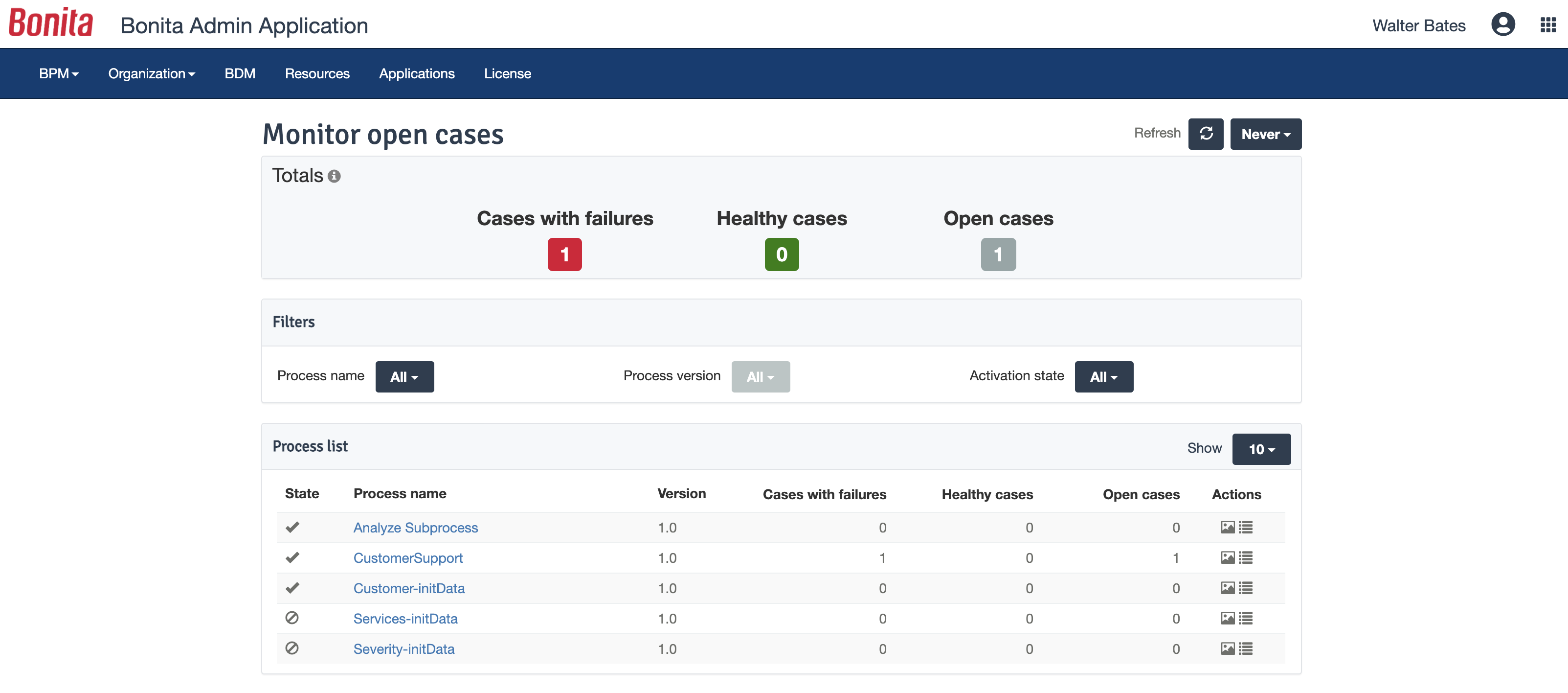
The web interface and administration section have greatly improved in the latest versions. Installation and configuration of processes has become more flexible and more structured. The administration section gives a good view on failed processes, allowing to analyse problems in an efficient way.
There is a learning curve beyond the boot camps that needs to be addressed with more structured curriculum.
The full stack technologies are industry standard, but these [are] challenging to learn and could use a learning path and orientation. There's probably opportunity for third-parties here to help with learning and adoption.
I REALLY wish I could just drop in a block of python or PowerShell code sometimes. The visual low-code things are great for moving around data but sometimes it would be faster if I could just tap out some code.
The DOM (Document Object Model) is not entirely apparent and takes a lot of trial and error, and sometimes it's even different between different connectors. I would love to be able to just see the path to access some specific variables from earlier processes.
The tool is very useful when used with its various native connectors, taking great advantage of the integration between the components and systems of the Office365 universe. However, its cost is still high, and automation using more advanced components containing AI resources becomes unfeasible for some companies. Due to the financial crisis that many companies are currently experiencing, investment in automation systems or tools is taking a back seat.
Bonita Platform has allowed us to develop GUI relatively fast using its UI Designer while being able to seamlessly integrate our business logic in Java in a BPMN2 process diagram. It gives a nice productivity boost but still requires programming know-how to be able to deliver the final solution to your business problems.
Power Automate features a clean and intuitive user interface that allows users to create, manage, and monitor workflows easily. The UI is designed to be accessible to both technical and non-technical users, with drag-and-drop functionality for building workflows. Power Automate supports integration with a wide range of Microsoft and third-party applications. This flexibility in integration allows users to automate workflows across various systems, enhancing overall productivity and efficiency.
Engine itself is efficient enough for most cases I dealt with. It can also be extended by clustering. I have done performance tests with JMeter and only managed to induce the crash of... JMeter. If there are efficiency issues they usually concern bad design/implementation of created apps or bottlenecks in integrated systems. Although I have met two cases with efficiency loss.
1. Java 7 related PermGen saturation caused by big number of installed apps (there is no jar dependency reusal between apps option).
2. Big number of waiting event handlers in processes stresses the database.
both Community support and Microsoft official support typically respond to (and resolve) reported issues in a VERY expedient manner, usually going above and beyond for education and bugfixing. I have been thoroughly impressed with the level of support I had been provided in the past.
after reviewing the main features of Power Automate, the Microsoft trainer focused on some of our real life use cases implementation, from simple to more advanced.
although it was productive, it is more difficult to stay focused and in a 7 hours a day online training (including screen share issues and the fact that the trainer just can't precisely show the exact location of your mistake)
I was part of the migration of classic SharePoint workflows and Nintex workflows. We didn't spend much time learning the new platform because of its user-friendly interface and intuitive drag-and-drop functionality. We have mostly O365 E1 and E3 licensed users, so they can participate in our Citizen Development program and utilize Power Automate to build day-to-day business processes.
I have many years of experience with Nintex applications and it stands up very well against Microsoft Power Automate. I hope Microsoft Power Automate can become the better workflow application. With the Integrated AI builder and continuous updates I expect they can become the better one in a few years.
Respect of BPMN standard over the long term. Good enhancements by Bonitasoft for new use cases, for example the introduction of a real form editor even if it has been technically difficult to manage. Once done though, we have far greater possibility of human interaction.
Microsoft's professional services provide hands-on support throughout the implementation lifecycle of Power Automate.This includes initial setup, configuration, integration with existing systems, testing, and deployment. They ensure that workflows are correctly designed, optimized for performance, and aligned with security best practices.