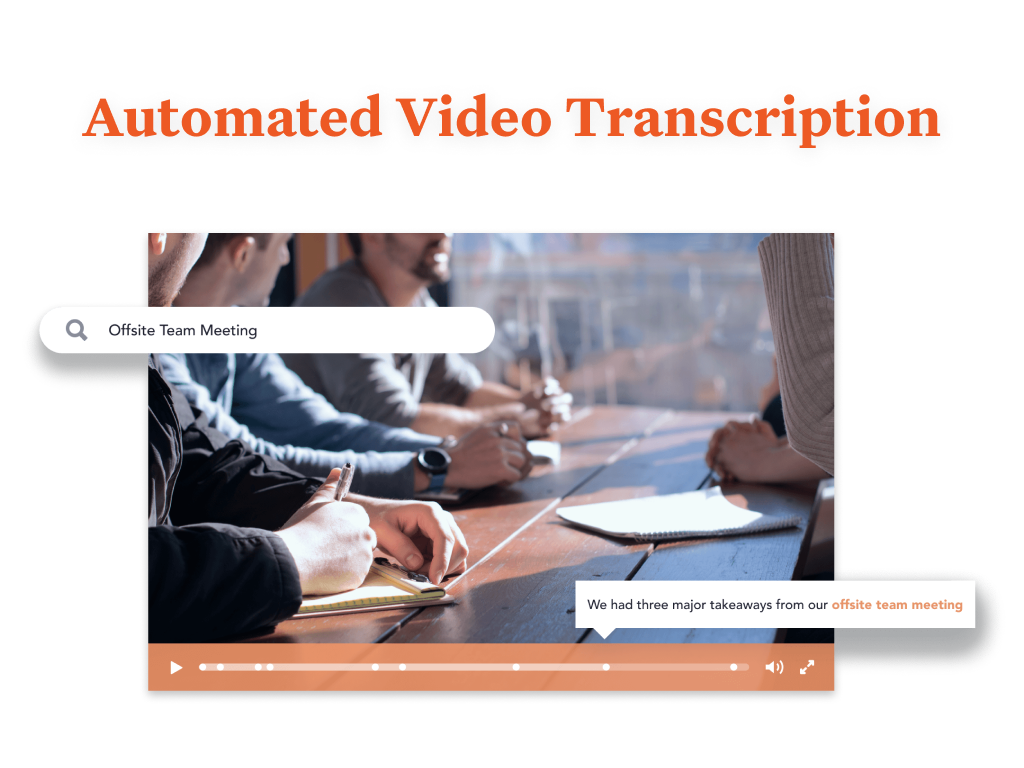
Bloomfire provides knowledge engagement, aiming to deliver an experience that connects teams and individuals with the information they need to excel at their jobs. Their cloud-based knowledge engagement platform aims to give people one centralized, searchable place to engage with shared knowledge and grow their organization's collective intelligence.
$25
per month
Slack
Score9.1 out of 10
N/A
Slack is a group messaging or team collaboration app that aims to simplify communication for businesses. Features include open discussions, private groups, and direct messaging, as well as deep contextual search and message archiving, and file sharing. Slack integrates with a number of other tools, such as MailChimp, Dropbox, and Google Drive. Slack was acquired by Salesforce in December 2020.
The product is free to use, and also has paid plans with more features and greater controls.
The…
$8.75
per month per user
Pricing
Bloomfire
Slack
Editions & Modules
Basic
$25.00
per month
Free
$0
Pro
$7.25*
per month per user
Business+
$12.50*
per month per user
Enterprise
Contact Sales
Offerings
Pricing Offerings
Bloomfire
Slack
Free Trial
No
Yes
Free/Freemium Version
No
Yes
Premium Consulting/Integration Services
Yes
No
Entry-level Setup Fee
$25
No setup fee
Additional Details
—
*Per active user, per month, when paying once a year.
Pro is $8.75 USD per active user when paying month to month. Business+ is $15.00 USD per active user when paying month to month.
A de minimis incentive was given to thank the reviewer for their time. The incentive was not used to bias or drive a particular response, nor was the incentive contingent on a positive endorsement. More Info
UX and Knowledge Management Specialist in Marketing at CLEARLINK (Marketing and Advertising, 501-1000 employees)
Chose Bloomfire
Bloomfire met all of our technical requirements, as well as a lot of the UI/interface requirements. The system is clean, elegantly simple, and not overly featured - it knows exactly what it does and doesn't do. (Ie: it's not a chat tool, it's not a substitute for email, it's …
A de minimis incentive was given to thank the reviewer for their time. The incentive was not used to bias or drive a particular response, nor was the incentive contingent on a positive endorsement. More Info
PTS: needed to bring a new senior marketing team member up to speed on how we got to our current TV campaign
Solution: Series featuring consumer insights, why specific spokesperson, agency brief, the entire creative process - scrips, animatics, rough cuts, feedback, and testing at each step. Including the actual creative from each step.
Total time to build: 1 hour
Concept testing:
PTS: things get lost, findable but version control
Solution: everything in one placeConcepts, testing, IHUTs, verbatims, videos with transcripts. Reduces the possibility of missing something, helps with any builds (reuse), but gives us a the chance to dig deeper. Example: search on terms like "indulgent", or "crispy" or "share" much faster
A de minimis incentive was given to thank the reviewer for their time. The incentive was not used to bias or drive a particular response, nor was the incentive contingent on a positive endorsement. More Info
If you population likes technology, then I would recommend Slack. It is more difficult to implement if not everyone is on Slack or knows how to use it. Slack was used well by some employees who loved it. Slack allowed them to plan annual events and get feedback and ideas from those involved in the event
A de minimis incentive was given to thank the reviewer for their time. The incentive was not used to bias or drive a particular response, nor was the incentive contingent on a positive endorsement. TR verified that a representative sample of customers was invited. More Info
Quickly reach out to whatever employee segment you want to reach by posting a topic and it will send a notification to everyone in that group with a link to the posting.
Bloomfire saves all of the previous posts so in your free time you can go to the site, and explore the various range of topics others have posted. The information on there will only be as good as the person posting it, but it will be people within your company and industry posting it. So it will always be helpful.
Bloomfire is a place to be noticed by your peers. Have a great topic you want to express, my company allows all to post there as long as we keep it professional. So you can share your ideas or experiences in a safe and productive manner. But we do have some fun on there too!
A de minimis incentive was given to thank the reviewer for their time. The incentive was not used to bias or drive a particular response, nor was the incentive contingent on a positive endorsement. More Info
A de minimis incentive was given to thank the reviewer for their time. The incentive was not used to bias or drive a particular response, nor was the incentive contingent on a positive endorsement. More Info
I would recommend adding a feature to combine different posts/series by job title (so in addition to the Revenue Ops category, there could be a structured walkthrough for Revenue Manager).
Live Q+A sessions for group onboarding initiatives.
A de minimis incentive was given to thank the reviewer for their time. The incentive was not used to bias or drive a particular response, nor was the incentive contingent on a positive endorsement. More Info
Would love a better integration with GitHub. For example, notifications when your PR is updated, when review is requested, @-mention in comments, etc.
Improved "Later" tab, for example the ability to create to-do lists or making the "Later" tab into a more powerful to-do list (annotate items with notes)
More powerful integrations, e.g. Google Calendar could render a calendar view within Slack, rather than sending the daily schedule
A de minimis incentive was given to thank the reviewer for their time. The incentive was not used to bias or drive a particular response, nor was the incentive contingent on a positive endorsement. TR verified that a representative sample of customers was invited. More Info
Most likely we will renew, our team needs a refresher on possible opportunities to advance our usage and learning of opportunities to move this answer to a 10, can't live without it.
A de minimis incentive was given to thank the reviewer for their time. The incentive was not used to bias or drive a particular response, nor was the incentive contingent on a positive endorsement. TR verified that a representative sample of customers was invited. More Info
To be more transparent, I give 10 because Slack serves our collaboration needs. It provide us a good platform for team communication relaying important update within the company, it has even mobile app where you can install in your phone to monitor any updates within that team that needs your immediate attention and intervention.
A de minimis incentive was given to thank the reviewer for their time. The incentive was not used to bias or drive a particular response, nor was the incentive contingent on a positive endorsement. More Info
Bloomfire is an easy-to-use platform for posting information and asking questions of my peers. It also has a user-friendly search capability. Yet like any other CMS, the secret to success rests in such items as the ability to use metadata to tag content or posts, and Bloomfire provides a wide range of options to make posting content and subsequently searching for it.
A de minimis incentive was given to thank the reviewer for their time. The incentive was not used to bias or drive a particular response, nor was the incentive contingent on a positive endorsement. More Info
Slack is one of the easiest platforms to use! It is very aesthetically pleasing and you can arrange the chats and other features the way you personally like it. They kept it pretty simple for people who aren’t looking to do anything more than streamlining communication, but they definitely have options for folks to build out the Workspace more.
A de minimis incentive was given to thank the reviewer for their time. The incentive was not used to bias or drive a particular response, nor was the incentive contingent on a positive endorsement. TR verified that a representative sample of customers was invited. More Info
Yes, the app works 24/7. I don't even recall having any period that we could not use since the implementation. Even the maintenance periods are barely noticeable and our work is not impacted by it when it happens.
A de minimis incentive was given to thank the reviewer for their time. The incentive was not used to bias or drive a particular response, nor was the incentive contingent on a positive endorsement. TR verified that a representative sample of customers was invited. More Info
Slack is a soft app, we don't have many issues with it. I recall one or two people complaining about something during our usage period, but I didn't have a bad experience. When the app is slow, usually the problem is with my computer or my internet. The app works just fine.
A de minimis incentive was given to thank the reviewer for their time. The incentive was not used to bias or drive a particular response, nor was the incentive contingent on a positive endorsement. TR verified that a representative sample of customers was invited. More Info
I have not needed to pose questions to the support team yet, as it is a very simple piece of software to use, however, its help documents and the bot ready to answer questions let me know I am in good hands. The help center could load a little quicker, but that's my only complaint.
A de minimis incentive was given to thank the reviewer for their time. The incentive was not used to bias or drive a particular response, nor was the incentive contingent on a positive endorsement. TR verified that a representative sample of customers was invited. More Info
Whenever I've had to troubleshoot an issue with Slack (which, to be honest, has not happened very often), their online documentation has been easy to locate, easy to understand, and effective in resolving my issue. Slack's ever-growing popularity also means that there's a large community of practice out there that can be depended upon.
A de minimis incentive was given to thank the reviewer for their time. The incentive was not used to bias or drive a particular response, nor was the incentive contingent on a positive endorsement. More Info
A de minimis incentive was given to thank the reviewer for their time. The incentive was not used to bias or drive a particular response, nor was the incentive contingent on a positive endorsement. TR verified that a representative sample of customers was invited. More Info
I like Bloomfire because it is more concise with the work I do whereas Google search engine would provide broader information. It has just been so user-friendly, and easier to use [than] I could have imagined. I would use this program over any other that I have tried in the past.
A de minimis incentive was given to thank the reviewer for their time. The incentive was not used to bias or drive a particular response, nor was the incentive contingent on a positive endorsement. More Info
Having had a lot of experience with Google Chat and Teams, Slack is far and away the better option. In comparison to Teams, Slack is much cleaner with a far more user friendly AI, Teams is far too clunky and feels tiresome to use, whereas it is super easy to pick up Slack and be able to configure it do exactly what you need. Whilst I don't find a massive difference between the usability and UI of Google Chat to Slack. Slack's range of features far outweighs Google Chat. The ease of external connections, workflows, file sharing, external connections for notifications (Make, Zapier etc), plus the huge range of apps you can connect to enhance your workspace is incredible. Google Chat does benefit from directly integrating into your Google Suite so you can get access to automatic status updates based on calendar activity, which would be nice for Slack to have
A de minimis incentive was given to thank the reviewer for their time. The incentive was not used to bias or drive a particular response, nor was the incentive contingent on a positive endorsement. TR verified that a representative sample of customers was invited. More Info
A de minimis incentive was given to thank the reviewer for their time. The incentive was not used to bias or drive a particular response, nor was the incentive contingent on a positive endorsement. TR verified that a representative sample of customers was invited. More Info
A de minimis incentive was given to thank the reviewer for their time. The incentive was not used to bias or drive a particular response, nor was the incentive contingent on a positive endorsement. More Info