Azure DevOps Services vs. DataKitchen DataOps Platform

Overview
ProductRatingMost Used ByProduct SummaryStarting Price
Azure DevOps Services
Score 7.9 out of 10
N/A
Azure DevOps (formerly VSTS, Microsoft Visual Studio Team System) is an agile development product that is an extension of the Microsoft Visual Studio architecture. Azure DevOps includes software development, collaboration, and reporting capabilities.
$2
per GB (first 2GB free)
DataKitchen DataOps Platform
Score 0.0 out of 10
N/A
The DataKitchen DataOps Platform aims to automate key functions of data development & production workflows so data teams can collaborate, quickly innovate & deliver error-free, on-demand insight. Tool-Agnostic DataOps Platform supports an array of native tooling integrations & flexible methods for integrating new tools as they come available. Meta-Orchestration Meta-orchestrates all the steps in production & development…N/A
Pricing
Azure DevOps ServicesDataKitchen DataOps Platform
Editions & Modules
Azure Artifacts
$2
per GB (first 2GB free)
Basic Plan
$6
per user per month (first 5 users free)
Azure Pipelines - Self-Hosted
$15
per extra parallel job (1 free parallel job with unlimited minutes)
Azure Pipelines - Microsoft Hosted
$40
per parallel job (1,800 minutes free with 1 free parallel job)
Basic + Test Plan
$52
per user per month
No answers on this topic
Offerings
Pricing Offerings
Azure DevOps ServicesDataKitchen DataOps Platform
Free Trial
NoNo
Free/Freemium Version
NoNo
Premium Consulting/Integration Services
NoYes
Entry-level Setup FeeNo setup feeNo setup fee
Additional Details
More Pricing Information
Community Pulse
Azure DevOps ServicesDataKitchen DataOps Platform
Best Alternatives
Azure DevOps ServicesDataKitchen DataOps Platform
Small Businesses
GitHub
GitHub
Score 8.9 out of 10
GitLab
GitLab
Score 8.6 out of 10
Medium-sized Companies
GitHub
GitHub
Score 8.9 out of 10
GitLab
GitLab
Score 8.6 out of 10
Enterprises
Perforce P4
Perforce P4
Score 7.4 out of 10
GitLab
GitLab
Score 8.6 out of 10
All AlternativesView all alternativesView all alternatives
User Ratings
Azure DevOps ServicesDataKitchen DataOps Platform
Likelihood to Recommend
8.1
(68 ratings)
-
(0 ratings)
Likelihood to Renew
10.0
(3 ratings)
-
(0 ratings)
Usability
6.5
(7 ratings)
-
(0 ratings)
Support Rating
8.1
(11 ratings)
-
(0 ratings)
Implementation Rating
10.0
(1 ratings)
-
(0 ratings)
User Testimonials
Azure DevOps ServicesDataKitchen DataOps Platform
Likelihood to Recommend
Microsoft
DevOps is much more user friendly than Git itself. There is a more GUI-centric interface, tighter integration with the Azure / Entra architecture. For those of use in the Microsoft-sphere, it really is excellent for code-centric project management. I rate this as an 8 because it does not seem quite as well suited for fully functional / non-code project aspects in implementation. Nor does it have customer / end-user portal / front end for easy reporting and insight.
Read full review
DataKitchen
No answers on this topic
Pros
Microsoft
  • Flexible Requirements Hierarchy Management: AZDO makes it easy to track items such as features or epics as a flat list, or as a hierarchy in which you can track the parent-child relationship.
  • Fast Data Entry: AZDO was designed to facilitate quick data entry to capture work items quickly, while still enabling detailed capture of acceptance criteria and item properties.
  • Excel Integration: AZDO stands out for its integration with MS Excel, which enables quick updates for bulk items.
Read full review
DataKitchen
No answers on this topic
Cons
Microsoft
  • I did mention it has good visibility in terms of linking, but sometimes items do get lost, so if there was a better way to manage that, that would be great.
  • The wiki is not the prettiest thing to look at, so it could have refinements there.
  • It could improve the search slightly better.
Read full review
DataKitchen
No answers on this topic
Likelihood to Renew
Microsoft
I don't think our organization will stray from using VSTS/TFS as we are now looking to upgrade to the 2012 version. Since our business is software development and we want to meet the requirements of CMMI to deliver consistent and high quality software, this SDLC management tool is here to stay. In addition, our company uses a lot of Microsoft products, such as Office 365, Asp.net, etc, and since VSTS/TFS has proved itself invaluable to our own processes and is within the Microsoft family of products, we will continue to use VSTS/TFS for a long, long time.
Read full review
DataKitchen
No answers on this topic
Usability
Microsoft
Azure DevOps is a powerful, complex cloud application. As such there are a number of things it does great and something where there is room for improvement. One of those areas would be in usability. In my opinion it relies too much on search. There is no easy way to view all projects or to group them in a logical way. You need to search for everything.
Read full review
DataKitchen
No answers on this topic
Support Rating
Microsoft
When we've had issues, both Microsoft support and the user community have been very responsive. DevOps has an active developer community and frankly, you can find most of your questions already asked and answered there. Microsoft also does a better job than most software vendors I've worked with creating detailed and frequently updated documentation.
Read full review
DataKitchen
No answers on this topic
Implementation Rating
Microsoft
Was not part of the process.
Read full review
DataKitchen
No answers on this topic
Alternatives Considered
Microsoft
Microsoft Planner is used by project managers and IT service managers across our organization for task tracking and running their team meetings. Azure DevOps works better than Planner for software development teams but might possibly be too complex for non-software teams or more business-focused projects. We also use ServiceNow for IT service management and this tool provides better analysis and tracking of IT incidents, as Azure DevOps is more suited to development and project work for dev teams.
Read full review
DataKitchen
No answers on this topic
Return on Investment
Microsoft
  • We have saved a ton of time not calculating metrics by hand.
  • We no longer spend time writing out cards during planning, it goes straight to the board.
  • We no longer track separate documents to track overall department goals. We were able to create customized icons at the department level that lets us track each team's progress against our dept goals.
Read full review
DataKitchen
No answers on this topic
ScreenShots

DataKitchen DataOps Platform Screenshots
Screenshot of Meta-Orchestration
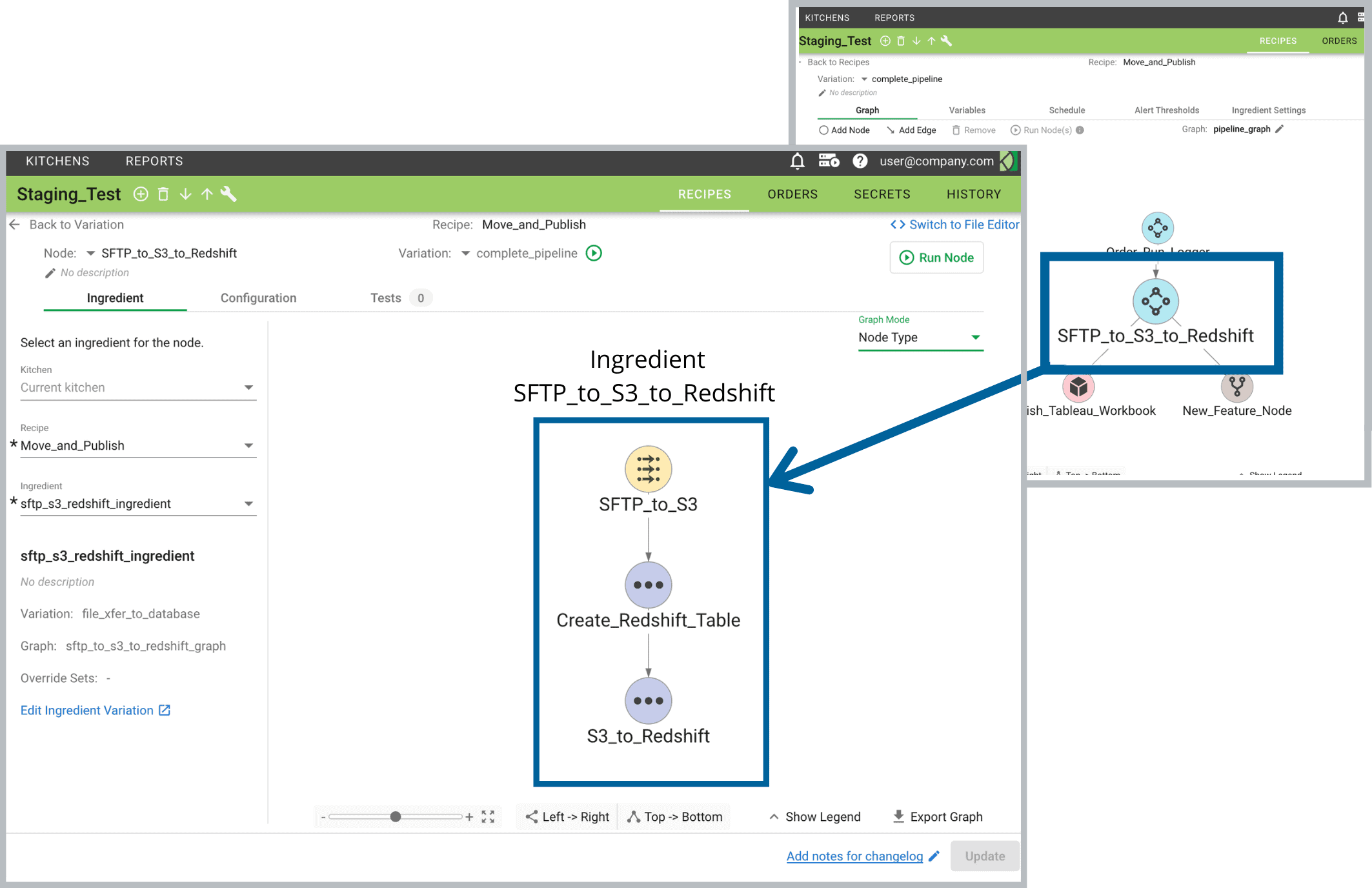
Data organizations may be hierarchical and siloed, but analytics production cuts across teams, locations, and environments. The DataKitchen Platform meta-orchestrates all the steps in your production and development pipelines (and even pipelines of pipelines), providing a coherent framework for inter-team collaboration that transcends heterogeneous toolchains and distributed data centers.Screenshot of Environment Creation & Management
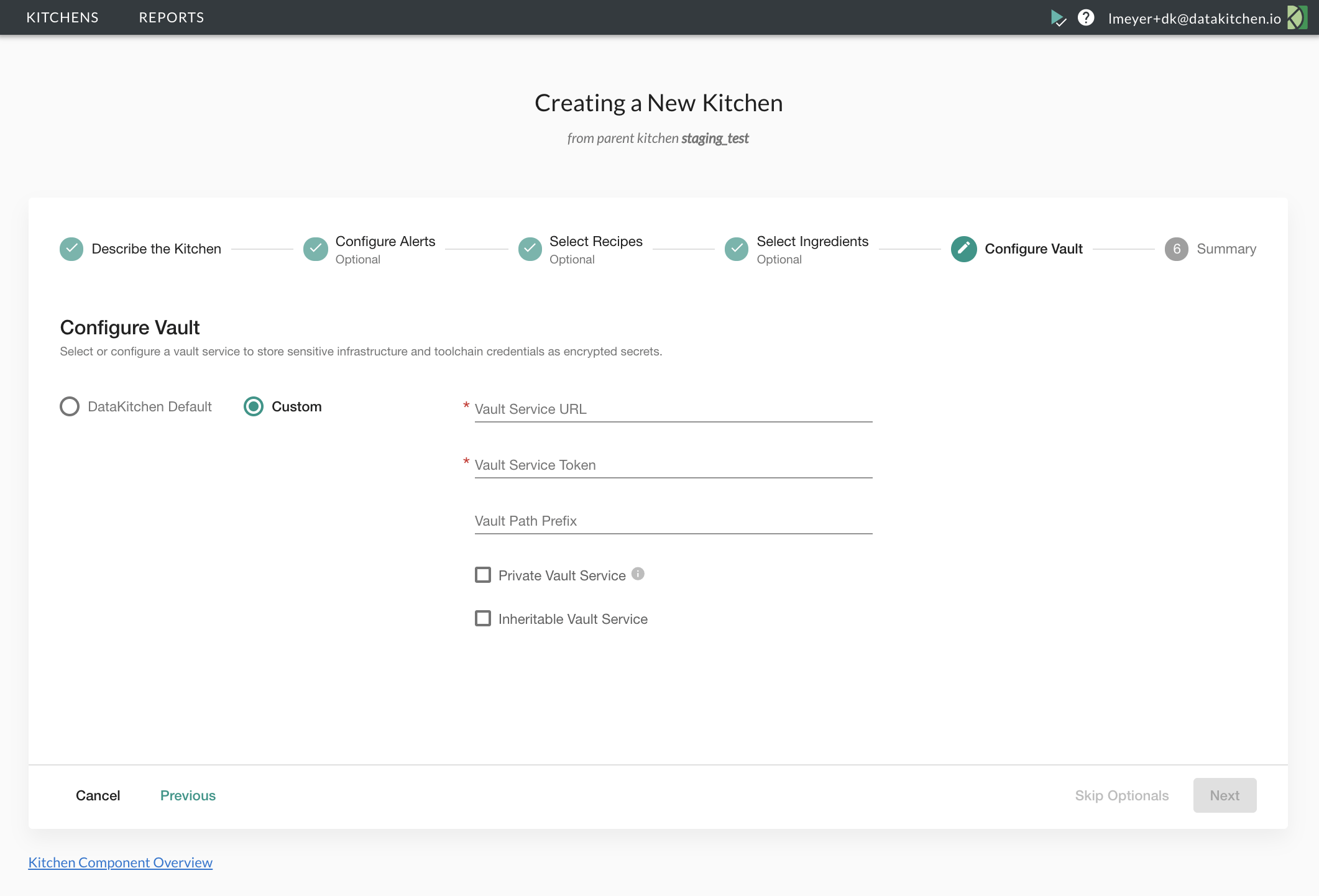
With the DataKitchen Platform, create Kitchen workspaces in minutes – not weeks or months – to provide developers with a controlled and secure space to work. Kitchens contain pre-configured tools, datasets, hardware, and tests – everything users need to create and innovate.  When new analytics are ready, Kitchens streamline an individual’s work into a team’s work and eventually into production by seamlessly merging to aligned environments.Screenshot of Continuous Deployment
Analytics can’t be agile with manual, error-prone, and time-consuming release processes. The DataKitchen Platform automates the end-to-end deployment process allowing analytics teams to test and release new analytics on-demand. Kitchens align and integrate toolchain environments so continuous deployment orchestrations can easily migrate analytics to production.Screenshot of Automated Testing & Monitoring
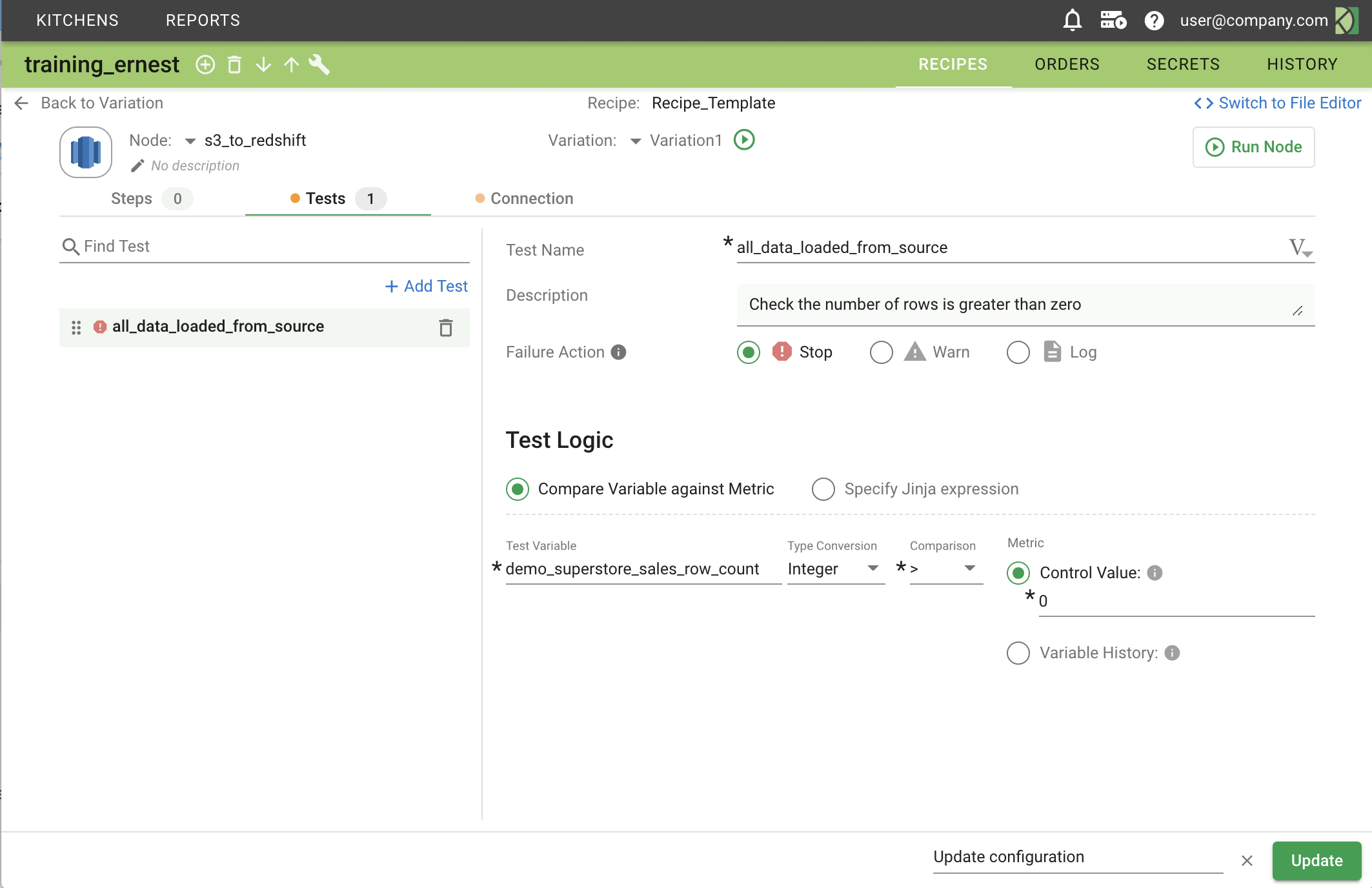
Automated testing and monitoring are foundational to DataOps. The Platform enables you to dramatically improve data quality by catching costly and embarrassing data errors early.  Embed automated tests at every step in your production and development pipelines. Use failures as an opportunity to add more tests and increase the reliability of your pipelines over time. Preset alerts to increase agility and reduce data downtime.Screenshot of Collaboration & Sharing
DataOps is a team effort, and the DataKitchen Platform fosters collaboration by providing a common place to work and a single view of the end-to-end analytic process.  Team members innovate and experiment in separate but aligned Kitchens, then integrate the collective work with confidence.  Teams can easily save and share commonly used parts of pipelines as Ingredients – a significant productivity multiplier.Screenshot of DataOps Process Analytics
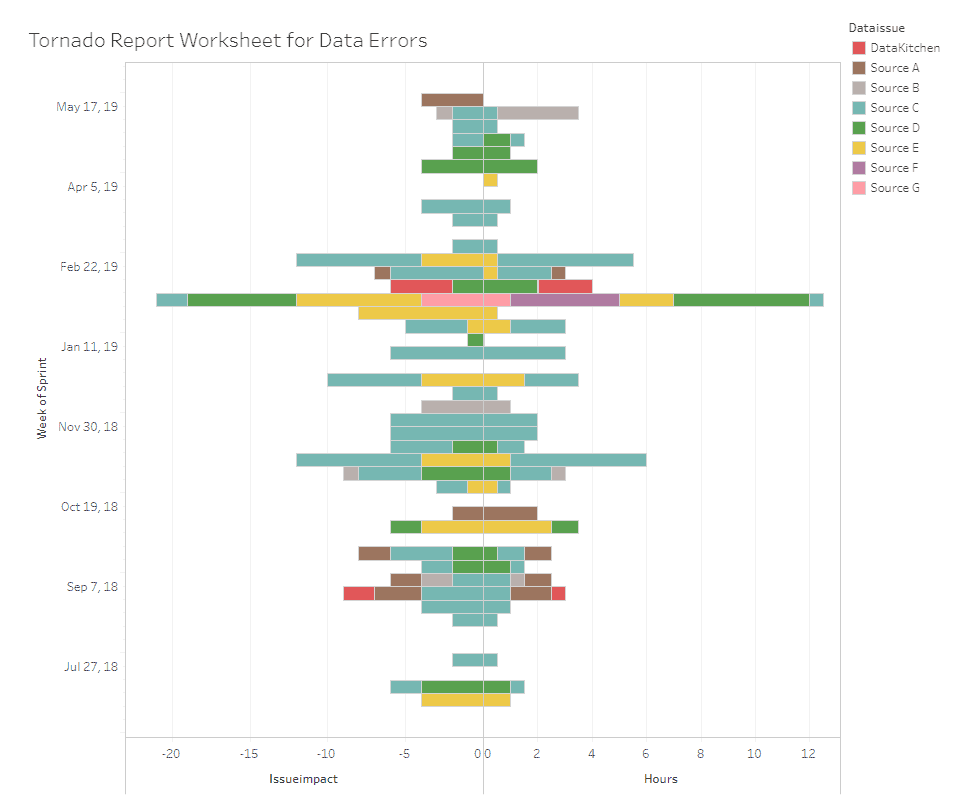
You can’t improve what you don’t measure. The DataKitchen Platform provides unprecedented visibility into the state of your data operations.  Process metrics show how your teams are increasing collaboration, improving productivity, expanding test coverage, reducing errors, speeding deployment cycle times, and consistently meeting deadlines.