TrustRadius: an HG Insights company

Save this comparison

Save this comparison

Add Product

Recommended Comparisons

    Overview
    ProductRatingMost Used ByProduct SummaryStarting Price

    azendoo

    Score3.1 out of 10
    Mid-Size Companies (51-1,000 employees)
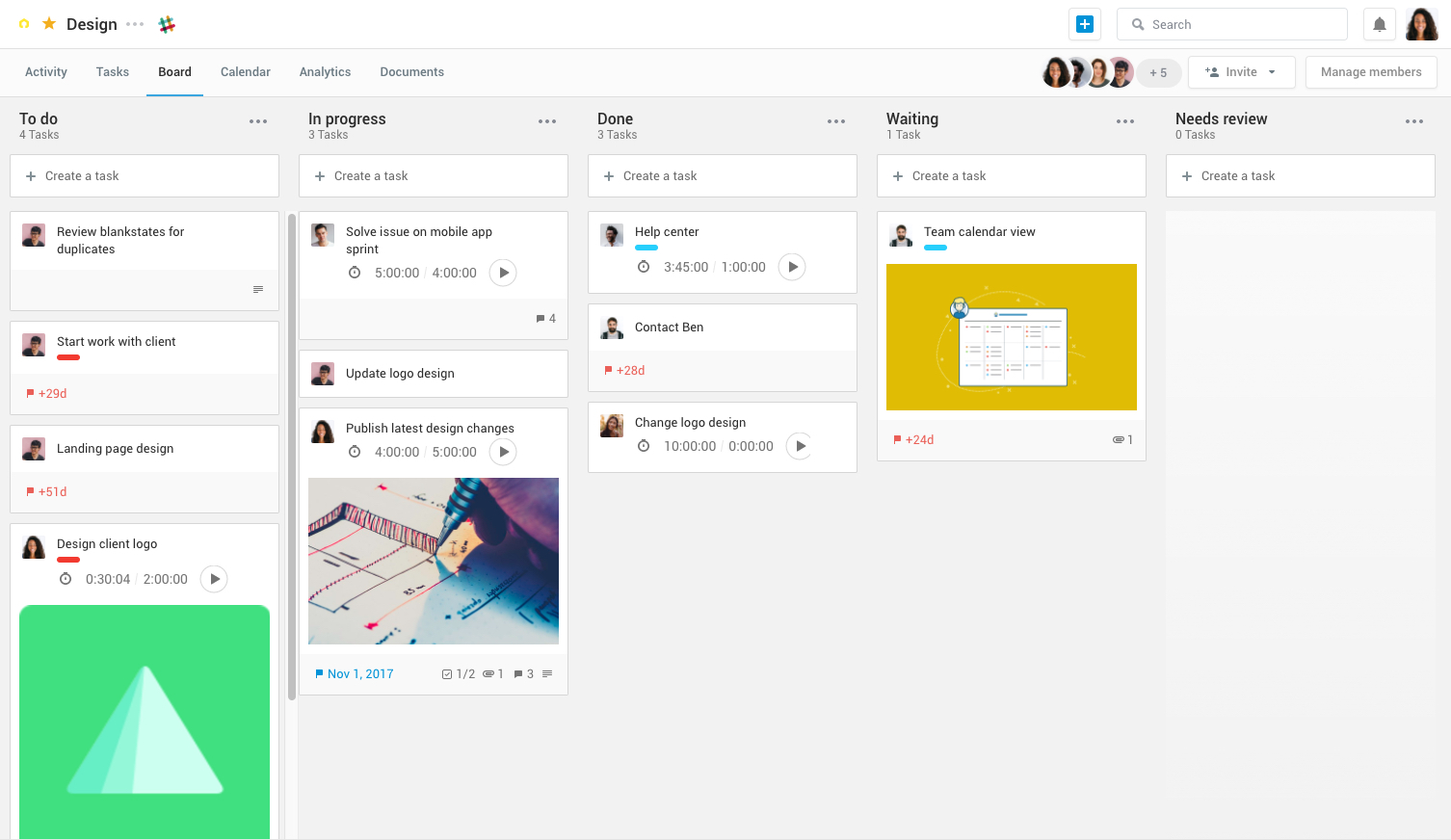
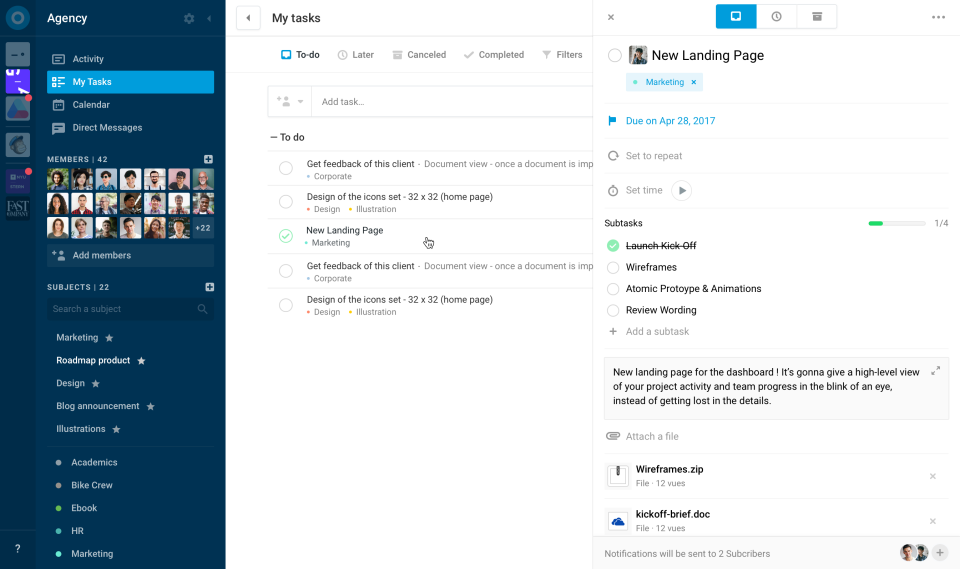
    Azendoo is a work management application to help teams work more effectively by giving them the tools to communicate, plan and execute together. Azendoo is designed to make teams collaborate in a more transparent and positive way while making work more enjoyable. Conversations are held in threads shared on projects to see through every piece of information and eventually take action by creating a task based on a conversation. Tasks allow team members to see all of their work in one…

    $7.50

    per user

    Microsoft To Do

    Score9.6 out of 10
    N/AMicrosoft To Do replaces the former Wunderlist task management tool.N/A
    Pricing
    azendooMicrosoft To Do
    Editions & Modules
    Team plan
    $7.50
    per user
    Business plan
    $14.00
    per user
    Enterprise plan
    custom pricing
    per user
    No answers on this topic
    Offerings
    Pricing Offerings
    azendooMicrosoft To Do
    Free Trial
    YesNo
    Free/Freemium Version
    NoNo
    Premium Consulting/Integration Services
    YesNo
    Entry-level Setup Fee$7.50 per userNo setup fee
    Additional DetailsAdd some time tracking: +$5.00 user/month Scheduled and accumulated time per task
    More Pricing Information
    Community Pulse
    azendooMicrosoft To Do
    Considered Both Products
    azendoo
    No answer on this topic
    Microsoft
    No answer on this topic
    Key User Insights
    Would buy again
    No answers on this topic
    94%
    Would buy again
    32 Answers
    Delivers good value for the price
    No answers on this topic
    100%
    Delivers good value for the price
    34 Answers
    Happy with the feature set
    No answers on this topic
    94%
    Happy with the feature set
    32 Answers
    Lived up to sales and marketing promises
    No answers on this topic
    88%
    Lived up to sales and marketing promises
    21 Answers
    Implementation went as expected
    No answers on this topic
    93%
    Implementation went as expected
    26 Answers
    Features
    azendooMicrosoft To Do
    Project Management
    Comparison of Project Management features of azendoo and Microsoft To Do
    Feature
    azendoo
    8.3
    3 Ratings
    8% above category average
    Microsoft To Do
    7.0
    74 Ratings
    9% below category average
    Task Management8.13 Ratings8.074 Ratings
    Resource Management9.03 Ratings7.040 Ratings
    Scheduling7.93 Ratings5.056 Ratings
    Workflow Automation8.93 Ratings6.433 Ratings
    Team Collaboration9.03 Ratings7.867 Ratings
    Document Management8.03 Ratings6.937 Ratings
    Email integration8.02 Ratings6.040 Ratings
    Mobile Access8.03 Ratings10.070 Ratings
    Budget and Expense Management8.02 Ratings9.06 Ratings
    Gantt Charts00 Ratings4.58 Ratings
    Support for Agile Methodology00 Ratings5.117 Ratings
    Support for Waterfall Methodology00 Ratings6.316 Ratings
    Timesheet Tracking00 Ratings6.613 Ratings
    Change request and Case Management00 Ratings9.010 Ratings
    Professional Services Automation
    Comparison of Professional Services Automation features of azendoo and Microsoft To Do
    Feature
    azendoo
    9.0
    1 Ratings
    18% above category average
    Microsoft To Do
    6.5
    7 Ratings
    15% below category average
    Integration with accounting software9.01 Ratings6.02 Ratings
    Quotes/estimates00 Ratings5.04 Ratings
    Invoicing00 Ratings7.04 Ratings
    Project & financial reporting00 Ratings7.96 Ratings
    User Ratings
    azendooMicrosoft To Do
    Likelihood to Recommend
    9.0
    (3 ratings)
    10.0
    (74 ratings)
    Likelihood to Renew
    -
    (0 ratings)
    8.0
    (4 ratings)
    Usability
    -
    (0 ratings)
    8.0
    (9 ratings)
    Support Rating
    -
    (0 ratings)
    7.6
    (30 ratings)
    Implementation Rating
    -
    (0 ratings)
    10.0
    (3 ratings)
    User Testimonials
    azendooMicrosoft To Do
    Likelihood to Recommend
    azendoo
    I think Azendoo is suited well to small office tracking projects and tasks together. The shared projects/calendar use is helpful and can make work easier if everyone uses it in a similar manner. The ability to add things from other sources (Dropbox, Evernote, etc) does make it a useful platform because you can integrate other things into the app well. The visibility and shared spaces provide good accountability and follow up for work being done.
    Incentivized
    Read full review
    Microsoft
    No answers on this topic
    Pros
    azendoo
    No answers on this topic
    Microsoft
    • Wunderlist is what you need for your to do lists. It's really simple to use.
    • Allows you to set due date to your lists, share them with your team and/or create a folder to divide and organize all your list set
    • Also, Wunderlist is compatible with all platform and devices. So you can always be updated on your list or work on them from wherever you are and with all the devices you have.
    Incentivized
    Read full review
    Cons
    azendoo
    • Despite being integrated with Google Calendar, this integration presents some inconveniences, so working with them together is not very convenient.
    • It requires fairly stable internet access to avoid a slow connection with your platform.
    • When performing searches, it must be done within the limit of work since otherwise no results are found.
    • Its cost can be high but I think it's worth it.
    • It is necessary to introduce it to the team slowly so that they can adapt to the software and thus get the most out of it.
    Incentivized
    Read full review
    Microsoft
    • Viewing more than one task at a time.
    • Email forwarding tasks - sometimes can be buggy and not always smooth.
    • Option to show more detail on a task without clicking task - example: being able to see attachment without clicking on task to view.
    Incentivized
    Read full review
    Likelihood to Renew
    azendoo
    No answers on this topic
    Microsoft
    It's working, and doing precisely what we selected it for. The only hesitation is if Microsoft suddenly drops the platform.
    Incentivized
    Read full review
    Usability
    azendoo
    No answers on this topic
    Microsoft
    No answers on this topic
    Support Rating
    azendoo
    No answers on this topic
    Microsoft
    No answers on this topic
    Implementation Rating
    azendoo
    No answers on this topic
    Microsoft
    Wunderlist giving 100% work satisfaction for me and my organization
    Incentivized
    Read full review
    Alternatives Considered
    azendoo
    azendoo is a different tool, meant for a different project type. While it's a good program on its own, Evernote ultimately had all I needed as a single employee/student is the only person within my workspaces. I did not need to network and as such, I did not find it applicable. Later down the road in a shared office, I might feel differently.
    Incentivized
    Read full review
    Microsoft
    Wunderlist is the cleanest of all these products, and also the most functional. It performs exactly like you would expect a to-do app to work, and you can make it as simple or as complex as you want. Trello boards were too much for my employees to comprehend and they could never get the hang of it. Microsoft TO-DO is just a stripped down remake of Wunderlist and will be a while before it catches up (if it ever does). Todoist is the most similar to me, and it was mostly an aesthetic choice that made me choose Wunderlist.
    Incentivized
    Read full review
    Return on Investment
    azendoo
    No answers on this topic
    Microsoft
    No answers on this topic
    ScreenShots

    azendoo Screenshots

    Product screenshotProduct screenshotProduct screenshotProduct screenshot