TrustRadius: an HG Insights company

Axcient x360Cloud vs. Hornetsecurity 365 Total Protection

Save this comparison

Save this comparison

Add Product

Recommended Comparisons

    Overview
    ProductRatingMost Used ByProduct SummaryStarting Price

    Axcient x360Cloud

    Score7.1 out of 10
    N/AAxcient CloudFinder (formerly from eFolder) is a cloud service (e.g. Office 365) backup service.N/A

    Hornetsecurity 365 Total Protection

    Score9 out of 10
    N/AWith 365 Total Protection, Hornetsecurity offers users enterprise security management in conjunction with Microsoft Office 365. The Enterprise version gives users enhanced functionality and protection, and covers legally compliant email archiving with advanced features such as eDiscovery and 10-year email retention. It also offers protection against advanced persistent threats through the use of AI-based analysis mechanisms.N/A
    Pricing
    Axcient x360CloudHornetsecurity 365 Total Protection
    Editions & Modules
    No answers on this topic
    No answers on this topic
    Offerings
    Pricing Offerings
    Axcient x360CloudHornetsecurity 365 Total Protection
    Free Trial
    YesNo
    Free/Freemium Version
    NoNo
    Premium Consulting/Integration Services
    NoNo
    Entry-level Setup FeeNo setup feeOptional
    Additional Details——
    More Pricing Information
    Features
    Axcient x360CloudHornetsecurity 365 Total Protection
    SaaS Backup
    Comparison of SaaS Backup features of Axcient x360Cloud and Hornetsecurity 365 Total Protection
    Feature
    Axcient x360Cloud
    8.4
    1 Ratings
    8% below category average
    Hornetsecurity 365 Total Protection
    -
    Ratings
    SaaS Product Integration8.21 Ratings00 Ratings
    Multiple Data Restoration Options9.11 Ratings00 Ratings
    Data Auditing and Search7.31 Ratings00 Ratings
    Data Storage in the Cloud or On-Premises9.11 Ratings00 Ratings
    Best Alternatives
    Axcient x360CloudHornetsecurity 365 Total Protection
    Small Businesses
    Backupify
    Score10 out of 10
    Backupify
    Score10 out of 10
    Medium-sized Companies
    Spanning Backup
    Score8.6 out of 10
    Spanning Backup
    Score8.6 out of 10
    Enterprises
    Keepit
    Score9.8 out of 10
    Keepit
    Score9.8 out of 10
    All AlternativesView all alternativesView all alternatives
    User Ratings
    Axcient x360CloudHornetsecurity 365 Total Protection
    Likelihood to Recommend
    8.6
    (3 ratings)
    -
    (0 ratings)
    User Testimonials
    Axcient x360CloudHornetsecurity 365 Total Protection
    Likelihood to Recommend
    ConnectWise
    Axcient x360Cloud is a good product if a backup solutions is needed for 365 products. If the backup is constantly being used and restores need to happen frequently I can see how Axcient x360Cloud could be annoying as the search functionality is lacking. It is also difficult to find specific files or emails as well as subfolders.
    Incentivized
    Read full review
    Hornetsecurity Inc.
    No answers on this topic
    Pros
    ConnectWise
    • Good visibility over backup status and protected users and data
    • Audit log activity information
    • Support requests
    • Smart Search
    • Reports
    Incentivized
    Read full review
    Hornetsecurity Inc.
    No answers on this topic
    Cons
    ConnectWise
    • Nightly backup boot verification
    Incentivized
    Read full review
    Hornetsecurity Inc.
    No answers on this topic
    Usability
    ConnectWise
    This is because the product does what it advertises but does not go above and beyond. It is perfectly usable for what it does but it is still a little confusing and awkward to use.
    Incentivized
    Read full review
    Hornetsecurity Inc.
    No answers on this topic
    Alternatives Considered
    ConnectWise
    As an MSP, we have been able to provide protection for cloud documents to our customer. With Axcient x360Recover, we can feel confident that we are providing a service that is commonplace today but reliable with Axcient. This protection comes at a reasonable price that makes profit margins obtainable without scarifying quality.
    Read full review
    Hornetsecurity Inc.
    No answers on this topic
    Return on Investment
    ConnectWise
    • Compared to the previous vendor, Axcient is saving us $1,000 per month and providing better value
    Incentivized
    Read full review
    Hornetsecurity Inc.
    No answers on this topic
    ScreenShots

    Hornetsecurity 365 Total Protection Screenshots
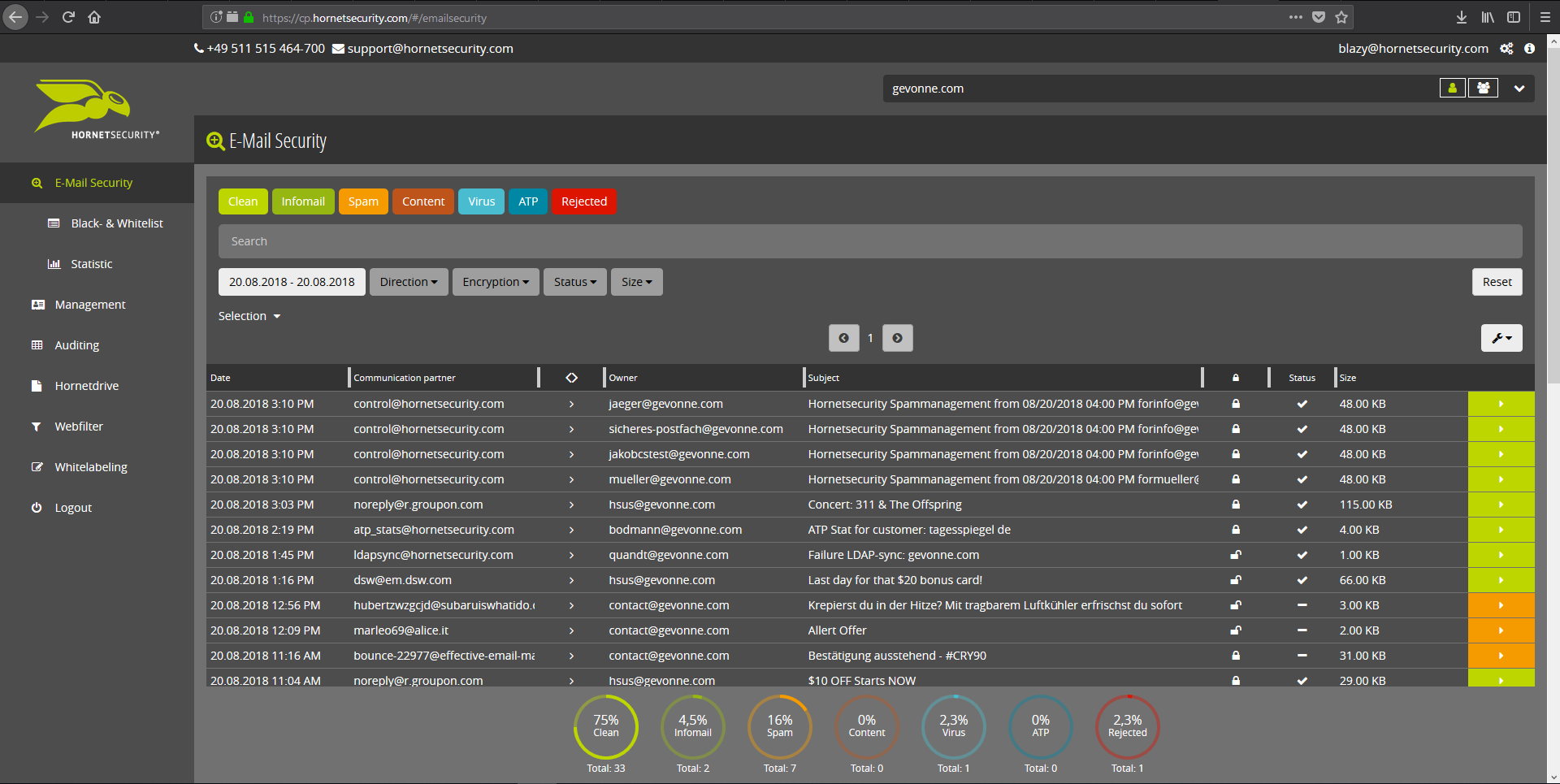
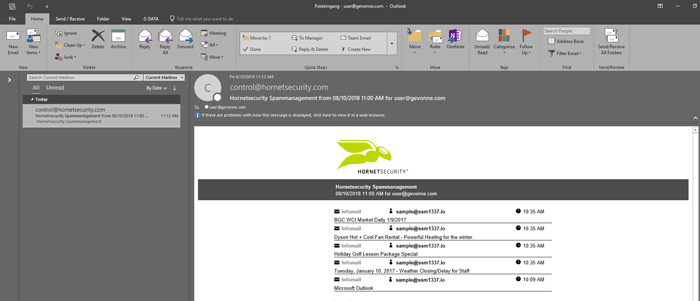
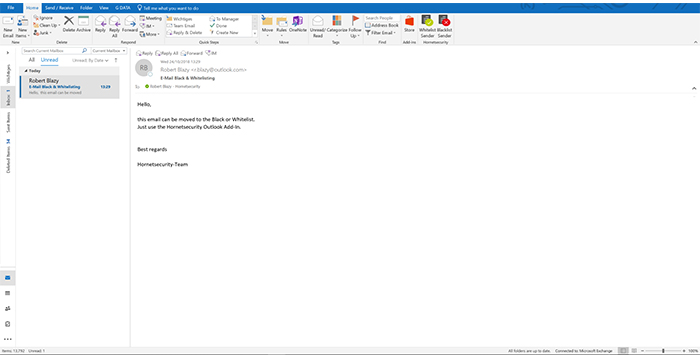
    Screenshot of Email Live Tracking with user-defined settings offers users a complete overview of all Emails addressed to them. If an incoming Email has, for example, been classified as spam, you will receive comprehensive information and can individually determine any further interaction. This means that you can always quickly find any email you are searching for and delivery options can be defined for the future.Screenshot of With the help of Infomail Handlings, the inboxes or smartphones of your users will no longer be flooded with newsletters and ad mails. Users are no longer distracted by the constant arrival of unimportant emails, thus making it easier for them to keep track of relevant business matters.Screenshot of Content Control protects your email communication from receiving or sending unwanted or unauthorized file attachments in keeping with your company policy. When running Content Control, umbrella terms and categories (e.g., .docmacro or .executable) may be blocked, for example in the default group (mailboxes that are not allocated to any particular group). For a department such as Marketing, however, the receipt of media files and macros can, on the other hand, be necessary for daily business: In this respect, one can create, for example, a group for the Marketing department and adjust the settings in Content Control so that only potentially dangerous, e.g. executable, file formats are blocked for this group.Screenshot of If an incoming email (e.g. phishing or spam mail) constitutes a threat, the attack is immediately detected by the multi-stage filter systems of 365 Total Protection. Unwanted emails are directly rejected by the Threat Blocking function or detected in later analyses by Threat Intelligence and sent straight to Quarantine. In both cases, these emails will not be delivered to your mailbox.Screenshot of If you do not want to receive emails from one or several specific senders, you can put these on your personal Blacklist. With just one click directly in your in-box the selected senders can be added to the Blacklist to prevent emails from the same sender from being delivered to you in future. If an email from a generally unobjectionable sender lands in Quarantine by mistake, thus appearing in the spam report, the “Whitelist” function can be used. Emails from senders on your Whitelist will always be delivered to your in-box in future.Screenshot of Every email sent out by a company is not only relevant to the business, but is also your company’s business card. In terms of content, a company-wide standardized structure and the completeness of signature datasets are essential. In this context, all email signatures also have the same visual design and layout. This task can also be allocated to the Marketing department or office management via the “What You See is What You Get” editor.