TrustRadius: an HG Insights company

AWS Database Migration Service vs. Help Desk Migration

Save this comparison

Save this comparison

Add Product

Recommended Comparisons

    Overview
    ProductRatingMost Used ByProduct SummaryStarting Price

    AWS Database Migration Service

    Score8.3 out of 10
    N/AAWS Database Migration Service helps users migrate databases to AWS. The source database remains fully operational during the migration to minimize downtime to applications that rely on the database. The vendor states that AWS Database Migration Service can migrate data to and from most widely used commercial and open-source databases.N/A

    Help Desk Migration

    N/A
    Mid-Size Companies (51-1,000 employees)
    Help Desk Migration is a tool used to transfer data from one platform to another securely, accurately, and with no downtime.N/A
    Pricing
    AWS Database Migration ServiceHelp Desk Migration
    Editions & Modules
    No answers on this topic
    No answers on this topic
    Offerings
    Pricing Offerings
    AWS Database Migration ServiceHelp Desk Migration
    Free Trial
    NoNo
    Free/Freemium Version
    NoYes
    Premium Consulting/Integration Services
    NoNo
    Entry-level Setup FeeNo setup feeNo setup fee
    Additional Details——
    More Pricing Information
    User Ratings
    AWS Database Migration ServiceHelp Desk Migration
    Likelihood to Recommend
    7.0
    (1 ratings)
    -
    (0 ratings)
    User Testimonials
    AWS Database Migration ServiceHelp Desk Migration
    Likelihood to Recommend
    Amazon AWS
    As stated previously, AWS Database Migration Service excels when replicating very specific data elements between environments. AWS Database Migration Service handles replication tasks to load equipment assets or customer job sites from production to QA databases very well. Full load replication - e.g., we need an exact copy of the production database in another region - works well. But when we need to load the QA database with the latest production data - it does work as well. AWS Database Migration Service comes up short because we do not want to wipe the QA database completely and make an exact copy. We want to keep what's already in the QA database and add production data so that we can QA with that level of volume. And at least with our database design, we end up having to do a lot of manual data manipulation and de-duplication.
    Incentivized
    Read full review
    Help Desk Migration
    Thanks to the quick response from the support team, I was able to maintain an ongoing dialogue and get questions answered promptly throughout the project. Their responsiveness made it easy to request and implement specific changes, such as disabling comments on all migrated articles, without delaying our migration timeline.
    Read full review
    Pros
    Amazon AWS
    No answers on this topic
    Help Desk Migration
    • Listening and gathering information
    • Transitioning work among their staff - we talked to 4 different people during the project, and ever single person was up to speed on the work and status
    • Reasonably priced
    Read full review
    Cons
    Amazon AWS
    No answers on this topic
    Help Desk Migration
    • I think the field map could be a little more entuitive with better explanations of what each field is for.
    Read full review
    Usability
    Amazon AWS
    No answers on this topic
    Help Desk Migration
    Both their demo and full migrations are pretty easy to use
    Read full review
    Return on Investment
    Amazon AWS
    • Set it and forget it for maintaining data consistency - moderate cost, zero to minimal maintenance
    • High touch production data loads into QA - negative ROI engineering time investment far exceeded our predictions
    Incentivized
    Read full review
    Help Desk Migration
    • In terms of time spent, Help Desk Migration cut our time down to just a fraction of what it would have been had we migrated the articles ourselves. This saved us a tremendous amount of time, manpower, and overtime.
    Read full review
    ScreenShots

    Help Desk Migration Screenshots

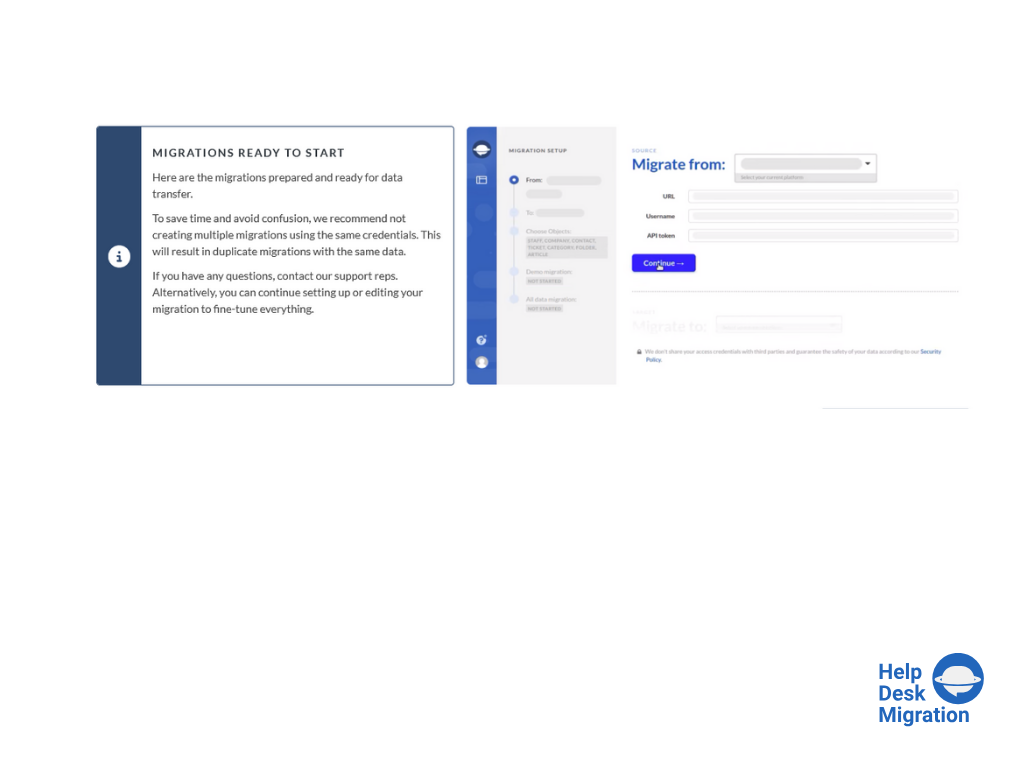
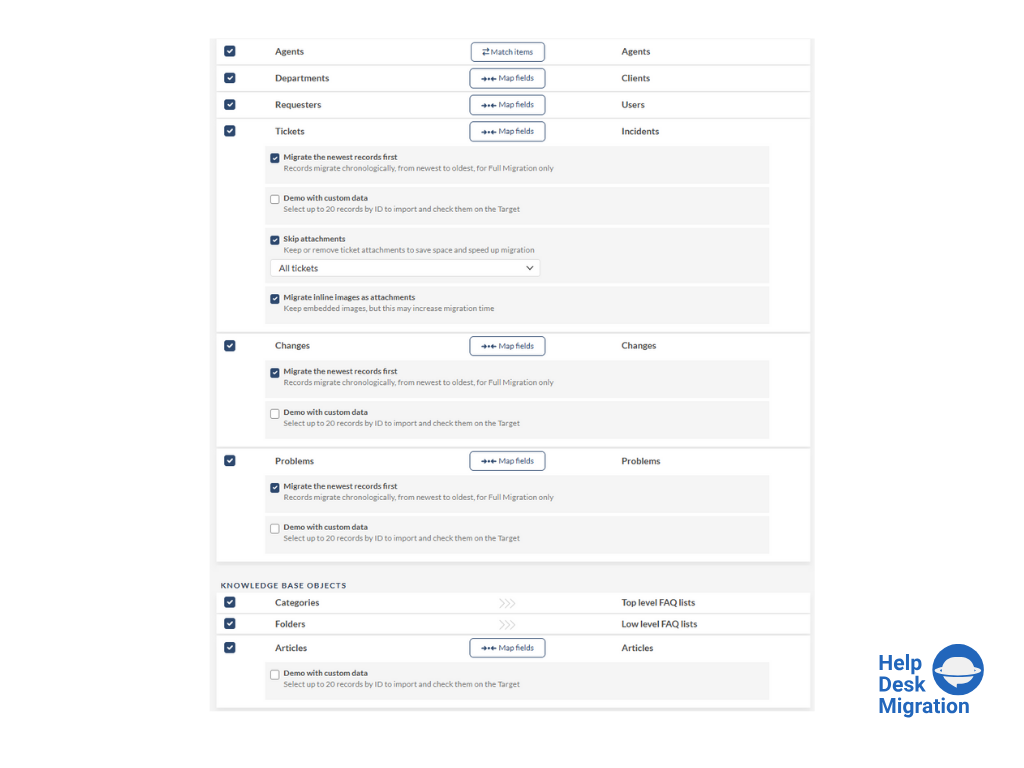
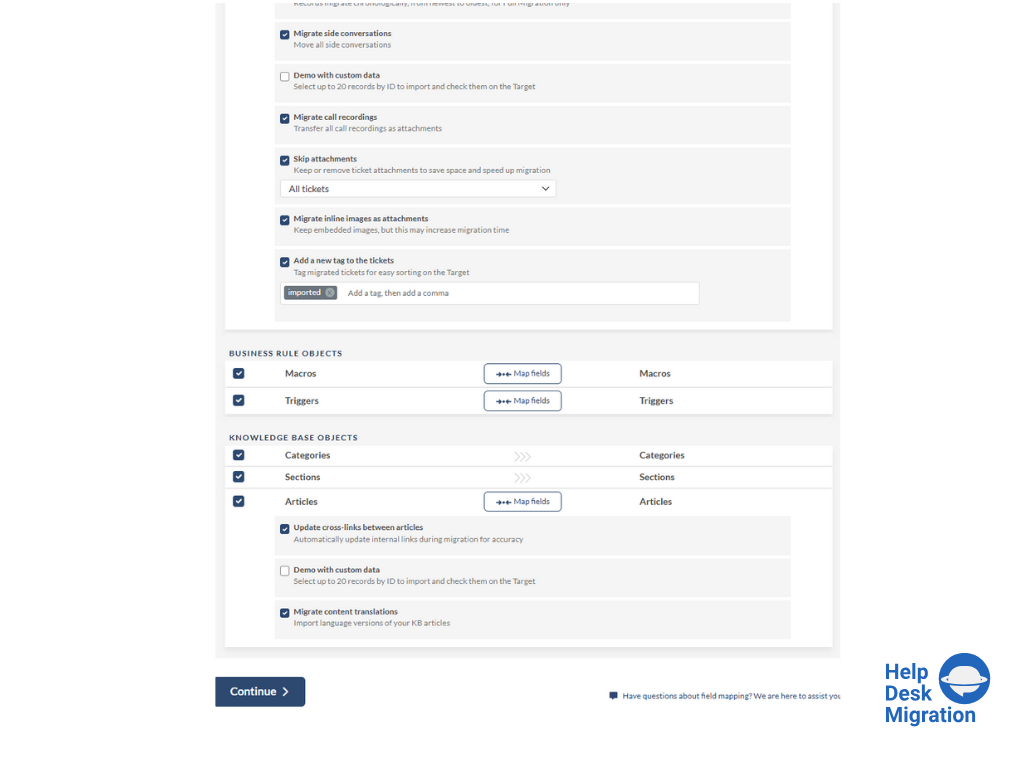
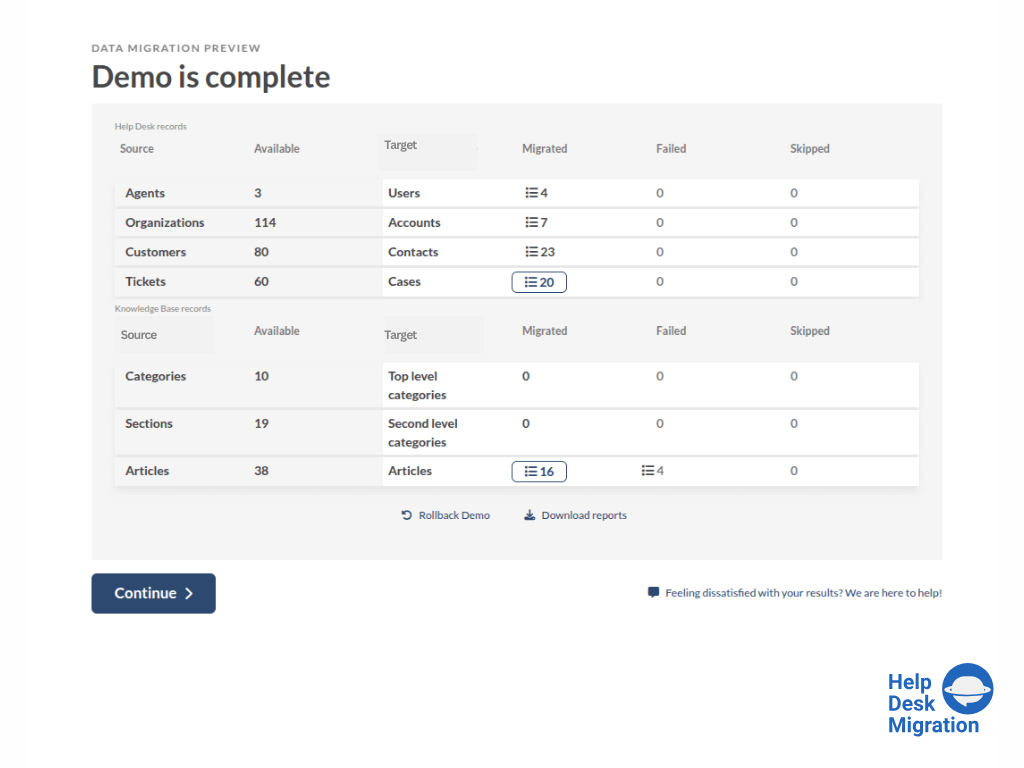
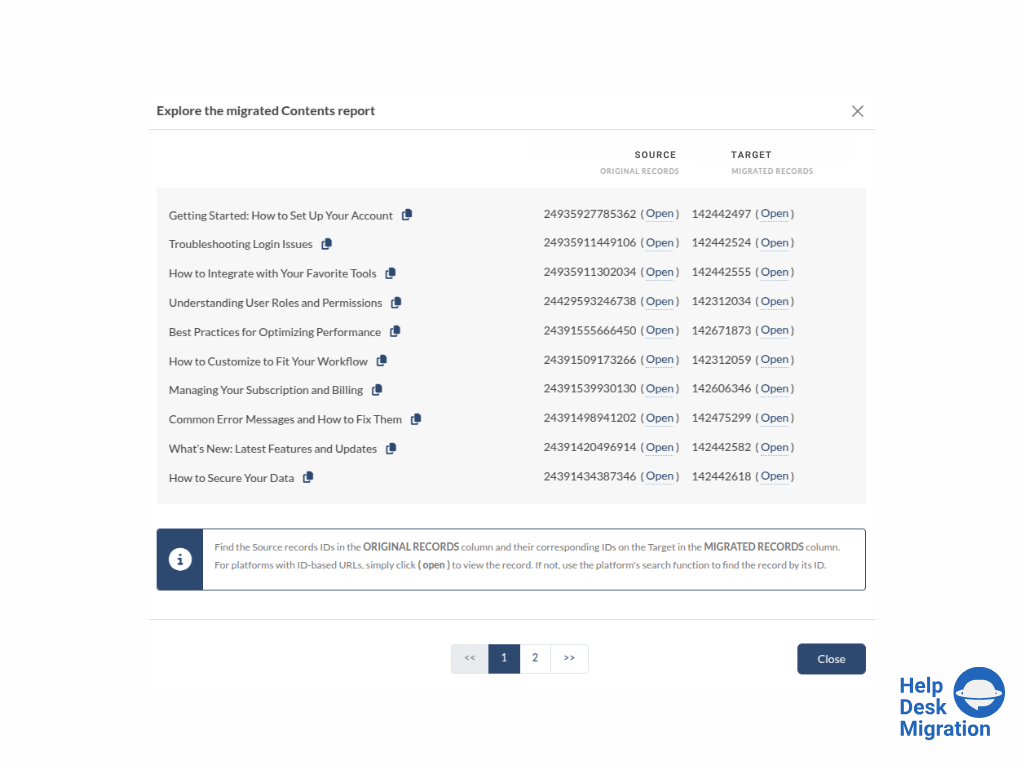
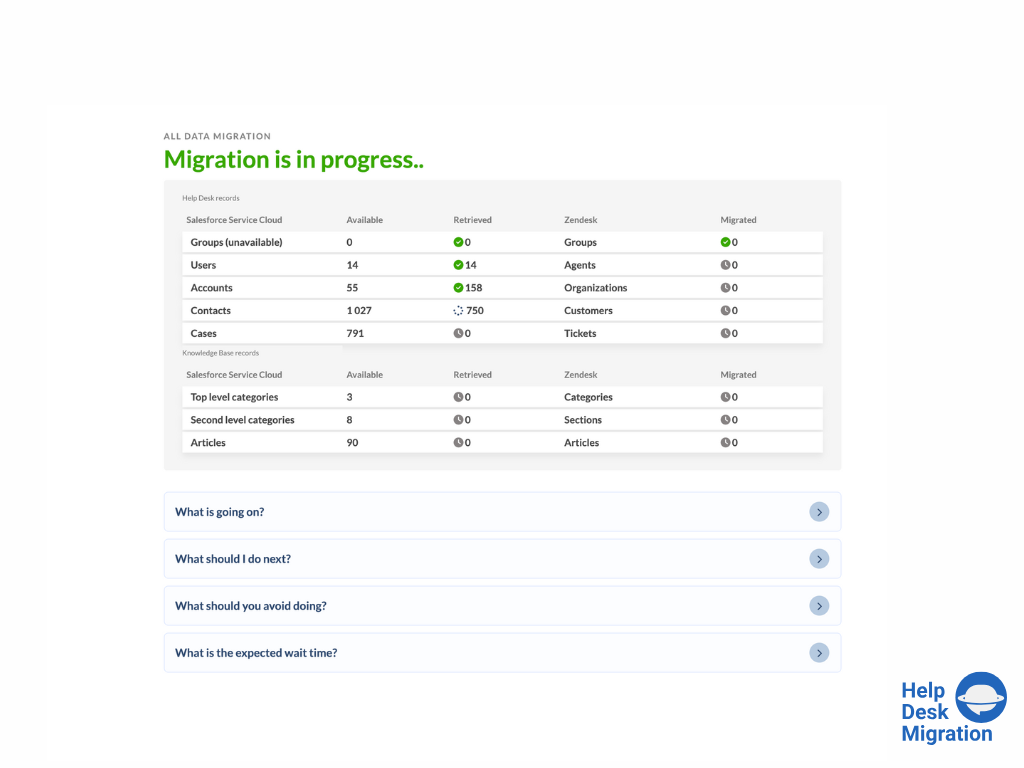
    Screenshot of selecting the source and target platforms.Screenshot of mapping data for an accurate migration process.Screenshot of running the Demo Migration, which includes transferring 20 tickets and 20 articles.Screenshot of reviewing the demo migration results.Screenshot of adjusting the mapping and refining the data migration path.Screenshot of the migration progress — duration depends on the number of records being migrated.