Avaza vs. Harvest

Overview
ProductRatingMost Used ByProduct SummaryStarting Price
Avaza
Score 8.2 out of 10
Mid-Size Companies (51-1,000 employees)
Avaza is a software suite targeted for all business sizes. It includes modules for project management and collaboration, resource scheduling, team chat, time tracking, expense management, quoting and invoicing. Depending on their business needs, companies can use as many, or as few, of the modules as they need. Avaza offers reporting functionality, and the project management module is designed with both list view and Kanban style task management, so users can choose…
$0
Unlimited Project Collaborators, 1 Admin, 1 Timesheet/ Expense User, 1 Resource Scheduling User
Harvest
Score 9.1 out of 10
N/A
Harvest is used to track time, gain insights from past projects, and get paid for work. Dedicated apps and integrations with popular tools like Asana and Slack allow Harvest to fit into a team’s workflow. A selection of visual reports are offered to keep projects running smoothly and an organization's team supported. Harvest also helps to turn a team’s tracked time and expenses into professional nvoices and collect payment quickly with integrated online payments.
$13.75
per month per seat
Pricing
AvazaHarvest
Editions & Modules
Free Plan
$0
Unlimited Project Collaborators, 1 Admin, 1 Timesheet/ Expense User, 1 Resource Scheduling User
Startup Plan
$11.95
per month
Basic Plan
$23.95
per month
Business Plan
$47.95
per month
Harvest Pro
$13.75
per month per seat
Harvest Premium
$17.50
per month per seat
Offerings
Pricing Offerings
AvazaHarvest
Free Trial
YesYes
Free/Freemium Version
YesYes
Premium Consulting/Integration Services
NoNo
Entry-level Setup FeeOptionalNo setup fee
Additional Details20% discount for annual billing on Pro and Premium plans.
More Pricing Information
Community Pulse
AvazaHarvest
Features
AvazaHarvest
Project Management
Comparison of Project Management features of Product A and Product B
Avaza
8.0
Ratings
4% above category average
Harvest
-
Ratings
Task Management10.00 Ratings00 Ratings
Resource Management7.00 Ratings00 Ratings
Gantt Charts7.00 Ratings00 Ratings
Scheduling8.00 Ratings00 Ratings
Team Collaboration10.00 Ratings00 Ratings
Support for Agile Methodology7.00 Ratings00 Ratings
Support for Waterfall Methodology7.00 Ratings00 Ratings
Document Management9.00 Ratings00 Ratings
Email integration8.00 Ratings00 Ratings
Mobile Access8.00 Ratings00 Ratings
Timesheet Tracking7.00 Ratings00 Ratings
Budget and Expense Management8.00 Ratings00 Ratings
Professional Services Automation
Comparison of Professional Services Automation features of Product A and Product B
Avaza
10.0
Ratings
28% above category average
Harvest
-
Ratings
Quotes/estimates10.00 Ratings00 Ratings
Invoicing10.00 Ratings00 Ratings
Project & financial reporting10.00 Ratings00 Ratings
Integration with accounting software10.00 Ratings00 Ratings
Best Alternatives
AvazaHarvest
Small Businesses
Stackby
Stackby
Score 9.0 out of 10
Dayforce Powerpay
Dayforce Powerpay
Score 9.5 out of 10
Medium-sized Companies
InEight
InEight
Score 8.3 out of 10
TimeClock Plus
TimeClock Plus
Score 9.5 out of 10
Enterprises
InEight
InEight
Score 8.3 out of 10
Zoho People
Zoho People
Score 8.4 out of 10
All AlternativesView all alternativesView all alternatives
User Ratings
AvazaHarvest
Likelihood to Recommend
10.0
(0 ratings)
9.4
(0 ratings)
Likelihood to Renew
10.0
(0 ratings)
-
(0 ratings)
Usability
9.0
(0 ratings)
9.3
(0 ratings)
Support Rating
10.0
(0 ratings)
8.4
(0 ratings)
User Testimonials
AvazaHarvest
Likelihood to Recommend
There are teams who work hard, and there are those who work smart. Avaza helps you be the latter--it's is a great tool for any team collaborating on several projects, especially multiple projects with a lot of simultaneously moving parts. It has just about everything you need - from team schedules to timesheets, down to the task and sub-task monitoring. The best part for me is that we can switch from List View to Kanban to Gantt charts!
Read full review
Harvest is ideally suited for a variety of scenarios, particularly in the realms of freelance or consulting work, where accurate hour tracking for billing is crucial. It excels in small to medium businesses managing team projects, allowing for effective resource allocation and time management across multiple concurrent projects. For budgeting and forecasting, Harvest provides valuable data, aiding in accurately estimating the duration and cost of future projects based on past data. It's also highly beneficial for remote or distributed teams, thanks to its cloud-based platform that facilitates seamless coordination. Additionally, its detailed reporting features enhance client transparency, fostering trust through clear communication of time spent on projects. However, Harvest may be less suitable for larger enterprises with complex integration needs or specialized industries requiring more niche features. Small startups or individuals on tight budgets might find the cost challenging, especially if they don't fully utilize all its features. Lastly, for those needing only basic time tracking, simpler or free tools might be more appropriate, making Harvest an unnecessary expenditure for basic needs.
Read full review
Pros
  • Helps keep track of time spent on each project
  • Helps employees break down their time spent throughout the day
  • Encourages better time management skills
Read full review
  • Consistently making updates to better serve their wide variety of users
  • Allows for a decent amount of customization - you can put in different tasks for different departments, you can put in project costs on a one-time or recurring basis to compare time to money, etc.
  • It's pretty easy to pull customizable reports to fit what data you want to look at.
Read full review
Cons
  • I wish sub-tasks could also have due dates
  • For really big projects, we hope there could be phases (aside from sections)
  • In the chatbox, it would be great if photo attachments could be displayed as screenshots (instead of downloading the file)
Read full review
  • We would love to see Harvest build a feature for more detailed proposals that could be signed by the client and then automatically be turned into a billable invoice. The estimate falls short of this for larger projects.
  • Sending an invoice directly to the client from the Harvest dashboard can sometimes fail. Because it's coming from a spoofed email- some clients never get the invoice because it get's trapped in their spam folder.
Read full review
Likelihood to Renew
Because it has been amazing and easy to work with.
Read full review
No answers on this topic
Usability
Avaza is very easy to use, but the mobile app needs work.
Read full review
Again, just a minor compatibility issues using with other platforms such as Basecamp, but it does do everything promised. The only downfall we have found is having to create a job in both platforms and then connecting them later vs being able to create a project once and having them automatically connect.
Read full review
Support Rating
They are always available and open to doing a call or a shared screen to walk through the issues.
Read full review
I have not actually had any customer support issues as the product just works for me and I have not needed it. So using that as the basis of making my assessment on support I would reckon the team are pretty responsive and attentive to customer needs. I have only used the solution on Chrome and Android so have no idea what the experience is like on other browsers or phone operating systems.
Read full review
Alternatives Considered
I've used Trello before, but Avaza has way more features and is more applicable for cross-team collaboration. We selected Avaza for it's ability to not only project manage, but also for invoicing, expenses and it's ability to track time. We've gotten more accurate with estimate project hours, and therefore create more accurate proposals
Read full review
Everhour is just very rudimentary and ugly. It did the okay for time tracking and basic reports — but it wasn’t very intuitive and could’ve been a lot more elegant. You couldn’t edit other users time or make corrections it was just a data pull and that was it.
Open air is even worse. it’s like something out of 1985. Extremely ugly and not at all easy to use. It fulfilled the basic requirement of tracking time and we did not use it for anything else. When they raised the price to eight grand a year, despite our limited use of it’s functionality. We quickly dropped them.
Read full review
Return on Investment
  • Avaza has made it easier to see how long I spend on certain types of projects and where I could be spending more time.
Read full review
  • Better tracking of time for projects = better quotes for clients! In turn, they trust us more, because we're only billing for the time used and projects completed.
  • We can also have clear conversations with employees about productivity and provide feedback with real numbers that the employee has control over.
Read full review
ScreenShots

Avaza Screenshots

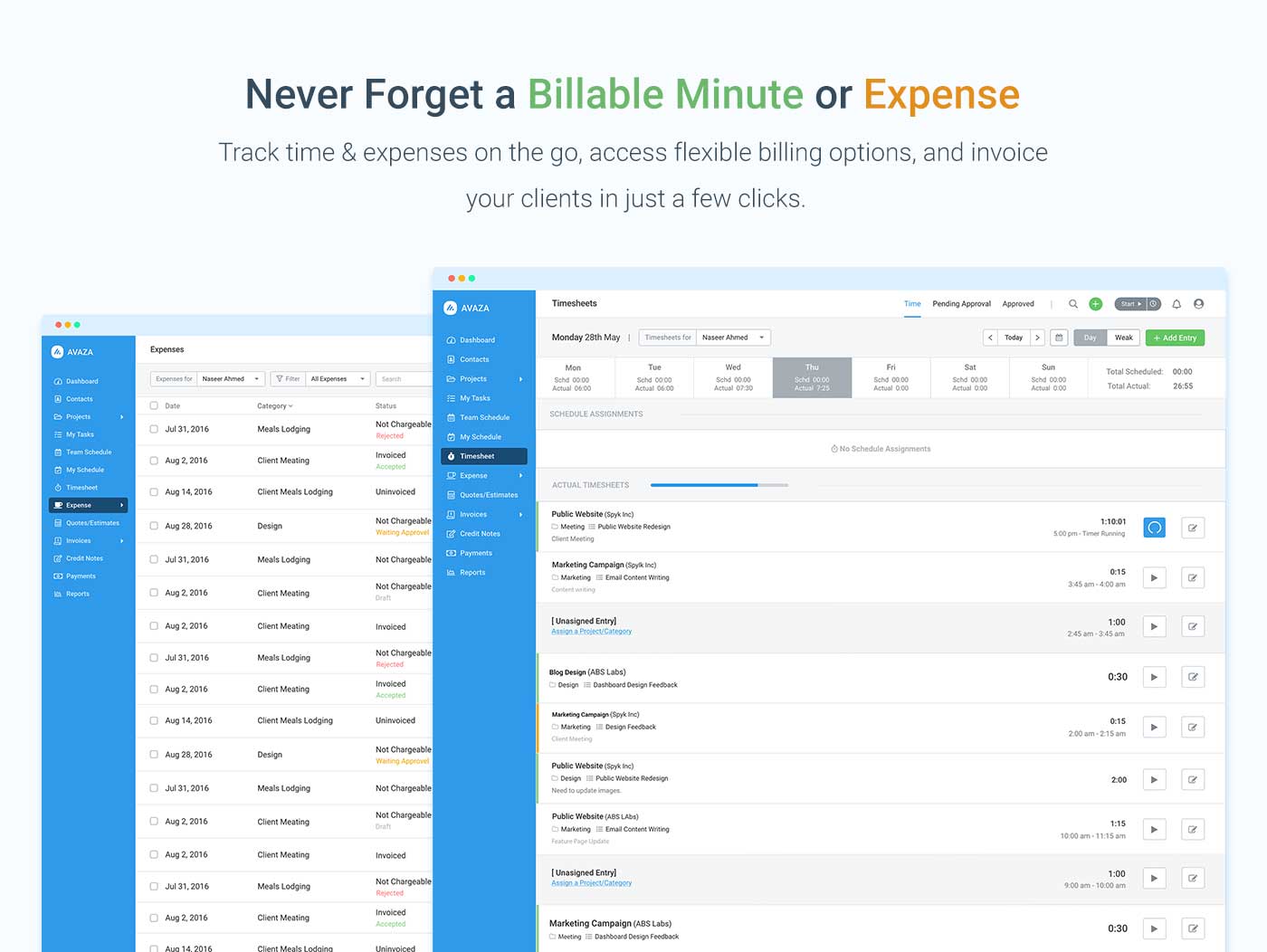
Screenshot of avaza, appearing across platformsScreenshot of visual project resource scheduling for teamsScreenshot of time and expense trackingScreenshot of team chatScreenshot of time trackingScreenshot of the expense management interface

Harvest Screenshots

Screenshot of the time tracking experience in HarvestScreenshot of project progress tracking, with budgets and costsScreenshot of team capacity trackingScreenshot of a visualization displaying where a team's time is goingScreenshot of Harvest invoicing, that turns tracked time and expenses into invoices so users can get paid online