Avaza vs. Glip (discontinued)

Overview
ProductRatingMost Used ByProduct SummaryStarting Price
Avaza
Score 8.1 out of 10
Mid-Size Companies (51-1,000 employees)
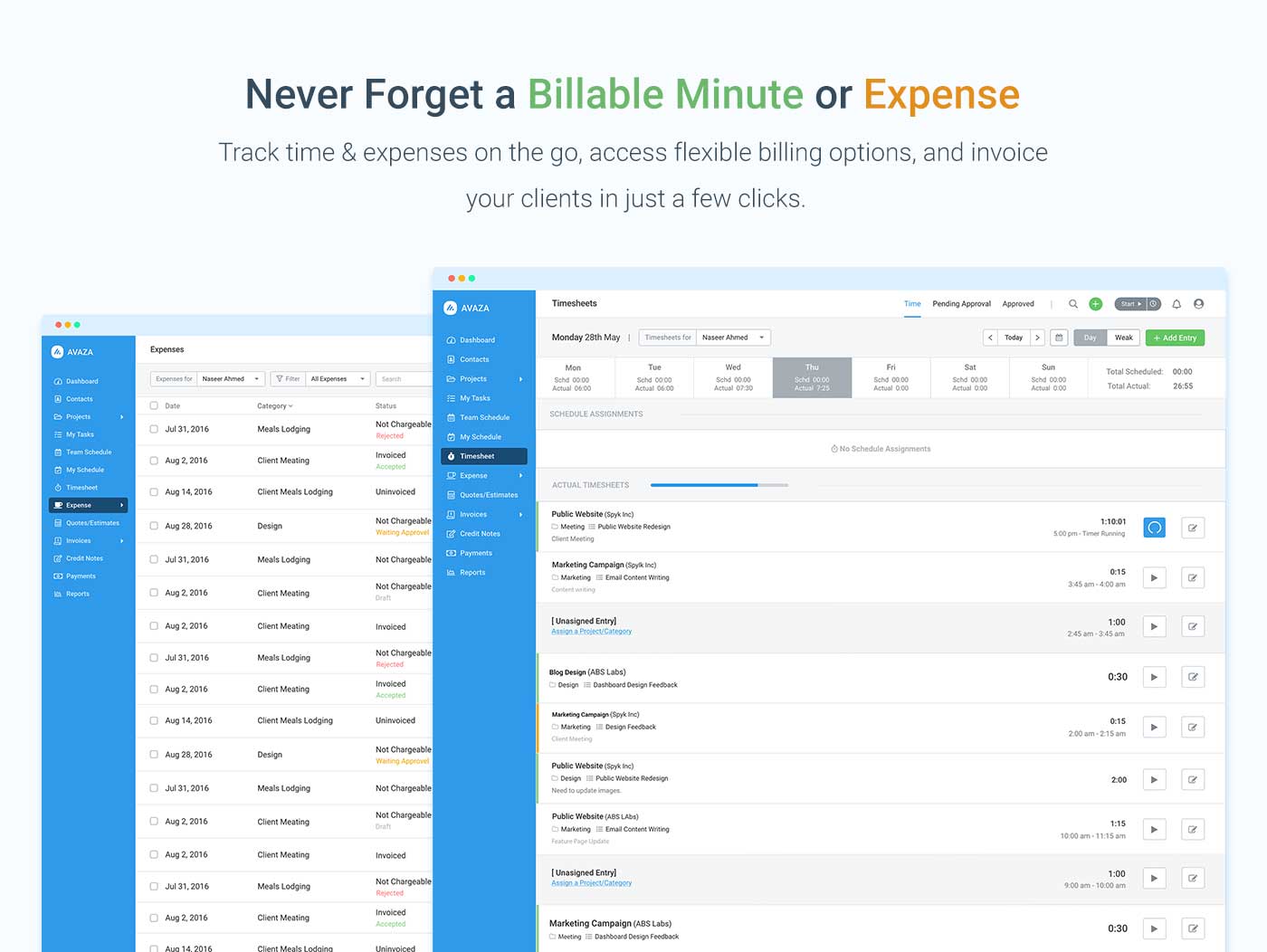
Avaza is a software suite targeted for all business sizes. It includes modules for project management and collaboration, resource scheduling, team chat, time tracking, expense management, quoting and invoicing. Depending on their business needs, companies can use as many, or as few, of the modules as they need. Avaza offers reporting functionality, and the project management module is designed with both list view and Kanban style task management, so users can choose…
$0
Unlimited Project Collaborators, 1 Admin, 1 Timesheet/ Expense User, 1 Resource Scheduling User
Glip (discontinued)
Score 9.7 out of 10
N/A
Glip was a conversation platform to plan, share and organize work. Glip featured text and video chat at its core, with file sharing, collaborative task management, shared calendars, and automatic version control. Glip was acquired by RingCentral in 2015 and is no longer available standalone, though its features are included in RingCentral MVP.
$11.99
Per User Per Month
Pricing
AvazaGlip (discontinued)
Editions & Modules
Free Plan
$0
Unlimited Project Collaborators, 1 Admin, 1 Timesheet/ Expense User, 1 Resource Scheduling User
Startup Plan
$11.95
per month
Basic Plan
$23.95
per month
Business Plan
$47.95
per month
Pro
$11.99
Per User Per Month
Offerings
Pricing Offerings
AvazaGlip (discontinued)
Free Trial
YesYes
Free/Freemium Version
YesYes
Premium Consulting/Integration Services
NoNo
Entry-level Setup FeeOptionalNo setup fee
Additional Details
More Pricing Information
Community Pulse
AvazaGlip (discontinued)
Features
AvazaGlip (discontinued)
Project Management
Comparison of Project Management features of Product A and Product B
Avaza
8.0
Ratings
4% above category average
Glip (discontinued)
10.0
Ratings
26% above category average
Task Management10.00 Ratings10.00 Ratings
Resource Management7.00 Ratings00 Ratings
Gantt Charts7.00 Ratings00 Ratings
Scheduling8.00 Ratings00 Ratings
Team Collaboration10.00 Ratings00 Ratings
Support for Agile Methodology7.00 Ratings00 Ratings
Support for Waterfall Methodology7.00 Ratings00 Ratings
Document Management9.00 Ratings00 Ratings
Email integration8.00 Ratings00 Ratings
Mobile Access8.00 Ratings00 Ratings
Timesheet Tracking7.00 Ratings00 Ratings
Budget and Expense Management8.00 Ratings00 Ratings
Professional Services Automation
Comparison of Professional Services Automation features of Product A and Product B
Avaza
10.0
Ratings
28% above category average
Glip (discontinued)
-
Ratings
Quotes/estimates10.00 Ratings00 Ratings
Invoicing10.00 Ratings00 Ratings
Project & financial reporting10.00 Ratings00 Ratings
Integration with accounting software10.00 Ratings00 Ratings
Best Alternatives
AvazaGlip (discontinued)
Small Businesses
Stackby
Stackby
Score 9.0 out of 10
Stackby
Stackby
Score 9.0 out of 10
Medium-sized Companies
InEight
InEight
Score 8.3 out of 10
Troop Messenger
Troop Messenger
Score 9.8 out of 10
Enterprises
InEight
InEight
Score 8.3 out of 10
HCL Connections
HCL Connections
Score 9.0 out of 10
All AlternativesView all alternativesView all alternatives
User Ratings
AvazaGlip (discontinued)
Likelihood to Recommend
10.0
(0 ratings)
10.0
(0 ratings)
Likelihood to Renew
10.0
(0 ratings)
9.0
(0 ratings)
Usability
9.0
(0 ratings)
8.0
(0 ratings)
Support Rating
10.0
(0 ratings)
6.1
(0 ratings)
Ease of integration
-
(0 ratings)
10.0
(0 ratings)
User Testimonials
AvazaGlip (discontinued)
Likelihood to Recommend
There are teams who work hard, and there are those who work smart. Avaza helps you be the latter--it's is a great tool for any team collaborating on several projects, especially multiple projects with a lot of simultaneously moving parts. It has just about everything you need - from team schedules to timesheets, down to the task and sub-task monitoring. The best part for me is that we can switch from List View to Kanban to Gantt charts!
Read full review
Glip feels right at home with a marketing and creative team. You must first ask yourself, are you tired of emailing all the time? Would working in real-time save you time? Do you share files all the time with your colleagues? If you answered yes to any of these questions then Glip can definitely benefit you.
Read full review
Pros
  • Helps keep track of time spent on each project
  • Helps employees break down their time spent throughout the day
  • Encourages better time management skills
Read full review
  • The chat functionality of Glip is fantastic, and even their mobile app is really good. The software is truly platform-agnostic. My team uses Mac, Windows and Chrome OS as well as iOS and Android.
  • The task functionality is well-designed and intuitive. It's very helpful to have access to tasks regardless of device or location, and the ability to create tasks from messages is surprisingly handy.
  • The notes functionality is a great way to store information that the whole team or just a few members need access to. We also use it for mark-up occasionally, since it has the ability to leave comments pinned to a location on the document or image.
  • We have the option of inviting clients to join Glip. This isn't something my team uses at this point, but it's an option.
Read full review
Cons
  • I wish sub-tasks could also have due dates
  • For really big projects, we hope there could be phases (aside from sections)
  • In the chatbox, it would be great if photo attachments could be displayed as screenshots (instead of downloading the file)
Read full review
  • Allow the ability to move a conversation when a hyperlink is involved. Currently not able to do this. Glip is aware and hopefully working on it.
  • Add a more robust search feature to find old conversations. Search query time could also be sped up.
  • Add reminder notifications. When tasks are added, it is sometimes easy to overlook older tasks.
Read full review
Likelihood to Renew
Because it has been amazing and easy to work with.
Read full review
Glip has saved us so much time that my team could no longer live without it. I don't know what we would do. All of us used it constantly all day every day. It is one of the best tools in my arsenal!
Read full review
Usability
Avaza is very easy to use, but the mobile app needs work.
Read full review
Mobile UI is not as pleasant as others, it looks washed out and that makes it seem like it lacks some features.
Read full review
Support Rating
They are always available and open to doing a call or a shared screen to walk through the issues.
Read full review
We have a free account so I understand why we are not at the top of the list. But we have had issues before that took forever for them to get back to us. Once I had to make a Twitter account just to tweet at them about the issue and they finally got back to me. After several weeks. And the issue was something we just had to wait out for a few more days. Normally you have to submit a ticket through their support page and maybe they will get back to you and maybe not. We had one issue where the standard user on the iMac was getting popups every few minutes about installing a helper tool. The only way to fix this was to delete and reinstall Glip as an admin user. This was frustrating because it took time to do this for me as the IT person, and after reaching out to a few times, I was finally given an answer two years after I had asked about it! Finally some devs reach out to me on Glip and told me to just put the app in the user folder instead of the app folder which is managed by the admin account. They said it should be fixed now and I believe it is.
Read full review
Alternatives Considered
I've used Trello before, but Avaza has way more features and is more applicable for cross-team collaboration. We selected Avaza for it's ability to not only project manage, but also for invoicing, expenses and it's ability to track time. We've gotten more accurate with estimate project hours, and therefore create more accurate proposals
Read full review
The team tasked with selecting a collaboration tool shortlisted Glip along with Microsoft Teams, and Webex Teams because they performed well and were reliable in our demanding Enterprise footprint. Glip also has a global presence and many applications to integrate with and many of the features were on par with its competitors.
Read full review
Return on Investment
  • Avaza has made it easier to see how long I spend on certain types of projects and where I could be spending more time.
Read full review
  • Glip has made it immensely more practical to manage team meetings, coordinate tasks, and hold video conferences. While some other apps might have a simpler user interface, you pay the price in having to adopt multiple applications to get the job done.

Read full review
ScreenShots

Avaza Screenshots

Screenshot of avaza, appearing across platformsScreenshot of visual project resource scheduling for teamsScreenshot of time and expense trackingScreenshot of team chatScreenshot of time trackingScreenshot of the expense management interface