Autoklose vs. LinkPoint Connect

Overview
ProductRatingMost Used ByProduct SummaryStarting Price
Autoklose
Score 8.6 out of 10
Small Businesses (1-50 employees)
Autoklose, a VanillaSoft brand, is an SEP solution, presenting a combined package of sales email automation and tracking, contact and email campaign management with sequence templates and optimization.
$59.99
per month per user
LinkPoint Connect
Score 9.0 out of 10
N/A
LinkPoint Connect promises to streamline data entry and access by enabling users to instantly view CRM data within their email client. This sales intelligence solution integrates Salesforce and Microsoft Dynamics CRM data in Outlook or IBM Notes. According to the vendor, key capabilities include: View real-time Salesforce data without ever leaving your email. Click on an email, and the LinkPoint Connect Side Panel instantly displays that contact’s information directly from…
$192
per user, per year
Pricing
AutokloseLinkPoint Connect
Editions & Modules
Auto Kloser
$59.99
per month per user
Advanced Kloser
$69.99
per month per user
Accelerated Kloser
$99.99
per month per user
LinkPoint Connect for Outlook + Salesforce
$192
per user, per year
LinkPoint Connect for Outlook + Microsoft Dynamics CRM
$192
per user, per year
LinkPoint Connect for IBM Notes + Salesforce
$228
per user, per year
LinkPoint Connect for IBM Notes + Microsoft Dynamics CRM
$228
per user, per year
Offerings
Pricing Offerings
AutokloseLinkPoint Connect
Free Trial
YesYes
Free/Freemium Version
NoNo
Premium Consulting/Integration Services
NoNo
Entry-level Setup FeeOptional$16 per user per year
Additional DetailsSubscriptions are billed annually. Discounts available for non-profits. Volume discounts available. LinkPoint Connect Solutions are available for Outlook and IBM Notes users. These include preconfigured implementations for Advologix, Apto, Apttus, FinancialForce.com, Jobscience, Navatar, Pardot, Salesforce Shield, and TaskRay.
More Pricing Information
Community Pulse
AutokloseLinkPoint Connect
Best Alternatives
AutokloseLinkPoint Connect
Small Businesses
Salesmate
Salesmate
Score 10.0 out of 10
Salesflare
Salesflare
Score 6.0 out of 10
Medium-sized Companies
HubSpot Sales Hub
HubSpot Sales Hub
Score 8.5 out of 10
Mailtrack
Mailtrack
Score 9.6 out of 10
Enterprises
Outreach
Outreach
Score 8.5 out of 10
Groove, a Clari company
Score 6.2 out of 10
All AlternativesView all alternativesView all alternatives
User Ratings
AutokloseLinkPoint Connect
Likelihood to Recommend
8.6
(0 ratings)
9.0
(0 ratings)
Likelihood to Renew
9.1
(0 ratings)
-
(0 ratings)
Usability
9.2
(0 ratings)
-
(0 ratings)
Availability
9.1
(0 ratings)
-
(0 ratings)
Performance
9.1
(0 ratings)
-
(0 ratings)
Support Rating
8.5
(0 ratings)
10.0
(0 ratings)
In-Person Training
9.1
(0 ratings)
-
(0 ratings)
Online Training
9.1
(0 ratings)
-
(0 ratings)
Implementation Rating
9.1
(0 ratings)
-
(0 ratings)
Configurability
9.1
(0 ratings)
-
(0 ratings)
Ease of integration
9.1
(0 ratings)
-
(0 ratings)
Product Scalability
9.1
(0 ratings)
-
(0 ratings)
Vendor post-sale
9.1
(0 ratings)
-
(0 ratings)
Vendor pre-sale
9.1
(0 ratings)
-
(0 ratings)
User Testimonials
AutokloseLinkPoint Connect
Likelihood to Recommend
I would recommend Autoklose to smaller teams that do not have the tools and processes in place for conducting sales outreach or business development activities. I would also recommend it to Sales development reps who are relying on manually managing their sales outreach without the benefits of automation. I'd also recommend it if they are trying to do the above while using a CRM like Pipedrive, as Autoklose works well with some CRMs.
Read full review
LinkPoint is great for people who spend a lot of time working inside outlook. It allows you to update and add records directly from outlook and it has some built-in duplicate prevention which is nice if you don’t have duplicate prevention measures in place. It’s fast and stable. A lot of our users were unable to use SFO due to it crashing outlook.
Read full review
Pros
  • It is helping in editing, managing, and send[ing] out large marketing campaigns.
  • It is easy to handle multiple emails in appropriate sequence.
  • Our company [has been] using this for a very long time. It is one of the perfect email solutions we found for our organization.
  • I have been very much impressed by their support staff.
Read full review
  • Setup is pretty seamless, at least from an end-user point of view. Essentially you open both Outlook and Salesforce, and then click on the LinkPoint Connect button in Outlook. You are then asked to sign in (provide username/password) to Salesforce. That's all--once my login information was accepted it was set up and syncing emails and calendar items from Outlook to Salesforce. Pretty painless!
  • Recording/syncing emails to client records is, from my standpoint at least, the core functionality, and LinkPoint does this pretty much flawlessly and with little to no effort or input on my part. This is incredibly important to me as it creates the documentation record I need in Salesforce to provide excellent service to my clients as well as for compliance reasons.
  • The LinkPoint interface also makes it very easy and efficient to perform additional actions in Salesforce without ever leaving Outlook. New Salesforce tasks, events, follow up reminders, etc. are all easy to set up from the LinkPoint sidebar directly in Outlook with just a few clicks of the mouse. And, in those cases where you need to go a little deeper there is a link in the sidebar that will open up the client record directly in Salesforce in a single action, bypassing the multi-step process normally required (i.e. open the program, search for the client, select and open the record, etc.). This ease of interaction between the two programs has removed barriers and has helped me be more consistent in fully utilizing what Salesforce has to offer. No longer do I move on to the next item on my to-do list with scribbled note that will hopefully remind me to update Salesforce later, when I have a chance...
Read full review
Cons
  • The system is not designed to send out hundreds of emails within the hour. Thus if you have timely information, and you have a large list, it will generally take many hours to execute.
  • Related to the above, timing of email delivery does jot exist nor can it be customized by timezone.
Read full review
  • Installation is a bit tricky for non tech savvy users.
  • Ability to sort/filter search results when looking for additional records.
  • The ability to mass create multiple contacts/leads from an email would be nice.
Read full review
Likelihood to Renew
Will 100% be renewing all 3 seats.
Read full review
No answers on this topic
Usability
It is well set out from a user interface perspective and once you understand how it works you understand the power and the logic of how it is done. Like any software it helps to be a frequent user, but Autoklose lets you set up campaigns in the shortest possible time based on experience with other systems that I have used.
Read full review
No answers on this topic
Reliability and Availability
We have really had no issues.
Read full review
No answers on this topic
Performance
Always loads fast.
Read full review
No answers on this topic
Support Rating
Our Autoklose rep is amazing! Jelena has always gotten back to us within 24 hours, despite living on a different continent. She is completely proficient with the tool and is usually able to answer our questions with a brief email or short virtual meeting.
Read full review
Never had to use the support team, which probably means the product works well!
Read full review
In-Person Training
Jelena is amazing! Very knowledgable. Great instructor.
Read full review
No answers on this topic
Online Training
Jelena is fantastic. She always responds to emails immediately.
Read full review
No answers on this topic
Implementation Rating
It is extremely easy to implement and start using right away
Read full review
No answers on this topic
Alternatives Considered
Autoklose was very reasonably priced compared to the three competitors that I reviewed, but the features were far less robust than Outreach, so I ultimately decided to leave Autoklose after some time. And I went with Outreach, but I still had a great experience with Autoklose, and I'm able to give them great scores for their product and their service. Salesloft was less robust, and Mailshake wasn't sophisticated enough for my needs.
Read full review
Prior to our move to LinkPoint, we used the Salesforce add-in for Outlook. This required manual syncing of email and calendar items and no easy to use interface between the two programs. It was very cumbersome for me to use, to the point where I quit using it altogether some time ago. I found it far less frustrating to just switch back and forth between Outlook and Salesforce and manually perform the requisite actions, create tasks or other items, enter the required data, etc.
Read full review
Scalability
It's expensive to have a single seat for each salesperson, so the alias feature will be the perfect addition to this product.
Read full review
No answers on this topic
Return on Investment
  • This product saves my business development manger at least 2 hours per day.
  • The weekly digest reports give us a nice look at how the campaign is performing.
  • Having the analytics for the whole campaign in an easy-to-read format gives a quick snapshot of the campaign activity.
Read full review
  • It provides transparency into your outbound communication with customers.
Read full review
ScreenShots

Autoklose Screenshots

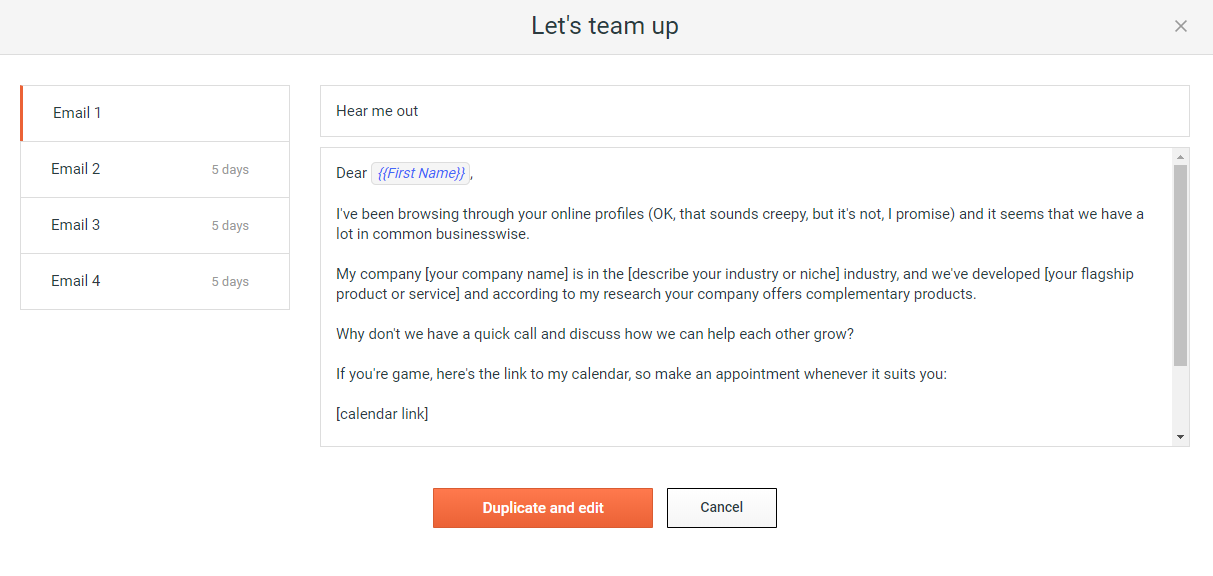
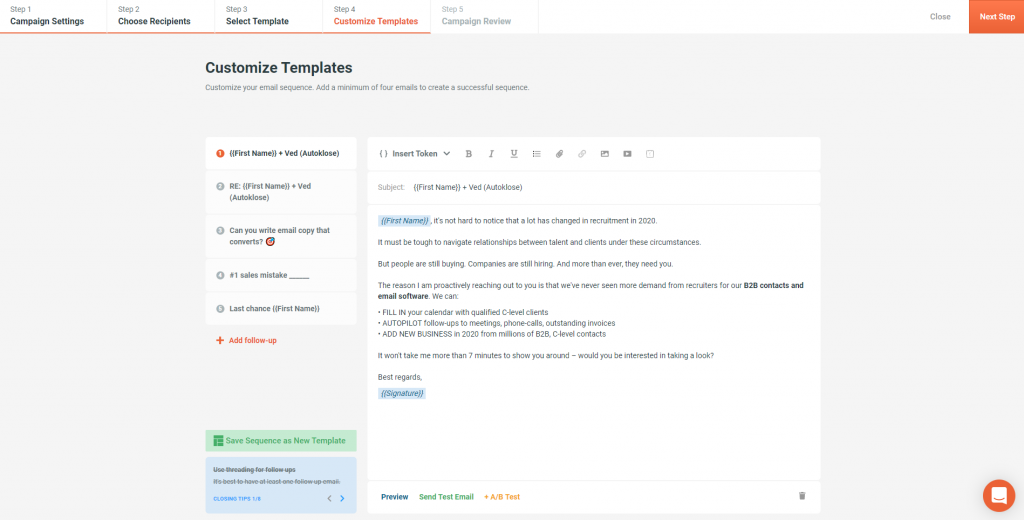
Screenshot of Step 01: Set up your campaignScreenshot of Step 02: Choose your recipientsScreenshot of Step 03: Select the best converting templateScreenshot of Step 04: Customize your e-mail sequence

LinkPoint Connect Screenshots

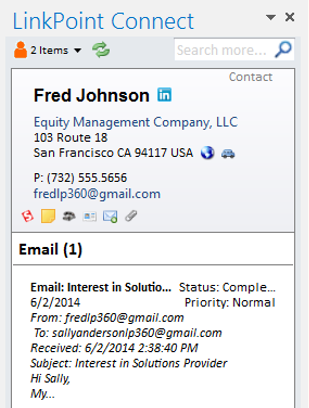
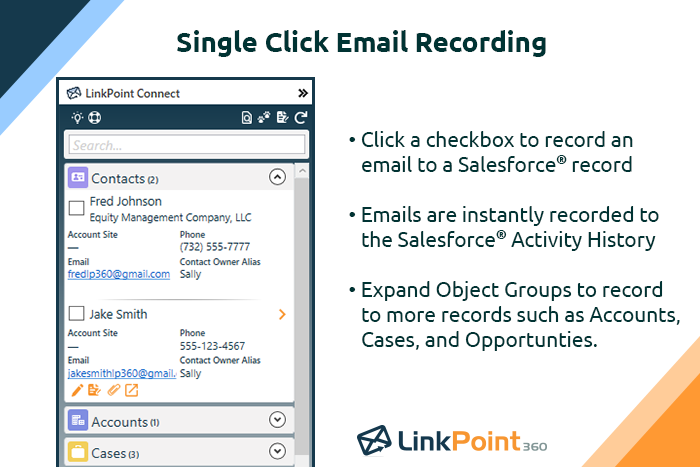
Screenshot of Record emails to your CRM when sending messages via your email application. LinkPoint Connect makes it easy to associate emails with the right contacts and opportunities with just a few clicks in your email.Screenshot of View real-time CRM data without ever leaving your email. Click on an email, and the LinkPoint Connect Side Panel instantly displays that contact’s information directly from the CRM.Screenshot of Screenshot of Screenshot of Screenshot of