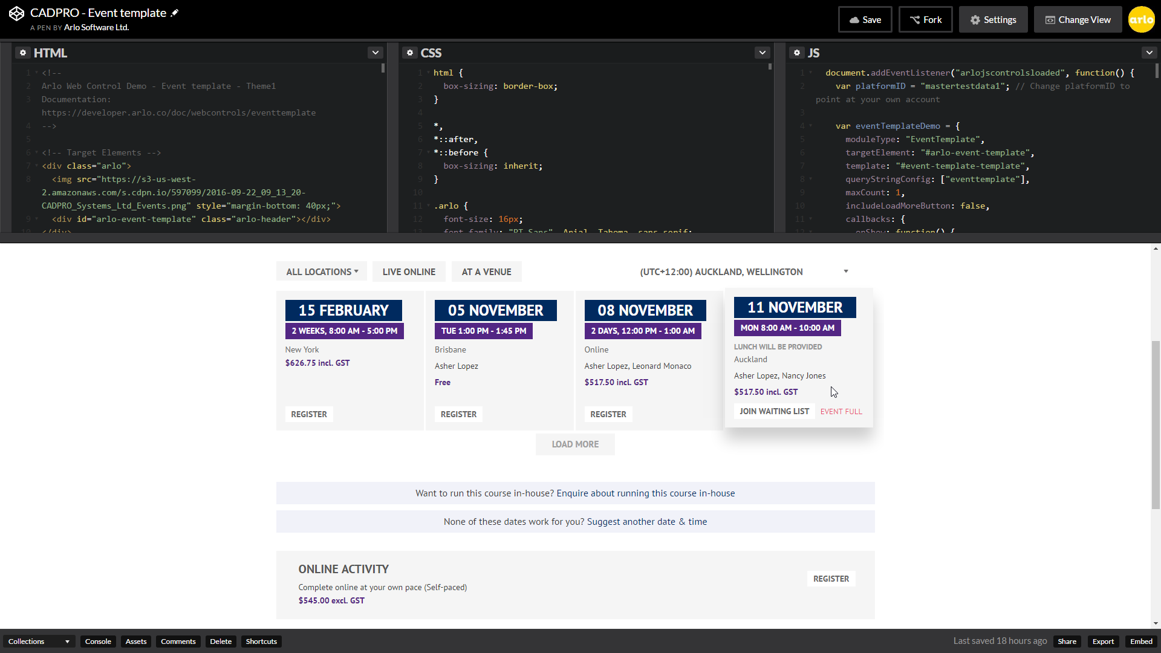
Arlo is a cloud based training and event management software designed to promote, sell and deliver courses and events. Arlo automates manual processes by providing simple scheduling, automatic communication, custom reporting, payments & invoicing. Client records are kept updated within Arlo’s robust CRM. Courses and events are easily managed within the Arlo platform and online registration can be tailored with fully customisable registration forms.…
$99
per user, per month
CrowdCompass
Score6.8 out of 10
N/A
CrowdCompass is an event management software system offered by Cvent.
N/A
Pricing
Arlo
CrowdCompass
Editions & Modules
Simple
$99
per user, per month
Professional
$189
per user, per month
Enterprise
$249
per user, per month
No answers on this topic
Offerings
Pricing Offerings
Arlo
CrowdCompass
Free Trial
Yes
No
Free/Freemium Version
No
No
Premium Consulting/Integration Services
Yes
No
Entry-level Setup Fee
$99 per user, per month
No setup fee
Additional Details
Usage charges are as follows:
95¢ per registration for free events/online activities and $2 per registration for paid events/online activities
Its probably better suited for home-use rather than in a large office setting. Fortunately, my suite is less than 2000 sq ft so it's not much of an issue. It allows downloading and can be used amongst other managers or IT staff and the likes. I dont use any for outside.
A de minimis incentive was given to thank the reviewer for their time. The incentive was not used to bias or drive a particular response, nor was the incentive contingent on a positive endorsement. More Info
CrowdCompass was the best part of Cvent each time I used it, from the ease of use to the customer service and handholding. I would recommend it for anyone using Cvent Event Management for an in-person event. I know Cvent just rolled out their virtual event hub though, so for virtual and hybrid events that are employing the Cvent family of tools, I would probably say CrowdCompass is unnecessary.
A de minimis incentive was given to thank the reviewer for their time. The incentive was not used to bias or drive a particular response, nor was the incentive contingent on a positive endorsement. More Info
A de minimis incentive was given to thank the reviewer for their time. The incentive was not used to bias or drive a particular response, nor was the incentive contingent on a positive endorsement. More Info
Provides attendees with their personalized schedules at their fingertips.
Facilitates networking through the ability to set appointments and send messages with other attendees, and inspires competition with The Game and Click challenges.
Gives attendees the ability to view handouts, take notes and download the information to their personal computers when they get back to their offices.
A de minimis incentive was given to thank the reviewer for their time. The incentive was not used to bias or drive a particular response, nor was the incentive contingent on a positive endorsement. More Info
A de minimis incentive was given to thank the reviewer for their time. The incentive was not used to bias or drive a particular response, nor was the incentive contingent on a positive endorsement. More Info
Last year, the gamification did not allow much customization, which was a shame. I hope that by the time I am ready to build my 2020 app, this function has been expanded
The app to upload/edit push notifications was only available on iPhone so I had to have another team member handle that seems I have an android phone.
A de minimis incentive was given to thank the reviewer for their time. The incentive was not used to bias or drive a particular response, nor was the incentive contingent on a positive endorsement. More Info
We have been using CrowdCompass for 3 years and it has all of the capabilities and functionality that we need, it's easy to use, and Cvent is always implementing new features and enhancements to keep up with the latest trends and technology.
A de minimis incentive was given to thank the reviewer for their time. The incentive was not used to bias or drive a particular response, nor was the incentive contingent on a positive endorsement. TR verified that a representative sample of customers was invited. More Info
It is very easy to use as everything is very intuitive. Configurating an app does not take too much time at the end, especially as soon as you already have done one as you can dupplicate the entire content. This is very practical when you use the app for annual events. Also few elements are not updatable once the app is published. Of course you can't change the entire design and the security settings which is a good thing anyway, but the entire content can be updated which allows you to publish your app quite early in advance to boost the engagement without having to wait to have everything in your hands (for instance the speakers bios or abstracts). Plus by adding more content regularly it encourage your audience to come back also regularly to check what is going on before the event.
A de minimis incentive was given to thank the reviewer for their time. The incentive was not used to bias or drive a particular response, nor was the incentive contingent on a positive endorsement. More Info
A de minimis incentive was given to thank the reviewer for their time. The incentive was not used to bias or drive a particular response, nor was the incentive contingent on a positive endorsement. More Info
A de minimis incentive was given to thank the reviewer for their time. The incentive was not used to bias or drive a particular response, nor was the incentive contingent on a positive endorsement. More Info
I have only had to contact them one time, and they were responsive and professional. It is difficult to give a rating on this unless you actually have an issue. This is the reason for a 9 out of 10. I can not give a perfect rating if I never had an opportunity to truly experience something.
A de minimis incentive was given to thank the reviewer for their time. The incentive was not used to bias or drive a particular response, nor was the incentive contingent on a positive endorsement. More Info
Once we paid for our apps, I felt like I was left to learn on my own. There are plenty of Help articles available, but no training sessions. I'm a visual learner and having to poke around and use trial and error to build the apps took way too much valuable time away from other parts of my job. It was frustrating and I brought it up with my CrowdCompass contact, but was told that they don't provide any training sessions and if I had questions I should refer to the Help articles or call support.
A de minimis incentive was given to thank the reviewer for their time. The incentive was not used to bias or drive a particular response, nor was the incentive contingent on a positive endorsement. More Info
Our training team walked us through the first set up which really helped me to learn where everything is located as well as all of the features available
A de minimis incentive was given to thank the reviewer for their time. The incentive was not used to bias or drive a particular response, nor was the incentive contingent on a positive endorsement. More Info
A de minimis incentive was given to thank the reviewer for their time. The incentive was not used to bias or drive a particular response, nor was the incentive contingent on a positive endorsement. More Info
A de minimis incentive was given to thank the reviewer for their time. The incentive was not used to bias or drive a particular response, nor was the incentive contingent on a positive endorsement. More Info
Easier to use interface that directly links with our Cvent registration system. We switched due to this integration, the gamification improvements, the benefits for on-site check-in and session selections, and ease of design/use for our builder team. We have especially enjoyed the New Attendee experience over the look/interface of our previous apps
A de minimis incentive was given to thank the reviewer for their time. The incentive was not used to bias or drive a particular response, nor was the incentive contingent on a positive endorsement. More Info
A de minimis incentive was given to thank the reviewer for their time. The incentive was not used to bias or drive a particular response, nor was the incentive contingent on a positive endorsement. More Info
A de minimis incentive was given to thank the reviewer for their time. The incentive was not used to bias or drive a particular response, nor was the incentive contingent on a positive endorsement. More Info