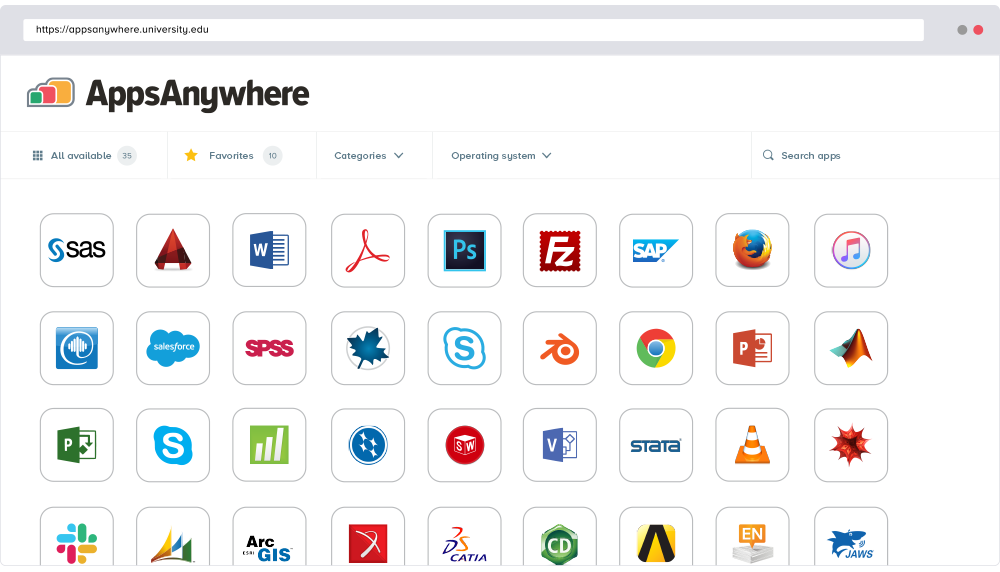
AppsAnywhere
is a software delivery platform that gives students and staff access to
the software they need to get their work done wherever they are, both on and
off campus.
Boasting more than 2 million students at over 200 universities
and colleges worldwide, the vendor states AppsAnywhere improves student outcomes by making
software available on any device, including BYOD, thanks to their unique approach
to virtualization. Used by higher ed
institutions, including University…
N/A
Parallels Desktop for Mac
Score 9.7 out of 10
N/A
Parallels® Desktop for Mac is used to run Windows on Intel or Apple silicon. Users can switch between Mac and Windows applications, while retaining the macOS appearance, or use the familiar Windows desktop aesthetic.
AppsAnywhere is basically suitable for its purpose, despite some usability problems. In our place, applications can in principle be delivered to other machines (not owned by us but by the end-user), who are not even on-site - provided the user can connect to our domain, almost any kind of device is ok. However, I have not tried that myself. The UI could let people work faster, but only by a little, and most people get there in the end. It is basically quite simple to use and appealing to look at
Parallels works just like a window or application on the Mac. Hence, it is beneficial to keep both OS versions hand in hand. Parallels is very useful when writing code for mobile/iOS applications. File sharing and paste functions are very easy to use. More than one machine can be taken on Parallels. It also integrates with Microsoft Intune. It can run other OS versions other than Windows.
File Transfer - You can easily transfer files between Parallels virtualized desktops and the host desktop either through Copy and Paste functionality, or Drag and Drop. You can also configure shared folders.
Switch Between Virtual and Host Desktop - You can configure swipe gestures on a MacBook Pro to be able to switch between the virtualized and host desktop. You can also launch apps from the OS X Taskbar.
Performance - Apps in Parallels run quite smoothly on my 2015 MacBook Pro, as of 2020. Considering they are running on a 5-year-old computer, I give Parallels top marks for performance.
The ability to do snapshots, backups, and other types of branching for VMs is a little confusing and takes a bit to get used to
The Parallels tools frequently pop up windows advertising functionality, while this is helpful at times it can also happen when you are doing a presentation or typing in a password.
Careful using the VMs on a shared cloud drive such as Dropbox or OneDrive, there are hundreds and sometimes thousands of files which are updated when running a VM and this can clog up your Dropbox or OneDrive sync for minutes to hours even on a 2gb connection.
We are completely pleased with the ease of deployment and use with Parallels. It has proven to be reliable, and Parallels technical support is there when we need them. There is a large user audience online for peer consultations and discussions. In general, it is a functional and easily maintained utility which serves our needs.
Almost everyone you tell to use it to access a specialist application can find the software they need and install it. However, surprisingly many have difficulties finding AppsAnywhere under the start menu or on the task bar - it is not a icon or name they recognise, and they really want to lunch the target specialist software (Zbrush or whatever). Once you find it, many people ignore the search function which is probably the fastest method, and browse the long list alphabetically, because the standard filters do not help much. Favouriting is rarely used as it is too burdensome and not an issue for users when they are looking for the applicationt hey need.
It has a good integration, including the connection of peripherals. Taking files back and forth works well and I can attach my Home drive as a network drive in Windows. There is even integration with iCloud and other macOS services. There are also a few different display modes which are useful and fleixible (coherence, windowed, full-screen with multiple screens)
So, this rating is a little skewed toward older behavior from Parallels, as I haven't had to contact them recently. However, in an older version of Parallels, an "update" included pop-ups urging users to upgrade to the latest version, implying that their current version wouldn't work for the latest MacOS. I found it very frustrating to be getting ads for a new version of the software in a version I had already paid for. I contacted support about this and got a generic, uncaring response. It was pretty disappointing.
I recently had the opportunity to compare AppsAnywhere with Oracle VM, Amazon Workspaces, and Kasm Workspaces. I found that AppsAnywhere was the most intuitive and easiest to use out of the four, and it also had the best customer support. Its powerful cloud-based technology made it easy to access applications from any device without having to worry about compatibility issues. The user experience was also great and I found that I could easily customize my workspace according to my needs.
Parallels provides what we need at a reasonable cost. VMware was a bit pricier, and Parallels has more of a "Mac-like" feel for the application itself. UTM and Crossover were a bit too "hacker-ish" for basic end users that just want to pop in and out of windows when necessary. Parallels is well supported and easy to use. It is also heavily used in Higher Education, which gives us a peer audience to work with.
The cost versus benefit is definitely in the users' favor - the licensing terms for simple desktop usage are very generous, and the business impact is enormous, being able to seamlessly jump from one OS to the other without dealing with multiple physical VMs or cloud remote sessions.