App Builder by Infragistics vs. SAP Build

Overview
ProductRatingMost Used ByProduct SummaryStarting Price
App Builder
Score 7.0 out of 10
N/A
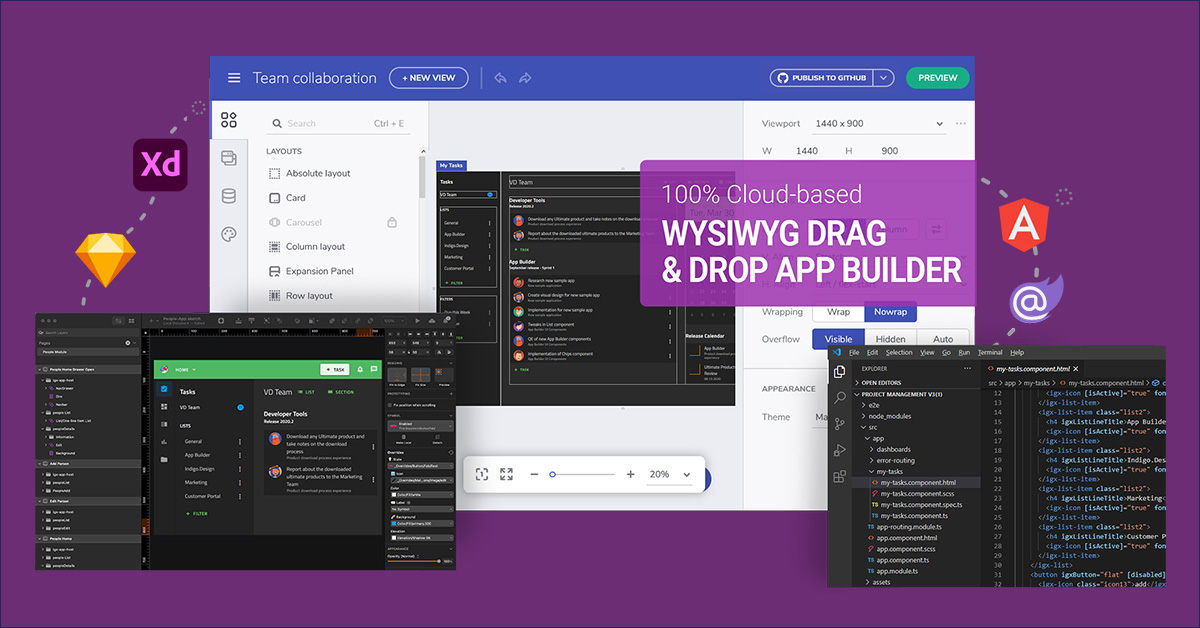
App Builder - Design and Build Real Apps Fast The brand-new App Builder aims to provide design and development teams with a solution to help them deliver apps quickly and efficiently, without losing focus on UX. Users can start an app from scratch or choose from a library of pre-built app templates or responsive screen layouts and then customize with a toolbox of 60+ UI controls to kick-start the next digital product design. If a design already exists in Sketch or Adobe…
$1,295
per year per user
SAP Build
Score 8.4 out of 10
N/A
SAP Build is a business application development and automation solution with a comprehensive suite of low-code, pro-code, and generative AI tools. SAP Build is for developers, IT professionals, and business users/citizen developers who want to create and customize business applications.
$1.82
per month per user
Pricing
App Builder by InfragisticsSAP Build
Editions & Modules
Ignite UI
$1,295
per year per user
Infragistics Professional
$1,295
per year per user
Infragistics Ultimate
$1,495
per year per user
SAP Build Process Automation - Standard User
$1.82
per month per user
SAP Build Process Automation - Advanced User
$15
per month per user
SAP Build Process Automation - Attended Automation
$534
per month
SAP Build Process Automation - Unattended Automation
$534
per month
Offerings
Pricing Offerings
App BuilderSAP Build
Free Trial
YesYes
Free/Freemium Version
NoNo
Premium Consulting/Integration Services
NoNo
Entry-level Setup FeeNo setup feeNo setup fee
Additional DetailsThis product is free to use for non-commercial, educational purposes for students in K-12 grades or University programs, and for educators to use in a classroom setting as examples/tools in their curriculum.
More Pricing Information
Community Pulse
App Builder by InfragisticsSAP Build
Features
App Builder by InfragisticsSAP Build
Low-Code Development
Comparison of Low-Code Development features of Product A and Product B
App Builder by Infragistics
5.8
Ratings
37% below category average
SAP Build
8.0
Ratings
5% below category average
Visual Modeling6.00 Ratings8.30 Ratings
Drag-and-drop Interfaces7.50 Ratings8.70 Ratings
Reusability6.00 Ratings7.30 Ratings
Platform Scalability3.60 Ratings6.80 Ratings
Platform Security00 Ratings8.60 Ratings
Platform User Management00 Ratings8.20 Ratings
Best Alternatives
App Builder by InfragisticsSAP Build
Small Businesses
Creatio
Creatio
Score 9.7 out of 10
Creatio
Creatio
Score 9.7 out of 10
Medium-sized Companies
Quixy
Quixy
Score 9.9 out of 10
Quixy
Quixy
Score 9.9 out of 10
Enterprises
Creatio
Creatio
Score 9.7 out of 10
Creatio
Creatio
Score 9.7 out of 10
All AlternativesView all alternativesView all alternatives
User Ratings
App Builder by InfragisticsSAP Build
Likelihood to Recommend
7.0
(0 ratings)
8.6
(0 ratings)
Likelihood to Renew
5.5
(0 ratings)
-
(0 ratings)
Usability
-
(0 ratings)
8.6
(0 ratings)
Support Rating
-
(0 ratings)
9.1
(0 ratings)
User Testimonials
App Builder by InfragisticsSAP Build
Likelihood to Recommend
  • Well suited for new and greenfield projects.
  • Great for projects using Material Design concepts
  • Great when you have dedicated design team with the right tools to work with ID
  • Not so good, if your design system or tool does not support ID
Read full review
SAP Build is a strong and reliable partner with a rich FAQ and consulting power. New features make sense and are easy to distribute within the team and to end users. The community is nice, and there are many discussions on product development, shared solutions, and productivity improvements. UI is also one of the strongest points.
Read full review
Pros
  • WYSIWYG editor
  • Code generation with Angular
  • Theme and styles
Read full review
  • Its drag and drop editor is even simpler than the very popular WordPress
  • No code feature to build any type of website
  • Not a lot of technical expertise is required to use this tool
  • The client loves it as they can themselves use it for quick tweaks
Read full review
Cons
  • Not a viable product yet until the Blazor implementation is entirely completed.
  • More components/controls needed in the toolbox.
Read full review
  • Firstly there is a scope to reduce the pricing so that it can be more affordable.
  • The customer support team is bit slow so it takes some time to get the answers for your queries.
  • The integration is not so straightforward and it takes good amount of time.
Read full review
Usability
No answers on this topic
Because I think it is fairly easy to navigate. But at the same time, I still think it’s not mature enough for non-developers. At least for our use cases, it has been needed to perform coding in some sense. But ofc. I think joule will help a lot here.
Read full review
Support Rating
No answers on this topic
There are, for example, great blog writings about automation cases and examples. The studio version is updated often. There are also useful OpenSAP online courses.
Read full review
Alternatives Considered
When comparing App Builder against PowerApps, the feature set isn't even close. PowerApps is slow and only works in the corporate enterprise whereas App Builder allows for deployments in a full-scale environment. The only thing similar, is that both PowerApps and App Builder are low code.
Read full review
Compared to Mendix, we decided not to go for low code application building and in the other parts of Build, Build is stronger and better integrated with SAP. On the hand of Coding, using Build Code, gives us Joule, which understands SAP better and also have a tighter and more secure coupling with SAP services.
Read full review
Return on Investment
  • I can't evaluate this.
Read full review
  • SAP Build significantly reduces the effort on the integration side compared to other LCNC platforms.
  • From a licensing perspective, the platform can kind of lock you in, but that's also true for other cloud platforms as well.
  • Creating an app that fully works with your ERP (especially if you have S4HANA as the ERP System) is fast. It enables quick prototyping.
Read full review
ScreenShots

App Builder Screenshots

Screenshot of Use pre-built themes and typography (Material, Bootstrap & Fluent) or customize to match your own app theme and corporate branding on a per-control, per-screen, or per-app basis.Screenshot of With a rich layout system and complete toolbox of components, create screens and full apps in minutes instead of hours!Screenshot of Import Sketch and Adobe XD Designs! With one click, take your static designs and get interactive, responsive apps with real UI components and styling. Import designs from the design system into a real, component-based app. Figma import coming soon!

SAP Build Screenshots

Screenshot of The SAP Build Portfolio, which includes:
1- SAP Build Apps to create business application
2- SAP Build Process Automation to automate end to end business processes
3- SAP Build Work Zone to design and create business sites