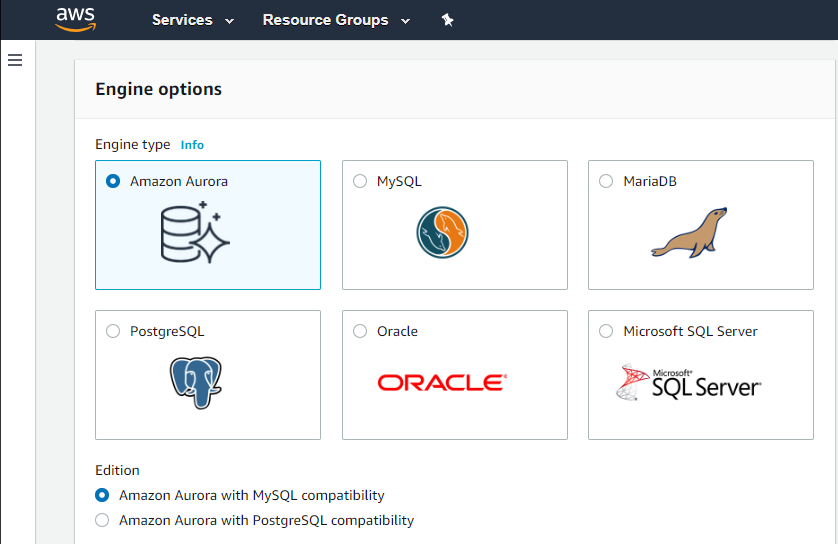
Amazon Relational Database Service (Amazon RDS) is a database-as-a-service (DBaaS) from Amazon Web Services.
N/A
Microsoft Access
Score7.7 out of 10
N/A
Microsoft Access is a database management system from Microsoft that combines the relational Microsoft Jet Database Engine with a graphical user interface and software-development tools.
$139.99
per PC
Pricing
Amazon RDS
Microsoft Access
Editions & Modules
Amazon RDS for PostgreSQL
$0.24 ($0.48)
per hour, R5 Large (R5 Extra Large)
Amazon RDS for MariaDB
$0.25 ($0.50)
per hour, R5 Large (R5 Extra Large)
Amazon RDS for MySQL
$0.29 ($0.58)
per hour, R5 Large (R5 Extra Large)
Amazon RDS for Oracle
$0.482 ($0.964)
per hour, R5 Large (R5 Extra Large)
Amazon RDS for SQL Server
$1.02 ($1.52)
per hour, R5 Large (R5 Extra Large)
Microsoft Access
$139.99
per PC
Offerings
Pricing Offerings
Amazon RDS
Microsoft Access
Free Trial
No
No
Free/Freemium Version
No
No
Premium Consulting/Integration Services
No
No
Entry-level Setup Fee
Optional
No setup fee
Additional Details
—
—
More Pricing Information
Community Pulse
Amazon RDS
Microsoft Access
Considered Both Products
Amazon AWS
Verified User
Chose Amazon RDS
Amazon Relational Database is more reliable and effective than the one I am using. Amazon Relational Database has more storage capacity and is easily accessible. Amazon Relational Database has multiple options. Amazon Relational Database cloud services are excellent. From the …
A de minimis incentive was given to thank the reviewer for their time. The incentive was not used to bias or drive a particular response, nor was the incentive contingent on a positive endorsement. More Info
If your application needs a relational data store and uses other AWS services, AWS RDS is a no-brainer. It offers all the traditional database features, makes it a snap to set up, creates cross-region replication, has advanced security, built-in monitoring, and much more at a very good price. You can also set up streaming to a data lake using various other AWS services on your RDS.
A de minimis incentive was given to thank the reviewer for their time. The incentive was not used to bias or drive a particular response, nor was the incentive contingent on a positive endorsement. More Info
Microsoft Access can be easily implemented with training. It doesn't require expert level skill for basic reporting functions - but can be scaled to a complex database with sophisticated users. Its appropriate to consider if excel needs to be used to create reports, or if there are data entry needs - with corresponding reports.
A de minimis incentive was given to thank the reviewer for their time. The incentive was not used to bias or drive a particular response, nor was the incentive contingent on a positive endorsement. More Info
Automated Database Management: We use it for streamlining routine tasks like software patching and database backups.
Scalability on Demand: we use it to handle traffic spikes, scaling both vertically and horizontally.
Database Engine Compatibility: It works amazingly with multiple database engines used by different departments within our organization including MySQL, PostgreSQL, SQL Server, and Oracle.
Monitoring: It covers our extensive monitoring and logging, and also has great compatibility with Amazon CloudWatch
A de minimis incentive was given to thank the reviewer for their time. The incentive was not used to bias or drive a particular response, nor was the incentive contingent on a positive endorsement. TR verified that a representative sample of customers was invited. More Info
A de minimis incentive was given to thank the reviewer for their time. The incentive was not used to bias or drive a particular response, nor was the incentive contingent on a positive endorsement. More Info
It is a little difficult to configure and connect to an RDS instance. The integration with ECS can be made more seamless.
Exploring features within RDS is not very easy and intuitive. Either a human friendly documentation should be added or the User Interface be made intuitive so that people can explore and find features on their own.
There should be tools to analyze cost and minimize it according to the usage.
A de minimis incentive was given to thank the reviewer for their time. The incentive was not used to bias or drive a particular response, nor was the incentive contingent on a positive endorsement. TR verified that a representative sample of customers was invited. More Info
Microsoft Access has not really changed at all for several years. It might be nice to see some upgrades and changes.
The help info is often not helpful. Need more tutorials for Microsoft Access to show how to do specific things.
Be careful naming objects such as tables, forms, etc. Names that are too long can get cut off in dialog boxes to choose a table, form, report, etc. So, I wish they would have resizable dialog boxes to allow you to see objects with long names.
I wish it could show me objects that are not in use in the database for current queries, tables, reports, forms, and macros. That way unused objects can be deleted without worrying about losing a report or query because you deleted the underlying object.
A de minimis incentive was given to thank the reviewer for their time. The incentive was not used to bias or drive a particular response, nor was the incentive contingent on a positive endorsement. More Info
We do renew our use of Amazon Relational Database Service. We don't have any problems faced with RDS in place. RDS has taken away lot of overhead of hosting database, managing the database and keeping a team just to manage database. Even the backup, security and recovery another overhead that has been taken away by RDS. So, we will keep on using RDS.
A de minimis incentive was given to thank the reviewer for their time. The incentive was not used to bias or drive a particular response, nor was the incentive contingent on a positive endorsement. More Info
I and the rest of my team will renew our Microsoft Access in the future because we use and maintain many different applications and databases created using Microsoft Access so we will need to maintain them in the future. Additionally, it is a standard at our place of work so it is at $0 cost to us to use. Another reason for renewing Microsoft Access is that we just don' t have the resources needed to extend into a network of users so we need to remain a single-desktop application at this time.
I've been using AWS Relational Database Services in several projects in different environments and from the AWS products, maybe this one together to EC2 are my favourite. They deliver what they promise. Reliable, fast, easy and with a fair price (in comparison to commercial products which have obscure license agreements).
A de minimis incentive was given to thank the reviewer for their time. The incentive was not used to bias or drive a particular response, nor was the incentive contingent on a positive endorsement. More Info
Microsoft Access is easy to use. It is compatible with spreadsheets. It is a very good data management tool. There is scope to save a large amount of data in one place. For using this database, one does not need much training, can be shared among multiple users. This database has to sort and filtering features which seem to be very useful.
A de minimis incentive was given to thank the reviewer for their time. The incentive was not used to bias or drive a particular response, nor was the incentive contingent on a positive endorsement. More Info
A de minimis incentive was given to thank the reviewer for their time. The incentive was not used to bias or drive a particular response, nor was the incentive contingent on a positive endorsement. More Info
I have only had good experiences in working with AWS support. I will admit that my experience comes from the benefit of having a premium tier of support but even working with free-tier accounts I have not had problems getting help with AWS products when needed. And most often, the docs do a pretty good job of explaining how to operate a service so a quick spin through the docs has been useful in solving problems.
A de minimis incentive was given to thank the reviewer for their time. The incentive was not used to bias or drive a particular response, nor was the incentive contingent on a positive endorsement. More Info
While I have never contacted Microsoft directly for product support, for some reason there's a real prejudice against MS Access among most IT support professionals. They are usually discouraging when it comes to using MS Access. Most of this is due to their lack of understanding of MS Access and how it can improve one's productivity. If Microsoft invested more resources towards enhancing and promoting the use of MS Access then maybe things would be different.
A de minimis incentive was given to thank the reviewer for their time. The incentive was not used to bias or drive a particular response, nor was the incentive contingent on a positive endorsement. TR verified that a representative sample of customers was invited. More Info
A de minimis incentive was given to thank the reviewer for their time. The incentive was not used to bias or drive a particular response, nor was the incentive contingent on a positive endorsement. TR verified that a representative sample of customers was invited. More Info
Amazon Relational Database Service (RDS) stands out among similar products due to its seamless integration with other AWS services, automated backups, and multi-AZ deployments for high availability. Its support for various database engines, such as MySQL, PostgreSQL, and Oracle, provides flexibility. Additionally, RDS offers managed security features, including encryption and IAM integration, enhancing data protection. The pay-as-you-go pricing model makes it cost-effective. Overall, Amazon RDS excels in ease of use, scalability, and a comprehensive feature set, making it a top choice for organizations seeking a reliable and scalable managed relational database service in the cloud.
Crystal is easier for report writing, but isn't a database solution. Salesforce is lovely, but much more expensive than an old copy of Microsoft Office. For a small budget, [Microsoft] Access was really the only viable option. I only wish it was easier to write complex reports.
A de minimis incentive was given to thank the reviewer for their time. The incentive was not used to bias or drive a particular response, nor was the incentive contingent on a positive endorsement. More Info
A de minimis incentive was given to thank the reviewer for their time. The incentive was not used to bias or drive a particular response, nor was the incentive contingent on a positive endorsement. More Info
A de minimis incentive was given to thank the reviewer for their time. The incentive was not used to bias or drive a particular response, nor was the incentive contingent on a positive endorsement. More Info