AllProWebTools vs. BenchmarkONE

Overview
ProductRatingMost Used ByProduct SummaryStarting Price
AllProWebTools
Score 8.0 out of 10
Small Businesses (1-50 employees)
AllProWebTools aims to offer a single platform for managing and growing a small business. Capabilities range from employee management and website SEO all the way to marketing and marketing analytics. Specific features include: customer tracking, order process tracking, newsletters, drip campaigns, order management, easy shopping cart processes, certified experts for support, real time system editing for websites and email blasts. The…
$10
per installation
BenchmarkONE
Score 3.3 out of 10
Small Businesses (1-50 employees)
BenchmarkONE (formerly Hatchbuck) is an all-in-one sales and marketing software that includes CRM, marketing automation, and email marketing tools. Users can build online forms, manage and segment contacts, engage prospects with relevant follow-up, manage tasks, and track their pipeline.
$0
per month
Pricing
AllProWebToolsBenchmarkONE
Editions & Modules
Base + Website Hosting
$10
per installation
Lite
$0
per month
Pro
$0
Agencies
Special Pricing for Qualifying Agencies
Offerings
Pricing Offerings
AllProWebToolsBenchmarkONE
Free Trial
YesYes
Free/Freemium Version
NoYes
Premium Consulting/Integration Services
NoNo
Entry-level Setup Fee$195 per installationNo setup fee
Additional DetailsStarting price of $10/month for unlimited user accounts. Provides website hosting, task manager, blogging, password manager, office chat, and the WorkFlow Timeline. Setup fee covers up to 10 hours of personal training and data import from other software programs.
More Pricing Information
Community Pulse
AllProWebToolsBenchmarkONE
Features
AllProWebToolsBenchmarkONE
Sales Force Automation
Comparison of Sales Force Automation features of Product A and Product B
AllProWebTools
9.1
Ratings
17% above category average
BenchmarkONE
-
Ratings
Customer data management / contact management9.10 Ratings00 Ratings
Workflow management9.10 Ratings00 Ratings
Quote & order management9.10 Ratings00 Ratings
Marketing Automation
Comparison of Marketing Automation features of Product A and Product B
AllProWebTools
9.1
Ratings
18% above category average
BenchmarkONE
-
Ratings
Lead management9.10 Ratings00 Ratings
Email marketing9.10 Ratings00 Ratings
CRM Project Management
Comparison of CRM Project Management features of Product A and Product B
AllProWebTools
9.1
Ratings
18% above category average
BenchmarkONE
-
Ratings
Task management9.10 Ratings00 Ratings
Billing and invoicing management9.10 Ratings00 Ratings
Customization
Comparison of Customization features of Product A and Product B
AllProWebTools
9.1
Ratings
19% above category average
BenchmarkONE
-
Ratings
Custom fields9.10 Ratings00 Ratings
Platform
Comparison of Platform features of Product A and Product B
AllProWebTools
4.5
Ratings
48% below category average
BenchmarkONE
-
Ratings
Mobile access4.50 Ratings00 Ratings
Email & Online Marketing
Comparison of Email & Online Marketing features of Product A and Product B
AllProWebTools
-
Ratings
BenchmarkONE
5.2
Ratings
34% below category average
WYSIWYG email editor00 Ratings5.10 Ratings
Dynamic content00 Ratings4.20 Ratings
Ability to test dynamic content00 Ratings4.10 Ratings
Landing pages00 Ratings4.00 Ratings
A/B testing00 Ratings8.90 Ratings
Mobile optimization00 Ratings8.90 Ratings
Email deliverability reporting00 Ratings3.30 Ratings
List management00 Ratings4.30 Ratings
Triggered drip sequences00 Ratings4.30 Ratings
Lead Management
Comparison of Lead Management features of Product A and Product B
AllProWebTools
-
Ratings
BenchmarkONE
4.0
Ratings
51% below category average
Lead nurturing automation00 Ratings3.20 Ratings
Lead scoring and grading00 Ratings4.30 Ratings
Data quality management00 Ratings4.30 Ratings
Automated sales alerts and tasks00 Ratings4.30 Ratings
Campaign Management
Comparison of Campaign Management features of Product A and Product B
AllProWebTools
-
Ratings
BenchmarkONE
7.5
Ratings
8% below category average
Calendaring00 Ratings7.90 Ratings
Event/webinar marketing00 Ratings7.10 Ratings
Social Media Marketing
Comparison of Social Media Marketing features of Product A and Product B
AllProWebTools
-
Ratings
BenchmarkONE
3.9
Ratings
52% below category average
Social sharing and campaigns00 Ratings6.40 Ratings
Social profile integration00 Ratings1.40 Ratings
Reporting & Analytics
Comparison of Reporting & Analytics features of Product A and Product B
AllProWebTools
-
Ratings
BenchmarkONE
3.7
Ratings
59% below category average
Dashboards00 Ratings3.30 Ratings
Standard reports00 Ratings1.00 Ratings
Custom reports00 Ratings6.80 Ratings
Platform & Infrastructure
Comparison of Platform & Infrastructure features of Product A and Product B
AllProWebTools
-
Ratings
BenchmarkONE
5.5
Ratings
15% below category average
API00 Ratings2.00 Ratings
Role-based workflow & approvals00 Ratings8.00 Ratings
Customizability00 Ratings2.60 Ratings
Integration with Salesforce.com00 Ratings6.70 Ratings
Integration with Microsoft Dynamics CRM00 Ratings6.90 Ratings
Integration with SugarCRM00 Ratings6.90 Ratings
Best Alternatives
AllProWebToolsBenchmarkONE
Small Businesses
Salesmate
Salesmate
Score 10.0 out of 10
LocaliQ
LocaliQ
Score 9.0 out of 10
Medium-sized Companies
Creatio
Creatio
Score 9.7 out of 10
LocaliQ
LocaliQ
Score 9.0 out of 10
Enterprises
Creatio
Creatio
Score 9.7 out of 10
Kentico Xperience
Kentico Xperience
Score 8.1 out of 10
All AlternativesView all alternativesView all alternatives
User Ratings
AllProWebToolsBenchmarkONE
Likelihood to Recommend
9.1
(0 ratings)
3.0
(0 ratings)
Likelihood to Renew
-
(0 ratings)
8.7
(0 ratings)
Usability
-
(0 ratings)
8.2
(0 ratings)
Availability
-
(0 ratings)
8.5
(0 ratings)
Performance
-
(0 ratings)
6.4
(0 ratings)
Support Rating
-
(0 ratings)
9.1
(0 ratings)
Implementation Rating
-
(0 ratings)
8.2
(0 ratings)
Ease of integration
-
(0 ratings)
8.1
(0 ratings)
User Testimonials
AllProWebToolsBenchmarkONE
Likelihood to Recommend
It works very well for my cooking business.
Read full review
Both small and large companies alike can utilize it. The simplicity is great and automation is a real winner. It is most appropriate in scenarios where you already have a contact list or an established plan to get emails from contacts. A potential customer should simply talk about their current challenges and let Hatchbuck explain how their product would provide a solution.
Read full review
Pros
  • The CRM holds all of my contacts and it is already integrated with all of my other tools.
  • The Email Management system is already integrated with all of my other tools. This means that I do not have to download CSVs and upload them to a separate email program everytime I want to send out an email blast.
  • I can take payments in the same system that has my email marketing and CRM. This means that I can create tags and send different email campaigns depending on if I have received payment or not.
  • The website hosting means that I can use the same software to update my blog and gallery of food pictures.
  • I can sell tickets to my cooking classes from the same software that manages everything else that I do in my business.
  • I use the task manager that is built in to remind me of things I need to do. I really like that it is tied into my CRM so I can tag tasks to specific clients.
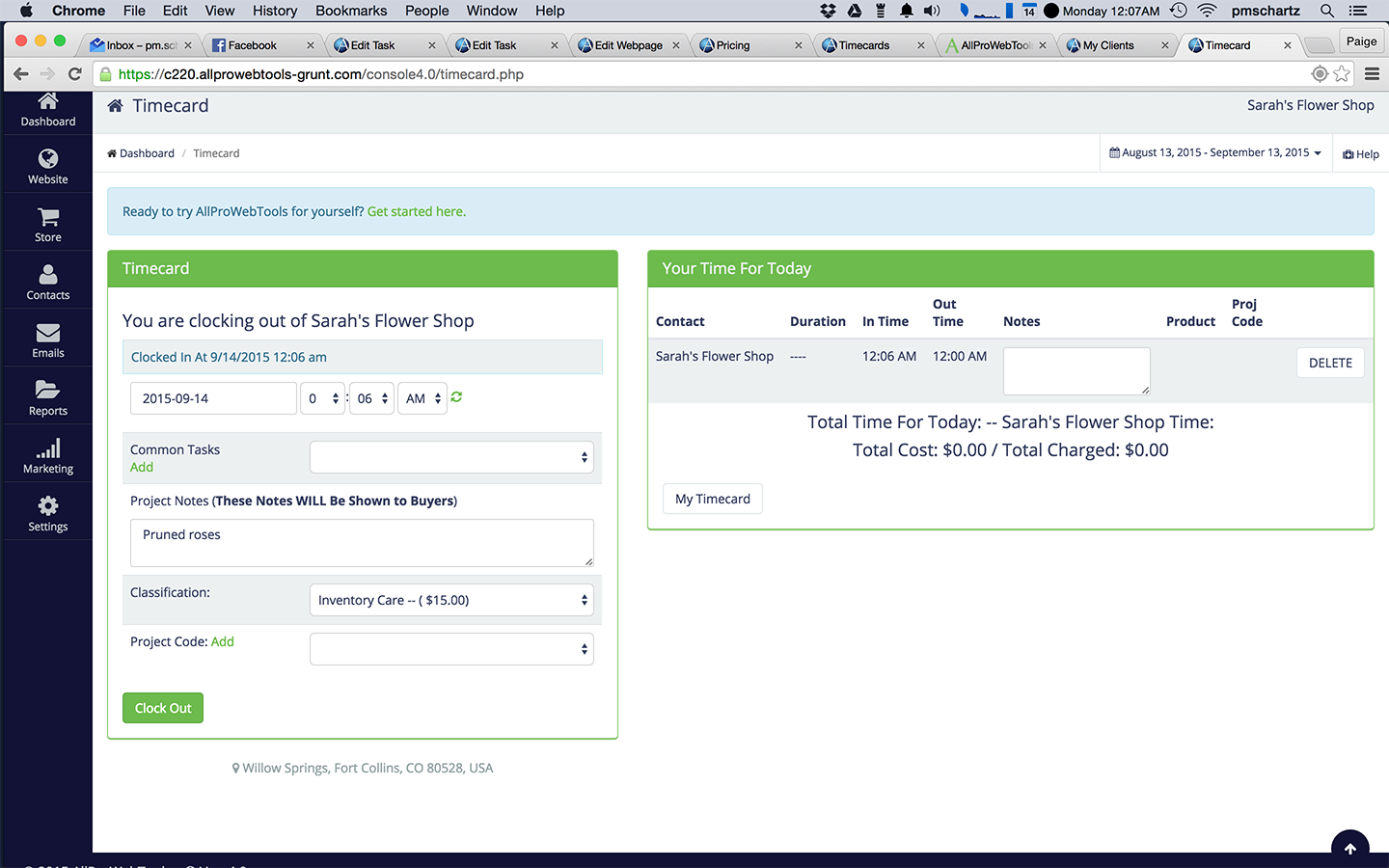
  • The built in timecard system allows me to "clock in" to whatever client that I am working on so that my time and hourly rate are automatically calculated for me. My invoices are sent automatically on the first of each month.
Read full review
  • Email marketing. Their WYSIWYG email editor has a lot of options for customization, but also offers templates if you're not great with code or you're in a hurry.
  • Keeping contacts organized. There are tons of ways to categorize contacts - using tags, labels, and other data.
  • Automated contact "points." You can set up automations to add or subtract points from contacts based on their behavior (site visits, social media visits, clicks, etc.) to gauge how warm/cold your leads are.
  • Customer service. Their team is really stellar and they really care about their clients!
Read full review
Cons
  • QuickBooks Integration
  • More email templates
  • They do not have an app
Read full review
  • It'd be great if the tool had landing pages and calls to action. It would eliminate the need for multiple tools and streamline the efforts and results.
  • Form design could be better. Although there can be custom coded, the default options are pretty basic.
Read full review
Likelihood to Renew
No answers on this topic
It has just about everything I want and then some. What I want but they don't have - calendar and e-mail integration, social media integration, and a mobile app, I believe are all in the works for a future release.
Read full review
Usability
No answers on this topic
Hatchbuck offers on-boarding, training, and has a suite of videos, which makes it super easy to get started. As with any software that is the key. Have a plan, stay focused, and get started. Once, you begin to play with Hatchbuck you will see that it is very user friendly.
Read full review
Reliability and Availability
No answers on this topic
There has never been any downtime for Hatchbuck, which is very reassuring for me as I market and recruit strenuously for the University at Albany's executive Weekend MBA Program. Hatchbuck team members have also been available when I have reached out to them with questions or issues. With one exception, where one of my e-mails became lost in the Internet "black hole," they have gotten back to me in very timely fashion!
Read full review
Support Rating
No answers on this topic
I always get a response within 24 hours, unless I ask on a weekend. The team seems to work together to resolve my issues, answer my questions, and update me on changes. In fact, they have even connected [with] me to ask how they can improve the Hatchbuck software and their service. This is why I love them so much.
Read full review
Implementation Rating
No answers on this topic
Overall very satisfied. More sample please.
Read full review
Alternatives Considered
I used to use Microsoft Excel to organize my business - but it got pretty crazy pretty fast.
Read full review
We really liked the unique mix of a CRM, an email marketing tool, and a sales funnel tool we found with Hatchbuck. Additionally, the software was easy enough to learn so that multiple team members were able to quickly get up and running using the system. Other tools we evaluated either had too heavy of a sales focus, were too clunky, or were lacking some flexibility within their automation or email options that were important to us.
Read full review
Return on Investment
  • It just makes it easier for me to track what is going on in my business.
  • I like having everything in one place, instead of a bunch of different programs.
Read full review
  • I personally experience approximately 10-12 positive prospect interactions due to Hatchbuck.
  • It makes it easy to see how many times attachments are viewed, and projects a prospects interest.
  • It guides you to some degree as to when to reach out again.
Read full review
ScreenShots

AllProWebTools Screenshots

Screenshot of CRM viewScreenshot of B2B Lead AquisitionScreenshot of Google Calendar Appointment IntegrationScreenshot of Internal Office ChatScreenshot of Time Card Tracking

BenchmarkONE Screenshots

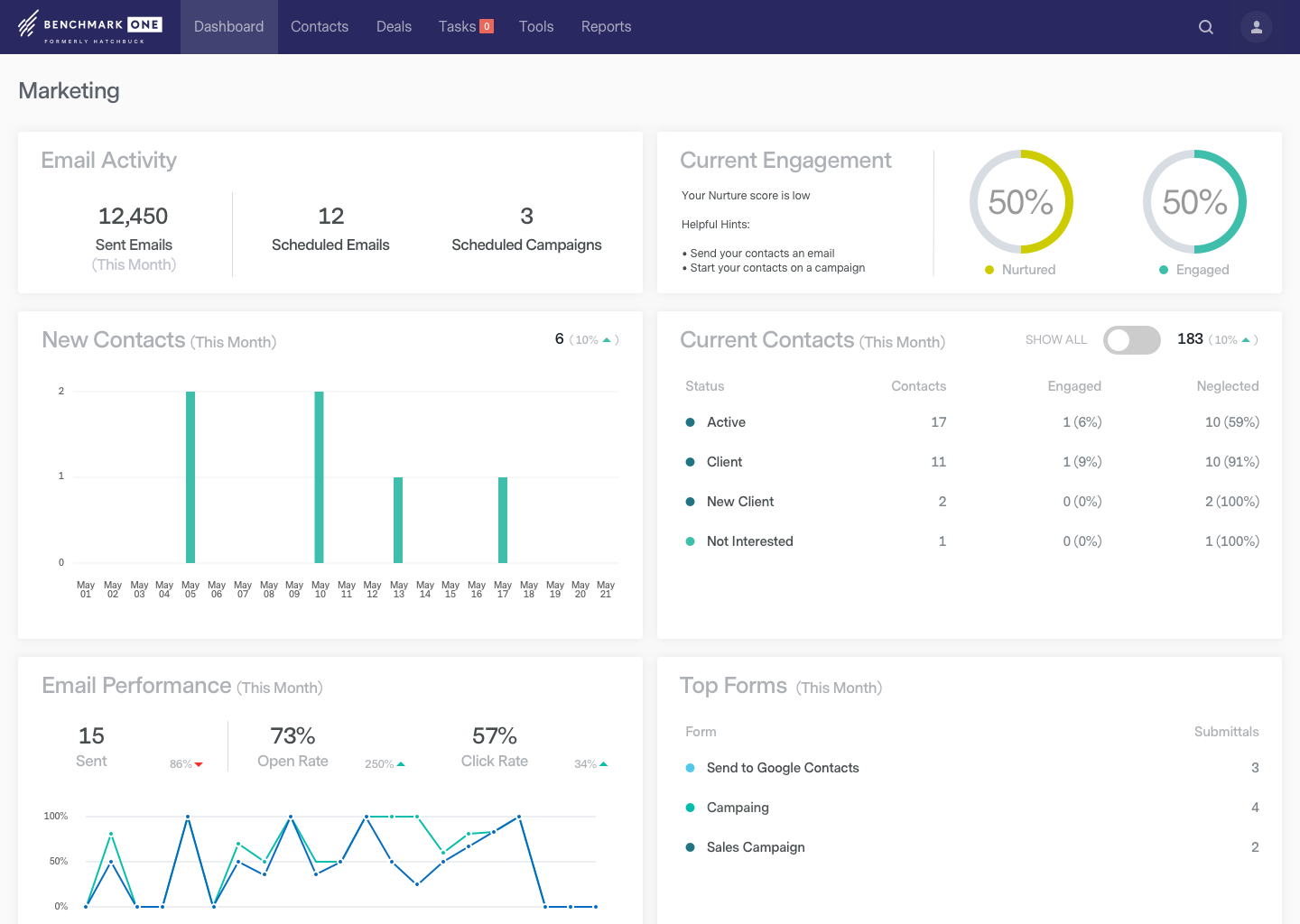
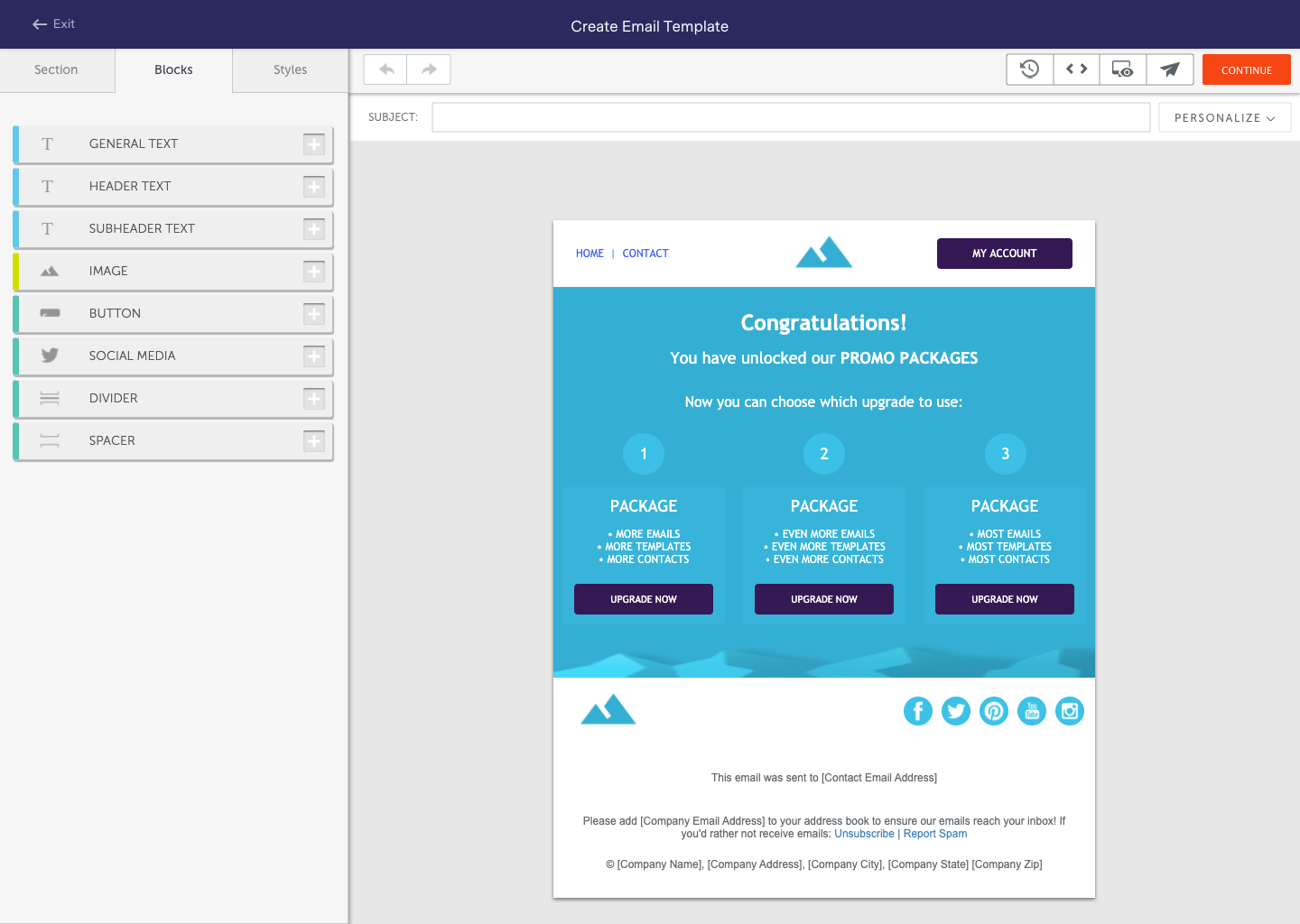
Screenshot of See your progress at a glance. BenchmarkONE's dashboard gives you valuable insight into which areas of sales and marketing you should focus on the most.Screenshot of BenchmarkONE's small business CRM makes it simple to track and manage all of your contacts in one spot. BenchmarkONE notifies you when important tasks are due and even sends you hot lead alerts when prospects are ready to buy.Screenshot of Automatically track the pages your contacts have visited on your site, the emails they have been sent, the emails they've opened and the links they've clicked.  Understand their interests to put relevant conversations with prospects and customers at your fingertips.Screenshot of Setting up Email Nurturing campaigns are a snap in BenchmarkONE. You can easily drip relevant content to sales leads and contacts that nurtures them throughout the entire buying process, saving you valuable time and skyrocketing response rates.Screenshot of Create great looking emails using BenchmarkONE's drag and drop email builder, or select a template from our extensive email template library.