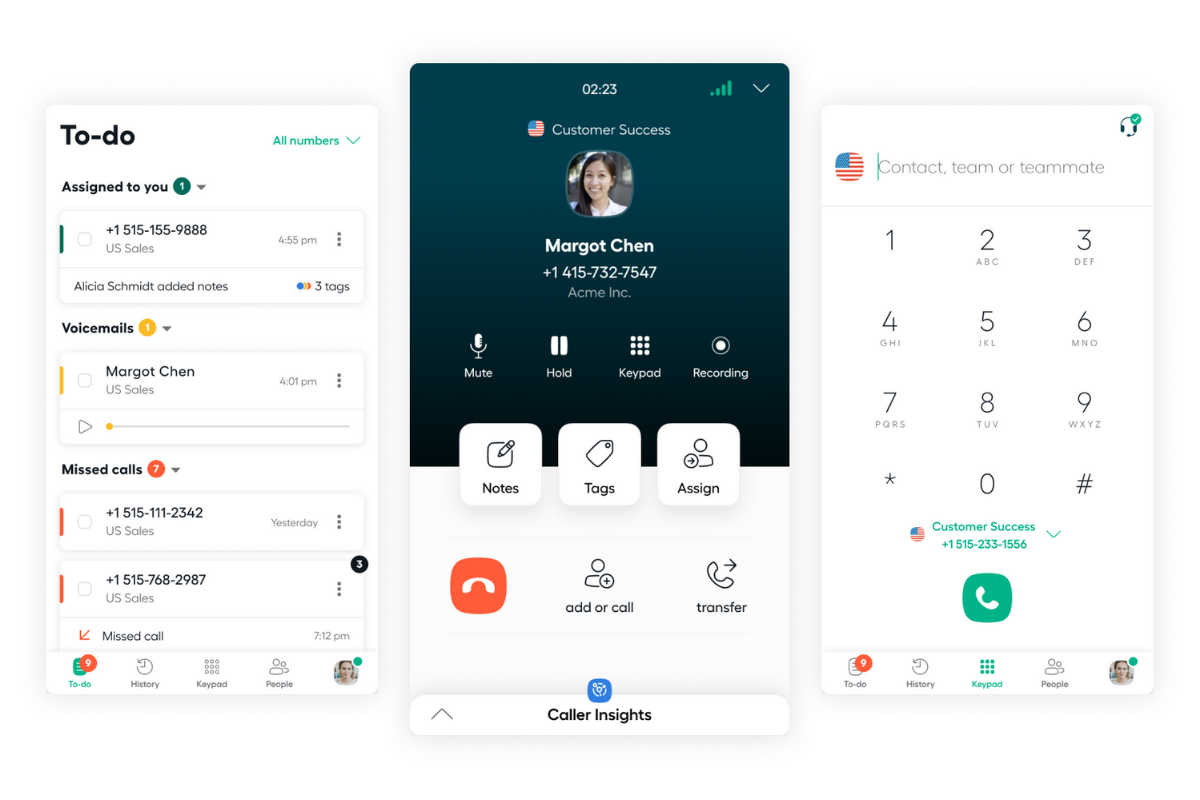
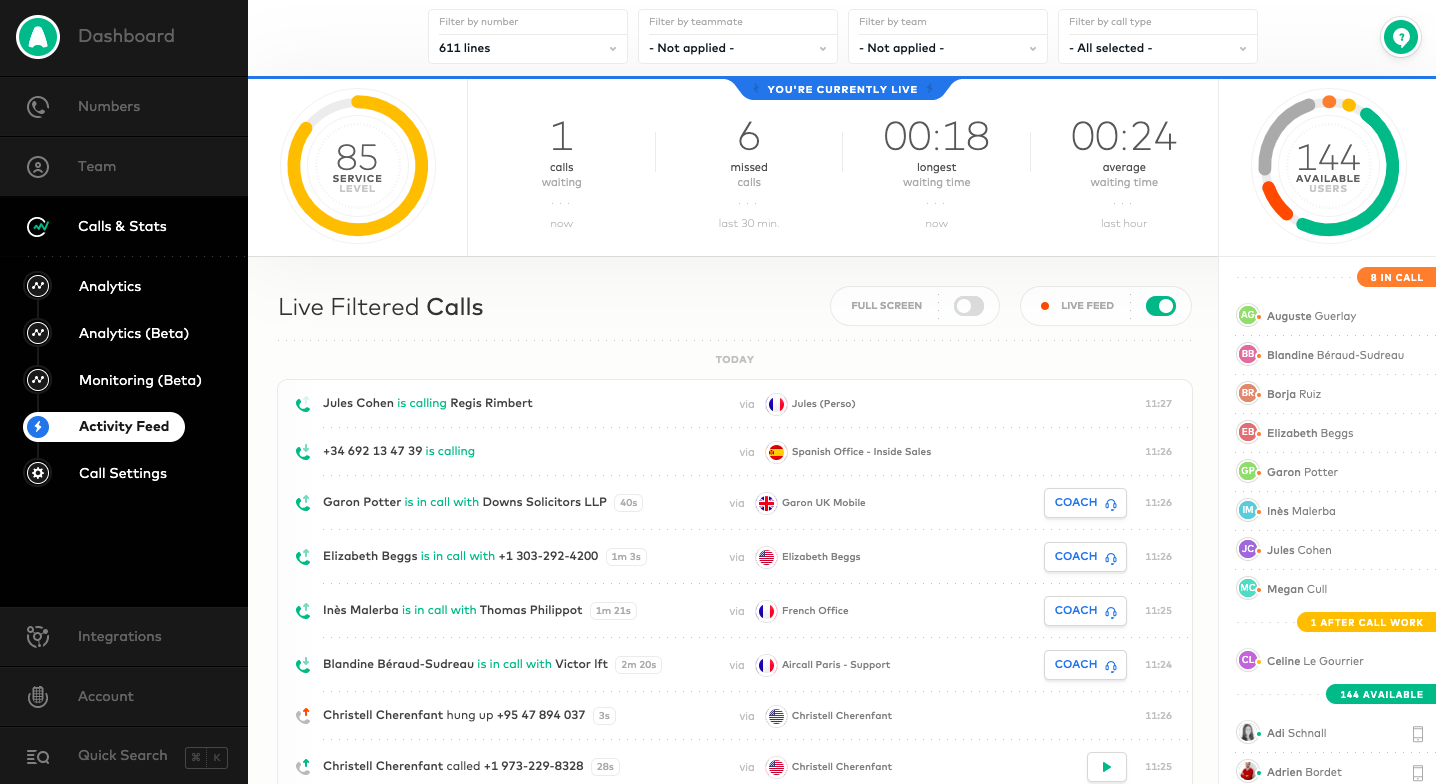
Aircall headquartered in Paris provides a VOIP system for business designed to support contact centers, featuring IVR and automated call routing, conference calls, shared call inbox and call notes, unlimited concurrent calls and call queuing, and many integrations with CRM or marketing systems to support a variety of support or sales purposes.
$30
per user/per month
Grasshopper
Score7.5 out of 10
N/A
Grasshopper is an IP telephony business communication solution that provides companies with a toll-free or local phone number. It has both desktop and mobile applications and includes features such as custom greeting recording, call forwarding, call transfer, call reporting, and voicemail.
$18
per month for a single user
Pricing
Aircall
Grasshopper
Editions & Modules
Essentials
$30
per user/per month
Professional
$50
per user/per month
Custom
Contact sales team
True Solo
$18
per month for a single user
Solo Plus
$32
per month
Small Business
$70
per month
Offerings
Pricing Offerings
Aircall
Grasshopper
Free Trial
Yes
Yes
Free/Freemium Version
No
No
Premium Consulting/Integration Services
Yes
No
Entry-level Setup Fee
Optional
No setup fee
Additional Details
—
20% discount available for annual pricing.
More Pricing Information
Community Pulse
Aircall
Grasshopper
Considered Both Products
Aircall
Verified User
Chose Aircall
Aircall is loads better than Grasshopper due to its ease of use and overall platform. Grasshopper is fine, but the price is about the same and Aircall is smoother (and prettier). The only disadvantage if moving from RingCentral to Aircall is the texting feature. Aircall does …
A de minimis incentive was given to thank the reviewer for their time. The incentive was not used to bias or drive a particular response, nor was the incentive contingent on a positive endorsement. More Info
Verified User
Chose Aircall
We previously used Grasshopper. It was cumbersome and the web option was not user-friendly. It did incorporate texting but would not integrate with our CRM so we switched to Aircall. Aircall's interface is nicer to use and we are happy with the switch.
A de minimis incentive was given to thank the reviewer for their time. The incentive was not used to bias or drive a particular response, nor was the incentive contingent on a positive endorsement. More Info
Aircall is a great fit for any SaaS organization for sales and support groups. Since I come from sales, I cannot talk about support, but for the sales team, it's a great help. It's intuitive and user-friendly. No need for formal training as it's very easy to access all the features you need. I particularly like the option of taking calls on my mobile phone while I am away from my desk or traveling, and also how I can easily manage my working hours and schedule. I also like its ability to interact with different CRMs and other useful tools like Slack, etc.
A de minimis incentive was given to thank the reviewer for their time. The incentive was not used to bias or drive a particular response, nor was the incentive contingent on a positive endorsement. TR verified that a representative sample of customers was invited. More Info
Grasshopper is well suited for basic needs of texting in and out as well as calling out if you would like to avoid using your personal line. It also eliminates the need to have a dedicated land land in your office or business. You can obtain a vanity number and forward calls through grasshopper.
A de minimis incentive was given to thank the reviewer for their time. The incentive was not used to bias or drive a particular response, nor was the incentive contingent on a positive endorsement. More Info
Aircall's integration with HubSpot is fantastic. I can call from anywhere in HubSpot and know that my call is logged automatically. During my call, I have easy access to a contact's record and can pull up any information I need in just the click of a button. The only limit I've found is that it doesn't (yet?) auto-log to tickets. This seems to be pretty common among other integrations so it wasn't seen as a con in our buying decision.
I really like the Aircall dashboard and being able to customize who has access to what number. We even have the ability to give outbound calling privileges only to certain team members. It's also great that you can set up each individual number's answer tree to ring to the correct person.
There's a lot of cool features that don't make sense for our particular business, but I think Aircall's metric tracking and coaching abilities would be really useful for a lot of teams. I remember in my first call hearing about a feature where a manager can listen in and "whisper" tips to a rep during a call that only the rep would be able to hear. I can see how this would add value in a coaching situation.
A de minimis incentive was given to thank the reviewer for their time. The incentive was not used to bias or drive a particular response, nor was the incentive contingent on a positive endorsement. More Info
A de minimis incentive was given to thank the reviewer for their time. The incentive was not used to bias or drive a particular response, nor was the incentive contingent on a positive endorsement. More Info
No feature to update more than one phone line at the same time
Admins don't have access to the timeline of a call to see with which agent it rang
Missing agent-specific stats when your phone lines are organized in teams
If calls are setup to ring to a first group and then a second, if the whole first group is already busy, it does not go to the second group but puts the customer on hold
A de minimis incentive was given to thank the reviewer for their time. The incentive was not used to bias or drive a particular response, nor was the incentive contingent on a positive endorsement. More Info
It would be nice to have the ability to transfer some calls to another Grasshopper IVR, for those customers who mistakenly dial the wrong number (we have two incoming numbers, one for corporate and one for sales).
Likewise, it would be nice to have the ability to forward to a toll-free number, which would have allowed us to work around the inability to transfer between IVRs (see above).
Lastly, it would be great to have an 'emergency' switch setting (default off but could be toggled on) that would let us override all IVR settings and transfer all incoming calls elsewhere (either to a direct dial or toll free number) for those rare times when we cannot take any calls (such as a weather emergency OR the one time each year we take all of our staff on a retreat) - that would allow us to send all calls to a backup answering service rather than just voicemail.
A de minimis incentive was given to thank the reviewer for their time. The incentive was not used to bias or drive a particular response, nor was the incentive contingent on a positive endorsement. More Info
I give this rating as aircall is very easy to use but also lacks a parallel dialing feature which makes it slower to use. aircall has a pretty seamless integration with salesforce which is helpful. For the cost it is definitely very reasonable but it also lacks a live coaching/listening feature which is very valuable as a manager.
A de minimis incentive was given to thank the reviewer for their time. The incentive was not used to bias or drive a particular response, nor was the incentive contingent on a positive endorsement. More Info
I provide this rating based on my overall experience using Aircall. I have used it on my previous company as well and that being said, it is a proof that Aircall is a great tool to use in contact centers and with B2B businesses that has direct communication with clients.
A de minimis incentive was given to thank the reviewer for their time. The incentive was not used to bias or drive a particular response, nor was the incentive contingent on a positive endorsement. More Info
We've enjoyed using Aircall so far and have had no issues with it. The platform is easy to use, looks nice, and makes it easy to keep track of everything.
A de minimis incentive was given to thank the reviewer for their time. The incentive was not used to bias or drive a particular response, nor was the incentive contingent on a positive endorsement. More Info
When I was setting up my account I contacted support a couple of times. They were also very professional, personable, and helpful. Their response is prompt and thorough. I'm confident I can get any question answered as well as help with any issue I might have. That's pretty important to me.
A de minimis incentive was given to thank the reviewer for their time. The incentive was not used to bias or drive a particular response, nor was the incentive contingent on a positive endorsement. More Info
We used to answer phone calls on our fix line when at the office. The quality was very bad but we had in mind that a VOIP solution would be too expensive. When lockdown began last year, I had to redirect calls on my own mobile phone which was not efficient. Also I couldn't receive voicemails, have a history of calls or choose working hours.
I have not used any other phone services like Grasshopper. I know that there is another option out there called Ruby, which is more like a virtual receptionist but since I did not try it out I cannot compare the two. When I started my company I found the services that Grasshopper offers to be perfect. It still works for us and we have no need to change to anything else right now.
A de minimis incentive was given to thank the reviewer for their time. The incentive was not used to bias or drive a particular response, nor was the incentive contingent on a positive endorsement. More Info
Because of the lack of local partnerships with South African telecoms companies, calls to South Africa is very expensive. This was not originally apparent when opening the Aircall account.
Not having the option to display a local South African number in the CLIP, means that people are not always eager to pick up the phone when they see an overseas number ringing.
The only positive impact has been the collaborative experience and being able to maintain a virtual office
A de minimis incentive was given to thank the reviewer for their time. The incentive was not used to bias or drive a particular response, nor was the incentive contingent on a positive endorsement. More Info
A de minimis incentive was given to thank the reviewer for their time. The incentive was not used to bias or drive a particular response, nor was the incentive contingent on a positive endorsement. More Info