Advanced Time Management headquartered in Grand Rapids, Michigan offers Attendance on Demand, their cloud-based time and attendance option.
N/A
Time Doctor
Score 8.8 out of 10
N/A
Time Doctor offers in-depth productivity analytics, giving business owners insight on how to improve performance and scale. Going beyond tracking and monitoring, Time Doctor’s suite of tools put data-driven improvement front and center, helping to ensure that teams of all sizes are actively working on the right things while also offering actionable insights to maximize performance and efficiency. Time Doctor tracks the collective hours a team puts in. But it also provides a…
Advanced Time Management Attendance on Demand is so easy to use to track time worked, and categories time was worked in. It is not cumbersome as an employee and can be easily filled out in a snap while seeing totals. It is 100 times easier than any other time management tracking tool I've ever used.
Time Doctor is great if you need to time how long you spend on different projects throughout the day. I am editing multiple books at once and I need to keep track of how long I spend on each one. It is not worth it if you don't need to keep track of how long you spend on a large project. I find it too cumbersome to time individual tasks and not useful enough to time just one project.
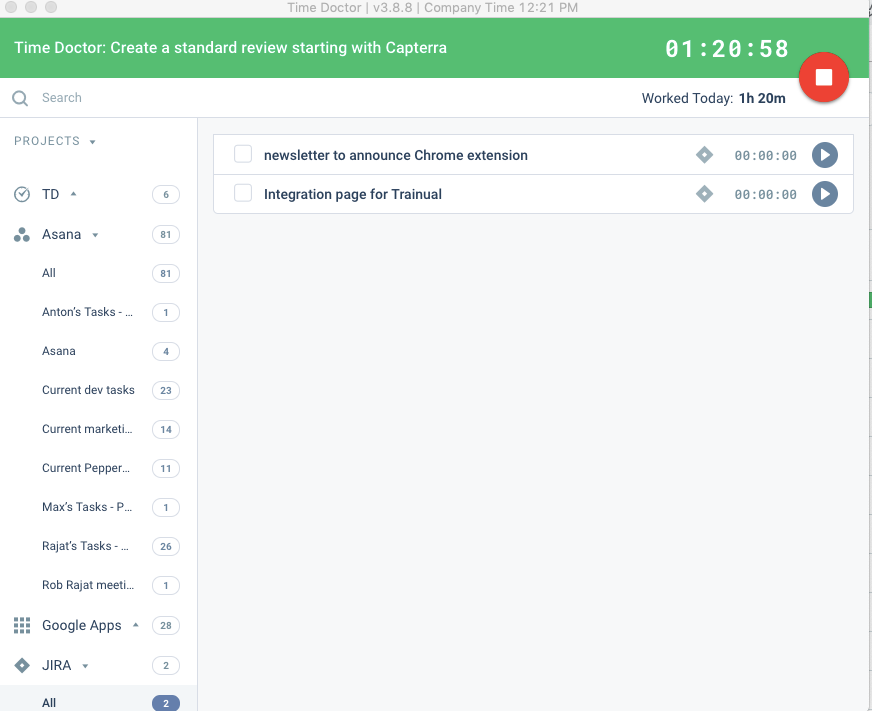
One click to choose projects and tasks you've already created so that you can quickly choose what you're working on and basically set it and forget it.
Automatic screenshots so that I can always reference back to what I was working on.
The reports! There are reports for every project and time use. Helps me see exactly where my time is going and how I can better maximize it.
We have had some difficulty in using Advanced Time Management Attendance on Demand on mobile devices, ie. sometimes employees will hit the 'punch' button to clock in/out, but it doesn't recognize it, and the time has to be put in manually (corrected) by the administration.
There are some aspects of Advanced Time Management Attendance on Demand that our company doesn't utilize, so those items are superfluous for us (ie. extra items on the screen that clutter up the view, items/tabs that we don't use or aren't needed). Would like to be able to customize our view.
No other cons - really love the program and fairly simple to use/learn.
When checking/viewing Web and App Usage, I wish there's an option on this page to update or change the app's rating without going to settings page. It will be a lot easier for us to update the ratings on the Web and App Usage.
The support was terrible! They never responded in sufficient time and their assistance was always super vague. I never felt like they had an actual solution to my concerns. They were nice, but I don't feel like they were trained in their own system. It felt like I was talking to a wall.
I've heavily used BST Global and ProWorkflow, both of which are cumbersome in selecting where time was spent and adding it up correctly. It took hours each week to track my time. Now, it takes maybe 5 minutes with Advanced Time Management Attendance on Demand.
We previously used the time tracking component within Kanbanflow.com. However, it was confined to a specific task and we needed something more holistic. Enter Time Doctor! The difference between the two was night and day. I know there are other similar time tracking apps that exist that we could have investigated. We started with Time Doctor Lite and that gave us enough of a taste to upgrade to Pro.
Employees shouldn't have to spend hours every week logging their time - this makes it happen in minutes, reducing the time spent on this overhead activity.
It's easy for employees to see PTO right in the time tracking system.
For a small amount each month I believe I get a huge return on investment in form of traceability of my hours spent. The major factor that made me choose Time Doctor was the price and the value. I don't think I would still be interested if it was more expensive.