Advanced Time Management headquartered in Grand Rapids, Michigan offers Attendance on Demand, their cloud-based time and attendance option.
N/A
Everhour
Score 8.5 out of 10
N/A
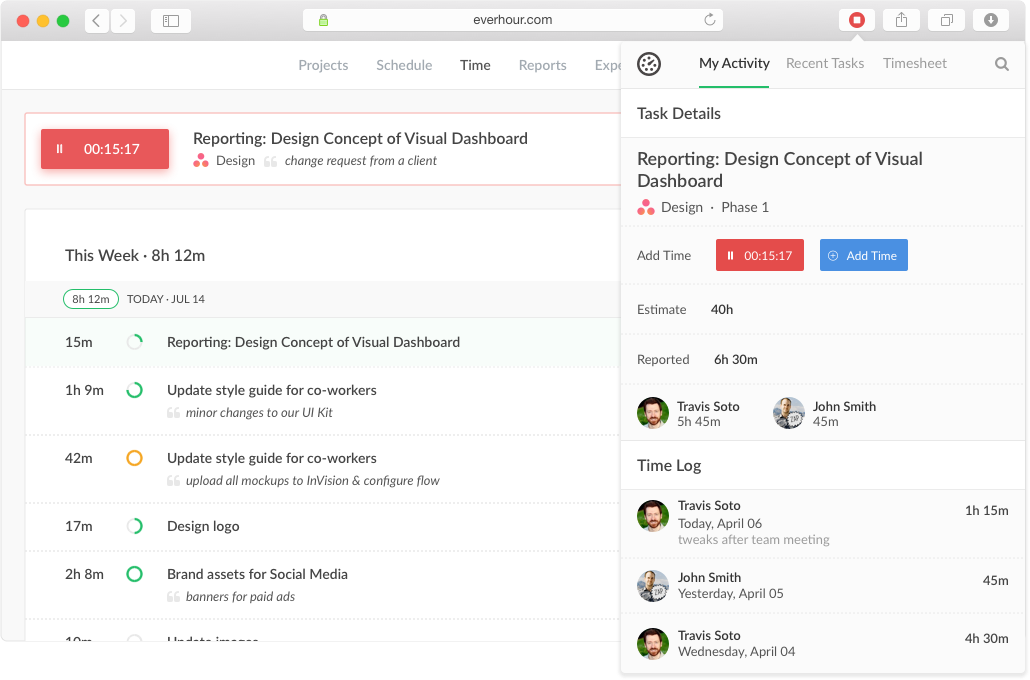
Everhour is a time tracker equipped with project & team management features. Everhour integrates with project management apps so users can track time on tasks right from its interface: Asana, Basecamp, Trello, Jira, ClickUp, Basecamp, Notion, Todoist, GitHub, GitLab, etc. Its time tracking features provide options for timekeeping and time management. It helps to facilitate a team's time tracking experience by adding reminders, auto stop timers, start and stop timers, and…
Advanced Time Management Attendance on Demand is so easy to use to track time worked, and categories time was worked in. It is not cumbersome as an employee and can be easily filled out in a snap while seeing totals. It is 100 times easier than any other time management tracking tool I've ever used.
Everhour is useful in every environment where you need the measure of time for certain tasks. In most cases, this could be project management but it could also include trips or travels, conferences, congresses, or several other things that you need to take control of the time used. Its less appropriate if you are going to measure things in weeks or days, it's better to measure smaller pieces of time like minutes of hours, so you could have a more useful metrics to work with.
It has a genius dashboard with all real-time traffic information of all team members. It is a very useful tool as well to track efficiency for both in-house and remote team members
It has well-done integration with Asana (and other task-managers) which allows you to track time on tasks without switching between apps or tools which it truly awesome
It has a scheduling tool which allows you to plan long term traffic of all your team members by using Asana projects and tasks so there is no need to copy and paste the same story points between different systems
It has flexible reporting system which allows you to build very custom project time tracking report based on your needs (any field or table type can be customized and you wish)
We have had some difficulty in using Advanced Time Management Attendance on Demand on mobile devices, ie. sometimes employees will hit the 'punch' button to clock in/out, but it doesn't recognize it, and the time has to be put in manually (corrected) by the administration.
There are some aspects of Advanced Time Management Attendance on Demand that our company doesn't utilize, so those items are superfluous for us (ie. extra items on the screen that clutter up the view, items/tabs that we don't use or aren't needed). Would like to be able to customize our view.
No other cons - really love the program and fairly simple to use/learn.
An integration with the desktop version of Asana would be useful, as many of our employees use that version.
A reminder when a task has been running for a while would be useful too, as the user could have forgotten to turn off the timer
Multiple tasks running simultaneously would be useful, as many times we solve some problems while we are reunited or complete some tasks while other processes are running.
Everhour's overall usability is definitely one of its key strengths. The UI is intuitive and clean, making time tracking feel less "technical" than other solutions we've tried. Our entire team, including less tech-savvy contractors, found it easy to use.
In the almost 2 1/2 years we have had to contact support 1 time and it really was for a feature request. Their support team responded quickly and told us that the feature was going to be added in the next few months. We have had no support issues ever. I have never had a time tracking solution that has had no issues until Everhour.
I've heavily used BST Global and ProWorkflow, both of which are cumbersome in selecting where time was spent and adding it up correctly. It took hours each week to track my time. Now, it takes maybe 5 minutes with Advanced Time Management Attendance on Demand.
When evaluating other systems, we compared Everhour against Toggl Track and JIRA. Toggl Track offered robust reporting but felt too feature-heavy for our contractor management needs. It was also a bit more difficult to use. JIRA's time tracking, while powerful for development teams, was overly complex for us and had too much overhead.
Employees shouldn't have to spend hours every week logging their time - this makes it happen in minutes, reducing the time spent on this overhead activity.
It's easy for employees to see PTO right in the time tracking system.
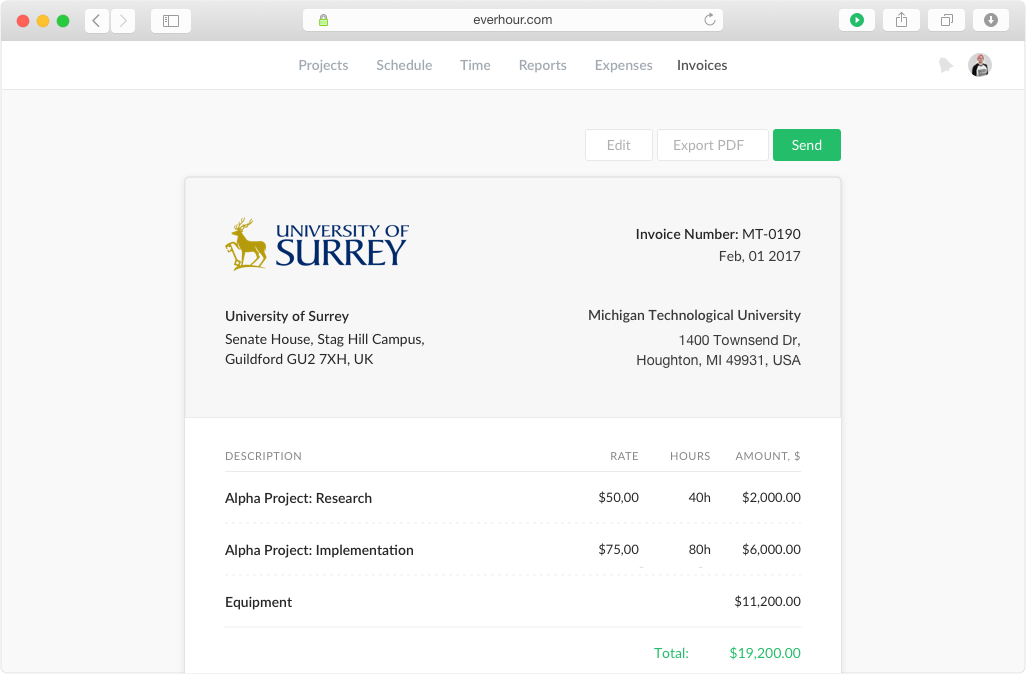
Simplifies end-of-month billing processes and reduces manual entry
Quicker team onboarding due to consistent time tracking structure between Asana & Everhour
Improved productivity due to Asana integration as tasks can be reassigned and tracked by multiple team members, regardless of who is assigned to the task (good for collaboration between team members)