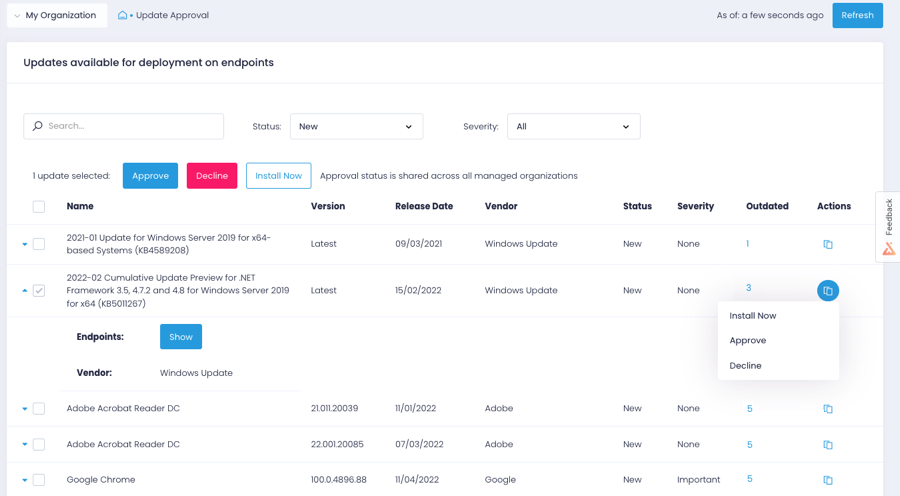
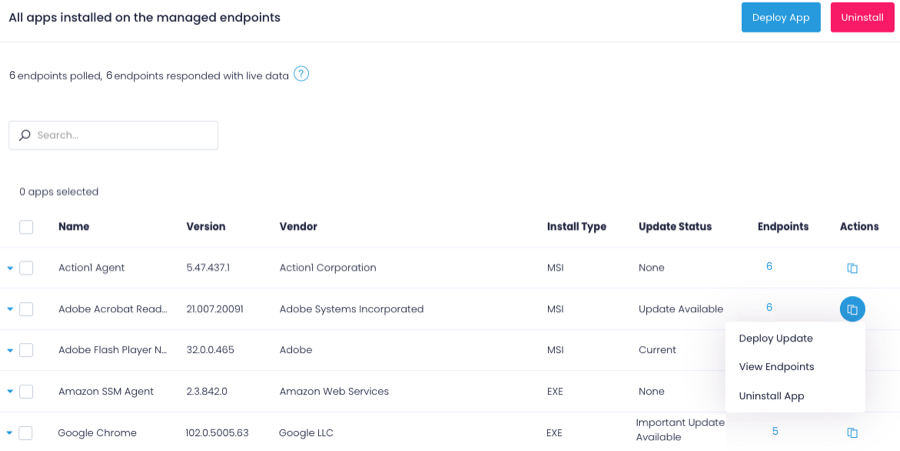
Action1 is an autonomous endpoint management platform that is cloud-native, scalable, and configurable in 5 minutes. It is free for the first 200 endpoints, with no functional limits. By pioneering autonomous OS and third-party patching - AEM’s foundational use case - through peer-to-peer patch distribution and real-time vulnerability assessment without needing a VPN, it eliminates costly, time-consuming routine labor, preempts ransomware and security risks, and protects the digital…
N/A
Apple Remote Desktop
Score6.4 out of 10
N/A
Apple Remote Desktop (ARD), from Apple, is a remote administration tool for managing Apple computers running OS X across a network.
[Action1 Cloud Remote Monitoring and Management Solution is a] really great tool for organizations looking at a solution that doesn't rely on on-premise infrastructure to manage multiple sites or work-from-home devices. As long as the endpoints are connected to the internet they will show as online in the system.
I would rate this higher if I was confident that Apple is continuing to develop this utility. It has only received minor updates for quite a long time, and is not featured much in any of Apple's online material. It really is a useful utility, but it is starting to show its age and is fraying a bit around the edges in some respects. It could be very useful when integrated with the various MDM solutions (in our case, Jamf Pro) especially when an engineer needs to force something immediately and can't wait for a check-in, and also can't depend on the end user being able to (for instance) do a sudo jamf policy or sudo jamf recon.
A de minimis incentive was given to thank the reviewer for their time. The incentive was not used to bias or drive a particular response, nor was the incentive contingent on a positive endorsement. More Info
Easy remote access to devices. That simple. We have some very unskilled users in the field where asking them to access their PC via conventional remote tools like TeamViewer, Anydesk, etc. was always a pain. Now, all they have to do is ensure their PC is online, and we can connect to them.
Remote software deploy. Before Action1, we did have some GPOs and scripts, but again - being able to deploy to PCs outside of our office/LAN, is just beautiful. On top of the standard repository, being able to create new packages is very useful for our scenario.
Inventory Reporting. Recently we had to identify PCs running old versions of Windows. Can't highlight enough how easy it is.
A de minimis incentive was given to thank the reviewer for their time. The incentive was not used to bias or drive a particular response, nor was the incentive contingent on a positive endorsement. More Info
A de minimis incentive was given to thank the reviewer for their time. The incentive was not used to bias or drive a particular response, nor was the incentive contingent on a positive endorsement. More Info
Lots of times Action1 will identify a program that needs to be patched, but then not really have a path laid out to get that done...so they just remain as they are, but are tagged as such.
Really wants to replace the windows update mechanism. Resists (or did at least) you if you try to keep updates as they are and update occasionally from Action1
Could develop the scripts section a bit more, looked pretty sparse last time I checked it out.
A de minimis incentive was given to thank the reviewer for their time. The incentive was not used to bias or drive a particular response, nor was the incentive contingent on a positive endorsement. More Info
I would like to see more included Unix scrips that can be pushed to clients.
Inclusion of a way to remote control or screen share with Windows machines would be useful, as I manage a handful of Windows machines. While this would be possible using VNC on the Windows machines, including the ability to connect using Windows terminal connections would be awesome, for me.
A de minimis incentive was given to thank the reviewer for their time. The incentive was not used to bias or drive a particular response, nor was the incentive contingent on a positive endorsement. More Info
A de minimis incentive was given to thank the reviewer for their time. The incentive was not used to bias or drive a particular response, nor was the incentive contingent on a positive endorsement. More Info
It is a fairly unique tool in the level of integration it has with Apple Desktop products. It definitely needs some engineering attention, and it should be expanded to the iOS arena. It is not perfect, but it is very useful and fills an otherwise fairly empty niche in the support toolkit realm. The built-in screen sharing app in macOS handles the direct screen control or viewing function fairly well, but it does not have all of the other mass control features that Apple Remote Desktop supplies.
A de minimis incentive was given to thank the reviewer for their time. The incentive was not used to bias or drive a particular response, nor was the incentive contingent on a positive endorsement. More Info
Agent deployment is simple (and silent) - once that is done, you're good to go. Everything is simple, centralized and very easy to work with. There isn't one aspect of this platform that requires crawling over forums and Google, it just works!
A de minimis incentive was given to thank the reviewer for their time. The incentive was not used to bias or drive a particular response, nor was the incentive contingent on a positive endorsement. More Info
Once it is set up, it is quite straightforward to use. However, currently, it requires both a script to run to set up permissions and controls, AND a command from the MDM to authorize it to be active. The MDM management command is manual. This is not conducive to an automated workflow, and sometimes gets forgotten. Then, the endpoint is not contactable until someone realizes that the MDM command was not sent or was not successful.
A de minimis incentive was given to thank the reviewer for their time. The incentive was not used to bias or drive a particular response, nor was the incentive contingent on a positive endorsement. More Info
A de minimis incentive was given to thank the reviewer for their time. The incentive was not used to bias or drive a particular response, nor was the incentive contingent on a positive endorsement. More Info
A de minimis incentive was given to thank the reviewer for their time. The incentive was not used to bias or drive a particular response, nor was the incentive contingent on a positive endorsement. More Info
A de minimis incentive was given to thank the reviewer for their time. The incentive was not used to bias or drive a particular response, nor was the incentive contingent on a positive endorsement. More Info
A de minimis incentive was given to thank the reviewer for their time. The incentive was not used to bias or drive a particular response, nor was the incentive contingent on a positive endorsement. More Info
Action1 excels with patch management and their ability to show if applications have been marked as vulnerable. It is also hard to beat their free model where the first 200 are free. When I first started with Action1 it was only 50 endpoints so seeing that expand so much is awesome.
A de minimis incentive was given to thank the reviewer for their time. The incentive was not used to bias or drive a particular response, nor was the incentive contingent on a positive endorsement. More Info
I would feel much more comfortable having one of these alternative solutions as our Remote Desktop management tools. Each has their drawbacks and expenses associated with them, but we simply have too large of a deployment to not be considering alternatives. If it is the only solution you can afford, it is OK to start here. I could see where this would have a return on investment, but it is really only suitable for a very small and localized scale. If employees are at all mobile, the duct taping of products necessary (VPN, distribution points, script repositories) would be very cumbersome.
A de minimis incentive was given to thank the reviewer for their time. The incentive was not used to bias or drive a particular response, nor was the incentive contingent on a positive endorsement. More Info
Saved hours per week on patching and able to ensure a 100% patching success rate.
Able to create custom alerting on potential problems as well as able to create some automation to automatically address problems.
Improved support to our remote locations and users.
Custom deployments allow us to have a mechanism to deploy custom applications we build as well as other third party applications we need to distribute.
A de minimis incentive was given to thank the reviewer for their time. The incentive was not used to bias or drive a particular response, nor was the incentive contingent on a positive endorsement. More Info
Apple Remote Desktop has a positive return on investment because for the expense to the school, the value it brings to teachers is important. The return on improved student performance is very difficult to measure financially, but there is a definite return.
The overall objective of education is to increase student learning, ARD does that phenomenally. Parents see the tool used and are impressed at what the capabilities of the tool can do and how it impacts how active their students are as well as how well they can learn.
One negative impact is that teachers rely too much on this tool rather than on actually teaching sometimes.
A de minimis incentive was given to thank the reviewer for their time. The incentive was not used to bias or drive a particular response, nor was the incentive contingent on a positive endorsement. More Info