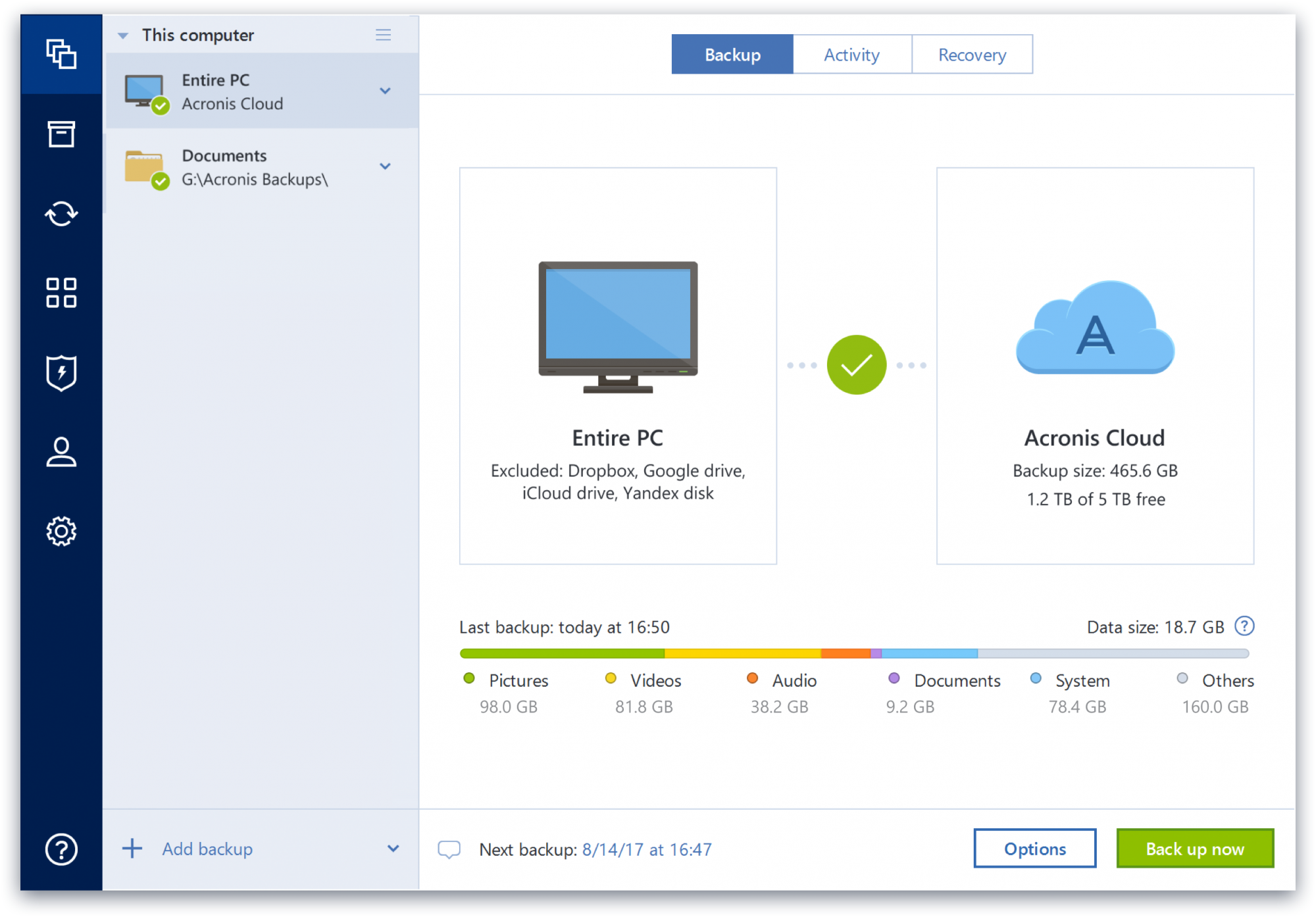
Acronis True Image is a backup, cloning, cyber protection and privacy tool suite for home users.
N/A
Trend Micro Smart Protection Suite, with XGen
Score 6.0 out of 10
N/A
Trend Micro offers the Smart Protection Suite with XGen, an endpoint security suite including data loss prevention and mobile device protection. The Smart Prtection Endpoint Suite is the basic edition. The Smart Protection Complete Suite also includes a message security gateway for specific applications (e.g. Office 365, Skye, Sharepoint, etc.) and web security gateway for extended capabilities.
N/A
Pricing
Acronis True Image
Trend Micro Smart Protection Suite, with XGen
Editions & Modules
No answers on this topic
No answers on this topic
Offerings
Pricing Offerings
Acronis True Image
Trend Micro Smart Protection Suite, with XGen
Free Trial
Yes
No
Free/Freemium Version
No
No
Premium Consulting/Integration Services
No
No
Entry-level Setup Fee
No setup fee
No setup fee
Additional Details
—
—
More Pricing Information
Community Pulse
Acronis True Image
Trend Micro Smart Protection Suite, with XGen
Features
Acronis True Image
Trend Micro Smart Protection Suite, with XGen
Endpoint Security
Comparison of Endpoint Security features of Product A and Product B
The imaging capability seems to be solid [with Acronis True Image], although I have not had to recover a drive yet so cannot compare. The logs tell me when it is (and isn't) working. The "Cloud Replication" that is supposed to simultaneously replicate the local backup image is perfectly awful and the months of tech support ended with them telling me I had a "VSS issue" on a brand new workstation and that I should just create a separate cloud image. After months of it taking 3-4 DAYS to run, IF it worked, and then failing altogether, I discontinued it. It was even logging (running?) under another separate critical files backup, and forced to use the same encryption password. Setting up a new one failed. The cloud backup of my critical files is still running at kb/sec speeds. The ransomware protection hasn't caught anything yet to my knowledge, and consumes a lot of resources. Changing the settings takes at least 10 minutes to log into the cloud. Cloud storage is tiny and a push to get you to pay more. Will not be renewing.
The best [way] for Trend Micro [Smart Protection Suite, with XGen] to stand out, would be to install it throughout the network, both computers and servers[.] I recommend this solution for both small companies and very large companies since currently the security of our data is very critical and many times the costs that they lead to when suffering from an attack are too high. [A] system like this is worth investing in.
Upon a system restore after a crash, the program was able to see my server but was unable to complete the process. However, once I copied everything to a detachable USB hard disk, it had no further problems.
I'd love to see an exact copy of the functionality of Time Machine, except on a PC. Seamless, nearly flawless. It's already pretty decent, though.
Okay, Acronis, you've knocked it out of the park already, but ...it's time to offer some hardware! Develop your own secure version of the Time Capsule that can be plugged into the network. It will only do one thing, and it will be the best at what it does.
Protect my system from data loss and also can manage multiple devices via online cloud from any where and also can set Multifactor authentication for more secure login access. Archive any backup which will use less space and we can transfer it to any other space also so it is very easy as server admin to manage acronics utilities
We deployed the trial version of Trend Micro Smart Protection Suite, with XGen. The trial was applied to 3 users including one from accounts to check all angles. Considering the overall performance, as detailed in prior specifics, we found it to be a very close contended to Spybot-Search and Destroy, that we have been using since 10++ years. In fact, since the later does not have an andriod app, we are, most likely, shifting to this product after locating and evaluating 2-3 close competitors. Our experience with Trend Micro Smart Protection Suite, with XGen began with its free "Trend micro housecall" around 8 years before. The minuses - 1. It does seem to be a little more resource intensive vs. Spybot search and destroy 2. The absence of cookie cleaning and associated tiered options (the kind of cookies I want to retain or delete) is one big gap
I have never had an issue with their software and therefore have never had to reach out to their support for anything. I have however used their online help to answer questions about functionality. I found no issues getting the information I was looking for. It seemed that if their own support didn't have the answer, there was a user on their forums who did.
I have only had to contact technical support once, which in itself shows what a good product this is, and I received spot-on advice from the person I contacted.
Acronis fits in with the rest of our software as it saves us a ton of time and money. Usability is incredibly intuitive - and a new employee can be taught the ins and outs in less than 15 minutes. The software is also updated regularly to improve the security and functionality of the suite.
1. Spybot-Search and Destroy does not have an andriod app - its definitely lagging behind here since a non-tech user like me would want a single brand for both - the computer and the smartphone 2. Spybot, on the other hand, has remarkable depth in pulling out the deepest malware - noted since 10++ years 3. Spybot is also relatively "lighter" for the computer and fits in extremely comfortably on windows 7 units with just 3GB RAM ("dumb terminals")!
The Windows version is generally reliable and only ran into one issue thus far. Restores are easy and there are many features. On MacOS, it's a completely different story. There is significant resource leakage related to the updater app that can bog down part of a CPU core continuously until it is disabled. The mobile backup feature also needs to be disabled via UNIX command line or CPU usage will go up when a mobile device on the same network like an iPad or iPhone's screen is turned on.