Accelo vs. Avaza

Overview
ProductRatingMost Used ByProduct SummaryStarting Price
Accelo
Score 8.0 out of 10
Small Businesses (1-50 employees)
Accelo provides cloud-based Professional Services Automation (PSA) software designed to unify and streamline client, project, resource, and financial management for service-based businesses. By centralizing operations into a single, intuitive platform, Accelo eliminates the need for fragmented tools, delivering a comprehensive solution that improves efficiency, transparency, and collaboration across teams. Serving industries such as consulting, engineering, architecture, IT…N/A
Avaza
Score 8.2 out of 10
Mid-Size Companies (51-1,000 employees)
Avaza is a software suite targeted for all business sizes. It includes modules for project management and collaboration, resource scheduling, team chat, time tracking, expense management, quoting and invoicing. Depending on their business needs, companies can use as many, or as few, of the modules as they need. Avaza offers reporting functionality, and the project management module is designed with both list view and Kanban style task management, so users can choose…
$0
Unlimited Project Collaborators, 1 Admin, 1 Timesheet/ Expense User, 1 Resource Scheduling User
Pricing
AcceloAvaza
Editions & Modules
No answers on this topic
Free Plan
$0
Unlimited Project Collaborators, 1 Admin, 1 Timesheet/ Expense User, 1 Resource Scheduling User
Startup Plan
$11.95
per month
Basic Plan
$23.95
per month
Business Plan
$47.95
per month
Offerings
Pricing Offerings
AcceloAvaza
Free Trial
NoYes
Free/Freemium Version
NoYes
Premium Consulting/Integration Services
NoNo
Entry-level Setup FeeOptionalOptional
Additional Details
More Pricing Information
Community Pulse
AcceloAvaza
Features
AcceloAvaza
Project Management
Comparison of Project Management features of Product A and Product B
Accelo
-
Ratings
Avaza
8.0
Ratings
4% above category average
Task Management00 Ratings10.00 Ratings
Resource Management00 Ratings7.00 Ratings
Gantt Charts00 Ratings7.00 Ratings
Scheduling00 Ratings8.00 Ratings
Team Collaboration00 Ratings10.00 Ratings
Support for Agile Methodology00 Ratings7.00 Ratings
Support for Waterfall Methodology00 Ratings7.00 Ratings
Document Management00 Ratings9.00 Ratings
Email integration00 Ratings8.00 Ratings
Mobile Access00 Ratings8.00 Ratings
Timesheet Tracking00 Ratings7.00 Ratings
Budget and Expense Management00 Ratings8.00 Ratings
Professional Services Automation
Comparison of Professional Services Automation features of Product A and Product B
Accelo
-
Ratings
Avaza
10.0
Ratings
28% above category average
Quotes/estimates00 Ratings10.00 Ratings
Invoicing00 Ratings10.00 Ratings
Project & financial reporting00 Ratings10.00 Ratings
Integration with accounting software00 Ratings10.00 Ratings
User Ratings
AcceloAvaza
Likelihood to Recommend
8.0
(0 ratings)
10.0
(0 ratings)
Likelihood to Renew
9.0
(0 ratings)
10.0
(0 ratings)
Usability
7.0
(0 ratings)
9.0
(0 ratings)
Performance
10.0
(0 ratings)
-
(0 ratings)
Support Rating
8.2
(0 ratings)
10.0
(0 ratings)
User Testimonials
AcceloAvaza
Likelihood to Recommend
The best services management, easy operations reporting, and data analytics features from Accelo are impressive and easy on data visualization and workflow management software. Accelo was very helpful in collaboration and easy to collect feedback from integrated platforms and the scheduling ability is very unique. The Automation tools are also cost-effective and the ability to manage time through Accelo is perfect.
Read full review
There are teams who work hard, and there are those who work smart. Avaza helps you be the latter--it's is a great tool for any team collaborating on several projects, especially multiple projects with a lot of simultaneously moving parts. It has just about everything you need - from team schedules to timesheets, down to the task and sub-task monitoring. The best part for me is that we can switch from List View to Kanban to Gantt charts!
Read full review
Pros
  • Tracking customer interactions. Nice integration with G Suite, could be a lot better if they acknowledged that contacts may actually have more than one email address.
  • Support Ticket system is integrated, so we can view support history and other email correspondence easily. It's cheaper that Zendesk.
  • Support is reasonably good, usually prompt and responsive.
  • Constant development - lots of updates, just not often to areas that we use.
Read full review
  • Helps keep track of time spent on each project
  • Helps employees break down their time spent throughout the day
  • Encourages better time management skills
Read full review
Cons
  • The client portal needs to be improved. It does not have the same user interface as we have within Accelo and we get a lot of client complaints about it.
  • It needs more executive-style reporting and the ability to create your own reports and filters.
  • It needs to be faster. With all of the things Accelo is doing to give you all the data, it is kind of slow compared to other systems in the browser.
Read full review
  • I wish sub-tasks could also have due dates
  • For really big projects, we hope there could be phases (aside from sections)
  • In the chatbox, it would be great if photo attachments could be displayed as screenshots (instead of downloading the file)
Read full review
Likelihood to Renew
Looking forward to seeing more refinement of features provided and upcoming features promised :)
Read full review
Because it has been amazing and easy to work with.
Read full review
Usability
No answers on this topic
Avaza is very easy to use, but the mobile app needs work.
Read full review
Support Rating
From the beginning the Accelo team has been very invested in ensuring our success and overall happiness with the platform. The initial implementation specialists and trainers did a fairly good job of learning our company and needs, and tried to tailor the trainings accordingly. However, once we made the formal switch to the platform, meaning we no longer were using our legacy systems, we found that we had a lot of questions....and a lot of ideas and recommendations. The support team is extremely responsive and seemingly happy to receive our continual feedback. And if we encounter an issue that seems to be a system issue, they work diligently to fix it (we've actually had an engineer join a call with us to learn of the issue - and subsequently fix it)
Read full review
They are always available and open to doing a call or a shared screen to walk through the issues.
Read full review
Alternatives Considered
Harvest and Asana combined don't even scratch the surface of what Accelo can do. Harvest is nothing more than rudimentary time tracking. It's about as easy to use as they come, but it stops there. There's no tie in to project management, invoicing, capacity planning, etc. and the reporting isn't great. Asana we found to be very difficult to use for complex projects with multiple deliverables, multiple deadlines, multiple teams - and it didn't tie back to budgets and hours worked. So the deficiencies of those two tools are what led us to Accelo. In terms of more comparable systems, I had previously used Workamajig. The sophistication of Workamajig was there, but it didn't seem to have quite as much flexibility and customization. ProWorkflow we evaluated just based on sales and marketing information available on the platform and felt it wasn't quite as good.
Read full review
I've used Trello before, but Avaza has way more features and is more applicable for cross-team collaboration. We selected Avaza for it's ability to not only project manage, but also for invoicing, expenses and it's ability to track time. We've gotten more accurate with estimate project hours, and therefore create more accurate proposals
Read full review
Return on Investment
  • Save Money on Lost Time. You won't go over your client retainers in any given month if you use Accelo properly. This ultimately saves your company time and money.
  • Lost or Broken Communications. They need to get it together with their email system, aka "request inboxes" ... There are too many lost or broken emails for them to be trustworthy with this. My suggestion is to make sure you know everyone you communicate with (including outside sources like Google or other companies) and set them up in Accelo, then send test emails. Also, when in doubt, use your Outlook or other primary sourced email when you want to make sure an email goes through with all appropriate files.
Read full review
  • Avaza has made it easier to see how long I spend on certain types of projects and where I could be spending more time.
Read full review
ScreenShots

Accelo Screenshots

Screenshot of the PSA / Platform - a client profileScreenshot of the included CRM functionality, used to communicate, track and engage with leads and clientsScreenshot of the Sales interface, providing lead management functionalityScreenshot of quote creation, where users can compose, modify and send professional work proposalsScreenshot of projects, the interface to plan, manage and collaborate on client deliverablesScreenshot of ticket generation, where users can submit, monitor and complete ad-hoc work requests

Avaza Screenshots

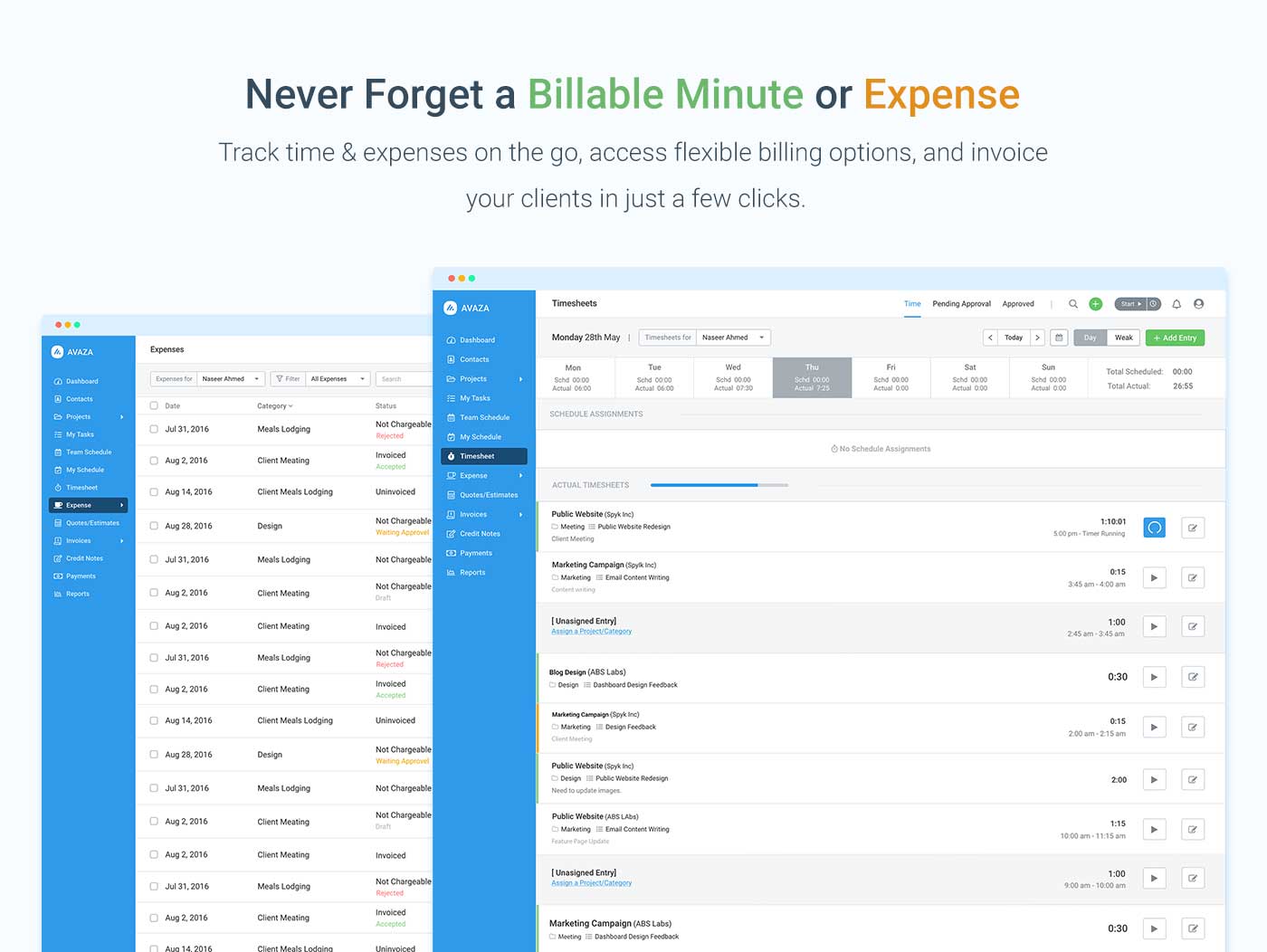
Screenshot of avaza, appearing across platformsScreenshot of visual project resource scheduling for teamsScreenshot of time and expense trackingScreenshot of team chatScreenshot of time trackingScreenshot of the expense management interface