
TrustRadius: an HG Insights company

Xero

Score7.9 out of 10

783 Reviews and Ratings

What is Xero?

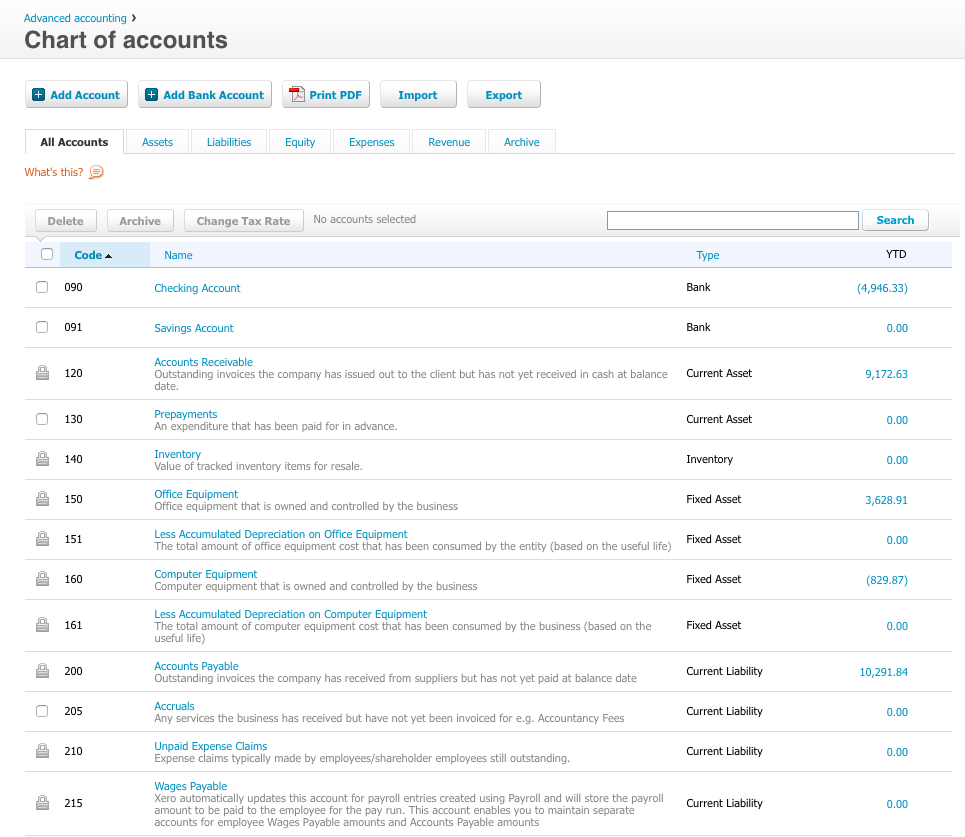
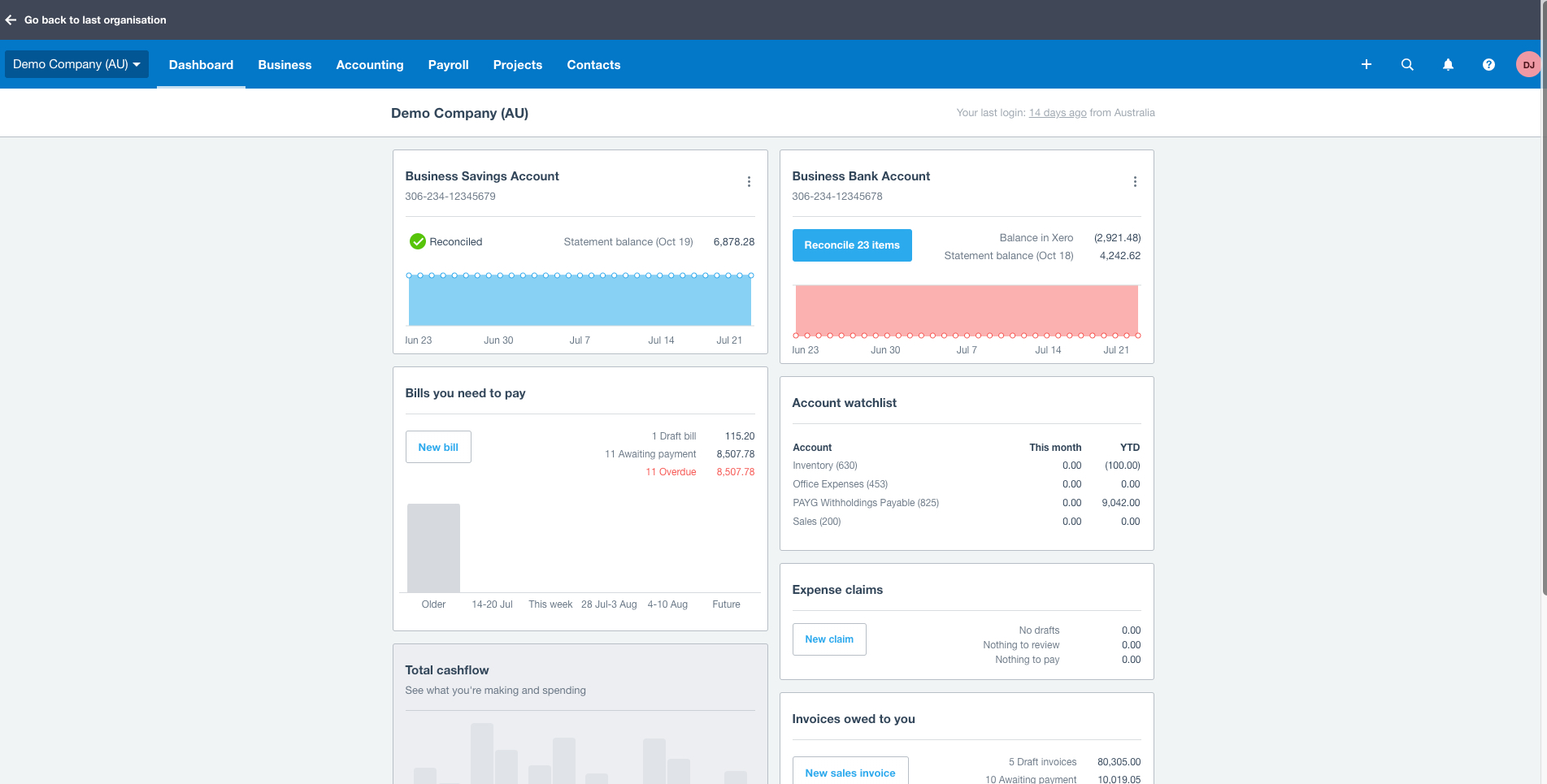
Xero is an online accounting software product for small businesses and personal finance. Its features beyond general ledger and double-bookkeeping include quotable invoicing, bank reconciliation, purchase order and expense management, and tax management. Third party apps can extend its features further.

Media

1 / 6

Top Performing Features

  • Electronic tax filing

    The software provides a full electronic interface for the filing of repeatable taxes, such as payroll or sales tax.

    Category average: 8.6

  • Journals and Reconciliations

    Automate and synchronize ledgers and processes

    Category average: 8.9

  • Standard reports

    The software offers pre-built reports with metrics standard to the category.

    Category average: 8.5

Areas for Improvement

  • Centralized Rules Framework

    Integrate disparate ERP and transactional systems into single ERP instance

    Category average: 8

  • Configurable Accounting

    Configure accounting rules and segments for each chart of accounts

    Category average: 8

  • Enterprise Accounting

    Create accounting for disconnected ERP and non-accounting source systems

    Category average: 8.1

Xero Review

Use Cases and Deployment Scope

We use Xero as our accounting tool. We don't have any 1099 employees or contractors so our business is pretty straightforward. We just want to know what our margins are, what our revenue and expenses are so that we can keep track of our progress and then file for taxes at the end of year.

Pros

  • Sync's to our payroll (Gusto)
  • Easy to read reports
  • Adding Expenses and Sales

Cons

  • 1099 functionality
  • More in depth accounting reports

Return on Investment

  • reduced time spent on accounting
  • improved reporting to see our real time number

Usability

Alternatives Considered

QuickBooks Desktop Enterprise

Other Software Used

Gusto

Xero accounting

Use Cases and Deployment Scope

We use Xero to invoice our clients, track our financial data and submit reports to HMRC. We also use integrations with our bank feed and payment processors (Stripe and GoCardless), in order to reconcile transactions and automate recurring payments from our clients, either using a saved credit card or Direct Debit.

Pros

  • Recurring invoices
  • Detailed financial reports
  • Integrations with 3rd party tools
  • Customer payment automation

Cons

  • Easy customisation of invoice design
  • User-friendliness / learning curve

Return on Investment

  • It helps me to delegate and automate a lot of work
  • However it also means I have to rely on having professional support

Usability

Alternatives Considered

Wave Accounting

Other Software Used

Basecamp, Hubstaff, Typeform, Google Workspace, Intuit Mailchimp

Dont remove core functionality and keep pricing the same while also loosing your focus on small businesses.

Use Cases and Deployment Scope

It is our financial system of record, all transactions are done via Xero. All bank recons, VAT/PAYE reporting, budget management, annual reports etc. Invoicing, follow-ups etc.

Pros

  • Budgeting
  • Reconcilliation
  • Statutory Reports

Cons

  • Dashboard customization.
  • Balance Sheet and Income Statement View Customization.

Return on Investment

  • Esase of reconciliation saves me time.
  • Balance sheet and Income statement oversight, saves time.
  • Negative - removed the payroll functionality as part of the offering, now I have to spend more with a third party vendor for a basic payroll.

Usability

Alternatives Considered

Odoo Accounting

Other Software Used

n8n

Xero

Use Cases and Deployment Scope

We use Xero as our general ledger, expense and payroll platform. It produces invoices and is used as a management tool for executives to manage the financial position of the firm.

Pros

  • Reports
  • Invoices
  • Bank account reconciliation

Cons

  • The charging model is a bit complex and requires you to purchase too many add-ons
  • The platform needs an overhaul from a look and feel perspective - this hasnt been upgraded in years

Return on Investment

  • Saves time for the bookkeepers
  • Reduces errors caused by manual intervention (through automation)

Usability

Other Software Used

Claritysoft

Xero - easy to use accounting software

Use Cases and Deployment Scope

We use Xero as our accounting software for A/P, A/R, Bank accounts, etc. We also use it for financial reporting and helping us to keep on top of where our business is financially. Xero continues to add products, such as payroll, to help our business run efficiently. It has helped us have an in time view of our financials and with the new syft it is even better.

Pros

  • Accounts Payable
  • Financial Report - Being able to create our own reports
  • Good customer support
  • Excellent support of small to mid size businesses
  • Financial dashboard for up to the minute picture of company
  • Bills available to streamline a/p process

Cons

  • Accounts Receivable - there is no capability of adding finance charges on late invoices. This is a HUGE problem.
  • Reports - it is great to be able to create your own reports but it is a little difficult to figure out how to use it.
  • Checking - Our credit union business side is not able to download to Xero. This is a burden in keeping on top of finances throughout the month.

Return on Investment

  • It has saved considerable time in entering data for A/P and A/R
  • It has given us the opportunity to customize reports that can be shared with our employees - keeping them informed of the health of the organization

Usability

Alternatives Considered

QuickBooks Desktop Pro and QuickBooks Online

Other Software Used

Gusto, Workglue, DripJobs
