TrustRadius: an HG Insights company

WORKetc

Score7 out of 10

47 Reviews and Ratings

What is WORKetc?

WORKetc is a cloud-based business management system. With integrated CRM, project management, billing, help desk, reporting, and collaboration, teams can access one system for all relevant information. The system supports popular third-party apps such as Google Workspace, Xero Accounting, Quickbooks Online, Outlook, Dropbox, and Evernote.

Media

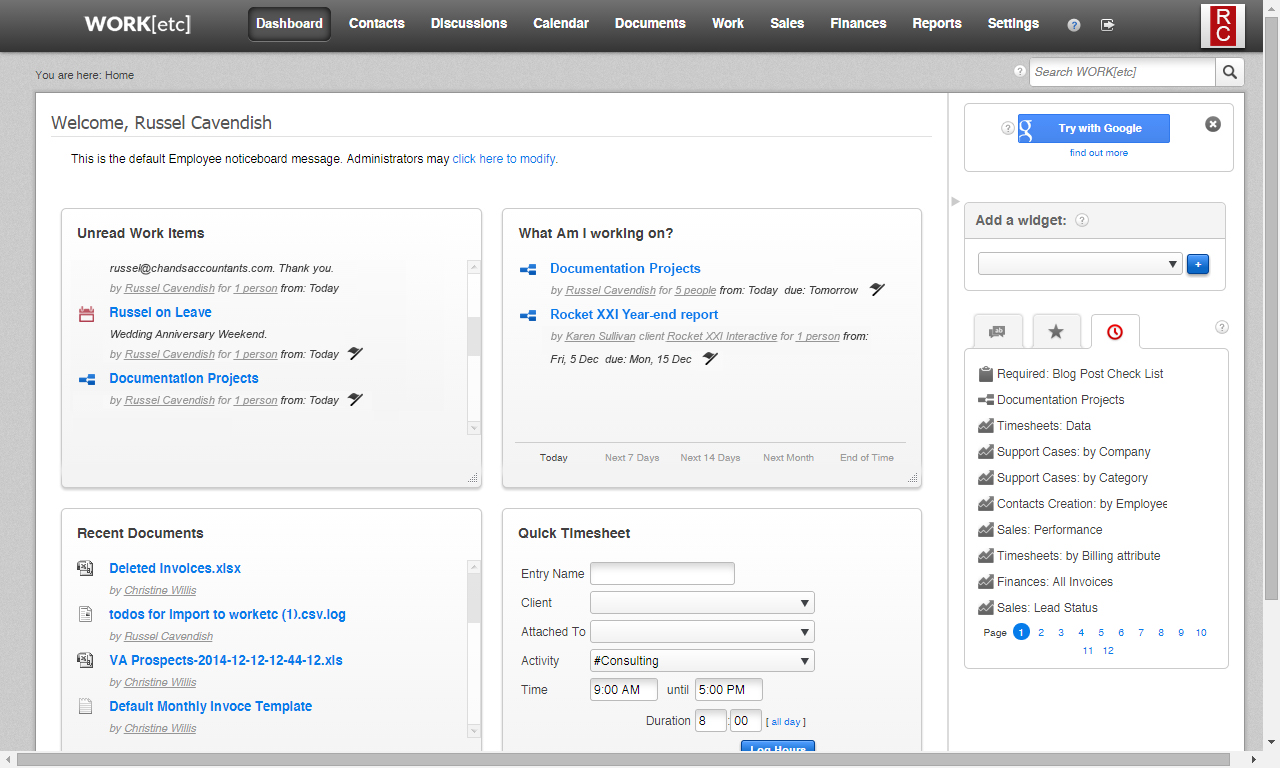
WORKetc's customizable dashboard - gives an instant bird's eye view of data. A summarized widget for all of WORKetc's modules can be added to the dashboard, while those that are not needed can be hidden and the most important can be dragged to the top.
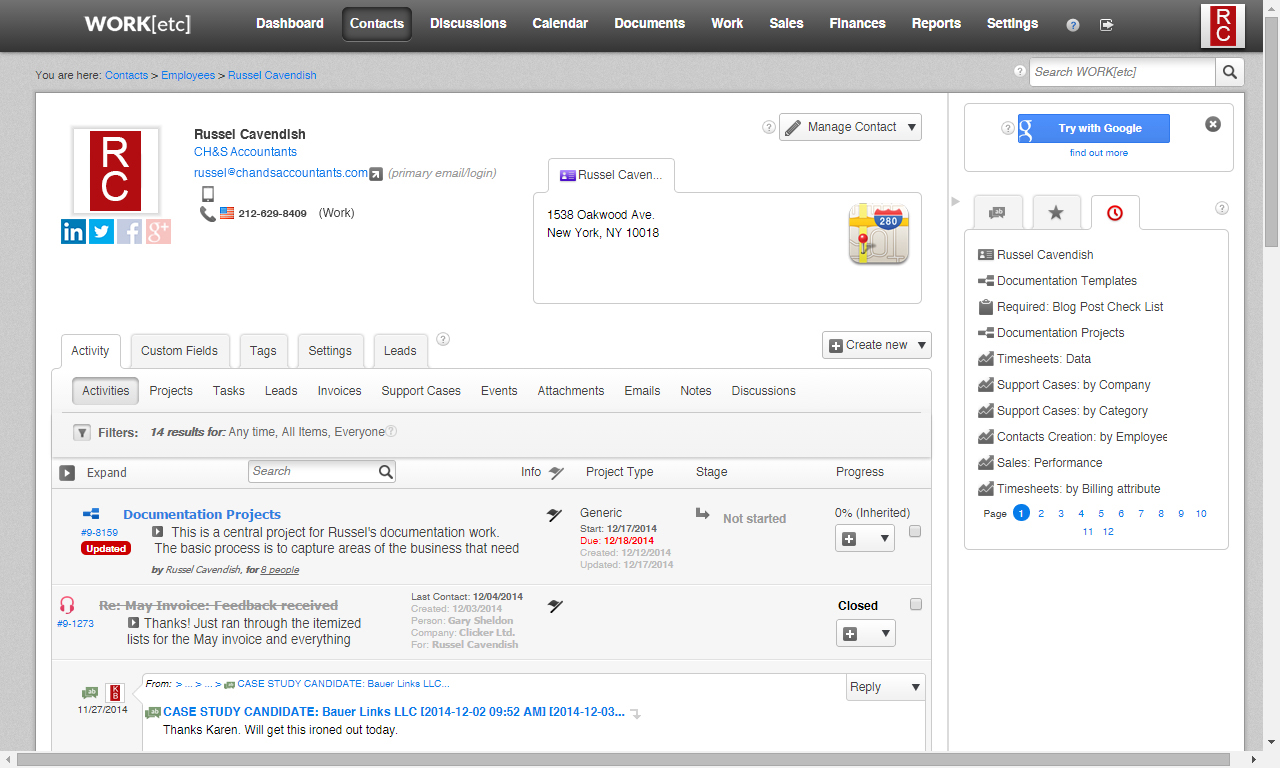
WORKetc contacts - organized in a single location. Every item created, every activity worked on, and all email correspondence can be traced back to a contact. These automatically become accessible and trackable from that contact's activity history stream, a filterable, customizable list that tracks the relationship with that contact.
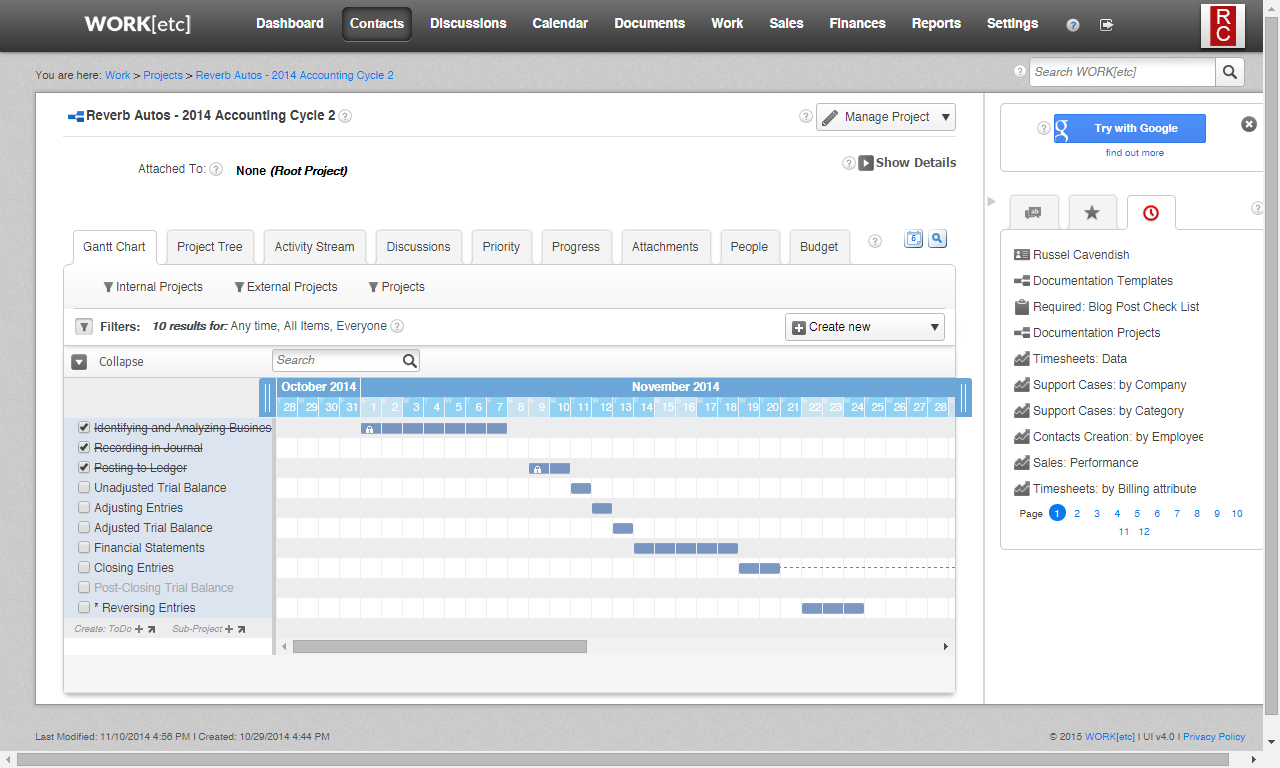
WORKetc's projects - the bins for everything related to a client including tasks, sub-projects, discussion, files, timesheets, expenses, and other items. WORKetc allows unlimited nesting of sub-projects within projects and an unlimited number of tasks within each sub-project. Multiple project views are available, including project tree view and a Gantt Chart.
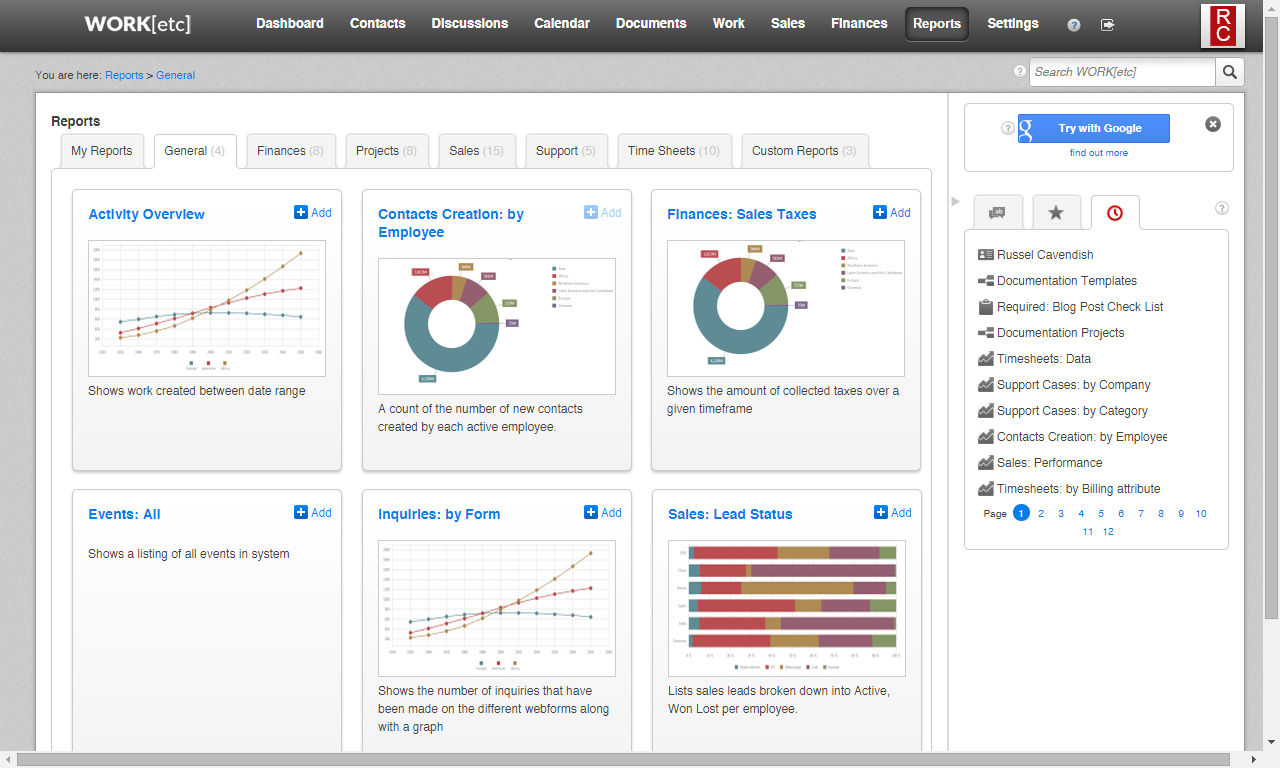
one of WORKetc has over 40 "out of the box" reports, giving access to needed stats and information. The reports that are used most often can be kept in the "My Reports" tab to keep them at the forefront of the reporting area. Reports can also be bookmarked.

1 / 4

Top Performing Features

  • Single sign-on capability

    The software system supports a centralized authentication mechanism allowing the user to access multiple systems with a single, centrally managed password.

    Category average: 8.3

  • Case management

    This includes incident/ticket creation, routing, escalation, and resolution.

    Category average: 8.1

  • Role-based user permissions

    Permissions to perform actions or access or modify data are assigned to roles, which are then assigned to users, reducing complexity of administration.

    Category average: 8

Areas for Improvement

  • Social data

    The software can integrate data and conversation histories from customers’ social profiles. This may also involve enhanced listening features such as sentiment tracking.

    Category average: 6.7

  • Customizable reports

    Users can create reports and dashboards unique to their needs.

    Category average: 7.7

  • Email marketing

    This involves the ability to send mass email to groups of people based on particular qualifications.

    Category average: 7.2

WORK etc is the best thing around

Pros

  • Technical support with issues that arise for us - we have had a few glitches with the software as to how we want to use it and the WORK etc team have been on the ball with helping us and getting back to us with a resolution to the issue.
  • Setup and configuration - we needed a CRM that was built for us and WORK etc was able to deliver for us.
  • Super easy to work with and get to grips with.
  • Our staff have had no problems with getting up to speed

Cons

  • More personal customization - making each users profile/dashboard unique, EG colors

Return on Investment

  • One of the first things we were able to pick up on is the productivity of each staff member. It helped us narrow down issues in the company that we have now addressed.

Other Software Used

Microsoft Office 365, MYOB

WORK[etc] - a great four-letter word ending in k[etc]

Pros

  • Self-created custom fields and custom tags make it easy to categorize clients by services delivered. Custom tags also allow you to build Smart Lists to easily show progress on jobs being done across all clients that match the 'tag category' you're working on.
  • The program syncs with Google Apps effortlessly, and nearly transparently. Particularly useful for Google Mail and Google Calendars, our most-used Google Apps. I understand it does the same for Microsoft Outlook users.
  • Self-created Project Templates ensure *all* nuances of every project are addressed. Why re-invent the wheel? Project Templates are enhanced regularly and easily. Project Templates include simple, succinct 'To-Dos.' For more background and where applicable, the To-Dos include a link to a corresponding Knowledge Base (KB) article detailing our SOPs (Standard Operating Procedures), including the "why" behind them. Knowledge Base articles can be private (staff only, by permission), public, or semi-private (e.g., staff and clients, or a particular client only).

Cons

  • A little thing I'd like to see (haven't suggested it to WORK[etc] yet) is a bit more granularity in assigning new support tickets. It's very easy to assign one, or dozens. of new support tickets to a category and/or individual without having to open the tickets. I'd like to see that be a bit more granular, being able to assign a priority, deadline and/or client to each ticket without having to open the ticket. For all I know, that can be done now...as powerful as this program is, and as much as we customize it and use it daily, I believe we're only harnessing 2 or 3% of its capabilities.

Return on Investment

  • Setting up project templates is time-consuming - if you want to do it right. Nevertheless, it is well worth it! Routine complex projects that used to require at least six people and at least as many "silos of information" are now done with two or three people, and - at most - 2 or 3 silos of information. And that's only because I haven't fully integrated the program with our Accounting programs (and there is an API for Quickbooks). I'd say the initial investment of perhaps 80 hours on my part was saved five or ten times over during our first six months, with better accuracy, accountability, and documentation. Since then, the ROI is at least 20 or 30 times annually of my time...the one thing I can't buy more of.

Alternatives Considered

NetSuite

Other Software Used

Google Analytics, WordPress, Yoast Wordpress SEO Plugins

The perfect CRM for connecting a disconnected workforce with their clients

Pros

  • The project management functionality is done extremely well. They have a high level of integration with other platforms (e.g. Google Drive) that allows our company to seamlessly connect everything we do for a client from inception throughout contract term.
  • Support ticket functionality easily allows for ticket tracking, monitoring and assigning to specific customer service associates who are in charge of accounts. It has also created a detailed support history that we can use during our annual business reviews to showcase ROI of our online support.
  • The system also has the ability for pretty sophisticated tagging and, once you master this feature, you can pull very targeted user lists to assist with upselling and marketing campaigns as needed.

Cons

  • They have an integration with Gmail to connect emails to specific projects within WORK[etc], however, you cannot filter by customer. So you have to know exactly what the project name is for this functionality to be useful.
  • When any new email address is sensed in the system, it automatically creates a new contact for that email. This can be quite annoying when you have people CC'd on emails that don't need to be there. We have to periodic cleanup work to control the amount of "dead" contacts.

Return on Investment

  • It has effectively connected our nationwide workforce.
  • It has turned our implementations into focused, task driven projects with notes, discussions, and a full client history that we can then turn over to operations for a seamless management approach.
  • It has saved us the expense of needing 2 additional systems (one for billing and one for project management) as WORK[etc] integrates it all.

Alternatives Considered

Smartsheet

Other Software Used

Absorb Anywhere LMS, Google Drive, Google Hangouts

Cool project management software that has more!

Pros

  • Easy to use
  • Seamless communication in the project work flow
  • Email integration

Cons

  • Incorporating a mail merge print feature inside the system similar to MS Word or Google Docs.

Return on Investment

  • Positive ROI, being cloud based and simple to use. Work{etc} has saved us 10-20% in time versus our old CRM

Other Software Used

FileMaker Pro

WorkETC Review

Pros

  • Email tracking
  • Retention Projects
  • Tracking phone calls and visits

Cons

  • Sometimes I have difficulties filtering out some items

Return on Investment

  • We have shown our growth
  • We have shown our value