TrustRadius: an HG Insights company

Securly Filter

Score8 out of 10

9 Reviews and Ratings

What is Securly Filter?

Cloud-based web filtering for K-12 Schools | Parental controls for families | Manage screen time. Any device, anywhere.

Securly's technology allows schools and parents to keep kids safe in an increasingly digital world. The vendor states their goal is not to censor the Internet, but to mitigate the negative effects it can have on children with the goal of creating a safer world for kids.

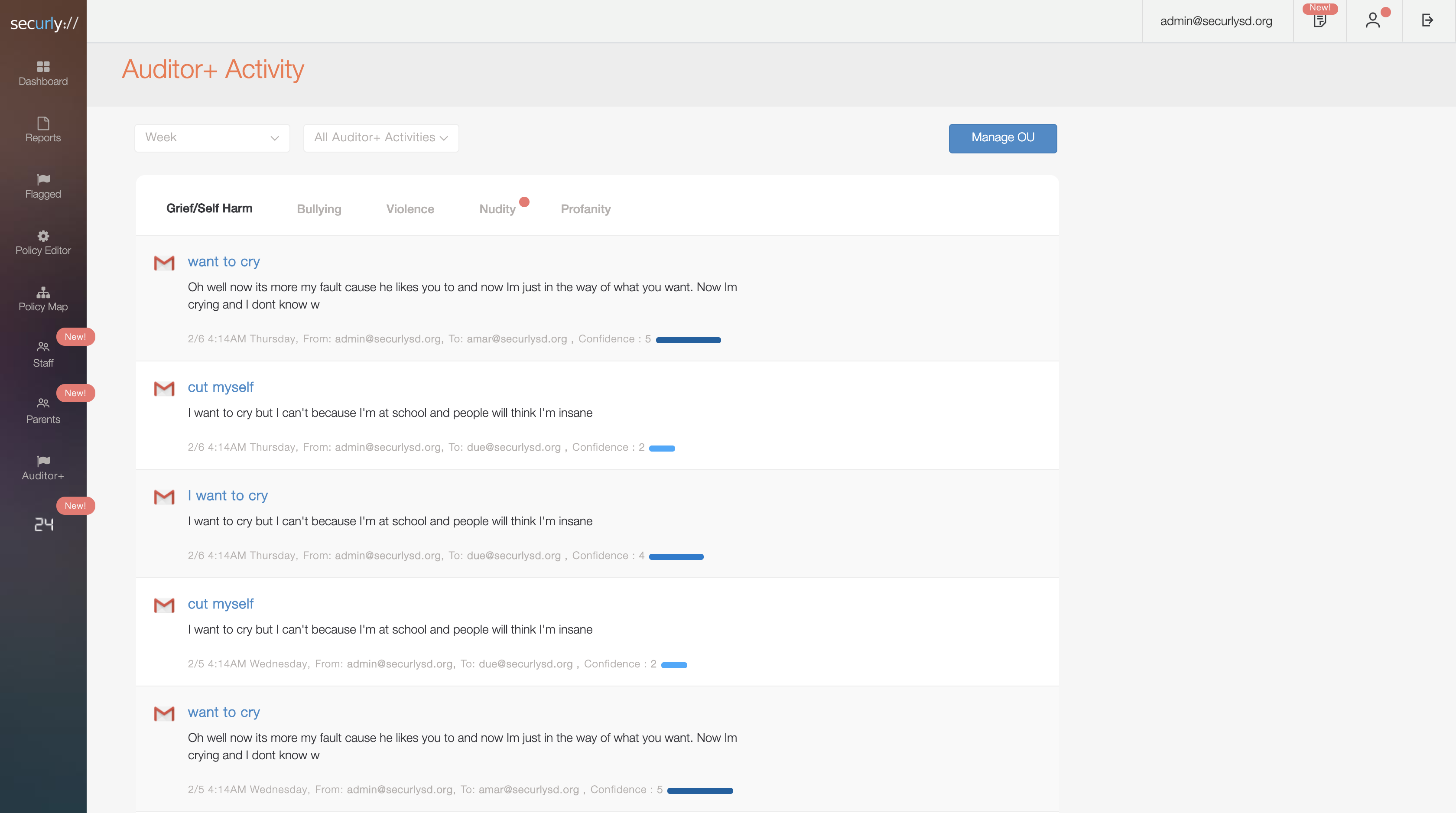
Their cloud-based web filter is designed to keep students safe, parents in the loop, and school costs down. Its AI alerts parents and counselors to instances of cyberbullying or even self-harm to save lives.

Securly was founded by two network security veterans with a combined 20+ years of security experience, and boasts 1000 school districts and more than 2M students and staff throughout the world as users.

Categories & Use Cases

Media

Screenshot of Reporting
Screenshot of Auditor
Screenshot of Dashboard
Screenshot of Activities
Screenshot of Staff Groups
Screenshot of Parent Settings
Screenshot of Policy Editor
Screenshot of Auditor

1 / 8

Screenshot of Reporting

Securly Filter Secures my campus users!!

Use Cases and Deployment Scope

We have Securly Filter for our whole organization. We are an independent preK-12 school that has iPads in all classrooms K-5, and 1 to 1 in 6-12. Securly really does a wonderful job filtering content on the internet and keeping us inline with COPA conformity!

Pros

  • For education, it is setup for blocking the right type of sites, we do not want students on, right out of the "box".
  • The management is easily integrated with Google for Education users.
  • You do not have to have an Active Directory to use Securly effectively!!
  • If you have mobile devices 1 to 1, this is your best filter period!!

Cons

  • Really nothing comes to mind. Everything about this product I love!!

Most Important Features

  • No work around or internet proxy filter bypassing.
  • Students have no ability to remove the filter from device
  • It gives us insight into the things students are searching for in search engines and alerts us to things that are not appropriate.

Return on Investment

  • It just works with limited management input!!

Alternatives Considered

Smoothwall UTM and Barracuda Content Shield

Other Software Used

Microsoft 365 (formerly Office 365), Unitrends Data Center Backup and Recovery, FACTS Student Information System (formerly RenWeb)

A Solid DNS Filter

Use Cases and Deployment Scope

We use Securly Filter in our K-8 educational institutions to keep students safe online from both active and passive online threats. Part of the challenge is ensuring a safe online experience for students using school-issued Chromebooks - both on AND off-campus. This is accomplished by an easy one-click install certificate. Securly Filter is therefore able to filter both on campus and off-campus, using Securly Filter DNS servers.We are easily able to set different keyword/category blocks and whitelists for both students, staff, and the administration using Securly Filter Google Classroom LDAP integration. By assigning different policies to different OUs, we can ensure each of our clients has the necessary access to online materials, while ensuring a baseline security policy. Securly Filter historical browsing logs have also proven useful in cases where a teacher or administrator has needed to review student online activities.

Pros

  • Blocks objectionable content
  • Customized profile management by OU.
  • Logging

Cons

  • Occasional issues with SSL conflicts
  • Our smartboards do not function unless placed on guest (open) filtering.
  • Better stability on Chrome OS

Most Important Features

  • Blocking objectionable content
  • Uptime/Speed
  • Policy customization

Return on Investment

  • An increase in client loyalty due to our ability to offer exceptional products for critical needs.

Alternatives Considered

Untangle NG Firewall

Other Software Used

PaperCut, TeamViewer, IT Glue

Easy to use device web filtering

Pros

  • Easy management of blocked sites.
  • Not easily bypassed on managed devices.
  • Excellent reporting of web activity.

Cons

  • Delegated management is sometimes difficult to get working, requiring undocumented changes.
  • Pricing has gone up for Chrome devices.
  • Syncing is a manual process.

Most Important Features

  • Easy to use filtering.
  • Easy setup.
  • Solid reporting.

Return on Investment

  • Securly has reduced our workload managing filters.
  • Securly makes it quick to respond to user audit requests.
  • Securly is quick to set up.

Alternatives Considered

GoGuardian Admin and Cisco Umbrella

Other Software Used

GoGuardian Admin, NETGEAR ProSafe Managed Switches, Discord

Securly: doing great things for K12

Pros

  • No physical appliance required.
  • Simple deployment for Chrome Books.
  • Simple Windows deployment by forwarding external DNS and pushing certificates via GPO.

Cons

  • URL lookup tool not available.
  • Would be nice to have a scheduling feature to change filtering policies/profiles based on time.

Return on Investment

  • Fulfills CIPA compliance for K-12

Alternatives Considered

iboss Distributed Gateway Platform and Lightspeed Systems Relay

Other Software Used

Malwarebytes Endpoint Protection