TrustRadius: an HG Insights company

Redgate Monitor

Score8.7 out of 10

32 Reviews and Ratings

What is Redgate Monitor?

Redgate’s SQL Monitor helps teams looking after SQL servers be more proactive. SQL Monitor enables monitoring environments custom to the user’s SQL server to recognize issues before they impact users. It supports monitoring on-premises and cloud-based servers from a single interface.

Media

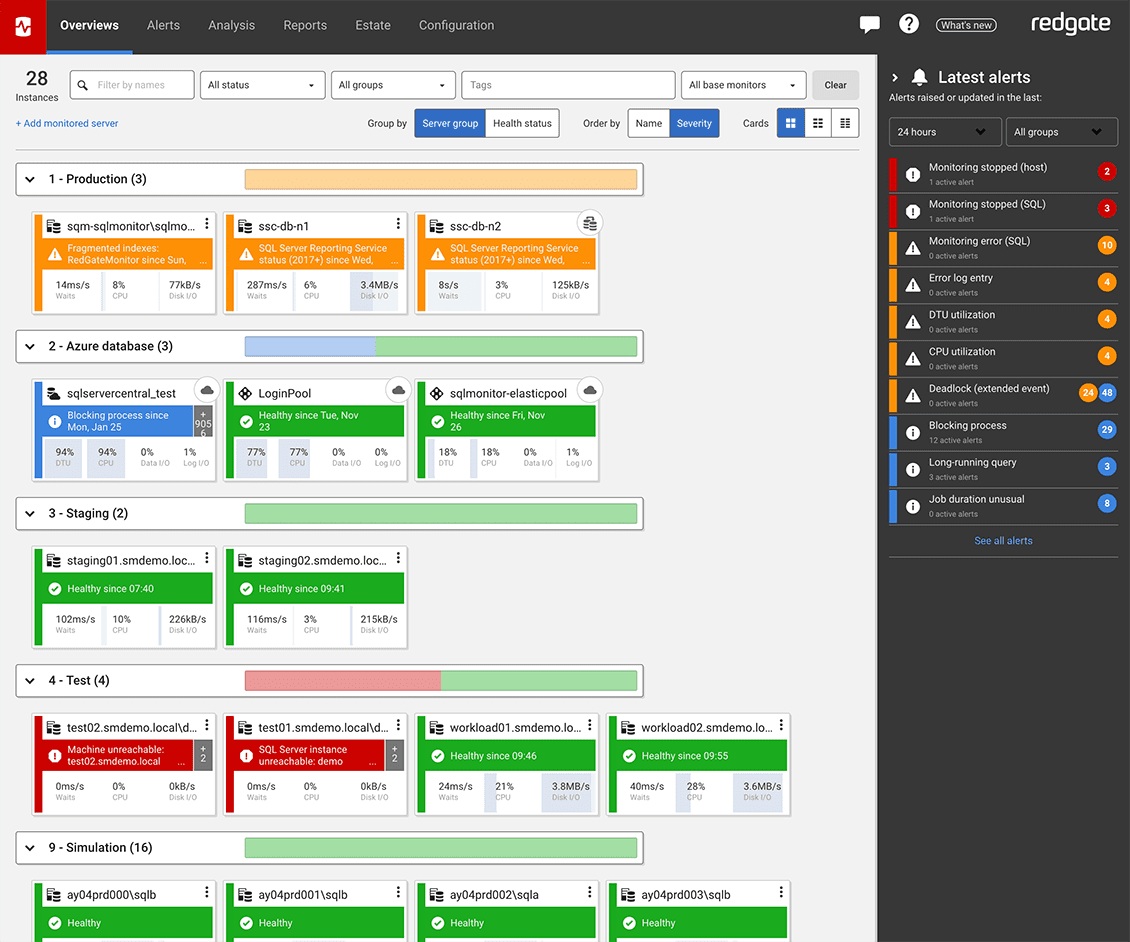
Screenshot of the Redgate Monitor dashboard, monitoring an entire database estate from a single pane of glass.
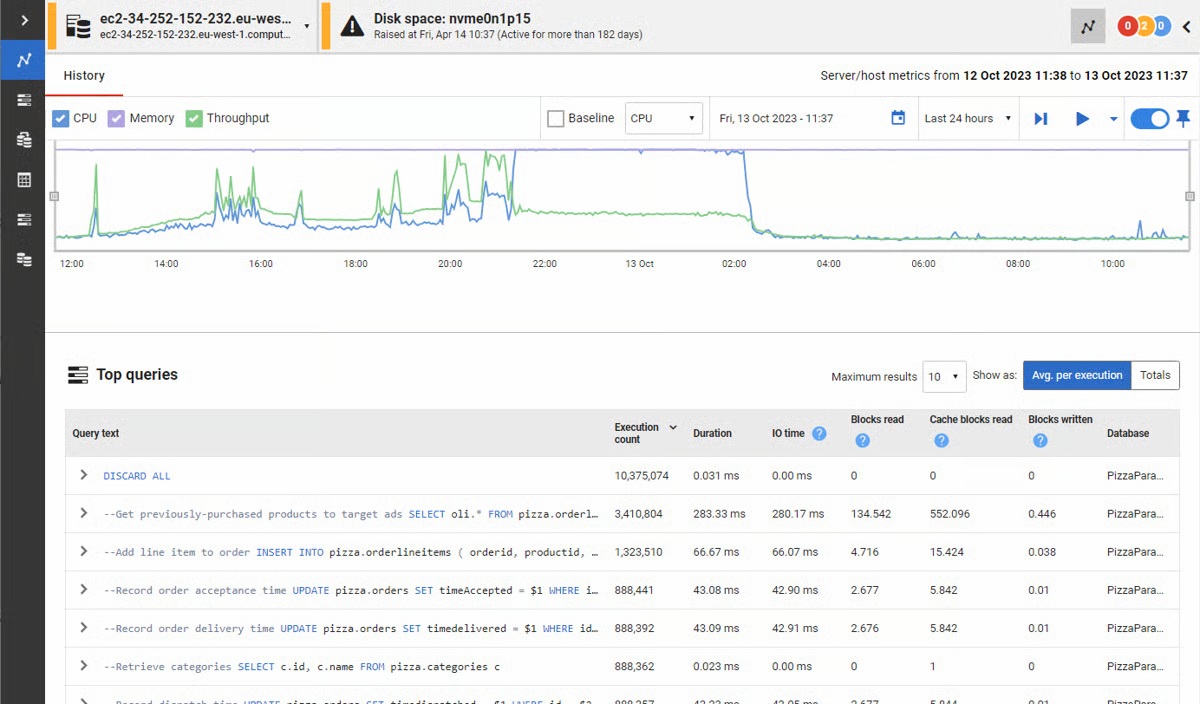
Screenshot of where Redgate Monitor automates time-consuming manual tasks, such as identifying long-running queries or tracking blocked processes. Built-in tips and guidance ensure users get the most out of the information provided.
Screenshot of where users can manage an entire environment from a single pane of glass.
Screenshot of the dashboard where instant problem diagnosis and customizable alerts appear.
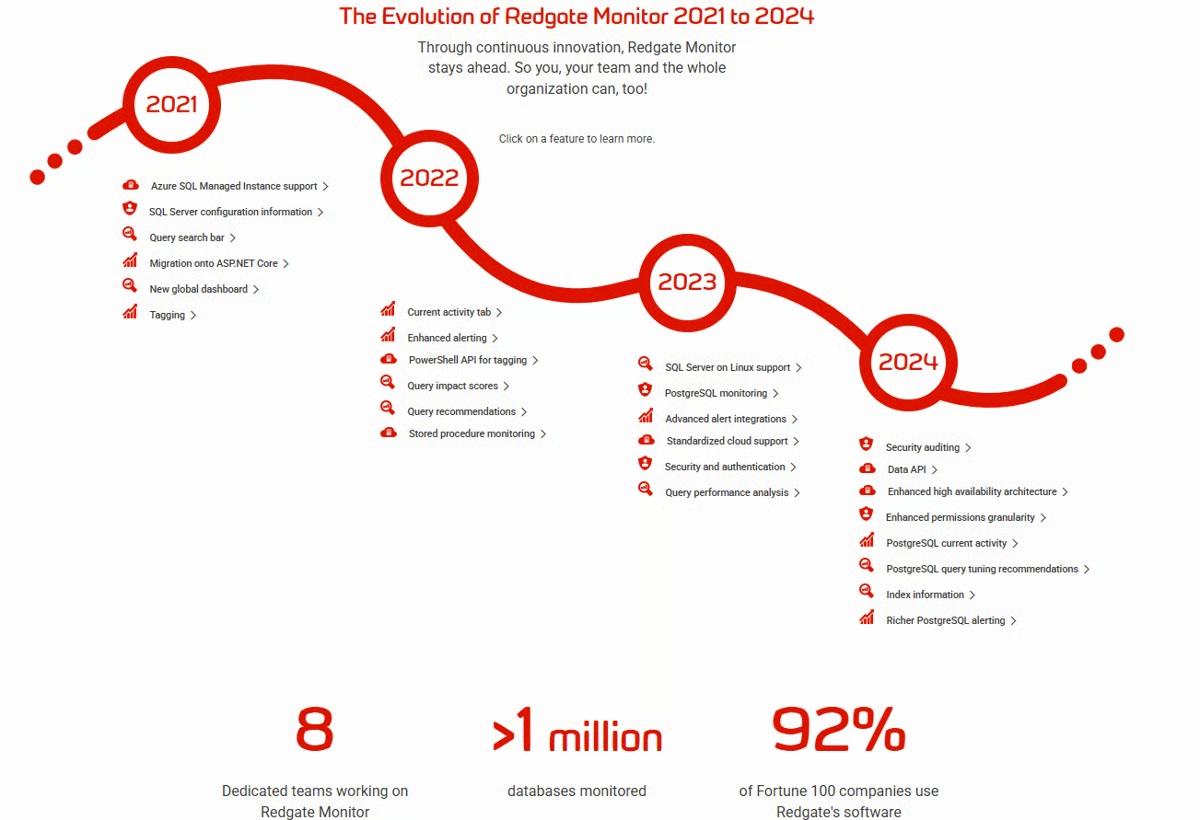
Screenshot of the evolution of Redgate Monitor.

1 / 5

Screenshot of the Redgate Monitor dashboard, monitoring an entire database estate from a single pane of glass.

Redgate SQL Monitor vs Solarwinds

Pros

  • It will tell you if your server is under attack.
  • You can quickly see how your server is performing and which queries are taking the longest
  • I gives you the feeling that you are in control of your database, that you know what is going on for when they users ring up and tell you that the server is slow

Cons

  • Openness - They are too attached to their Intellectual Property to the detriment of usability, stability and reliability. So once its is installed and working leave it alone. Best run it on a VM as that can be restored quickly for when it breaks.
  • If they exposed an API/SDK that allowed you to leaver their products life would be far sweeter, it would feel less of a battle.
  • Add WebHooks to SQL Monitor to enhance integration to other subsystems.
  • Make it easy to install in default mode. So you are not forced to use TomCat Use as ASP.Core Selfl Hosting options.

Return on Investment

  • The quality of the product and give a negative investment impression, on the plus side when it does work it is a god send.
  • Day to day tasks as made simpler, and a feeling of security of realised. Just don't change anything.

Other Software Used

Microsoft Visual Studio Team System, Telerik

Redgate SQL Monitor Review

Pros

  • Missing index
  • RAM usage
  • CPU usage

Cons

  • Provide a dedicated section of code for missing index
  • Automation layer

Return on Investment

  • Licensing cost is per license...
  • A pre-formatted analysis graph would be great

Alternatives Considered

System Center Operations Manager and Dynatrace

Other Software Used

Dynatrace, System Center Operations Manager

Redgate SQL Monitor

Pros

  • Global Dashboard gives a great overview
  • Ability to rename/alias a server
  • Easy to navigate

Cons

  • I don't think the custom metrics/alerting is as flexible as say SQLSentry

Return on Investment

  • Clients can review all their estate in one place, far easier and better than what SCOM was providing them with

Other Software Used

Solarwinds Database Performance Analyzer for SQL Server, SQL Sentry

Usability

Monitor your SQL server made easy

Pros

  • It is easy to use and provides very good reporting on the SQL servers being monitored. These reports are used in our monthly customer reports.
  • Redgate does a very good job at improving the product, fixing bugs and adding new features compared to other products I have researched.
  • The insights provided makes it an ideal tool for database administrators and software developers.

Cons

  • It is a great tool for helping DBAs with their work but a bit expensive for MSPs to use for their day to day monitoring.

Return on Investment

  • Redgate SQL Monitor is an expensive tool and unless it is the customer's wish to implement it, I would probably use other free tools available.
  • We have implemented it for one of our customers who was happy to pay for the license.

Alternatives Considered

SolarWinds Database Performance Analyzer and Spiceworks

SQL Monitor - Automating your morning checks

Pros

  • Provides a quick dashboard to identify what servers have issues, and the priority of them
  • Allows for granular control over thresholds and alerting which can be set at multiple levels
  • Let you easily go back in time to see what was going on in the past

Cons

  • Incremental releases can be buggy
  • Isn't the best for pinpointing performance issues
  • Web interface can be sluggish

Return on Investment

  • Allows us to proactively fix issues before they happen
  • Allows us to quickly react to issues without having to wait for someone else to notice
  • Cuts down on the amount of time spent doing daily checks