TrustRadius: an HG Insights company

Redgate Flyway

Score9.6 out of 10

13 Reviews and Ratings

What is Redgate Flyway?

Redgate Flyway extends DevOps practices to databases to speed up software delivery while keeping business-critical data safe. From version control to continuous delivery, Redgate Flyway helps enterprises build on application delivery processes to automate database development and deployments.

Media

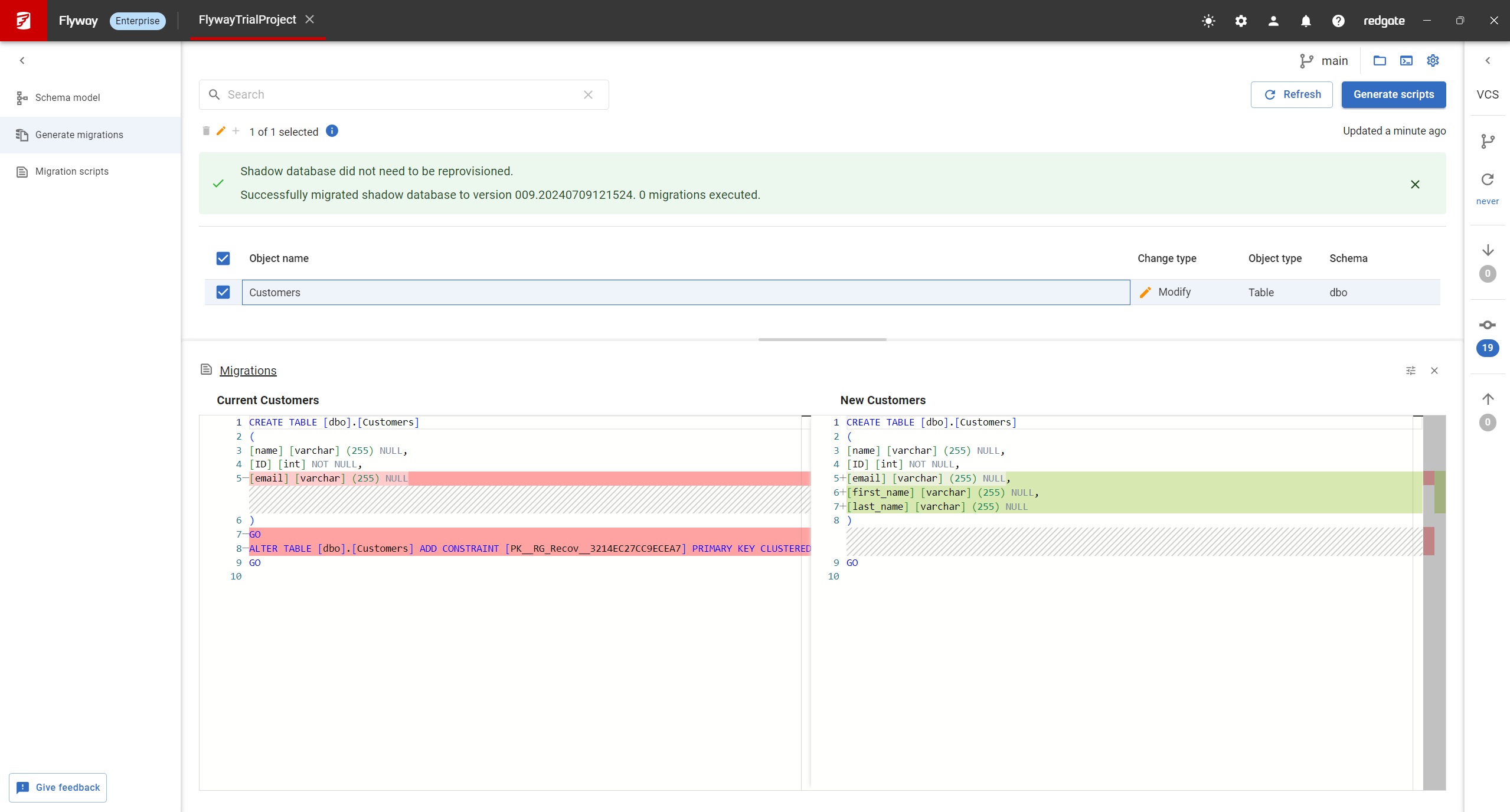
Screenshot of Flyway Enterprise – auto-generation of migration scripts
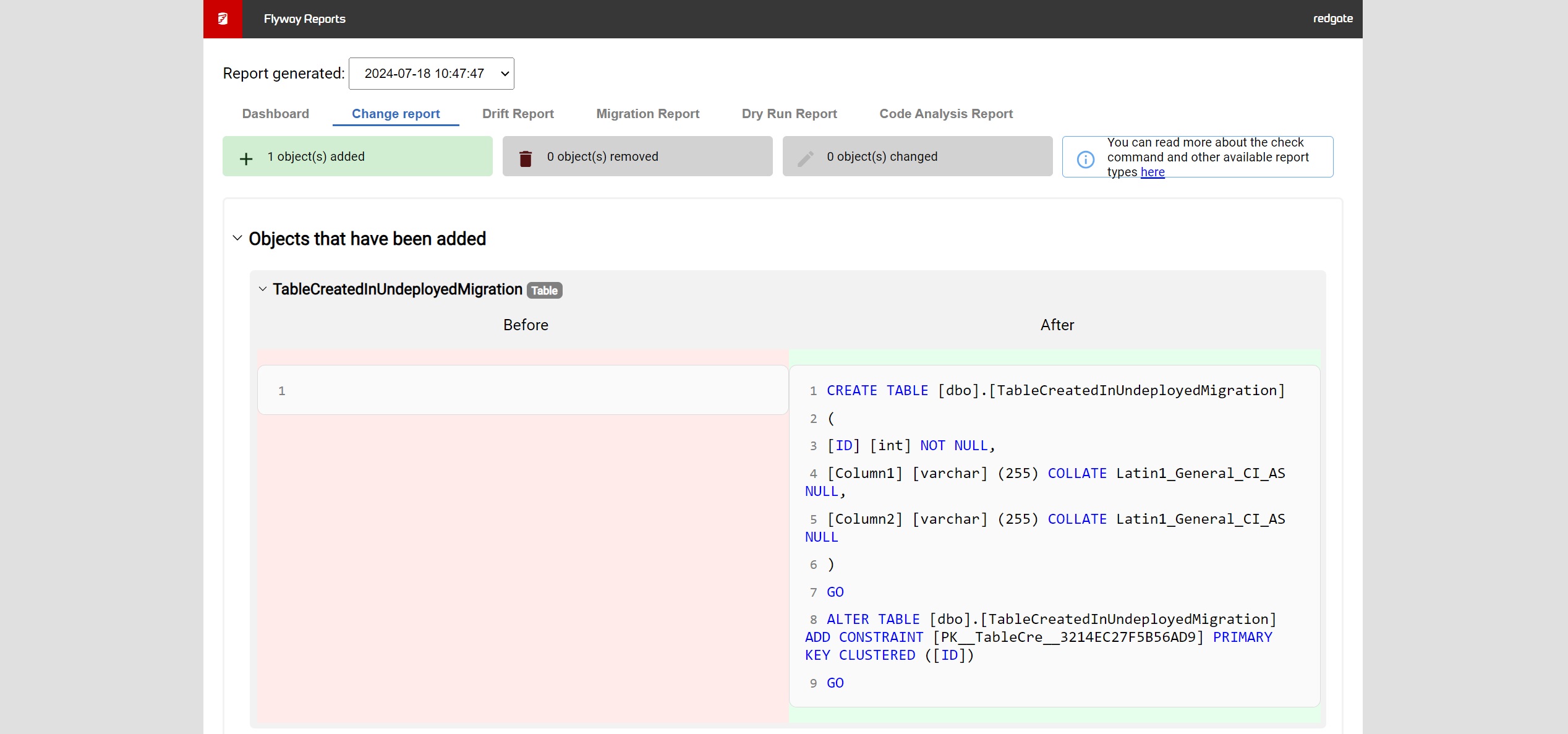
Screenshot of Flyway Enterprise - reporting
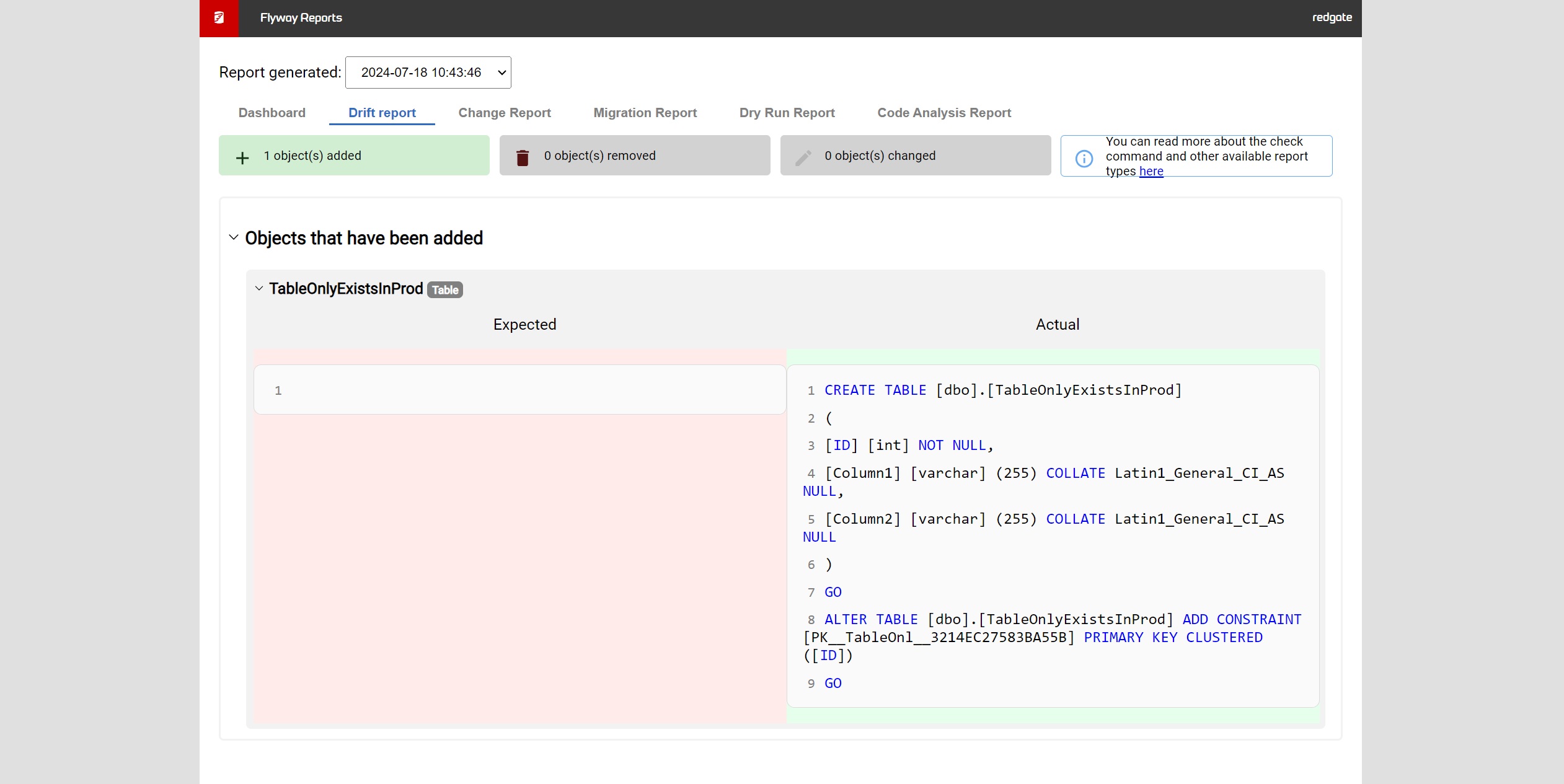
Screenshot of Flyway Enterprise - drift detection

1 / 3

Screenshot of Flyway Enterprise – auto-generation of migration scripts

Nice Migration tool for Java based solutions

Use Cases and Deployment Scope

We use it as the primary tool for database migrations, especially for solutions based on Java programming language. It has an intuitive way to operate within the Java ecosystem (Maven and Gradle especially). It has multiple functions/events to keep watch on the migration progress, so it's very useful for solutions that had several migrations with breaking changes on it, in a small period of time, you can subscribe to each event along the migration and see the whole progress of it, and detect any problems or odd behaviors at any time.
We use Flyway in every single environment, in my opinion, is a good tool for every single scenario and is not restrained to development environments only. I do think that you will need at least the Team edition, to take advantage of database objects as code on version control. This feature has a huge impact on the software development cycle as it works as a kind of ORM tool with also the migration capabilities.

Pros

  • Database Migration
  • Database Migration Events
  • Managing database objects as code objects in version control

Cons

  • The Object Mapping should be available on commuinity edition
  • More Programming Languages support

Most Important Features

  • Database Migration
  • Database Migrations Events

Return on Investment

  • Automated database Migrations, no manual update on databases on each deployment to each environment.
  • The migration events subscriptions allow the team to monitor productions deployments more carefully and detect errors before deploying breaking changes on a productive database
  • Team onboarding is easier as any developer can get his local database working in no time thanks to database migration from scratch.

Alternatives Considered

AWS Database Migration Service and Azure Migrate

Other Software Used

AWS Database Migration Service, Azure Migrate, FluentPro Migration Tools

Flyway - Enabling DB-migrations-as-code

Use Cases and Deployment Scope

We use Flyway to manage and apply DB migration patch scripts. It's also used as part of the automated test suites to verify that the changes in the PR are good and would be applied successfully. In other words, we use Flyway to test the patch scripts prepared by the engineers before merging them to main branch.

Pros

  • Manage DB migration patch scripts
  • Apply DB migration patch scripts
  • Test DB migration patch scripts
  • Setup new DB instances, including on local env

Cons

  • GUI could be more user friendly
  • Applying patch scripts on a blank DB differs from on a DB with data, so the migration could still fail when all tests passed
  • Configurations options could be more flexible / powerful

Most Important Features

  • Maven / Gradle integration
  • Sanity check test with automated test suites
  • Clear status report, error messages

Return on Investment

  • DB migration is fully automated
  • DB migration is committed to source code, repeatable on all environments
  • DB migration is fully integrated into development cycle

Other Software Used

Apache Maven, Gradle Build Tool (Open Source), PostgreSQL

Database migrations made easier

Use Cases and Deployment Scope

When new features are developed for applications they sometimes also require changes to the underlying database. These changes would be very difficult and time consuming to apply to all environments where application is running if had to done manually. Flyway can help to automatize this process and save time for employees.

Pros

  • Supports many databases
  • Community version uses Apache license
  • Widely used, good community support

Cons

  • Updating it causes problems, there have been unnecessary changes that wasted time
  • Requires knowledge & studying so it's used properly
  • Lots of options that might be difficult to understand for non technical people

Most Important Features

  • Free to use
  • Makes deploying updates easier
  • Supports many databases

Return on Investment

  • Updating environments takes less time & is more stable
  • Less time is spent on maintenance tasks
  • Can be executed by non-developers after implemented properly

Other Software Used

MySQL, Red Hat Ansible Automation Platform, Microsoft SQL Server

Highly recommended - Super easy to get started & simple as easy SQL commands.

Use Cases and Deployment Scope

Database version control can be challenging, and we were facing issues while managing version controls for our database. Flyway helped us improve this significantly by reducing our risk of data loss and allowing automatic backups for the database. We had better peace of mind and reliability after we started using Flyway for our databases.

Pros

  • Easy to manage Release Management.
  • Version Control for Databases.
  • Saved DevOps time.

Cons

  • Improve the support documentations.
  • Better dashboards and alerting.

Most Important Features

  • Maintaining Database Schema.
  • Database Versioning.
  • Made for CI/CD.

Return on Investment

  • Reduced our effort for release processes.
  • Easy to setup - less than 5 minutes.
  • Improve reliability of our databases.
  • Easy backup and version control.

Other Software Used

Userpilot, WATI.io, Interakt.shop