
TrustRadius: an HG Insights company

Ranorex Studio

Score7.8 out of 10

12 Reviews and Ratings

What is Ranorex Studio?

Over 14,000+ users worldwide automate tests with Ranorex Studio, which promises to enable rapid delivery of high-quality desktop, mobile, and web applications. The vendor says that with over 10 years in test automation, Ranorex Studio supports automating functional UI tests for even the most challenging technologies, from legacy applications to the latest web and mobile platforms.

Ranorex Studio is an all-in-one tool that empowers everyone on the team.

Key benefits and capabilities include:

  • Test automation experts can use Ranorex Studio’s full IDE, with its open APIs and tools for intelligent code completion, refactoring, debugging and more.
  • Automation novices can use Ranorex Studio’s tools for codeless automation and built-in methodology to automate data-driven testing or keyword-driven testing.
  • All members of cross-functional teams can collaborate on solutions by sharing reusable object repositories and test automation modules.
  • Accelerate regression testing by executing tests in parallel on multiple physical or virtual machines using the Ranorex Parallel Runner.
  • Use the built-in Selenium WebDriver integration to distribute cross-browser web tests across multiple browsers and operating systems at the same time, using in-house or cloud-based Selenium Grid implementations.

Ranorex is a member of the IDERA, Inc. family of testing tools, which also includes TestRail by Gurock for test case management, and the Kiuwan end-to-end application security platform.

Categories & Use Cases

Media

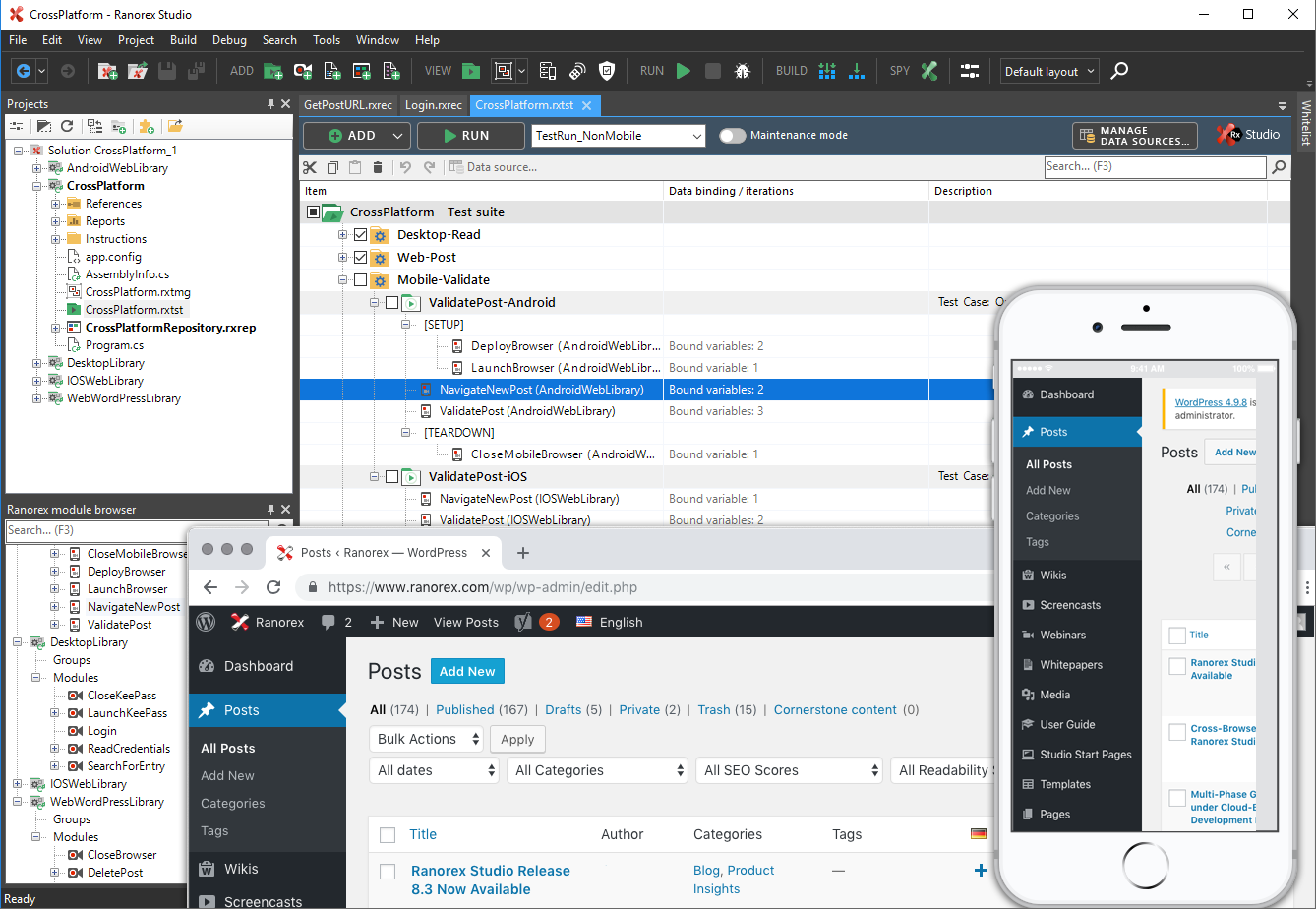
Screenshot of Ranorex Studio delivers all-in-one test automation for desktop, web, and mobile applications.
Screenshot of Ranorex Studio integrates with leading solutions in your toolchain for test management, version control, issue tracking, and more.

1 / 2

Screenshot of Ranorex Studio delivers all-in-one test automation for desktop, web, and mobile applications.

Top Performing Features

  • Centralized test management

    Ability to manages both manual and automated tests from a centralized location

    Category average: 8.6

  • Manage test hosts and schedules

    Ease of setup of automated tests and test schedules

    Category average: 7.6

  • Defect management

    Ability to automatically log defects and link them to failed tests, and report defect resolution progress

    Category average: 8

Areas for Improvement

  • Map tests to user stories

    Provide visibility into user story test coverage

    Category average: 8

  • Test execution reporting

    Comprehensive reporting on which tests have been run and pass/fail

    Category average: 8.1

Months without a solution ...

Pros

  • Initial setup.
  • User guide.
  • Getting money from customers.

Cons

  • Support.
  • Internal processes.
  • License policy.

Return on Investment

  • We were left without a working solution so the whole project had to been stopped.

Alternatives Considered

TestComplete

Ranorex insights by your average consumer

Pros

  • Ranorex has a very easy to use UI, that has proven easy enough for even new hires in my company to adapt fairly quickly, in comparison to other types of automated applications.
  • The Run Summary report is actually pretty detailed and visually appealing to the eyes with a very easy to read and structured format. It even includes results for screenshots.

Cons

  • Language support is limited, c# and Vb.net only if i remember correctly compared to other tools which allow many more. This addition would certainly be appreciated if added on in a company like mine with a variety of differently skilled individuals
  • Paid license. This is not always preferred. A free version without a limited trial but maybe limited features would be appreciated.

Return on Investment

  • Reducing testing time is directly saving money if time is considered money.
  • Allowing less skilled users the ability to automate testing from the get-go because of Ranorex's ease of use and G.U.I. This of course positively affects a project and assists with user upskilling passively at least.

Other Software Used

Microsoft Visual Studio Code, Microsoft SQL Server, Citrix ADC (formerly NetScaler ADC), Microsoft Teams, Microsoft Office 365