TrustRadius: an HG Insights company

NetVizura NetFlow Analyzer

Score7.6 out of 10

10 Reviews and Ratings

What is NetVizura NetFlow Analyzer?

NetVizura NetFlow Analyzer, from Soneco, is designed to help network admins with network traffic monitoring, analysis and reporting. The vendor says their solution enables users to do the following:

  • Monitor network bandwidth on routers and interfaces
  • Monitor custom traffic on IP subnets and IP subnets groups
  • Monitor end user traffic (username based)
  • Quickly get insight into traffic structure (top talkers) by hosts, services, protocols, conversations, QoS, AS
  • Understand traffic trends on historical charts
  • Schedule reports
  • Set threshold based alarms
  • Investigate flow records in fully searchable Raw Data archive
  • Get fast and clear insight with Dashboard overview

NetVizura supports Cisco® NetFlow, IPFIX, NSEL and compatible netflow-like protocols (standardized NetFlow). As long as the user’s devices can export in these protocols (and most devices can) there is no need for additional hardware purchase. If a Netflow capable device is not available then users can set up a free NetFlow probe (e.g. Softflow) and send NetFlow datagrams to the NetVizura server. Traffic statistics can then be separated by departments or offices by utilizing Traffic Pattern functionality and identifying departments and offices by their IP subnets.

Categories & Use Cases

Media

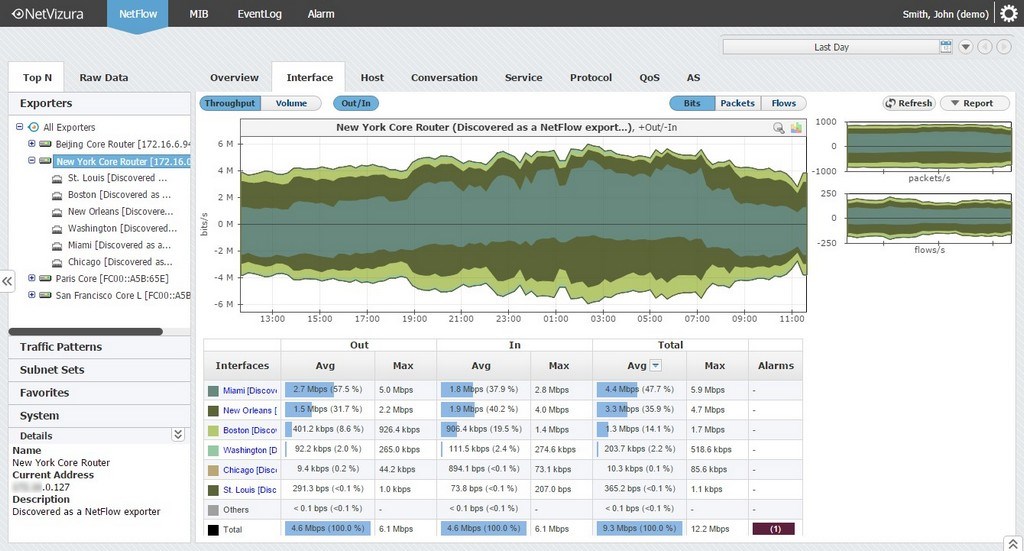
Interface traffic monitoring in NetVizura
IP subnet traffic monitoring in NetVizura
Investigating flow records in NetVizura
Setting top talker number per node in NetVizura
End user traffic monitoring in NetVizura
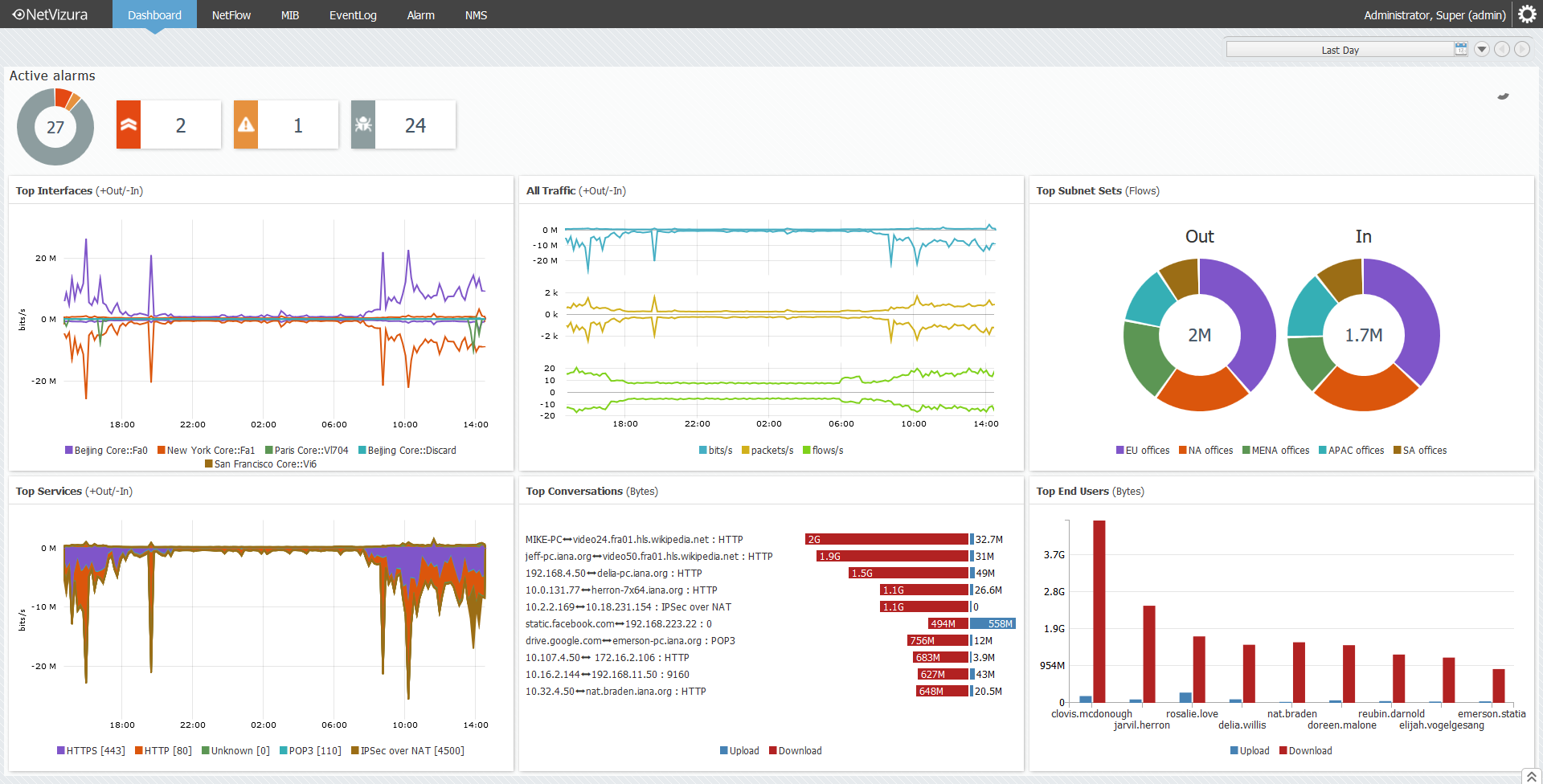
Dashboard overview in NetVizura
Overview tab in NetVizura

1 / 7

NetVizurea Rocks

Pros

  • Ease of use

Cons

  • Nothing to declare

Return on Investment

  • Load balancing and qos depending on type of traffic

Other Software Used

Cisco Prime LAN Management Solution

Dig into the Traffic

Pros

  • Bandwidth Monitoring - With the use of OTV within the Nexus environment between 2 of or centralized locations as well as other traffic, we need to know whos hogging the traffic.
  • Network Performance Analytics - Having multiple locations, knowing the performance of the data lines is a most.
  • Anomaly Detection - Virus, hacks, etc is where this comes in handy.

Cons

  • At this point, I don't have any suggestion for improvements.

Return on Investment

  • As I mentioned in a previous statement, the capacity planning was the big thing. In our line of business, speed is everything. Customers hate to be slowed down so having the appropriate network connections is a must.
  • Anomaly Detection with the threshold based alerting has made our network team more proactive in stopping things before they can really affect the company.
  • Productivity with the use of monitoring conversations and amount of used bandwidth has helped weed out the works versus the campers.

Alternatives Considered

SolarWinds Netflow Traffic Analyzer, Scrutinizer, PRTG Network Monitor, WhatsUp Gold and Wireshark

Other Software Used

SolarWinds Netflow Traffic Analyzer, PRTG Network Monitor, Scrutinizer, Wireshark, WhatsUp Gold