TrustRadius: an HG Insights company

ManageWP

Score10 out of 10

22 Reviews and Ratings

What is ManageWP?

ManageWP is a WordPress management console that allows users to manage multiple WordPress sites with ease.

Categories & Use Cases

Media

ManageWP Overview page with Action center
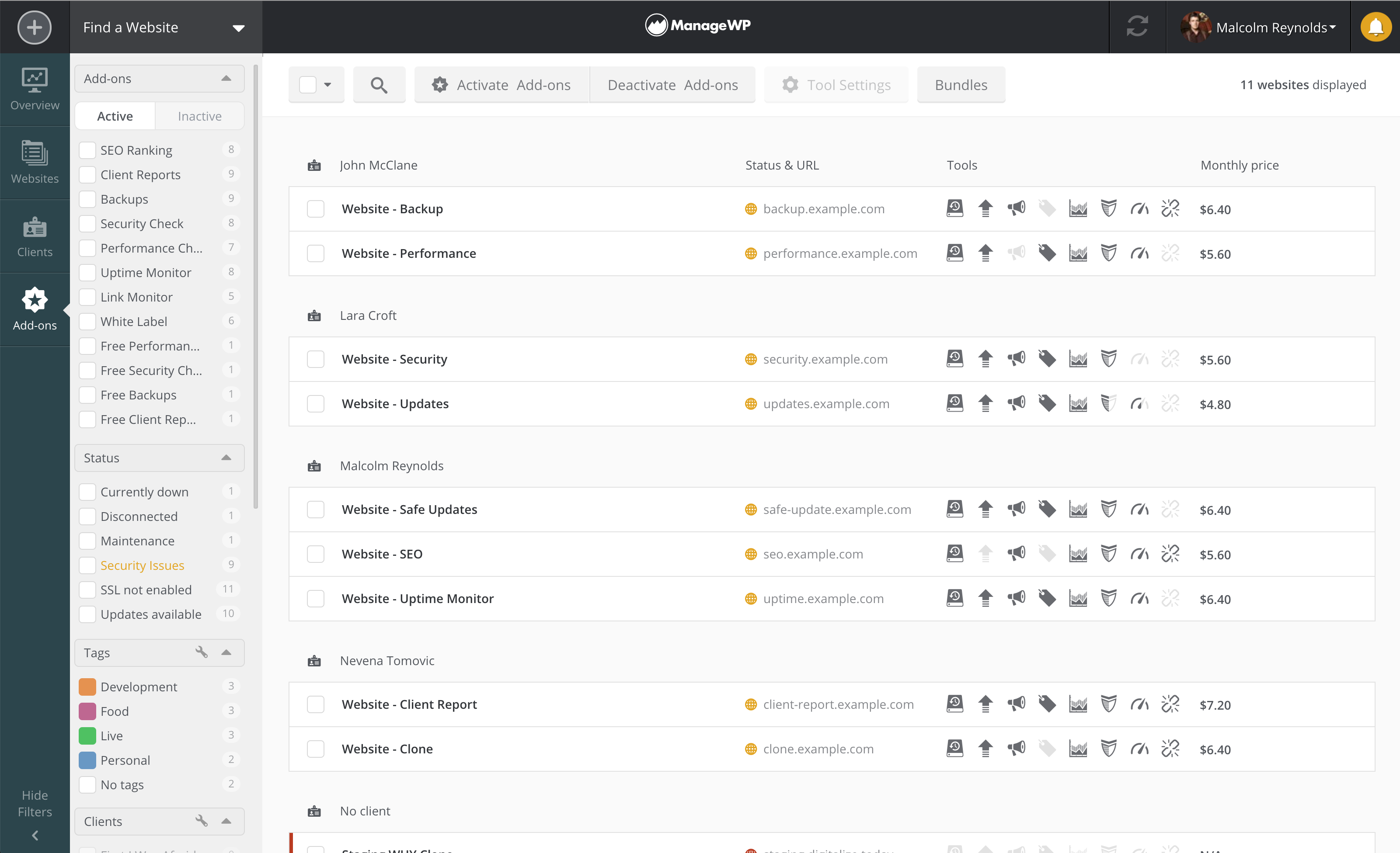
ManageWP Websites page - landing page for website management
ManageWP Add-ons/Price breakdown page
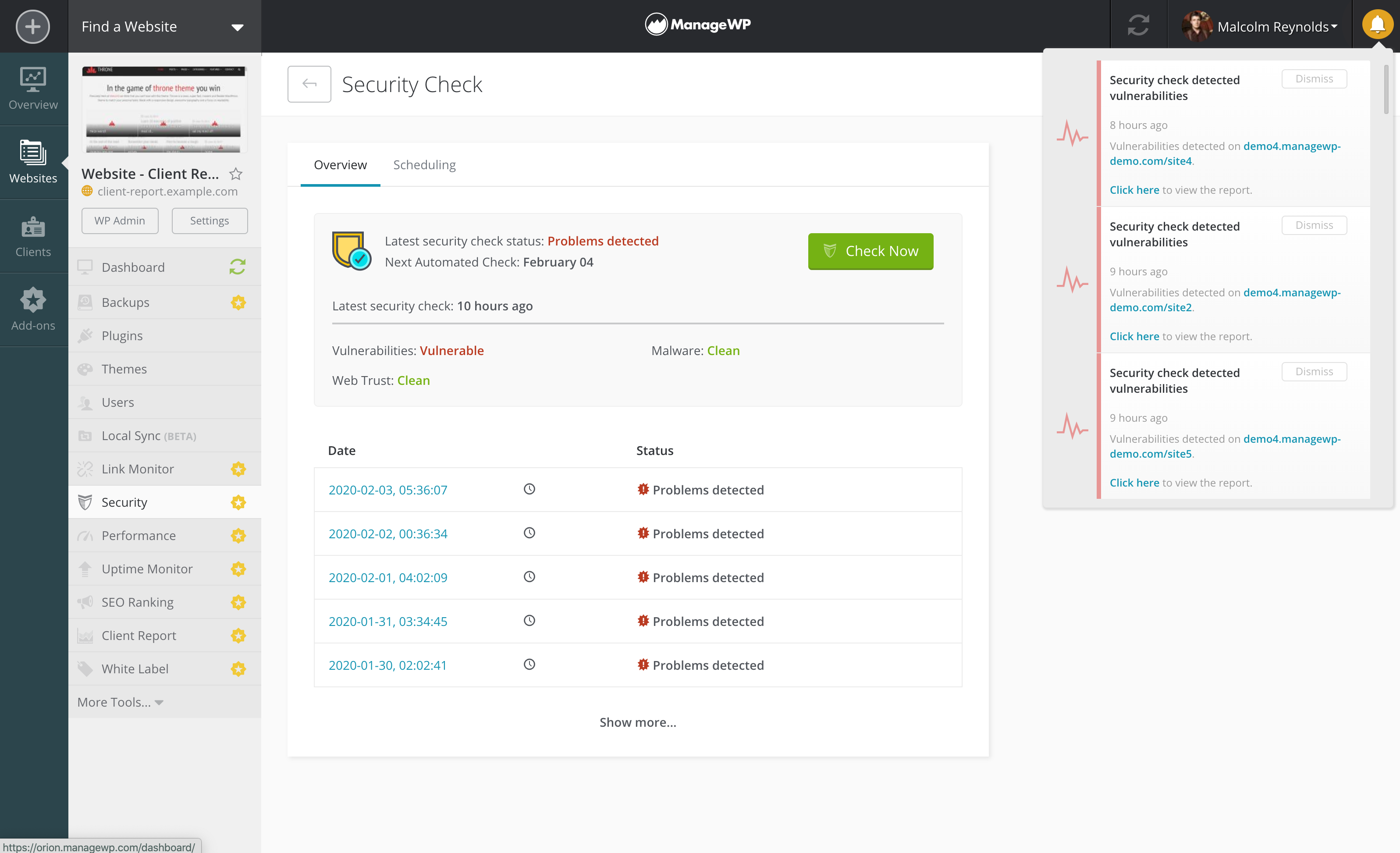
ManageWP Security check with vulnerabilities detected on a number of websites

1 / 4

Top Performing Features

  • API

    An API (application programming interface) provides a standard programming interface for connecting third-party systems to the software for data creation, access, updating and/or deletion.

    Category average: 8

  • Bulk management

    Users can change an attribute on a group of documents or sites all at once through features such as global search and replace, making bulk changes easier.

    Category average: 7.8

  • Internationalization / multi-language

    The software supports multiple languages, countries, currencies, etc.

    Category average: 7.7

Areas for Improvement

  • Publishing workflow

    The software allows users to set up a custom workflow for updating the website, including approval processes.

    Category average: 8.2

  • Community / comment management

    Users can put post/page comments through an approval process, auto-approve commenters based on their email addresses, block commenters by IP address, delete comments, etc.

    Category average: 7.4

  • Availability / breadth of extensions

    There is a broad library of extensions, plug-ins, modules or add-ons that allow users to easily customize their websites without building custom code.

    Category average: 6.9

Awesome tool to make managing multiple WordPress sites quick and easy

Use Cases and Deployment Scope

I use it to manage all of the websites that I administer. It makes it quick and easy to update plugins and themes, and to backup websites. I also use it to log in to individual sites. It saves me a lot of time since I manage 10+ websites (mostly for non-profits).

Pros

  • Saves time
  • It works well
  • Support is good
  • It is secure

Cons

  • There was one instance where someone on support was not using good security practice.

Return on Investment

  • Efficiency gains.
  • The freemium model is great.

Usability

ManageWP is a great way to manage your Wordpress websites with low cost and little time

Pros

  • Managed Wordpress Updates - ManageWP allows you to update all out-of-date themes, plugins and core files on all your websites with the click of a button.
  • Automated Backups - ManageWP allows users to setup an automated schedule of backups (including free monthly backups).
  • Maintenance & Development Mode - ManageWP allows users to place a specific site into Maintenance or Development Mode, allowing them to block users from accessing the site with a click of a button.

Cons

  • Client Access - ManageWP advertises "Client Access" for web developers, however this feature does not seem to work as expected. Instead of allowing clients to access the site via ManageWP, it simply groups sites into a folder with the client's name.

Return on Investment

  • Reduced update times - allows me to check for updates on all our sites once a week without spending countless time logging in and updating each one manually.
  • Free backups - allows me to have redundant backups just in case other systems fail, without any effort.
  • Free platform - many of the provided features are free, making it very useful for companies who want to keep costs low.

Other Software Used

Adobe Acrobat Reader DC, Adobe PhotoShop, Smartwaiver, Slack, Google Workspace (formerly G Suite), Divi, Google Data Studio, Tidio, Google Search Console, Google Analytics, Planning Center, Todoist: To-Do List & Task Manager

Awesome time-saving and centralized management of websites

Pros

  • Backing up the websites.
  • Updating websites and plugins.
  • Restoring or migrating websites to new hosts.

Cons

  • Better handling of changing restore targets.
  • Better reporting.

Return on Investment

  • Time saving, a lot, particularly with increasing number of clients and websites

Other Software Used

Redgate SQL Compare, Redgate SQL Data Compare, Xara Designer Pro, Camtasia

If You're Not Using ManageWP to keep client sites updated, you're missing out.

Pros

  • Updating plugins.
  • Optimizing posts databases.

Cons

  • The reports could be prettier, more templates in order to avoid having to customize for each client so heavily.
  • It would be nice to see if recommended plugin updates are actually production and not beta versions.

Return on Investment

  • ROI is huge though we haven't "done the math," it's a no brainer that clicking a button to update client sites is faster than humans going into each site one by one to update.
  • We've actually moved to the free version as we use other tools for backup and SEO monitoring which are paid additions to ManageWP. We were happy with the low cost of these "extensions" but simply found some Lifetime Deal tools that were as good or better.

Other Software Used

ActiveCampaign, Elementor, Teamwork Projects