TrustRadius: an HG Insights company

Foxit PDF SDK

Score8 out of 10

41 Reviews and Ratings

What is Foxit PDF SDK?

Foxit PDF SDK offers high performance pdf libraries to help developers build pdf technology.

According to the vendor, key features include:

  • Render PDFs: High performance PDF libraries to render PDF pages, page objects, annotations, and forms the way they were intended to be viewed: sharp, clear, accurate, and easy to read. Allows applications to view, zoom in, zoom out, and print PDF documents and forms.
  • Reflow: PDF is a fixed-layout flat document format, it cannot automatically word wrap according to the width of a page. Reflow is a function that automatically rearranges page content when the page size changes.
  • Asynchronous support: Asynchronous is a method to access PDF pages without loading the whole document, so applications do not have to wait for the whole PDF file to be downloaded before accessing them. For example, readers can start reading the first page while the rest of the document is still loading.
  • Page organization: Merge and combine specified page ranges from different PDF files into a single PDF.
  • Annotations: Annotations are a very powerful feature within PDF. It enhances the interactivity between collaborating colleagues to share ideas and feedback. The PDF SDK provides APIs for annotation creation, properties access, and modification (appearance setting and drawing). It also provides APIs to export and import all annotations from and to PDF and FDF document.

Categories & Use Cases

Media

Foxit PDF SDK for Android
Foxit PDF SDK for iOS
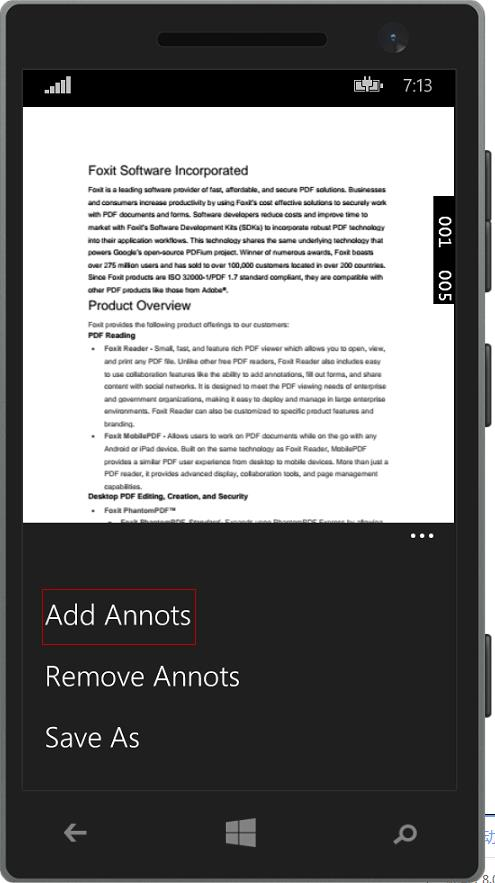
Foxit PDF SDK for UWP
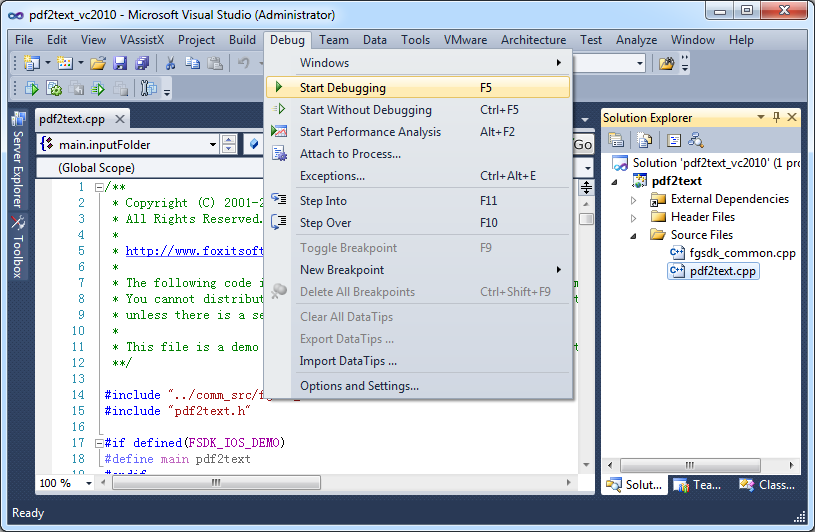
Foxit PDF SDK for Windows
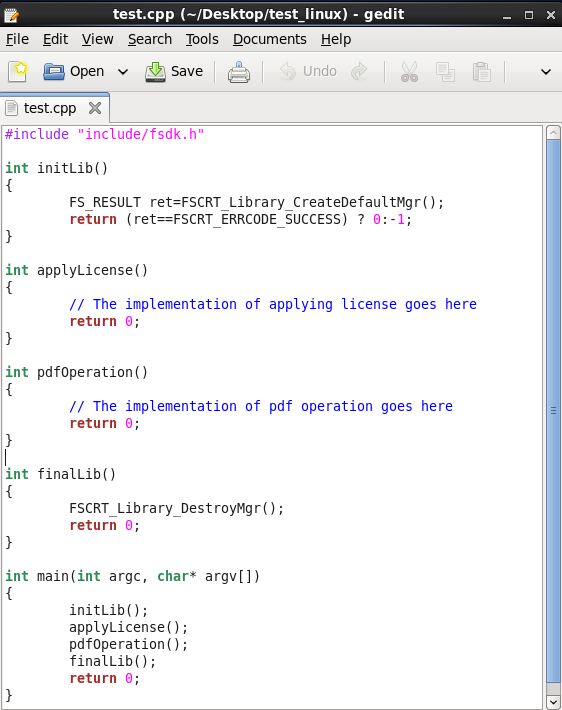
Foxit PDF SDK for Linux

1 / 5

Value for money application.

Use Cases and Deployment Scope

Our company uses the Foxit PDF SDK to work with PDF files. I collaborate with the production and manufacturing teams on various scripts, program material, and plan sheets. We mostly work with Word Docs, which we then convert to PDF after a project is completed. We may use the Foxit PDF SDK to add initials, annotations, and remarks, as well as interact with multiple files. We use Foxit to convert photos into pdfs in addition to papers. In actuality, it is a useful tool that performs admirably for us.

Pros

  • It offers excellent text handling.It's simple to add rapid markup.
  • It allows you to encrypt your data and set passwords for more protection.
  • Customization for web plugins are available.

Cons

  • PDF editing is cumbersome, and producing new PDFs from scratch is time-consuming.
  • It doesn't always do a good job at compressing files.

Most Important Features

  • Secured digital signature.
  • Email and web integration.

Return on Investment

  • It has saved time in converting PDF files.
  • Productivity increased after integrating with web data.

Other Software Used

Accruent Data Insights

Usability

A Great PDF Processing SDK

Use Cases and Deployment Scope

Foxit PDF SDK is used by our organization to work with Pdf files. I work with programming and production teams to finalize different scripts, program content, and daily schedule sheets. Primarily, we work with Word Docs and then convert it to Pdf when something finalizes. Foxit PDF SDK helps us to add signatures, comments, and notes, and work with multiple files. Besides documents, we also convert images into pdfs by using Foxit. In all reality, it is an effective tool that does an excellent job for us. It would be fair to say that Foxit PDF SDK has enabled us to be more productive. Good job!

Pros

  • It is a very cool development kit to integration different PDF functions.
  • It is user-friendly and convenient to work with.
  • It has great functionality for text. For example: adding quick markup, highlighting the text, underlining, and doing strikethrough, and adding signatures is pretty easy.
  • It offers to do encryption and add passwords for security.
  • Great search capability that helps finding the text without hassle.

Cons

  • There's one thing that bothers me a lot. Sometime people convert the text file to an image PDF which can not be altered or edited. I dunno if it is the fault of Foxit PDF SDK or it is just out of application's scope.
  • We previously used Adobe to do the same things and the transitioning to Foxit PDF SDK was not easy for some people. Nevertheless, it didn't give me a lot of trouble and I honed my skillset very easily. Moreover, the support is very active and they'd help you to solve the problem quickly.

Most Important Features

  • High performance PDF library for web applications.
  • PDF modification (annotation, stamping, signatures etc.)
  • Encryption and document security through passwords.
  • Easy integration and option to fully customize it.
  • Responsive and user-friendly design.
  • Equally impressive service as Adobe.

Return on Investment

  • No negative impact but only positive and fruitful I would say. It is a part of our daily work routine and enhances our products. Things are done quickly and delays are very less. Hence, it has added to the overall growth and development of our business.

Alternatives Considered

Adobe Acrobat Reader DC

The Ultimate PDF SDK

Use Cases and Deployment Scope

Here at the company we use Foxit PDF SDK with all the features it offers. Some functionality is used for pdf preview, pdf signatures, pdf forms, pdf annotations and the best thing is you can use any of their platforms. As my very familiar work with pdf documents, I find the Foxit PDF SDK useful.

Pros

  • highlights that can be shared
  • pdf signature with personal signatures
  • signature save for future use
  • content review resources

Cons

  • Combine multiple PDFs into one PDF
  • File explorer preview is not good
  • In the C# SDK, which is a wrapper of native C++ code. We need to be extra careful in coding and protecting the calls, because it can be very easy to crash the application in case of errors.

Most Important Features

  • It's easy to install
  • Our IT department prefers Foxit because it is more stable for users
  • Extremely fast when it comes to reading and editing PDFs.

Return on Investment

  • Positive impact: The amount spent on the tool is almost 10% lower compared to Adobe
  • In general terms, we saved a lot of time by standardizing all machines with this product and thus facilitating employee training, as it has excellent usability and performance.
  • Extremely stable in the corporate environment, preventing ticket openings in support for maintenance/reinstallation. I believe that we have reduced the incidence of assistance aimed at updating programs (but I don't have that number).

Alternatives Considered

Foxit PDF Editor (FoxitPhantom)

Great e-signer for smaller businesses

Use Cases and Deployment Scope

Each year, our Tour needs to sign 40-50 films to take part in the Tour, and 50-70 independent hosts to present the Tour. Gathering the information for the agreement fields, keeping track of who has signed (and making sure they have completed all mandatory fields), and reminding people who haven't signed, would be a very time consuming. Foxit PDF SDK takes a lot of the hassle out of this! While reminders can be sent manually, I do wish for more control over automated reminders and a record of when reminders were sent. Also, it would be great to be able to associate a specific cover email template with a specific agreement, rather than just a single default template for all emails (at least you can change the template manually.) Foxit PDF SDK is much more convenient than Adobe Sign, which we used before.

Pros

  • Ensure that recipients fill out all mandatory fields
  • Track who has signed
  • Template emails

Cons

  • Tracking when reminders were sent
  • Automatic reminders - more control
  • Different default templates for different agreements

Most Important Features

  • Choice of mandatory and optional fields
  • Notification when an agreement is signed by someone
  • Selection of template emails

Return on Investment

  • Lack of control over reminders
  • Lack of tracking when reminders were sent
  • Lack of stipulating different cover emails for different agreements

Other Software Used

Mailbird, Filmora

Good Product With a Few Glitches

Use Cases and Deployment Scope

I use Foxit PDF SDK to create and edit PDF forms, create fillable pdf forms, redact information from documents, and present slide shows. It allows me to share documents with customers in a format that everyone can utilize no matter if they use a pc or mac product.

Pros

  • Recognizes text (OCR)
  • Pleasant user interface
  • Create fillable forms
  • Edit existing text (in certain circumstances)

Cons

  • Doesn't always compress files well - there's not much difference in size between an original and a compressed file.
  • When editing text it sometimes separates text into cumbersome blocks.
  • Setting to re-open previous files when starting up the program doesn't always work. It will open the files for a little while but then it quits remembering to re-open the previously open files.

Most Important Features

  • OCR
  • Create fillable forms
  • Edit text on a pdf

Return on Investment

  • Saves time by being able to edit text in pdf instead of copy/paste into a .doc and then re-formatting the whole thing
  • Able to create fillable forms that are easy to use and to send out to customers
  • Bargain compared to Adobe product

Alternatives Considered

PDF Xchange Viewer and Editor, Nitro Productivity Suite and Adobe Premiere Pro

Other Software Used

Microsoft Office 2016 (discontinued), 1Password, Google Ads (formerly AdWords)