TrustRadius: an HG Insights company

Eventzilla

Score10 out of 10

7 Reviews and Ratings

What is Eventzilla?

Eventzilla provides a free management and registration solution targeted for organizers of any size. This solution allows users to host free events at no charge. However, for paid events, there is a $1 flat fee per attendee.

The solution can be used for conferences, fundraisers, classes, festivals, parties, concerts sporting events, networking events and more.

Media

Simple online event registration solution
Events Directory
Our clients
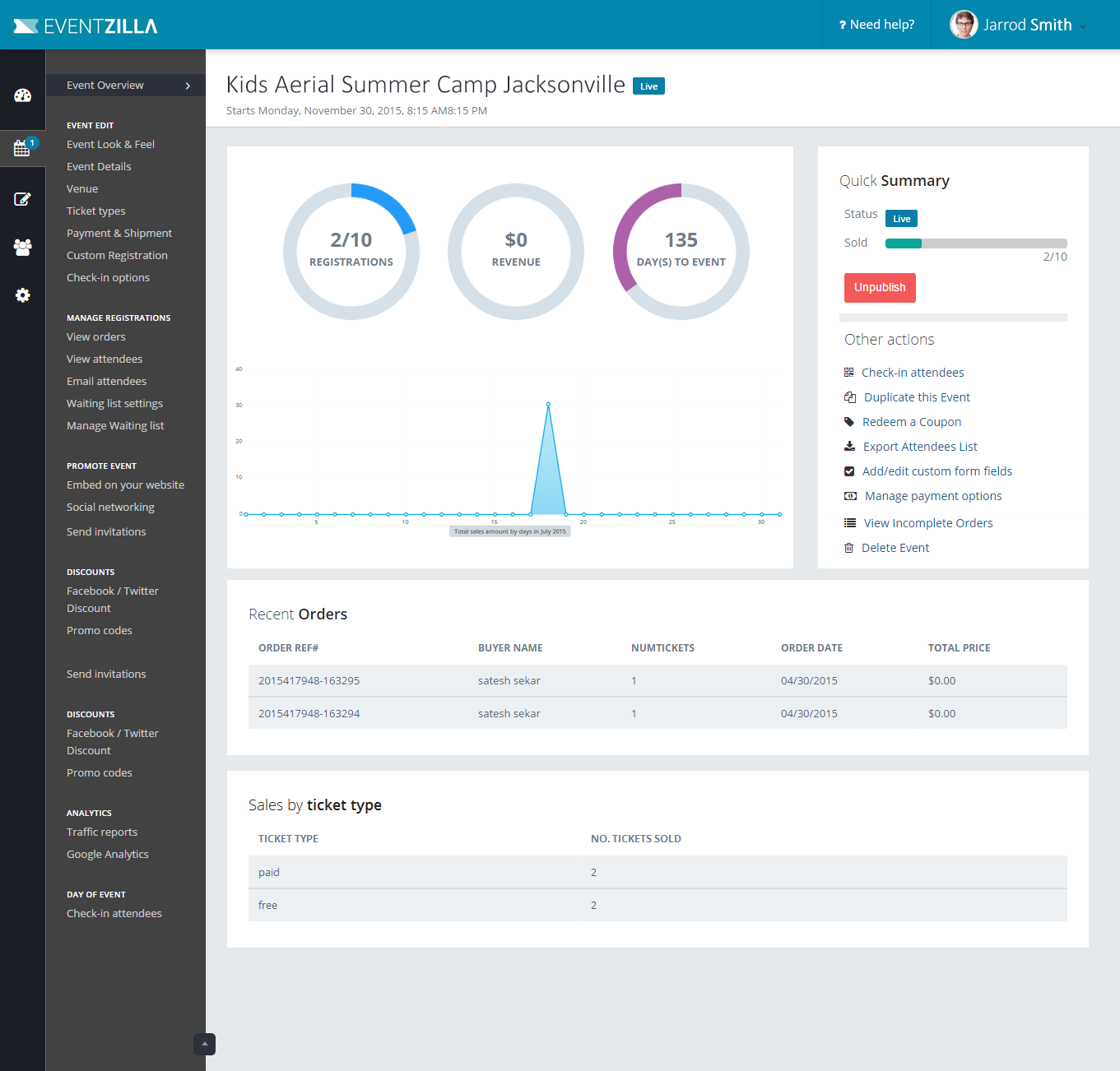
Intuitive and user friendly event dashboard

1 / 4

Eventzilla: effective and inexpensive

Pros

  • Simple event setup.
  • Easy to update details and create effective ticketing collateral.

Cons

  • Interface can be challenging to manage.
  • Some quirky bugs still persist, especially when editing certain event aspects.

Return on Investment

  • Client event management takes minutes rather than hours.
  • Cost to our business is much lower than other solutions.

Very Useful Registration Software

Pros

  • Very easy to use interface - to create an attractive, functional landing page all you have to do is follow the steps.
  • Makes generating funds prior to an event very simple.

Cons

  • Some aspects of the software could be more intuitive - I found that pointing my domain to the Eventzilla landing page was extremely difficult
  • It is not easy to get a hold of customer support - It took a significant amount of time for me to get in contact with a support agent

Return on Investment

  • I am not familiar with the amount of development hours that would be required to replicate a tool like this within our system
  • I have done little research on other event registration / ticketing software
  • I imagine that the amount of time and money more organization has saved through this tool is significant.

Usability

Other Software Used

WalkMe, GoToWebinar, Microsoft Power BI

One-stop shop for all your event management needs

Use Cases and Deployment Scope

We had been using Eventzilla as a one-stop shop for all field marketing needs. It helped us ease organizing conferences and hosting virtual, webinars through creating landing pages, managing registrations, attendees, streaming, poll questions, payments, and event promotion. The platform has features essential for online as well as offline events.

Pros

  • Managing registration and attendees.
  • Creating landing pages, registration pages and promoting them.
  • Automates waitlisting and approvals.
  • Live streaming and polling.
  • Internal in-built payment processor.

Cons

  • The UI needs improvement.
  • Little customization available.
  • Features are complex to understand. Need more short explanatory videos.

Most Important Features

  • Can create landing pages, registration pages, forms, and survey.
  • They have internal in-built payment system.
  • All event related data gets stored at one place and can be exported later.
  • Sends out automated invitation, links, calendar note and reminders.

Return on Investment

  • It's a budget-friendly tool.
  • Helps save a lot of time.
  • Easier for attendees to navigate and use thereby builds credibility of the event.

Other Software Used

Zoom

Robust platform for creating and signing up for events

Use Cases and Deployment Scope

Eventzilla is a great tool to manage attendees in your events. We use it for our remote internal events with our own employees. The best part is, it lets you choose any type of event. This worked well for us as we are a remote team. You can set the date and time, give out tickets and set your own prices. Registering for free events is simple as well. Since we conduct lots of events throughout the month, it becomes difficult for our employees to keep track of what they have signed up for, but the timely reminders from Eventzilla has made it so much easier to keep a reminder of upcoming events.

Pros

  • Email reminders for every person that signs up for the events.
  • Timely reminder for participants so they do not miss attending an event.
  • All kinds of events can be organized.
  • Lets you choose the type of event, kind of participants anticipated, number of seats, type of seat (VIP, etc), and lets you set your own prices for each of them.

Cons

  • Customization features for emails could be improved since most are automated reminders.
  • Sometimes too difficult to create a simple event with loads of choices available. Many times we simply want to create a normal event without much hassle.

Most Important Features

  • Ability to create any type of events, big or small, free or paid.
  • Keeping track of participants who have signed up for the events.
  • Sending and receiving email reminders to ensure proper participation and to make sure the event organizer is able to keep track of everyone.

Return on Investment

  • We use it for internal events, so mostly our ownemployees join the events. These are usually fun events, so ROI is not expected.
  • Most of the times, we are simply organizing recreational events for our employees, so it boosts the morale of the participants to have a proper organized setup for the events they attend.

Alternatives Considered

Eventbrite

Other Software Used

Telegram, Microsoft Teams, Microsoft 365, Google Meet, Slack, Discord