TrustRadius: an HG Insights company

Edsby

Score8 out of 10

5 Reviews and Ratings

What is Edsby?

Edsby is a cloud-based learning management system (LMS) for K-12 school districts that uses web and mobile technologies to connect teachers, students, parents and administrators in new ways.

This LMS allows students and parents to check grades, attendance, homework and more from a browser, tablet or mobile phone.

The vendor says what sets this LMS apart from others is that Edsby is designed specifically for the special requirements and needs of K-12. To make district-wide rollouts quick and to minimize ongoing administration, it integrates tightly with existing systems, leveraging data and security policies. And it allows for deep customization by districts—including local terminology, assessment schemes and reporting—even while being cloud-based.

Media

Screenshot of the student's dashboard view in Edsby
Screenshot of private teacher observations of students in Edsby, tagged
Screenshot of mobile Edsby clients available for iOS and Android
Screenshot of a teacher's view of an Edsby class, the heart of the Edsby learning and analytics platform
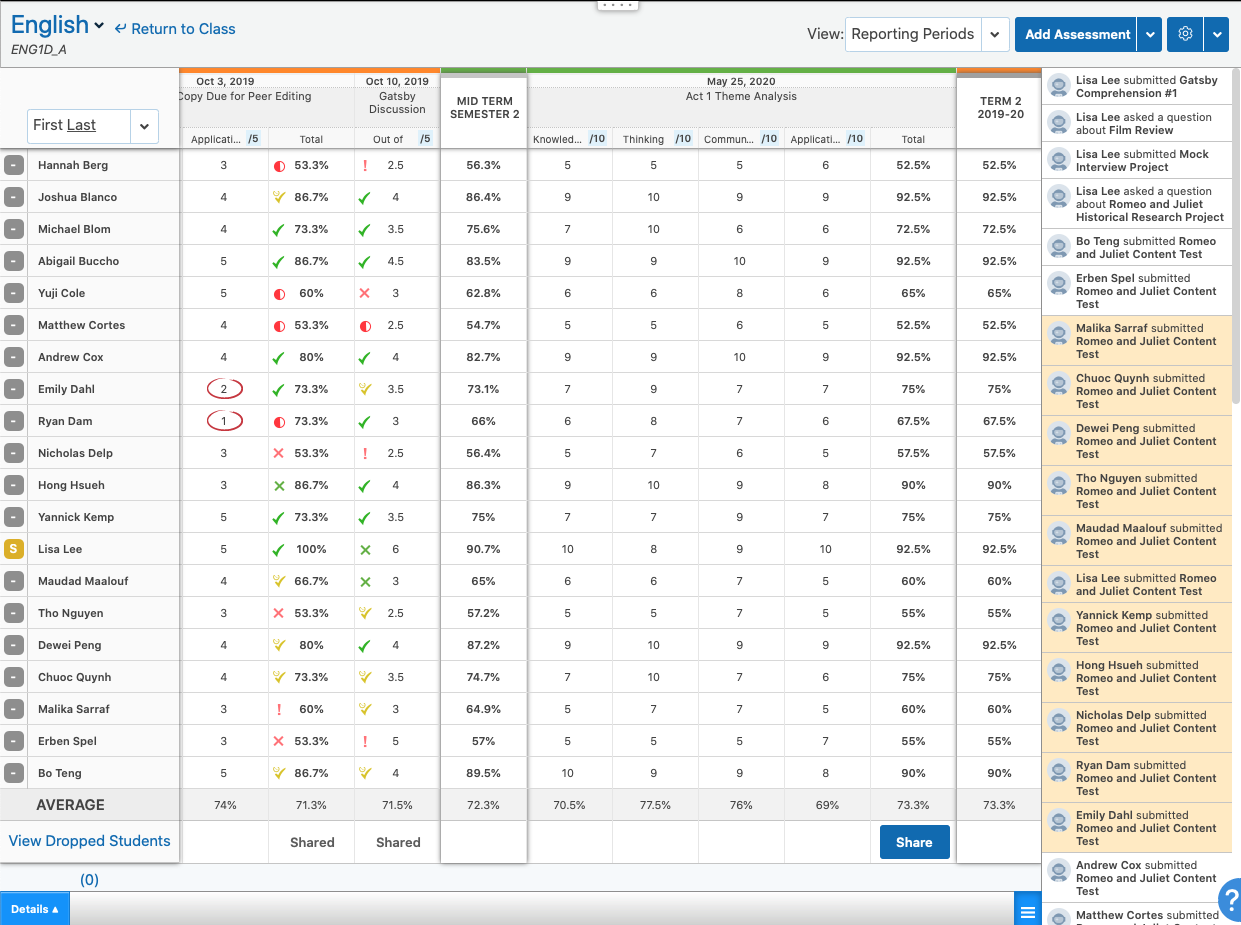
Screenshot of the teacher's view of a class gradebook in the Edsby learning and analytics platform
Screenshot of a student eportfolio in the Edsby learning and analytics platform
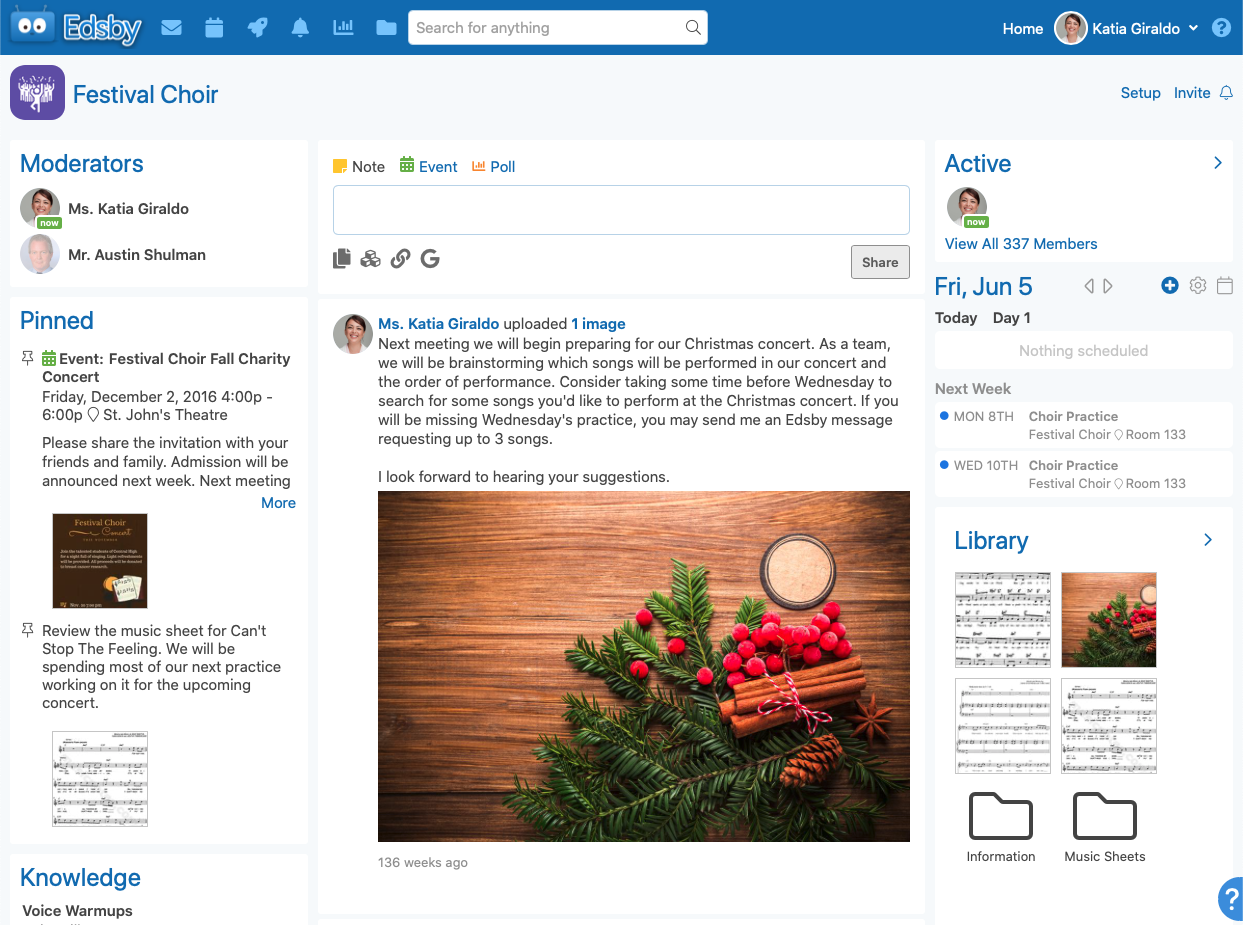
Screenshot of a dedicated group area for a school club in the Edsby digital learning platform
Screenshot of choosing standards associated with an assessment in the Edsby digital learning platform
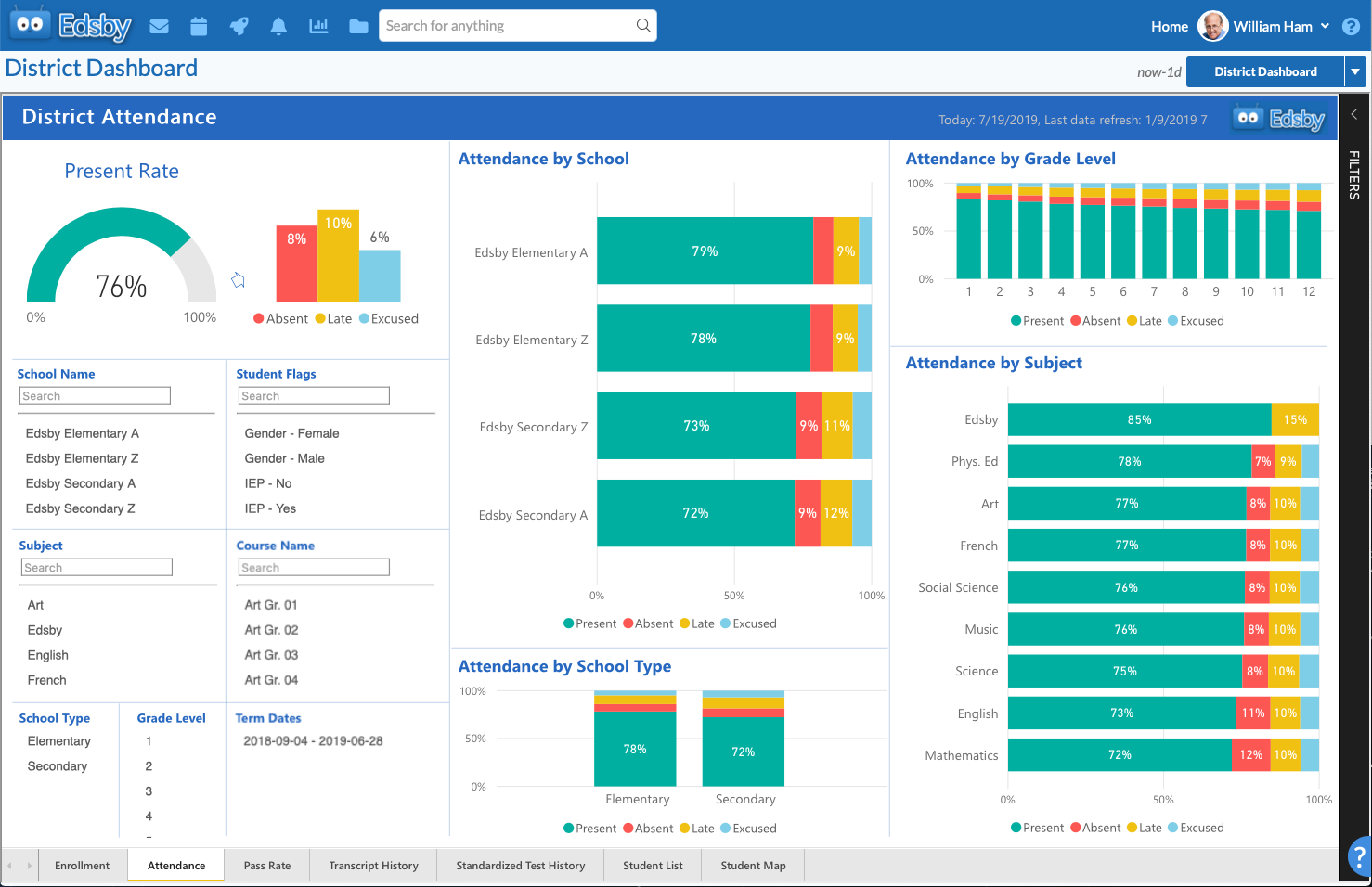
Screenshot of a district-wide attendance report in the Edsby digital learning platform

1 / 9

Screenshot of the student's dashboard view in Edsby

Top Performing Features

  • Player/Portal

    Students or employees can engage with content and take courses using this interface, which may be called a player or portal.

    Category average: 8.7

  • Learning administration

    Administrators can manage the content and people (students/employees, course authors, instructors, etc.) on the platform.

    Category average: 7.4

  • Mobile friendly

    Students or employees can access content from mobile devices. Course authors can develop responsive learning content.

    Category average: 7.1

Areas for Improvement

  • Assignments

    Users can assign courses/curricula to individuals or groups, with due dates.

    Category average: 7.9

  • Social learning

    Includes features for collaboration and knowledge sharing among peers.

    Category average: 7.6

  • Progress tracking & certifications

    The system tracks individuals’ progress on courses, scores, transcripts, certificates, etc.

    Category average: 8.3

Edsby does what is should

Use Cases and Deployment Scope

We use Edsby as a full classroom communication tool as well as a full gradebook and reporting solution. Teachers communicate with students and parents, students submit work to the teacher. Marking is done in the application gradebook and is reported on through the report cards to make students and parents aware of where they stand. Administrators also use Edsby to communicate what is going on from a higher level and also use the system to make overreaching decisions based on student academics.

Pros

  • Communication
  • Gradebook Configuration
  • Reporting

Cons

  • Customizability
  • Support
  • Synchronization

Return on Investment

  • Not an all in one solution
  • All stakeholders involved
  • Could use more reporting functionality

Usability

Alternatives Considered

MarkBook

Other Software Used

Follett Aspen Student Information System (SIS)

EDSBY is Great

Use Cases and Deployment Scope

We use Edsby in order to manage assessment data as well as collect evidence of learning for students. We also use it as a messaging tool to help keep information organized and available.

Pros

  • Assessment Collection
  • Service
  • Support
  • Messaging

Cons

  • Analytics

Usability

Alternatives Considered

Analytics Canvas

Edsby A great solution for K-12 Schools

Use Cases and Deployment Scope

We use Edsby to allow our teachers to effectively run their classes. It enables our office staff to know which students are late and quickly contact their families to ensure safe arrival. And for our admin team, they have full visibility across all of the classes. This means that they can see class gradebooks and how students are performing.

Pros

  • Report Cards
  • Gradebooks
  • Groups

Cons

  • Better Q&A
  • More flexible calendering features
  • Better PTI scheduler

Return on Investment

  • .

Usability

Other Software Used

Google Workspace for Education

Edsby in Education

Use Cases and Deployment Scope

Education. I am a high school science teacher who has been using Edsby for the past 5 years. I am the Edsby lead at my school and have led professional development for staff on how to use Edsby effectively.

Pros

  • Parent connection
  • Ease of handing in assessments
  • Creating a class and being to reuse each semester

Cons

  • need accurate rubrics
  • plagiarism checks
  • sort attendance into excused and unexcused right on page instead of hovering

Return on Investment

  • I can easily see when students turn in assignments
  • Students are more likely to engage through the chat features
  • Having the polls allows for quick surveys of how the students are understanding

Usability

A Rapidly Evolving Platform For Education

Use Cases and Deployment Scope

In our organization, user management and organization are key to our successful use of Edsby’s services. When you are managing the profiles of over a hundred people Edsby is the best choice. When you get to see the impact and the ease of use it really makes you want to use the product yourself.

Pros

  • User management
  • Secure messaging
  • Individual manageable user profiles

Cons

  • File upload
  • Colour scheme
  • Website error messages

Most Important Features

  • User management
  • Announcement ease of use
  • Student portfolio option

Return on Investment

  • Larger user base
  • Increased traffic
  • Increased profit margins

Alternatives Considered

Google Classroom

Other Software Used

Google Classroom

Usability