Kissflow vs. Zenphi

Overview
ProductRatingMost Used ByProduct SummaryStarting Price
Kissflow
Score 6.8 out of 10
Enterprise companies (1,001+ employees)
Kissflow is a low-code platform for custom application development tailored to business operations. Kissflow empowers process owners and IT developers to automate and build processes and applications for internal business operations.
$1,500
per month
Zenphi
Score 0.0 out of 10
Mid-Size Companies (51-1,000 employees)
Zenphi is an AI-powered no-code process automation platform designed for teams looking to build workflows while fully leveraging their existing Google Workspace environment. With in-built AI models for document generation, text recognition, sentiment analysis, and other capabilities, Zenphi enables users to automate a business processes from employee onboarding and offboarding to invoice processing, Google Workspace administration, and approval workflowswithin familiar tools…
$500
per month (billed annually)
Pricing
KissflowZenphi
Editions & Modules
Small Business
$1500
per month
Pro
$500
per month (billed annually)
Ultimate
$2,084
per month (billed annually)
Enterprise
POA
Offerings
Pricing Offerings
KissflowZenphi
Free Trial
YesYes
Free/Freemium Version
NoNo
Premium Consulting/Integration Services
NoNo
Entry-level Setup FeeNo setup feeOptional
Additional DetailsDiscounts available for educational institutes and not-for-profit organizations.
More Pricing Information
Community Pulse
KissflowZenphi
Features
KissflowZenphi
Low-Code Development
Comparison of Low-Code Development features of Product A and Product B
Kissflow
7.2
Ratings
15% below category average
Zenphi
-
Ratings
Drag-and-drop Interfaces8.00 Ratings00 Ratings
Platform Security8.00 Ratings00 Ratings
Platform User Management6.00 Ratings00 Ratings
Reusability8.00 Ratings00 Ratings
Platform Scalability6.00 Ratings00 Ratings
User Ratings
KissflowZenphi
Likelihood to Recommend
6.0
(0 ratings)
-
(0 ratings)
Likelihood to Renew
9.0
(0 ratings)
-
(0 ratings)
Usability
7.0
(0 ratings)
-
(0 ratings)
Support Rating
9.7
(0 ratings)
-
(0 ratings)
User Testimonials
KissflowZenphi
Likelihood to Recommend
KiSSFLOW is well suited for any information heavy paperwork that multiple people approve and have access to complete work. It is less suited for processes that require a lot of back and forth with a form initiator. The workflows like to be very linear without much back tracking. It can do that but it prefers to be forward linear.
Read full review
No answers on this topic
Pros
  • I appreciate the automatic email notifications when it is your turn to complete a task. This keeps everyone on track.
  • I appreciate being able to "reassign" a task as well--leaving flexibility for some folks to cover for others when needed.
  • I appreciate the personal check-ins from our rep, asking how things are going. That makes me feel like someone is paying attention and wants me to be happy with the product.
Read full review
No answers on this topic
Cons
  • Learning. If you are coming from a 100% paper process and have employees who know nothing more, then there is definitely a learning curve. You will need to bring someone in to help you train employees on the core concept of the change (the "Why are we doing this" questions). KiSSFLOW does have support, but this is more getting down to the details in your own work environment.
  • Visual learners will love it, but not non-visual. If you are an accountant, and your brain works like an accountant, then this program will be difficult to learn. It is very visual, and I have seen more success with visual learners than any others.
  • Bugs. A few years ago, there were a lot of bugs. There are not that many anymore. This is to be expected with any program, so if you are training an impatient staff who doesn't do well with error messages, you will want to be sure to pad the training sessions. I have not seen error messages in a long time; however, the nature of the beast is that you won't see one until you actually find one...
Read full review
No answers on this topic
Likelihood to Renew
Really love the product. Was pleasantly surprised that it has been easy to use for parents
Read full review
No answers on this topic
Usability
The system has room to grow as it's limited by not being able to edit POs after they've been approved. The system is great for registrations and syncing to other systems while including the attachments. The reporting from Kissflow is also easy to setup to link to other platforms such as Looker
Read full review
No answers on this topic
Support Rating
I haven't encountered a need for support with KiSSFLOW. It's not a perfect platform, but it's functional, dependable, and reasonably intuitive. I can't fault a support team just because their product works!
Read full review
No answers on this topic
Alternatives Considered
KiSSFLOW wants you to be able to increase productivity, make it possible to "manage the chaos" (their own words) and simply make things better. It is exactly what it sounds like. For a visual learner, KiSSFLOW is perfect. It really does make good on its promise to help you manage the chaos, and it makes it easy for your employees to understand how your business works. More specifically, I recommended this program for a small school that had never automated anything. They knew nothing about the process. Bringing in KiSSFLOW allowed them to not only refine their process, but it gave awareness to other employees and ensure that they could work as a team, knowing the intricacies of how each department works (so, the Director would understand the many steps of Admissions before taking over after enrollment -- they would know what each family experienced).
Read full review
No answers on this topic
Return on Investment
  • Somewhat expensive compared to other cheap (or free) task management alternatives. ROI depends on your specific needs and the size of your organization.
  • ROI can be ambiguous since KiSSFLOW is primarily for internal company use. A simple email thread could accomplish many of the same things, but with less efficiency.
Read full review
No answers on this topic
ScreenShots

Kissflow Screenshots

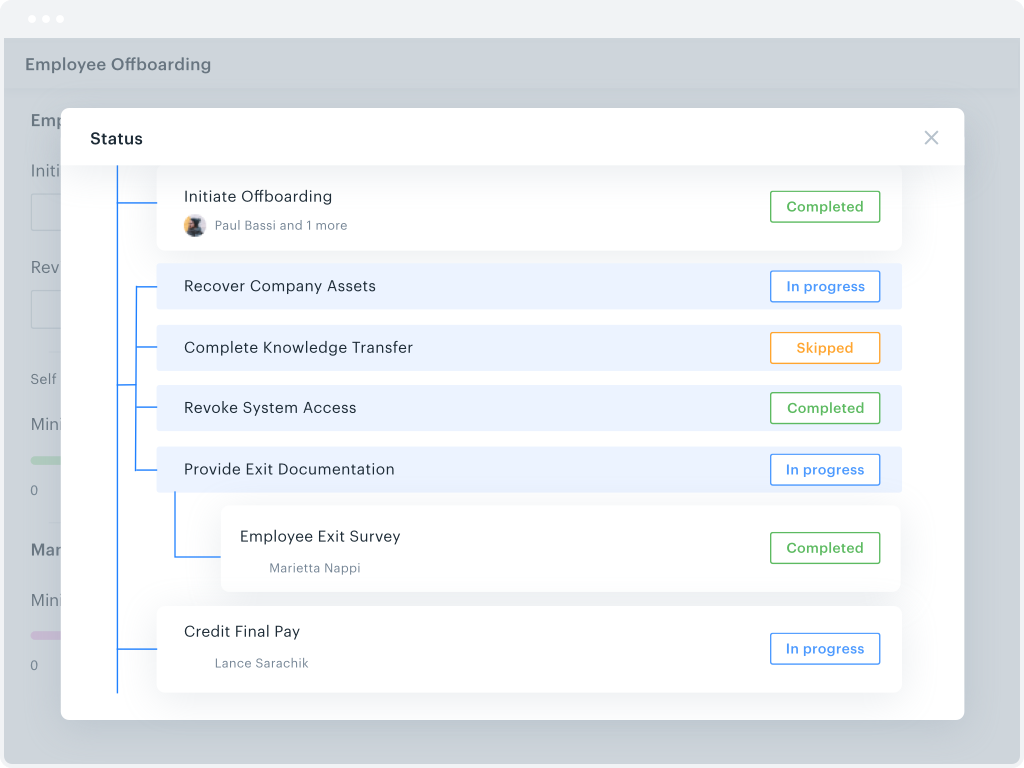
Screenshot of overall efficiency monitoringScreenshot of workflow trackingScreenshot of process metricsScreenshot of the drag and drop form builderScreenshot of a parallel branches workflowScreenshot of where to change file permissions

Zenphi Screenshots

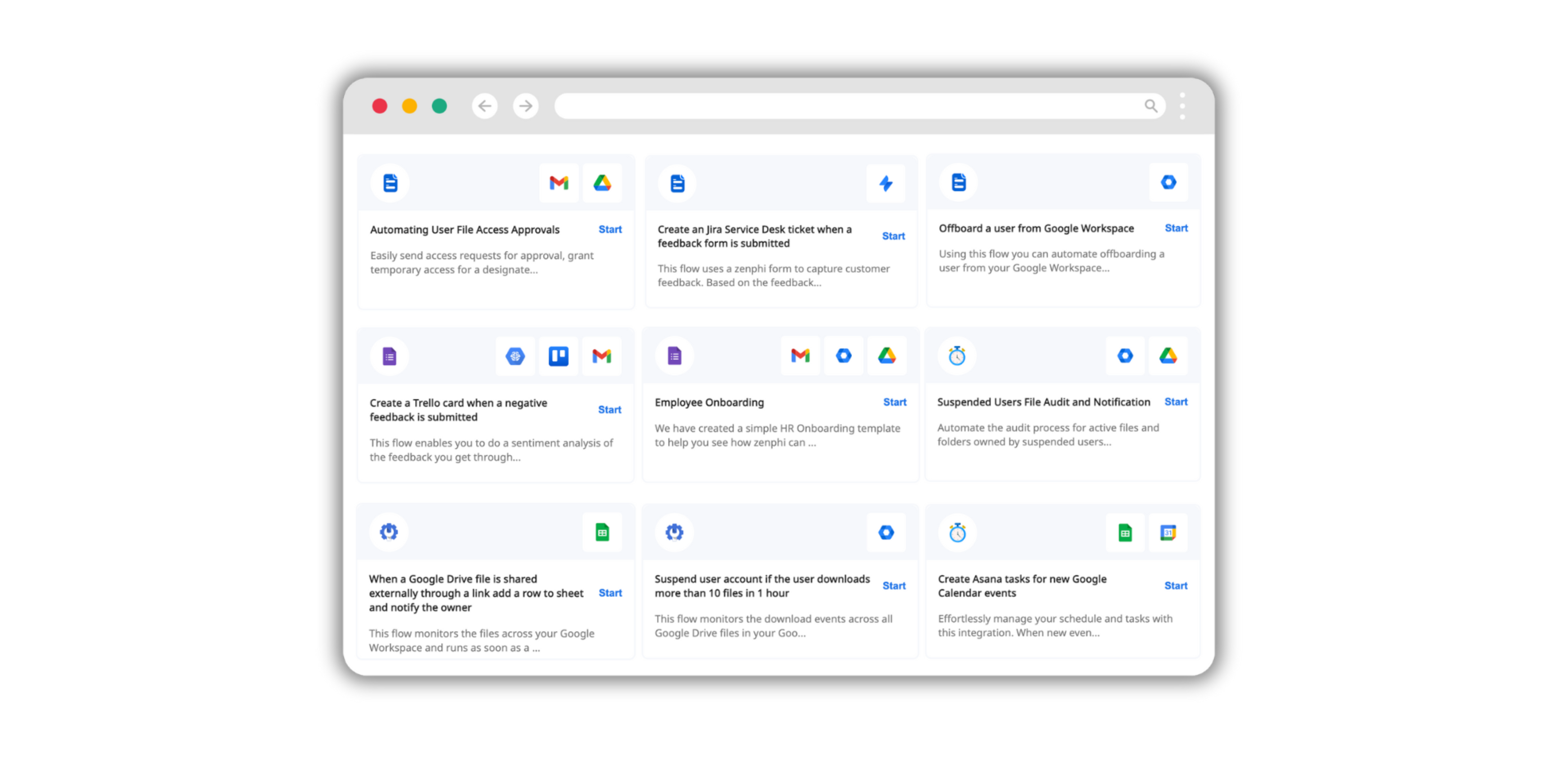
Screenshot of an example workflow. These can be created for any business process with Zenphi's workflow design features.Screenshot of Zenphi's AI models for OCR, image and text processing and generation, automated translation, and data extraction. These become available within the organization's workflows.Screenshot of ready-to-use workflow templates.Screenshot of Zenphi's integrations, available with existing business tools.Screenshot of triggers that start automated workflows.