Planview AdaptiveWork vs. WorkOtter PPM

Overview
ProductRatingMost Used ByProduct SummaryStarting Price
Planview AdaptiveWork
Score 7.4 out of 10
N/A
Planview AdaptiveWork is a web-based collaborative work management software. Planview AdaptiveWork enables users to connect employees and partners and create documents, reports and specialized workflow automation. Planview AdaptiveWork is designed to work across multiple teams to enable cross-company task, project, and resource management.N/A
WorkOtter PPM
Score 9.1 out of 10
Mid-Size Companies (51-1,000 employees)
WorkOtter is presented by the vendor as a simple, flexible, and scalable project portfolio management (PPM) solution for IT, Engineering, and Professional Service PMOs. The software manages the lifecycle of work from ideas through project planning, control, lessons learned, and close. Projects can then be rolled up to Programs (multi project efforts) or Portfolios (Roadmaps with What If Scenarios). All features were designed to support Project Teams with simplicity and usability in mind.…
$10
per user per month
Pricing
Planview AdaptiveWorkWorkOtter PPM
Editions & Modules
No answers on this topic
Time/Status
$10
per user per month
Team
$20
per user, per month
Manager
$35
per user, per month
Offerings
Pricing Offerings
Planview AdaptiveWorkWorkOtter PPM
Free Trial
YesYes
Free/Freemium Version
NoNo
Premium Consulting/Integration Services
NoNo
Entry-level Setup FeeOptionalNo setup fee
Additional DetailsTime/Status Tier is BEST FOR: Contractors, Consultants, Limited Team Members FUNCTIONALITY AVAILABLE:Timesheets, Adjust Estimate To Complete, Create Notes for PM and Team Members Team Tier is BEST FOR: Customers, Suppliers, Contractors, Consultants, Team Members FUNCTIONALITY INCLUDES TIME/STATUS PLUS: My Home Dashboards, Support Log Updates, Issue Updates, Changes, Timesheet & Expenses, Risks, Action Items Limited, Reporting, E-Mail Updates, Chat & Collaboration Manager Tier is BEST FOR: Project Managers, Program Managers, Executives, PMO Department Managers, Administrators FUNCTIONALITY INCLUDES TEAM PLUS: Project Management, Microsoft Project -Way Sync, Dashboard Reporting, Program Management, Resource Management, Portfolio Management, Workflow Management, Estimating and Templates
More Pricing Information
Community Pulse
Planview AdaptiveWorkWorkOtter PPM
Features
Planview AdaptiveWorkWorkOtter PPM
Project Management
Comparison of Project Management features of Product A and Product B
Planview AdaptiveWork
-
Ratings
WorkOtter PPM
9.9
Ratings
26% above category average
Task Management00 Ratings10.00 Ratings
Resource Management00 Ratings10.00 Ratings
Gantt Charts00 Ratings10.00 Ratings
Scheduling00 Ratings10.00 Ratings
Workflow Automation00 Ratings10.00 Ratings
Team Collaboration00 Ratings9.00 Ratings
Support for Agile Methodology00 Ratings10.00 Ratings
Timesheet Tracking00 Ratings10.00 Ratings
Change request and Case Management00 Ratings10.00 Ratings
User Ratings
Planview AdaptiveWorkWorkOtter PPM
Likelihood to Recommend
7.4
(0 ratings)
10.0
(0 ratings)
Likelihood to Renew
7.5
(0 ratings)
-
(0 ratings)
Usability
7.3
(0 ratings)
-
(0 ratings)
Availability
8.2
(0 ratings)
-
(0 ratings)
Performance
9.1
(0 ratings)
-
(0 ratings)
Support Rating
9.1
(0 ratings)
-
(0 ratings)
In-Person Training
8.2
(0 ratings)
-
(0 ratings)
Online Training
5.4
(0 ratings)
-
(0 ratings)
Implementation Rating
8.2
(0 ratings)
-
(0 ratings)
Configurability
8.0
(0 ratings)
-
(0 ratings)
Ease of integration
8.2
(0 ratings)
-
(0 ratings)
Vendor post-sale
9.1
(0 ratings)
-
(0 ratings)
Vendor pre-sale
9.1
(0 ratings)
-
(0 ratings)
User Testimonials
Planview AdaptiveWorkWorkOtter PPM
Likelihood to Recommend
I've been an AdaptiveWork (Clarizen) admin for the past 14 years, so I've seen much improvement since I started working with the product. I'm very happy we can utilize the hybrid mode by using the cards, I think this was long overdue but it works very well.
Read full review
I know it works well for IT but not sure how it would work for construction. I think construction has a different set of needs.
Read full review
Pros
  • Many ways to acclimate to the system; documentation, videos, community, and contacts.
  • Planview provides scalable customization options tailored to the unique needs of each business unit or department. Easily add or remove fields in the system. As the admin, it was easy to learn how to configure.
  • Offers flexibility to adapt to existing systems and align with organizational workflows and processes. There are multiple ways to customize each part of the system to meet our needs.
Read full review
  • It allows you to know when someone who is running late on another project is going to be late on your project.
  • It has a good reporting/analytics.
  • Easy to communicate with others on projects.
Read full review
Cons
  • Planview AdaptiveWork's ability to create relations between work estimates, resources, and time is one of its strengths but also one of its drawbacks. The average user is a little less considerate of the way these things interact with each and the automatic way in which Planview AdaptiveWork will affect one or the other can occasionally create a confusing scenario if the user is unaware of how changing one will affect the other
Read full review
  • I can't think of anything major that is missing. I understand it was challenging to integrate it with our commercial banking application but I wasn't involved in that process.
Read full review
Likelihood to Renew
I give my renewal of this product a 9. It's only because we never know what product may come out next and how other factors in our office political environment may cause impact upon this. If I always had my way, this is what we'd settle on as our de facto project management system.
Read full review
No answers on this topic
Usability
It is easy to configure, intuitive. The customization process is in some ways better than Salesforce.com. It has a great UI. It does however depend on how it's implemented.

The design of it is generally fine, however the ability to data upload people from a spreadsheet is an obvious miss.
Read full review
No answers on this topic
Reliability and Availability
Sometimes it is slow when everyone is entering their time on Fridays or Mondays but other than that we rarely see downtime and maintenance notifications are well in advance.
Read full review
No answers on this topic
Performance
Reports: Quick to Reasonable

Most Ancillary Pages: Quick to Reasonable
(By "ancillary" I mean lesser used/master data maintenance pages - e.g. People, Customers, Individual Tasks, Milestones, etc.)

Work Plan (with 100 sub items): Reasonable to Slow
Read full review
No answers on this topic
Support Rating
It's a good experience overall. Clarizen was useful when needed. It's mostly needed for advice on how to do more sophisticated actions or how to change something that was set up administratively. It's seldom used otherwise. The product consistently works, the documentation is acceptable, and the generally intuitive product is easy enough for most staff to pick up without much issue.
Read full review
No answers on this topic
In-Person Training
• We worked with a Project Manager on their side. He was very good about developing a project plan to hit our goal. I think we had weekly or twice weekly calls – very steady cadence over 3 month period.
• Their PM skills were great – kept us on task. For the last week, they sent 2 people on site and they did training for power users. After that a couple of them revisited here
Read full review
No answers on this topic
Online Training
It's easy to access and frequently offered. Often I'm amongst only a few people on the call and get virtually individual attention. I also learn and share with the other attendees and we can see how we've each solved similar challenges.
Read full review
No answers on this topic
Implementation Rating
We have been able to implement AdaptiveWork pretty easily but it requires updating of resource availability and continuous training as roles change and new people join the company. Other documentation is used such as spreadsheets for longer range planning and project approval
Read full review
No answers on this topic
Alternatives Considered
Planview AdaptiveWork was the right size, at the right price point that fit our customization and integration flexibility. It is intuitive to use but allowed us to add complexity as our needs grew
Read full review
No answers on this topic
Return on Investment
  • Planview AdaptiveWork allows us to report out on the status of our real estate projects on a regular basis. We have internal objectives that need to be met for on-time delivery and Planview AdaptiveWork provides us the data to be able to show how the teams are tracking on delivery.
Read full review
  • I think it has really helped us make sure we are using resources effectively but I think it is hard to prove. Although we don't have hard ROI numbers, I believe the general feeling is that you really need a good PPM tool or will waste a lot of time and money.
  • It helps with communication since we have a standard process.
Read full review
ScreenShots

Planview AdaptiveWork Screenshots

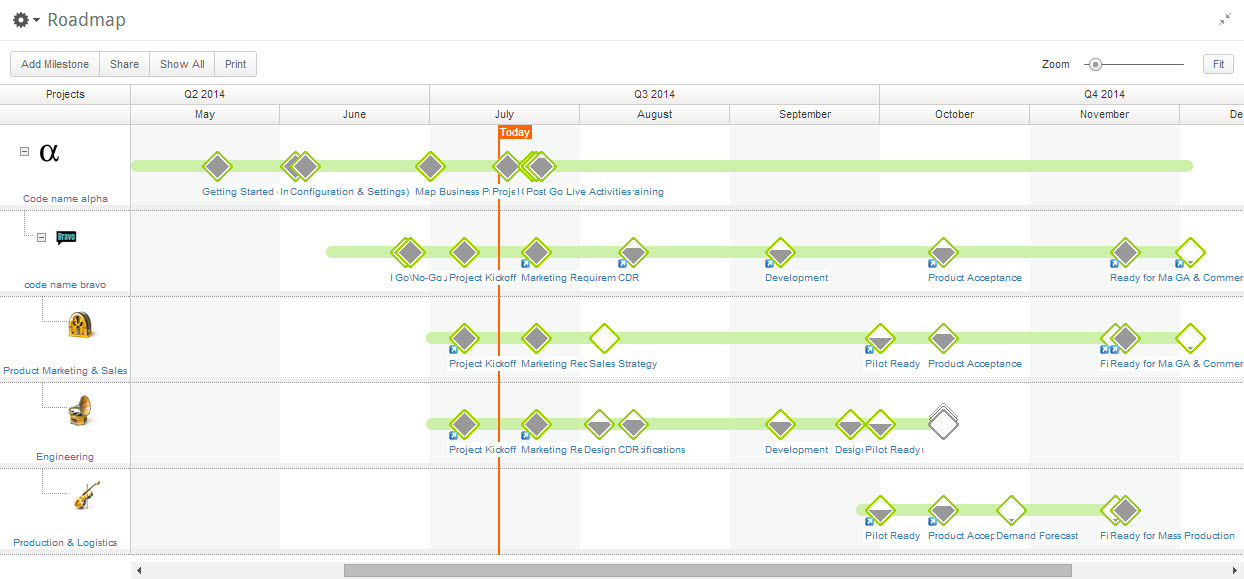
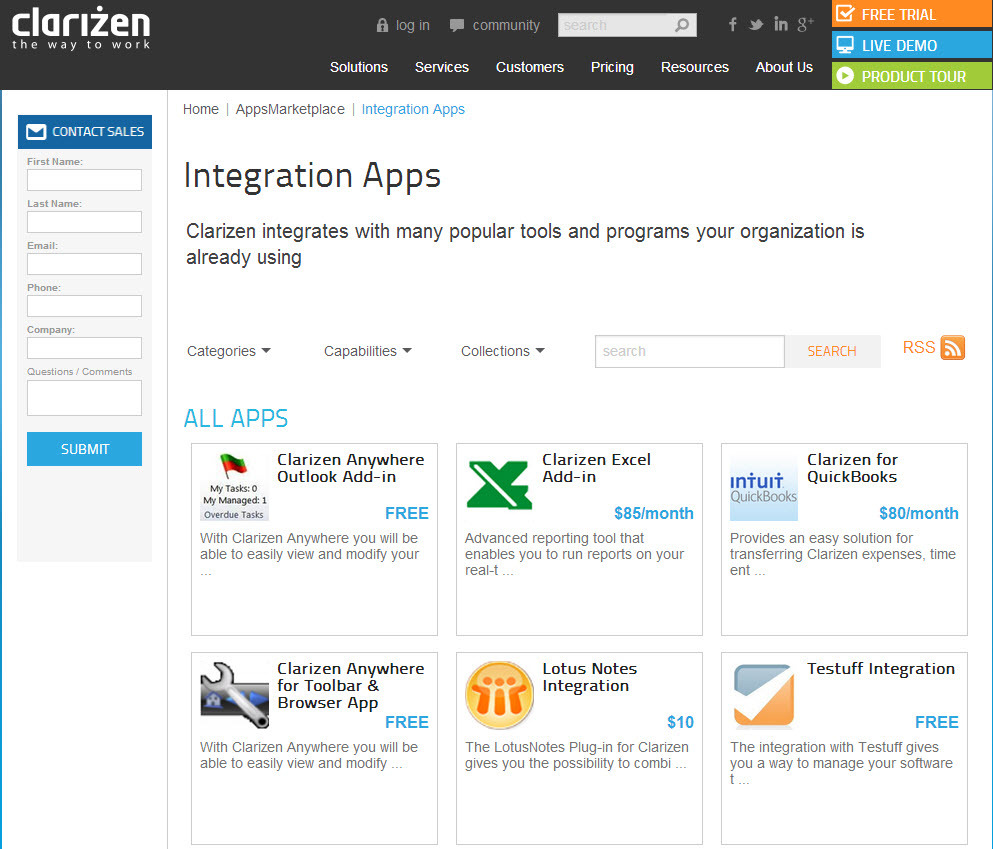
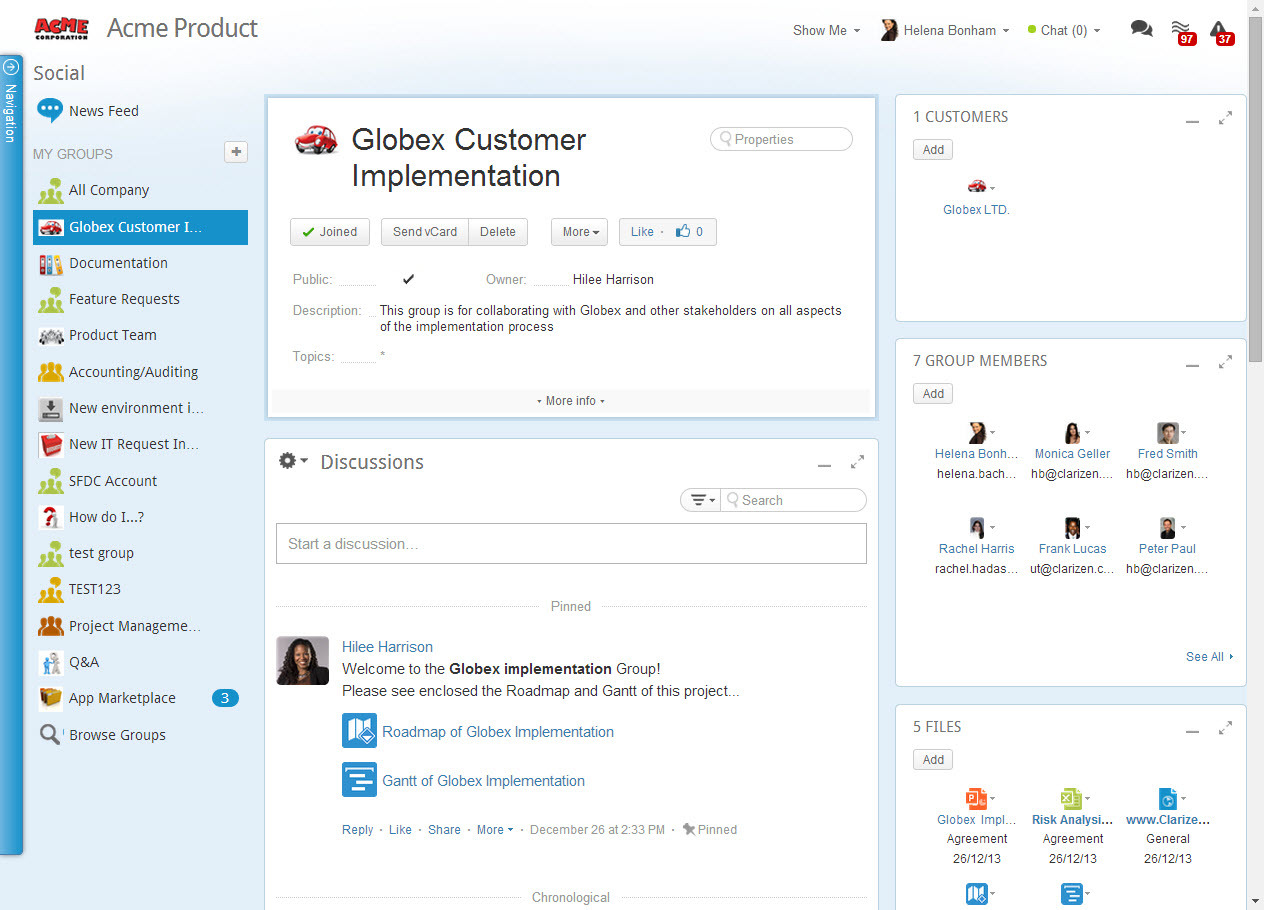
Screenshot of AdaptiveWork's Portfolio ManagementScreenshot of Integration Through an Array of AppsScreenshot of Real-Time Project ManagementScreenshot of Social Collaboration - From Ideation to Project Delivery

WorkOtter PPM Screenshots

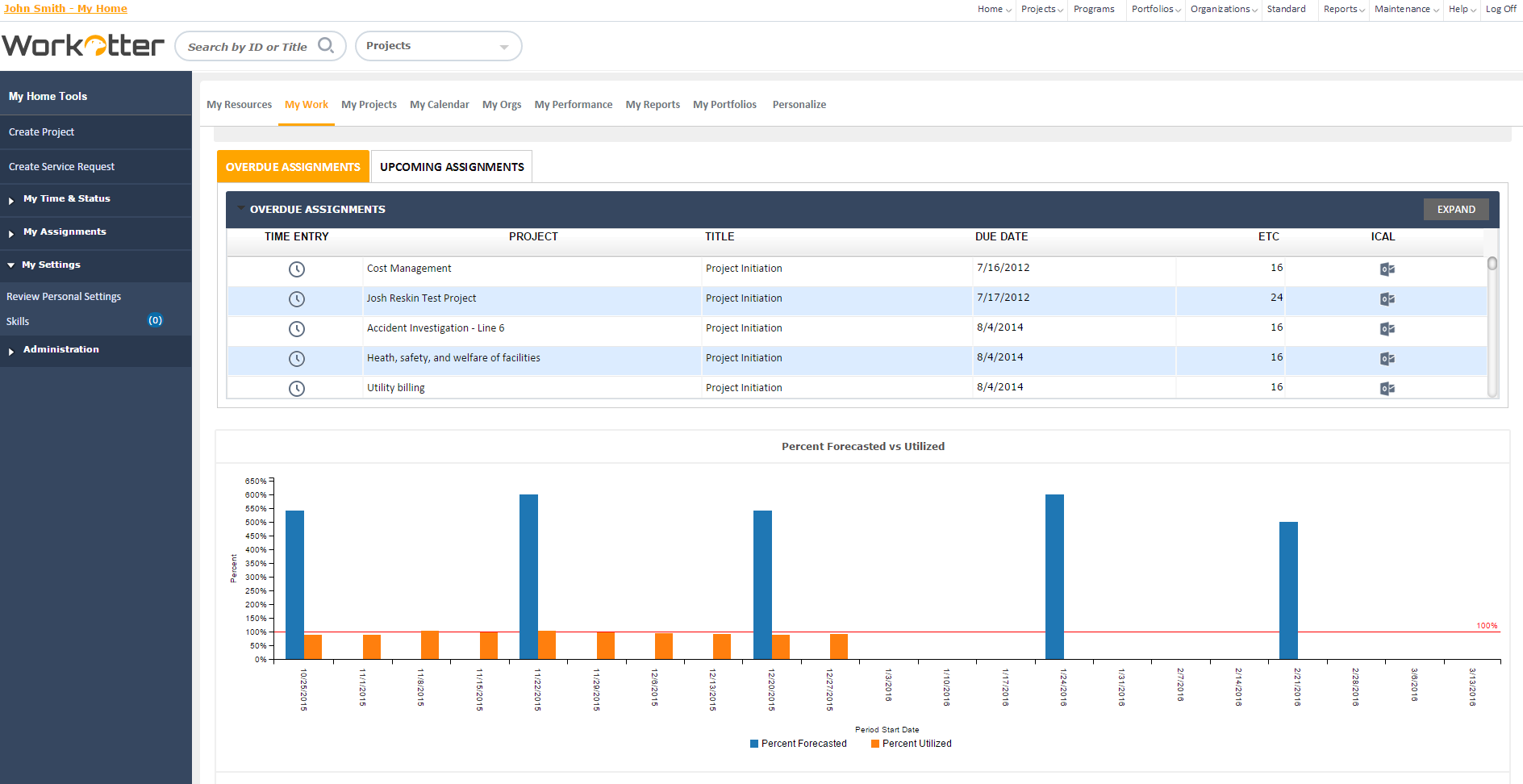
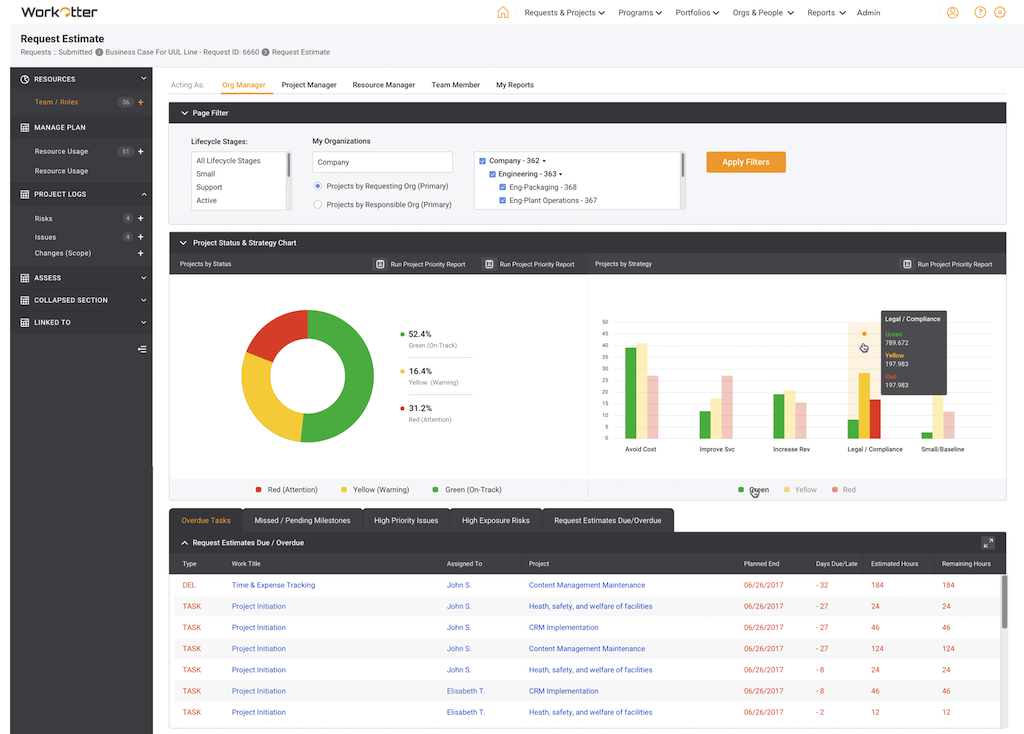
Screenshot of Dashboard viewScreenshot of WorkOtter MyWork viewScreenshot of Dashboard OverviewScreenshot of Resource Usage for People, Tasks, Time, BudgetScreenshot of Over/Under resource allocation viewScreenshot of Project Management Workflow - Customizable