Workday Human Capital Management is a cloud-native system offering a globally
consistent user experience. Workday HCM is part of an intelligent, unified system with other
Workday products.
N/A
Workmate
Score 8.0 out of 10
Enterprise companies (1,001+ employees)
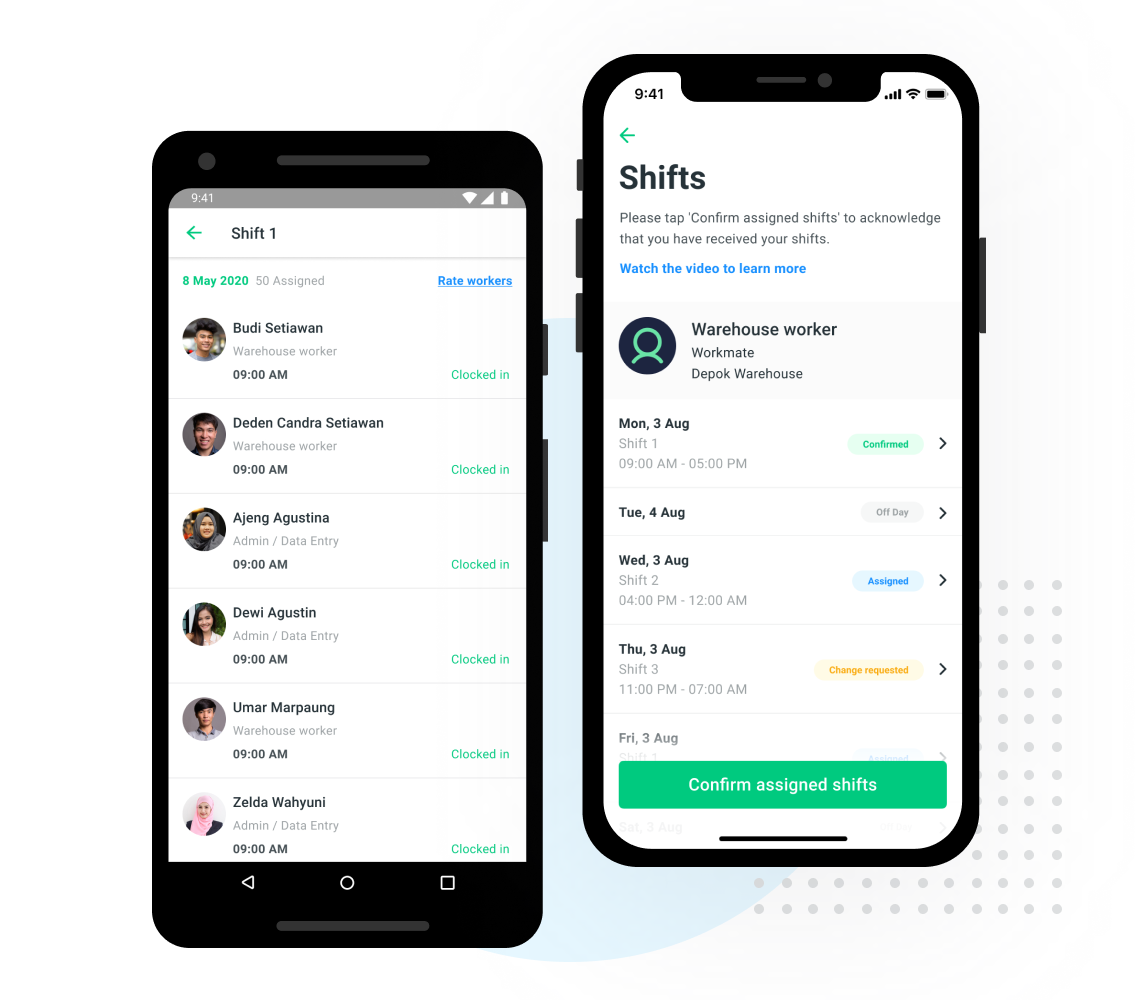
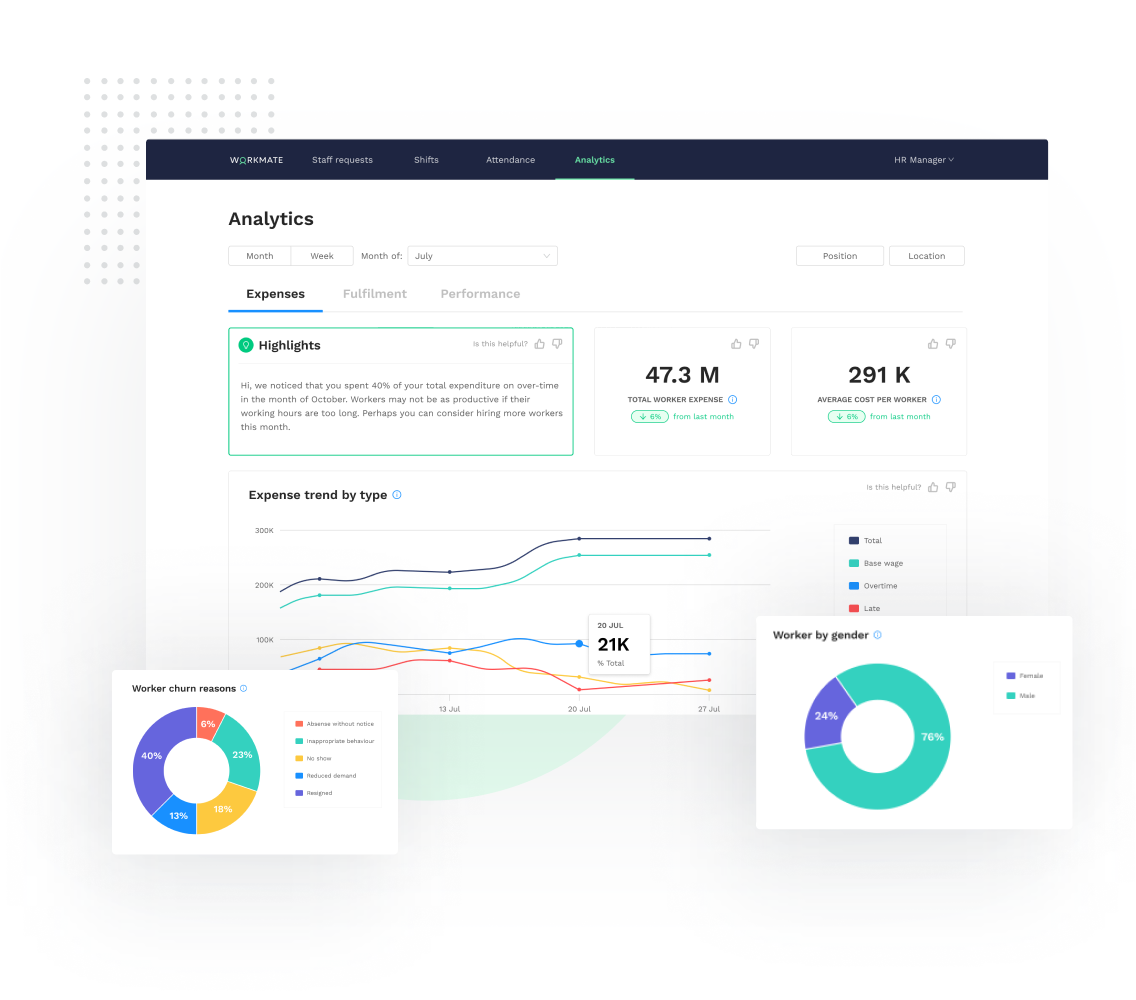
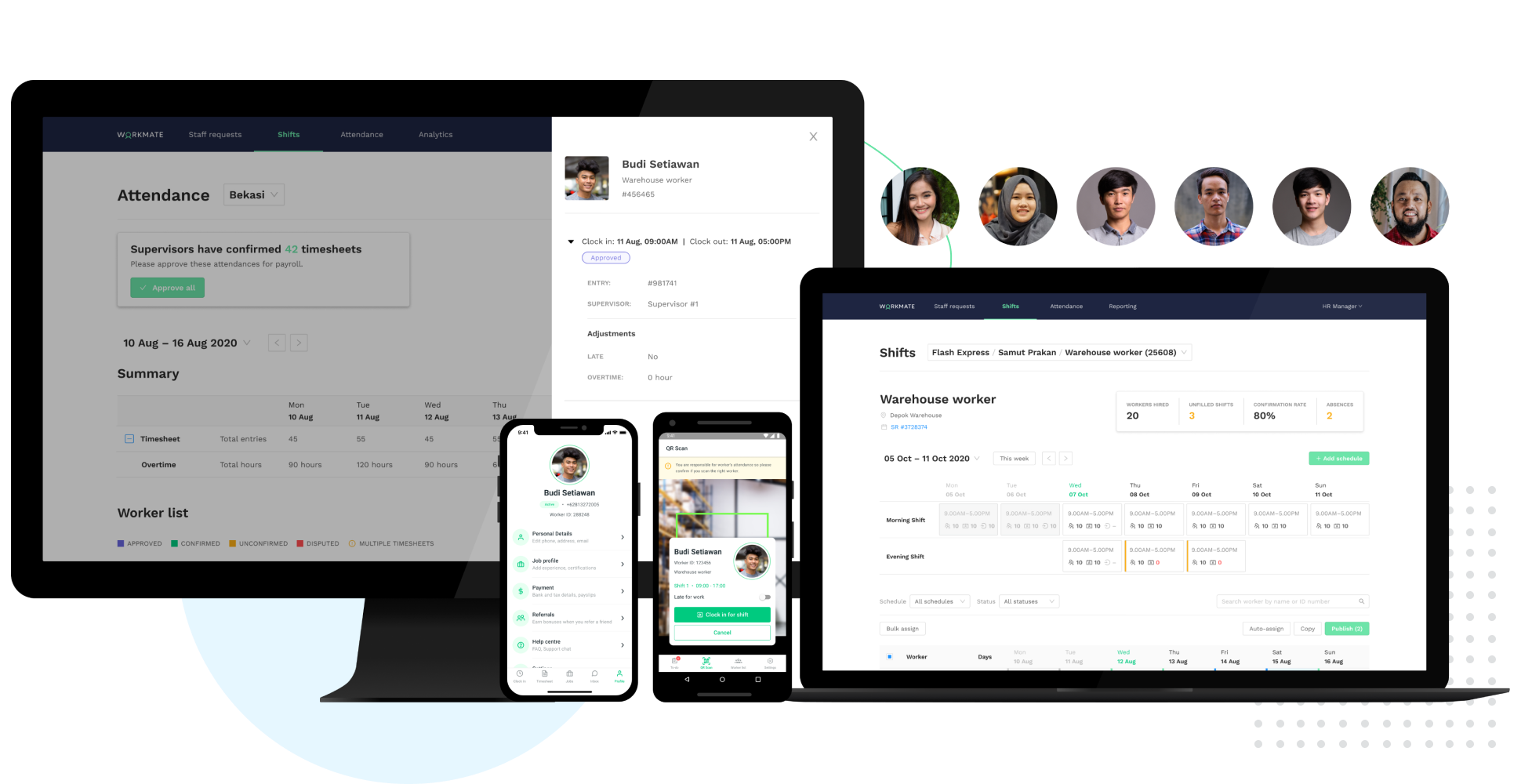
Workmate provides businesses an automated workforce management solution, with an integrated network of blue-collar workers on a data-driven hiring platform. Workmate aims to provide businesses with visibility into their entire workforce through automating hiring, onboarding, scheduling, attendance, and performance reporting processes in one seamless system, while leveraging a qualified network of 50,000+ pre-vetted workers to support recruitment needs. Using real-time performance data, Workmate…
N/A
Pricing
Workday Human Capital Management
Workmate
Editions & Modules
No answers on this topic
No answers on this topic
Offerings
Pricing Offerings
Workday HCM
Workmate
Free Trial
No
No
Free/Freemium Version
No
No
Premium Consulting/Integration Services
No
No
Entry-level Setup Fee
No setup fee
No setup fee
Additional Details
—
—
More Pricing Information
Community Pulse
Workday Human Capital Management
Workmate
Features
Workday Human Capital Management
Workmate
Human Resource Management
Comparison of Human Resource Management features of Product A and Product B
Workday Human Capital Management
8.6
Ratings
9% above category average
Workmate
-
Ratings
Employee demographic data
8.40 Ratings
00 Ratings
Employment history
8.80 Ratings
00 Ratings
Job profiles and administration
8.60 Ratings
00 Ratings
Workflow for transfers, promotions, pay raises, etc.
9.20 Ratings
00 Ratings
Organizational charting
9.30 Ratings
00 Ratings
Organization and location management
9.00 Ratings
00 Ratings
Compliance data (COBRA, OSHA, etc.)
6.70 Ratings
00 Ratings
Payroll Management
Comparison of Payroll Management features of Product A and Product B
Workday Human Capital Management
9.0
Ratings
12% above category average
Workmate
-
Ratings
Pay calculation
8.50 Ratings
00 Ratings
Support for external payroll vendors
8.80 Ratings
00 Ratings
Off-cycle/On-Demand payment
9.80 Ratings
00 Ratings
Benefit plan administration
8.50 Ratings
00 Ratings
Direct deposit files
8.80 Ratings
00 Ratings
Salary revision and increment management
9.20 Ratings
00 Ratings
Reimbursement management
9.20 Ratings
00 Ratings
Leave and Attendance Management
Comparison of Leave and Attendance Management features of Product A and Product B
Workday Human Capital Management
8.6
Ratings
7% above category average
Workmate
-
Ratings
Approval workflow
8.50 Ratings
00 Ratings
Balance details
8.40 Ratings
00 Ratings
Annual carry-forward and encashment
8.90 Ratings
00 Ratings
Employee Self Service
Comparison of Employee Self Service features of Product A and Product B
Workday Human Capital Management
8.4
Ratings
4% above category average
Workmate
-
Ratings
View and generate pay and benefit information
8.90 Ratings
00 Ratings
Update personal information
8.70 Ratings
00 Ratings
View company policy documentation
7.60 Ratings
00 Ratings
Employee recognition
8.10 Ratings
00 Ratings
View job history
8.80 Ratings
00 Ratings
Asset Management
Comparison of Asset Management features of Product A and Product B
Workday Human Capital Management
8.4
Ratings
4% above category average
Workmate
-
Ratings
Tracking of all physical assets
8.40 Ratings
00 Ratings
HR Reporting
Comparison of HR Reporting features of Product A and Product B
Workday Human Capital Management
8.5
Ratings
13% above category average
Workmate
-
Ratings
Report builder
8.90 Ratings
00 Ratings
Pre-built reports
8.60 Ratings
00 Ratings
Ability to combine HR data with external data
7.90 Ratings
00 Ratings
Onboarding
Comparison of Onboarding features of Product A and Product B
Workday Human Capital Management
8.6
Ratings
9% above category average
Workmate
-
Ratings
New hire portal
8.40 Ratings
00 Ratings
Manager tracking tools
8.80 Ratings
00 Ratings
Performance and Goals
Comparison of Performance and Goals features of Product A and Product B
Workday Human Capital Management
8.5
Ratings
7% above category average
Workmate
-
Ratings
Corporate goal setting
8.70 Ratings
00 Ratings
Individual goal setting
8.70 Ratings
00 Ratings
Line-of sight-visibility
7.90 Ratings
00 Ratings
Performance tracking
8.60 Ratings
00 Ratings
Performance Management
Comparison of Performance Management features of Product A and Product B
Workday Human Capital Management
8.9
Ratings
13% above category average
Workmate
-
Ratings
Performance plans
9.00 Ratings
00 Ratings
Performance improvement plans
8.90 Ratings
00 Ratings
Review status tracking
8.70 Ratings
00 Ratings
Review reminders
9.00 Ratings
00 Ratings
Multiple review frequency
8.90 Ratings
00 Ratings
Succession Planning
Comparison of Succession Planning features of Product A and Product B
Workday Human Capital Management
7.9
Ratings
1% above category average
Workmate
-
Ratings
Create succession plans/pools
9.30 Ratings
00 Ratings
Candidate ranking
7.70 Ratings
00 Ratings
Candidate search
7.90 Ratings
00 Ratings
Candidate development
6.80 Ratings
00 Ratings
Recruiting / ATS
Comparison of Recruiting / ATS features of Product A and Product B
I would say it's well suited in every environment because I think it does so much. It's like the holy grail of HRIS systems is what I like to call it because thinking about all parts of the employee lifecycle, it lives here in Workday Human Capital Management. So I love the fact that you can do the people data analytics, you can store employee records, the talent acquisition pieces there. I'm thinking I can't think of anything negative right now except for the fact that I can't drill down into the data for the people analytics side. Other than that, I think it's literally, yeah, the holy grail of HRIS systems, I love it and I would highly recommend it.
Workmate has helped us a lot in the failures we had in the payroll, which was one of the biggest problems we had in the department and of which there had already been complaints from employees. But since we have this software in the office, employees are already satisfied with their payments and we in the department are happy to use it.
Since it is cloud based, it does not have version control issues (e.g. get 10 years behind on versions that are no longer supported), or the need for constant upgrades. This is completed behind the scenes.
The flexibility of Workday HCM implementation and then taking it to day to day operations was superior. You can then blow and out and start using other system cababilities when ready.
To enter the system, we must use multi-factor authentication for additional security of employee data. A user downloads their reports and then they are shown in their archive of work transactions and history.
It is work to make one system the source of truth for our data, but now that it is done, there is less work involved in staying on this path. This means for us that maintaining and/or implementing new modules like performance, finance, talent, etc. is simple. It's a no-brainer
Overall this is a highly useable product. It does require continual use to stay current on changes in the User Interface and functionality, but as noted earlier, this is a reasonable trade-off for the rapid rate of improvement. It is very user friendly and the templated business processes prevents the system from becoming overly complicated
In 2014, Workday has changed the update process. There will be two updates a year; the updates will be delivered to customers typically in a 24 hour window during these two weekends a year. They also keep the Community up-to-date about any planned outages, etc. There is weekly scheduled downtime on Friday night.
From my perspective, the system runs like a well oiled machine and I have not had any issues with customers complaining about speed. If a report is taking long to run, the report can run in the background and you can go about your business. For larger enterprises, there is additional space and machines to process the application in what Workday refers to it as Extended Configuration Tenant
Support is provided by OneSource, the reseller. They really have no expertise and their level of technical expertise is poor. When we went to our training, the room was filled with OneSource people going through the same training. We finished training in 1 day, they took 4 days. They are hardly experts. Workday has come out with two more releases since then and Onesource have doubled in size in the last year – so it’s hard to see how they can keep up.
There is an online community/portal that is pretty good. There is however no easy answer to “guided completion”
Some training is offered online. Cost is per-person. This also gets quite expensive. Training doesn’t follow a logical path A to B. Starts in middle. When you try to do it afterwards at your desk, difficult. • Training scenarios are not very real
I have done for report writing and mass imports (EIBs). They give materials and you run through examples, i.e. you don’t just watch them do tasks, so that is helpful. Training is expensive – a single reporting writing class is $600 per person for virtual training
The training came from one of our associates it was not directly from a Workmate employee, however, it was good enough to let us understand it, and the person who gave us the training was open to ask questions even after the training ended, however as it was really easy to use, we only contacted him for small details.
We had a small team - 5 of us total. It would have been nice to have a little larger team, but we made it work. Definitely helped that for our first payroll our 3rd party partner OSV was onsight. This minimized issues.
The workday human capital management stacks up against ADP due to the overall different features that we have got in a single platform. With Workday HCM, we do not have to select multiple vendors or tools to manage employees, salary details, career progress, etc. Also, the workday human capital management is very easy to use in all the different use cases that I mentioned above.
It was not my decision to use it, it was the software available for that current campaign in the company, being honest while both of them are excellent to work with, the design in OnShift is more user friendly, most of my colleagues were in agreement with that, as for Workmate, it was really helpful but some times we were confused by the user interface, it wasn't very negative but it really gets on your nerves.
Workday has released Financials and is continuing to develop it's Human Capital Management footprint with the addition of Workday Recruiting. I think customers will find that is easy to add on additional functionality in the system. Workday does make it easy for customers to make changes without relying on IT resources. The Business Process framework is a visual tool that allows functional resources to make changes and see the flow of the transaction
To get the most value out of all possible automation in Workday you really need to use a lot of their modules, otherwise you may not be able to solve for some pretty important and necessary needs.
The system maintenance is way more than what I have seen with some other systems and therefore you need a quite large team dedicated to it.
The ability to automate a lot of administrative tasks and the ability for employee and manager self-service definitely create a lot of opportunity for HR to spent time and effort elsewhere. A lot of the automation that can be leveraged in Workday also allows for eliminating third party vendors as well as the cost of their maintenance and integrations.