Wingback vs. Zoho Billing

Overview
ProductRatingMost Used ByProduct SummaryStarting Price
Wingback
Score 0.0 out of 10
N/A
Wingback provides tools and APIs for SaaS pricing and packaging. Wingback provides an infrastructure that allows SaaS startups to deploy any set of features of their product with any pricing model.
$99
per month
Zoho Billing
Score 8.6 out of 10
N/A
Zoho Billing (formerly Zoho Subscriptions) is a one stop recurring billing and subscription management solution. Zoho Billing automates the entire recurring billing process and takes users to the market in few minutes. This solution enables users to: Create subscription billing pricing plans, add coupons and add-ons to suit their business needs. Run in-depth subscription metrics and assess the health of their business in no time. Zoho Subscriptions is…
$20
per month per organization
Pricing
WingbackZoho Billing
Editions & Modules
Early
$99
per month
Growth
$399
per month
Standard
$20
per month per organization
Professional
$50
per month per organization
Premium
$100
per month per organization
Elite
$300
per month per organization
Offerings
Pricing Offerings
WingbackZoho Billing
Free Trial
NoYes
Free/Freemium Version
NoNo
Premium Consulting/Integration Services
NoNo
Entry-level Setup FeeOptional$49 per month
Additional DetailsCustom Enterprise Plans available25% discount available for annual plans and pricing.
More Pricing Information
Community Pulse
WingbackZoho Billing
User Ratings
WingbackZoho Billing
Likelihood to Recommend
-
(0 ratings)
9.0
(0 ratings)
User Testimonials
WingbackZoho Billing
Likelihood to Recommend
No answers on this topic
We moved from Quickbooks and integrated Zoho Subscriptions fairly easily. I believe this software is well suited for companies who find a need to manage many recurring or service add-on subscriptions. The payment portal is super easy to use and it is very easy to train others to use it fully.
Read full review
Pros
No answers on this topic
  • Simple interface to use and set up.
  • Billing reminder emails prior to and upon billing.
  • Notifications to billing team members and customers.
  • Automated recurring billing.
  • Simple reports.
  • Easy to manage customer database, credit card info, etc.
Read full review
Cons
No answers on this topic
  • You need other Zoho tools like CRM and Books or Inventory.
  • When changing an email in Subscriptions it changes it in the Zoho CRM.
  • No notification of a failed payment.
Read full review
Alternatives Considered
No answers on this topic
Zoho [Subscriptions] is a lot easier to set up recurring payments and notifications than [Stripe] or [PayPal] alone. They offer notification reminders that will help manage clients, versus setting up an API [..] communication system [to] your own with the others. Clients have an easier time changing credit cards around in Zoho [Subscriptions,] whereas in Stripe and Paypal, you have a lot more manual work.
Thryv is [an] all in one [package] for both one time and recurring payments, which I prefer over Zoho [Subscriptions], without having to create new client files in each system; [Thryv] [...] also has notification options which is a time saver. Thryv can also send test email review requests after a trigger or an [invoice] has been paid, whereas you would have to create an API integration with another service to do so in Zoho [Subscriptions]. Overall, Zoho [Subscriptions] is a great system, for most of my personal clients logging into different systems for different needs. [In] addition to subscriptions, [this] is the downfall, but it [is] still a great option for many businesses.
Read full review
Return on Investment
No answers on this topic
  • We no longer worry about missing payments or tracking the rental program.
Read full review
ScreenShots

Wingback Screenshots

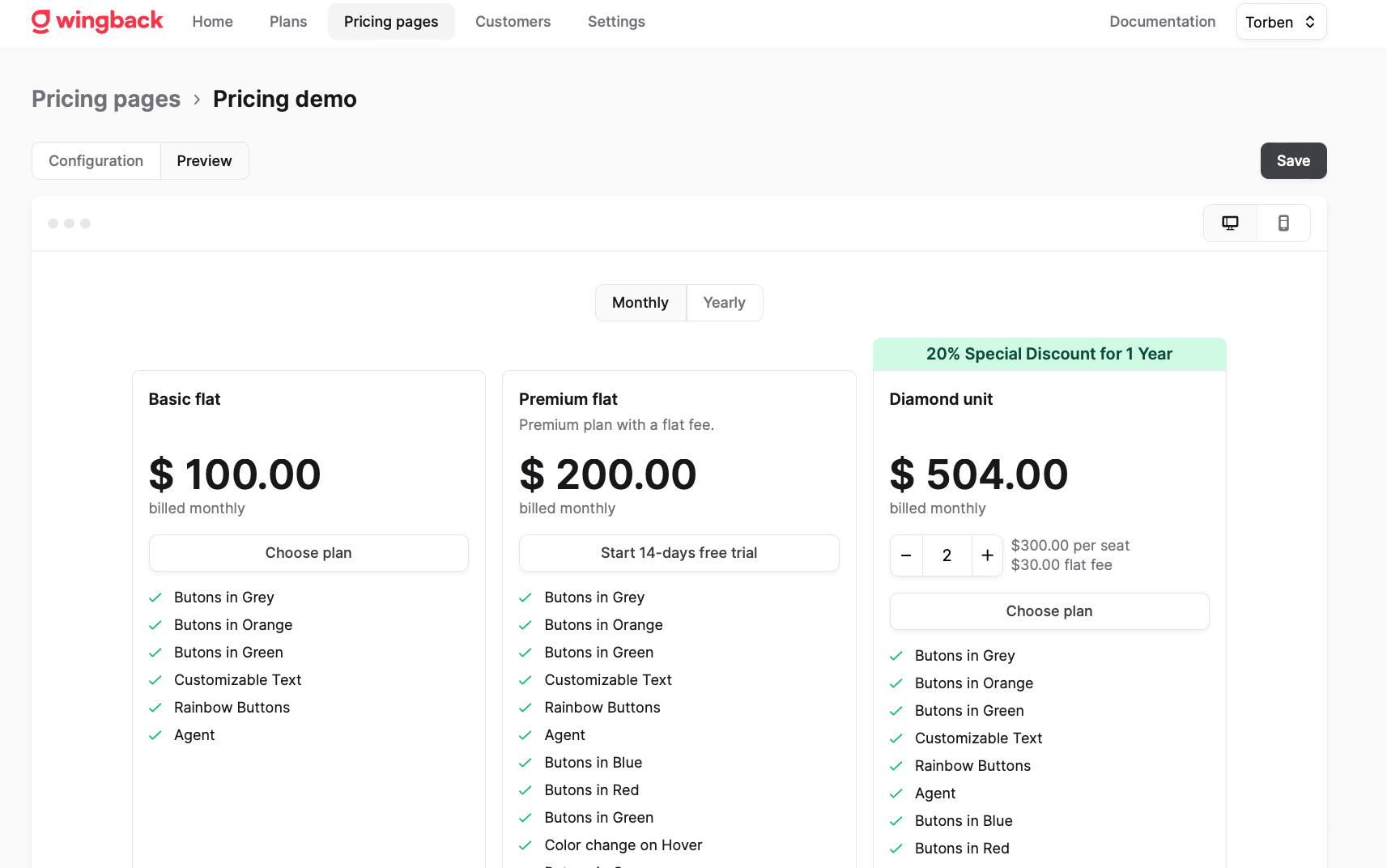
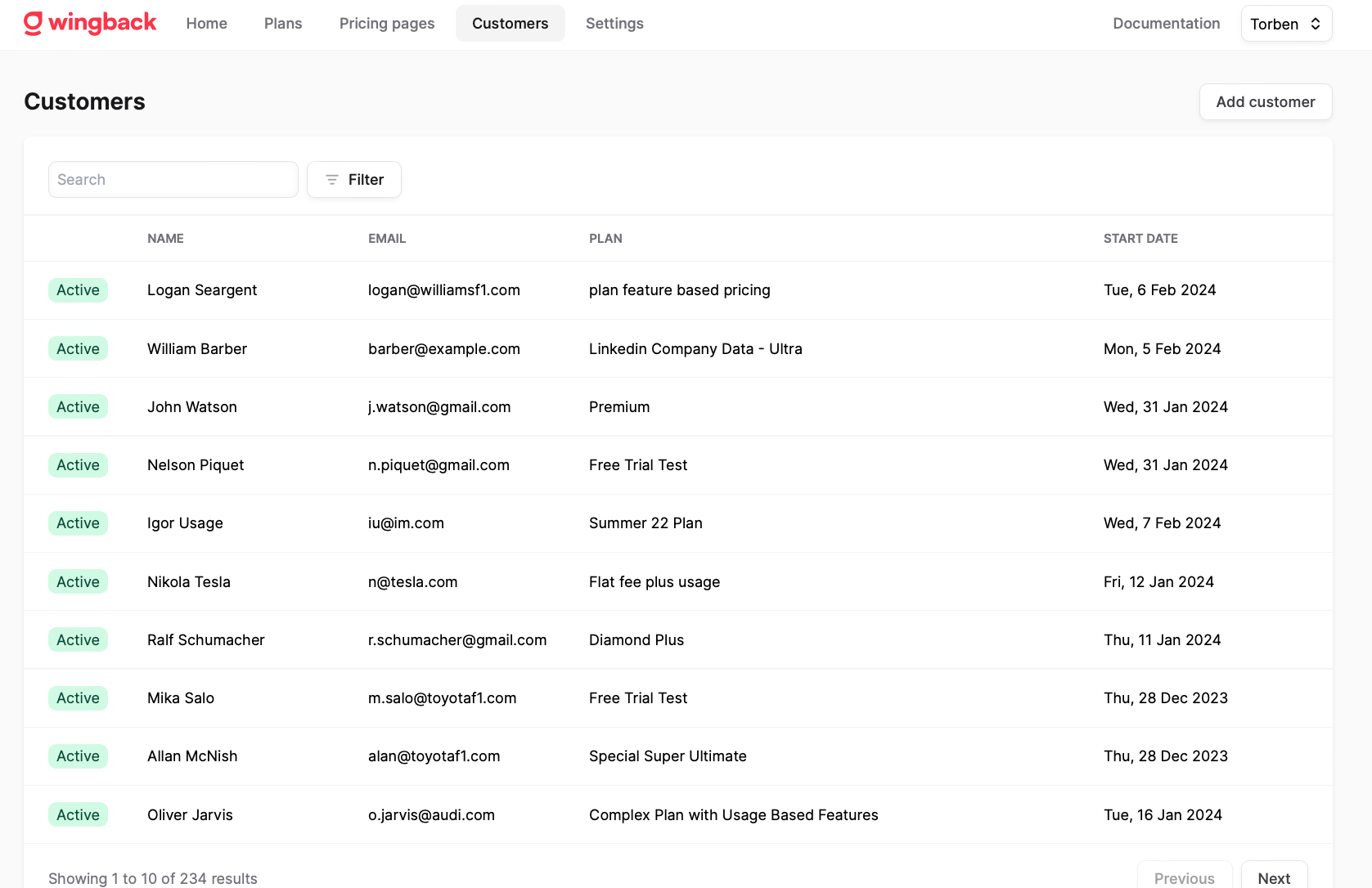
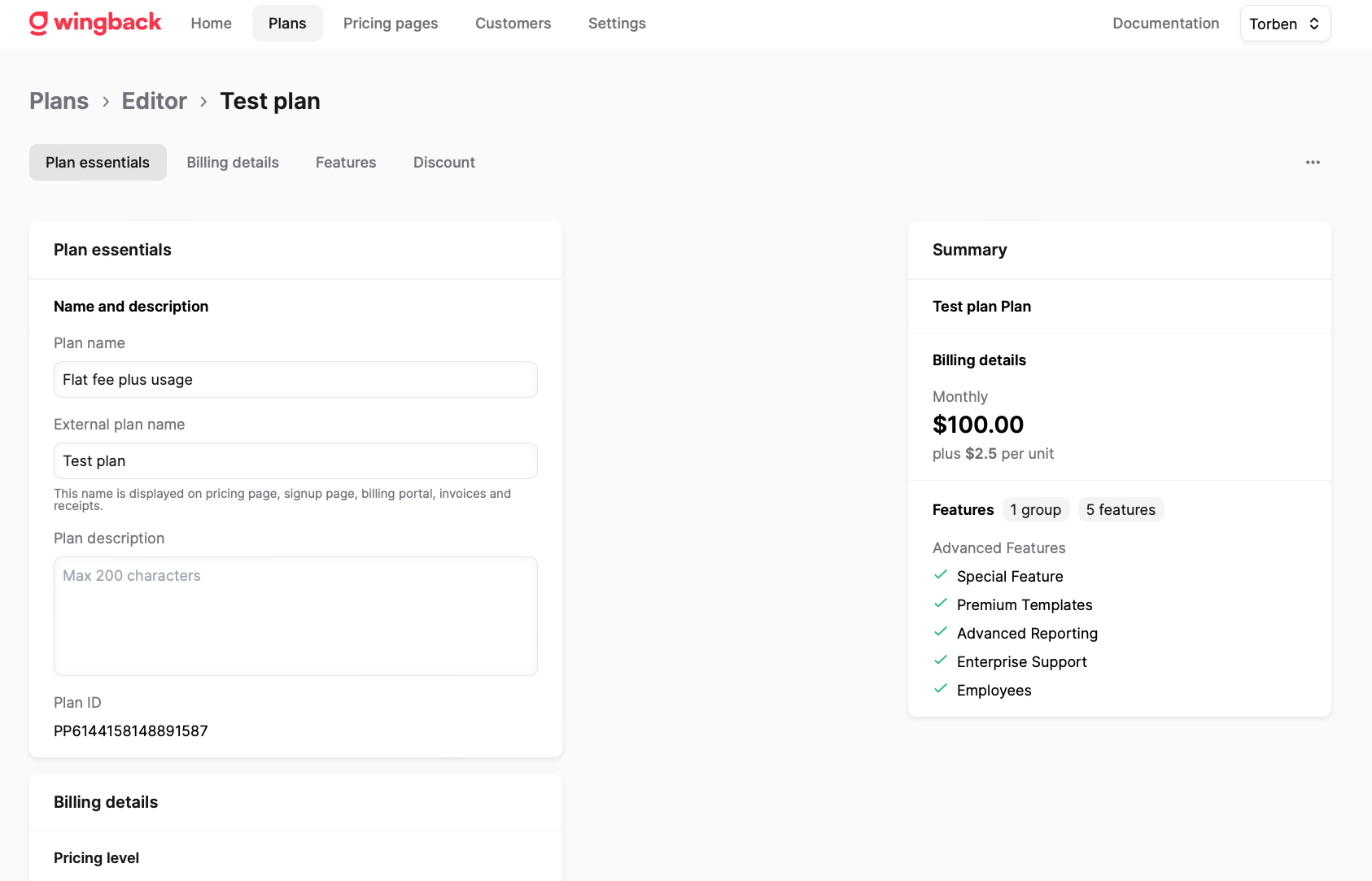
Screenshot of Pricing Page EditorScreenshot of Customer Management PortalScreenshot of Pricing Plan Editor

Zoho Billing Screenshots

Screenshot of Screenshot of Screenshot of Screenshot of Screenshot of Screenshot of