Norwegian company appear.in offers their flagship video conferencing platform to small teams, both in a free edition hosting up to 4 guests simultaneously in a session or a paid edition that supports up to 12 simultaneous meeting guests, among other features.
$0
per user
Zoho Meeting
Score9.2 out of 10
N/A
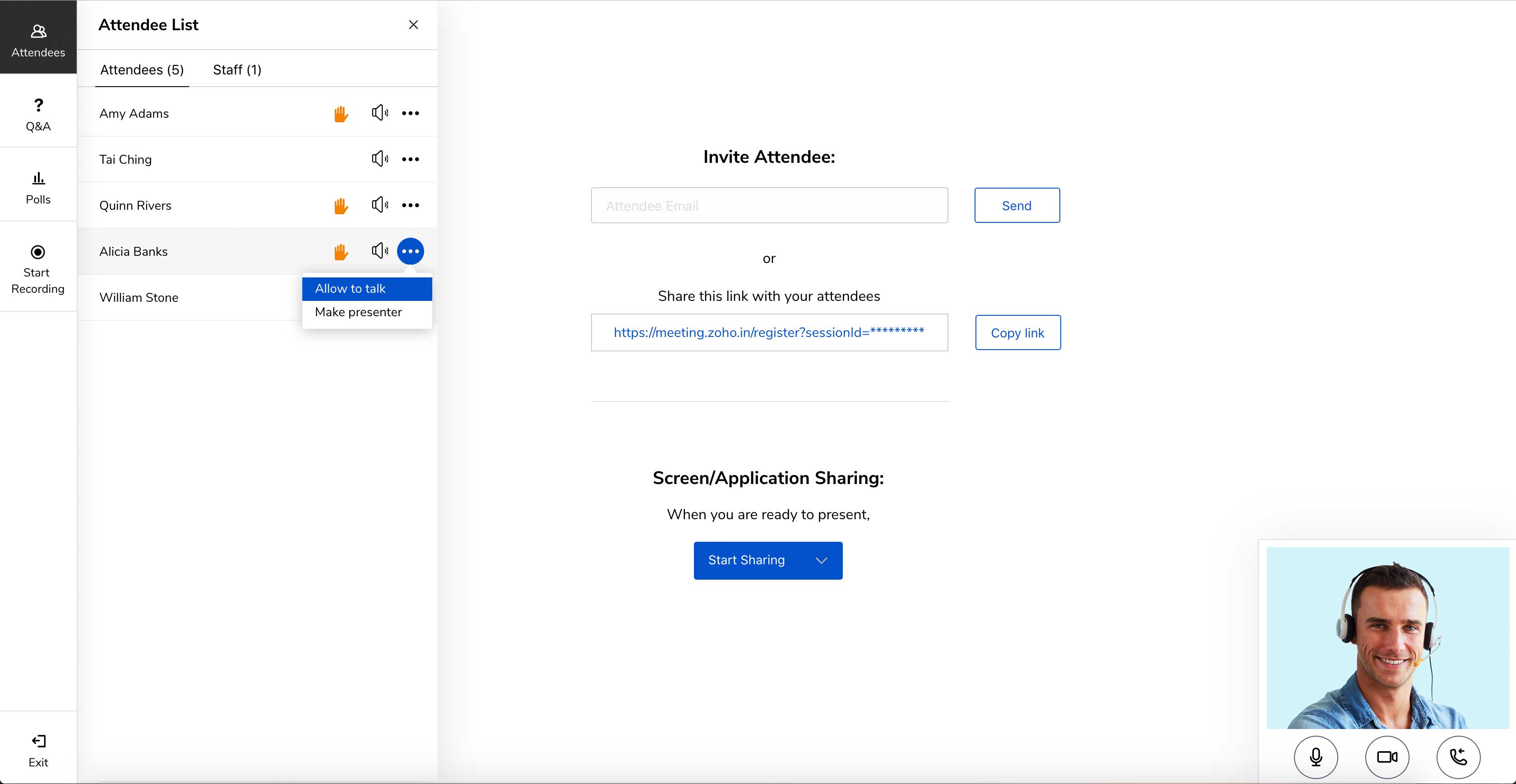
Zoho Meeting is a web-based online meeting solution.
$3
per month
Pricing
Whereby
Zoho Meeting
Editions & Modules
Free
$0
per user
Pro
$9.99
per user
Business
$59.99 and up
per user/room
MEETING - 10
$3
per month
MEETING - 50
$9
per month
MEETING-100
$12
per month
MEETING - 250
$18
per month
Webinar -25
$19
per month
Webinar - 50
$29
per month
Webinar - 100
$39
per month
Webinar - 250
$79
per month
Webinar - 500
$125
per month
Webinar - 1000
$200
per month
Offerings
Pricing Offerings
Whereby
Zoho Meeting
Free Trial
Yes
Yes
Free/Freemium Version
Yes
Yes
Premium Consulting/Integration Services
No
No
Entry-level Setup Fee
No setup fee
No setup fee
Additional Details
—
You can also get the toll-free add-on at $20/month and additional storage space for 200 sessions recording at $20/month for your organization.
If you cannot use another more common solution on the market or are looking for an alternative to the known solutions, it is a great alternative. If you have other tools already, and just want to test [them], that's fine, but I think the better-known ones have a better chance of using, knowing, and the learning curve will be shorter.
A de minimis incentive was given to thank the reviewer for their time. The incentive was not used to bias or drive a particular response, nor was the incentive contingent on a positive endorsement. More Info
Anyone who needs assistance with a work-related issue can take advantage of this service. Because of this, the entire company benefits from increased effectiveness, openness, and output in all areas. Sharing a computer's screen has been an enormous help. Stability issues increase when a major meeting occurs. Make sure you buy the paid version because you won't find a good free version.
A de minimis incentive was given to thank the reviewer for their time. The incentive was not used to bias or drive a particular response, nor was the incentive contingent on a positive endorsement. More Info
Embed meeting link feature- The feature is unique to Zoho Meeting and helps attach meeting link to website, thus anyone accessing [the] website can join the meeting with just one click of a button.
Surveys and questions are prepared pretty seamlessly in Zoho Meeting as compared to other video conferencing applications.
As mentioned earlier, webinar analytics i.e. the way all the questions and surveys data is presented in .csv file is very easy to understand and helps the team lead a lot in understanding and getting to know the team better.
A de minimis incentive was given to thank the reviewer for their time. The incentive was not used to bias or drive a particular response, nor was the incentive contingent on a positive endorsement. More Info
The paid version may have dial-in. But I have always used the free version. Dial-in is typically required for an "official" multi-purpose teleconference platform.
I did have some trouble with larger groups (5+) when it was Appear.in but almost always use it for small 1-on-1 or 3 person meetings.
A de minimis incentive was given to thank the reviewer for their time. The incentive was not used to bias or drive a particular response, nor was the incentive contingent on a positive endorsement. More Info
A de minimis incentive was given to thank the reviewer for their time. The incentive was not used to bias or drive a particular response, nor was the incentive contingent on a positive endorsement. More Info
We are using a larger tool suite that already includes video conferencing instead of our older approach of using different apps from different vendors. appear.in has a simple but great set of features but its pricing scheme is not as scalable as we really need in a 500+ employee company.
A de minimis incentive was given to thank the reviewer for their time. The incentive was not used to bias or drive a particular response, nor was the incentive contingent on a positive endorsement. More Info
A de minimis incentive was given to thank the reviewer for their time. The incentive was not used to bias or drive a particular response, nor was the incentive contingent on a positive endorsement. More Info
Zoho Meeting is very easy to use and very effective collaborating tool. If I say about the usability, this application is highly usable because oaf it's cost effective nature, user friendly interface, empathetic customer services and amazing application features. Most importantly, it ensures data security for the company. Overall, the usability of the application is trustworthy.
A de minimis incentive was given to thank the reviewer for their time. The incentive was not used to bias or drive a particular response, nor was the incentive contingent on a positive endorsement. More Info
Never had to contact support, so we cannot give a rating for their overall support. When we noticed the audio was not always great quality, we simply educated our users to mute the mic and use the in-room conference phone which is connected via a dedicated VOIP link and had much better voice quality. The video performance varied by locations network speed and found it got much worse when the room size increased to over 4 connections.
A de minimis incentive was given to thank the reviewer for their time. The incentive was not used to bias or drive a particular response, nor was the incentive contingent on a positive endorsement. More Info
Zoho Meeting's support team was always good their response time. Many of their customers come to them with a complete lack of knowledge and I think they're well aware of that. they were friendly and knowledgeable so it was always a good experience contacting them. but I think it's better if they can open a hotline for their paying customers
A de minimis incentive was given to thank the reviewer for their time. The incentive was not used to bias or drive a particular response, nor was the incentive contingent on a positive endorsement. More Info
A de minimis incentive was given to thank the reviewer for their time. The incentive was not used to bias or drive a particular response, nor was the incentive contingent on a positive endorsement. More Info
I find Zoom more complicated to use and harder to use because a lot of people do not like having to download things to their computers or devices and Whereby is so easy to get connected with . I like that Zoom offers larger rooms, but at this point the cost is not worth the extra expense.
A de minimis incentive was given to thank the reviewer for their time. The incentive was not used to bias or drive a particular response, nor was the incentive contingent on a positive endorsement. More Info
Zoho Meeting is very affordable and it suits better for the small business like ours. In addition to these, it offers the same features Microsoft Teams does. It has better adaptability compared to teams both in desktop and mobile applications. Moreover, it ensures data security as they do not rely on 3rd party
A de minimis incentive was given to thank the reviewer for their time. The incentive was not used to bias or drive a particular response, nor was the incentive contingent on a positive endorsement. More Info
A de minimis incentive was given to thank the reviewer for their time. The incentive was not used to bias or drive a particular response, nor was the incentive contingent on a positive endorsement. More Info