LastPass is a password management application to simplify access to enterprise applications for users but also increase centrality and ease of management of access for administrators with task automation, convenient and secure password sharing, and other features.
$36
per year 1 user
WatchGuard AuthPoint
Score9.1 out of 10
N/A
AuthPoint Total Identity Security provides businesses with a solution to protect user accounts and credentials. With
multi-factor authentication and dark web credential
monitoring, AuthPoint mitigates the risks associated with workforce credential
attacks. AuthPoint adds an extra layer of security by monitoring for
potential credential exposure in the dark web for both personal and corporate
accounts.
IT Security Engineer and CTO in Information Technology at eSecurity Solutions (Information Technology & Services, 11-50 employees)
Chose WatchGuard AuthPoint
WatchGuard AuthPoint is less expensive than most competitors, easier to manage through WatchGuard Cloud, and the MFA solutions is rock solid and secure. We do not worry about vulnerabilities with WatchGuard AuthPoint.
A de minimis incentive was given to thank the reviewer for their time. The incentive was not used to bias or drive a particular response, nor was the incentive contingent on a positive endorsement. TR verified that a representative sample of customers was invited. More Info
Verified User
Chose WatchGuard AuthPoint
Watchguard Authpoint provides central management for us and all of our customers.
A de minimis incentive was given to thank the reviewer for their time. The incentive was not used to bias or drive a particular response, nor was the incentive contingent on a positive endorsement. More Info
Senior Network Engineer in Information Technology at Pioneer-360 (Information Technology & Services, 11-50 employees)
Chose WatchGuard AuthPoint
WatchGuard's AuthPoint has been a breeze to implement and manage as compared to other vendor solutions and its third-party integrations put it in on a level beyond comparison.
A de minimis incentive was given to thank the reviewer for their time. The incentive was not used to bias or drive a particular response, nor was the incentive contingent on a positive endorsement. More Info
Verified User
Chose WatchGuard AuthPoint
AuthPoint offers an enterprise level service in comparison to the consumer products that are available. With centralised management of users and tokens, you have peace of mind thanks to the control, auditing and visibility of the secure of your systems. Consumer products …
A de minimis incentive was given to thank the reviewer for their time. The incentive was not used to bias or drive a particular response, nor was the incentive contingent on a positive endorsement. More Info
Honestly, I cannot think of a scenario where LastPass is less appropriate for business use. LastPass has done nothing but help me complete my day to day work in a much more efficient manner. Due to LastPass I no longer have to try and remember my user IDs and password and I save time by not having to type the data into the user ID and password fields. This is exceptionally helpful for me as I work in IT/Software Support and I am logging in and out of the same websites numerous times a day.
A de minimis incentive was given to thank the reviewer for their time. The incentive was not used to bias or drive a particular response, nor was the incentive contingent on a positive endorsement. More Info
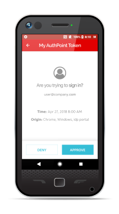
We use multiple authenticators at my company. We use WatchGuard AuthPoint just for our VPN for security purposes. The app works very well and over the past year we've only had a handful of issues with the authentication service, and these were resolved relatively quickly. We do have to remind people to enable push notifications from the app, or have the app open when they need to use it to authenticate, otherwise they won't get the push to approve. The biggest issue I've found is that people will forget to do this and then say that the VPN isn't working - the VPN is working, it's just that they didn't get/approve the push from AuthPoint in time.
A de minimis incentive was given to thank the reviewer for their time. The incentive was not used to bias or drive a particular response, nor was the incentive contingent on a positive endorsement. More Info
A de minimis incentive was given to thank the reviewer for their time. The incentive was not used to bias or drive a particular response, nor was the incentive contingent on a positive endorsement. More Info
Works well with the free Authpoint client and the OpenVPN clinet.
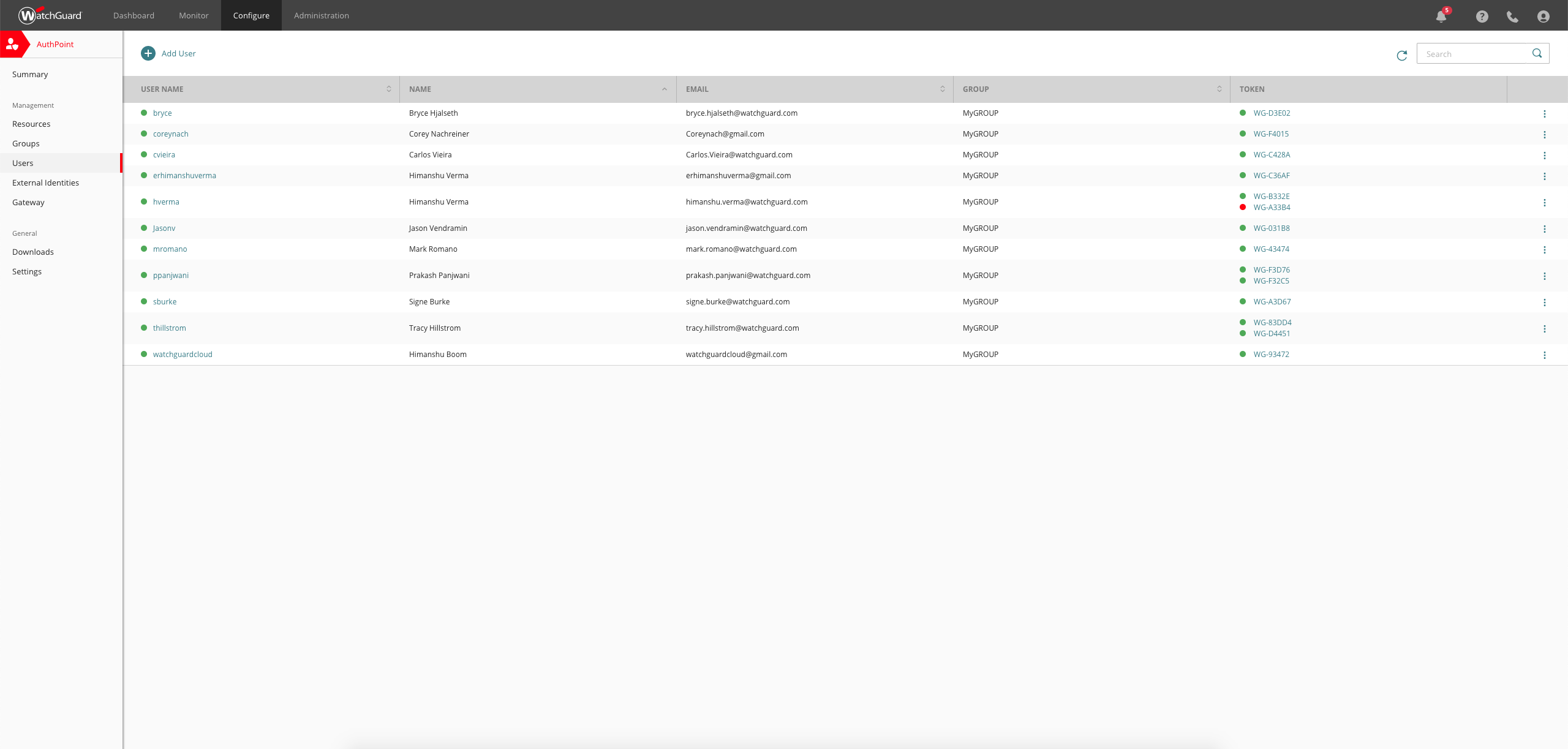
Token management is simple and hosted completely in the cloud to reduce overall complexity
Setup was simple and and staighforward
Suppports several authentication methods we have used both RADIUS and SAML effectively, but ADFS, IDP, RDWeb, and RESTful API, and other custom apps are supported.
Geofencing for RDP has been very useful as it is independant of our firewall geofencing. This is quite useful for organizations like us who do not Geofence at at the firewall level so as to provide global access to resources on the DMZ.
A de minimis incentive was given to thank the reviewer for their time. The incentive was not used to bias or drive a particular response, nor was the incentive contingent on a positive endorsement. More Info
A de minimis incentive was given to thank the reviewer for their time. The incentive was not used to bias or drive a particular response, nor was the incentive contingent on a positive endorsement. More Info
Email support is SLOW unless I want to allow a stranger to access my production firewall. That is never allowed here, so our hands are tied in terms of being able to get support in less than 48 hours.
Again, support takes far too long because you refuse to employ any staff that works in US time zones during normal business hours.
There has to be another option besides: 1) you take full control of my systems or 2) I wait on SLOW email support that isn't that great.
A de minimis incentive was given to thank the reviewer for their time. The incentive was not used to bias or drive a particular response, nor was the incentive contingent on a positive endorsement. More Info
LastPass has been a game changer for me. I keep more than 100 passwords for financial sites for my company and many of those sites will automatically log you out if you've been idle for 10 or 15 minutes. Typing and re-typing credentials is not only extremely inefficient, but it also adds the risk that you could type them incorrectly and have your account locked. LastPass fills in all my credentials automatically and helps me to generate secure passwords for new sites. I will always want this software on my machine because it makes my life so much easier.
A de minimis incentive was given to thank the reviewer for their time. The incentive was not used to bias or drive a particular response, nor was the incentive contingent on a positive endorsement. More Info
Today to ensure our ISO 27001 certification it is important that we maintain this solution. Today it is part of the way any employee within the organization works, we no longer have any other way of working and it is the simplest way to ensure that access to the workstation is done with MFA.
A de minimis incentive was given to thank the reviewer for their time. The incentive was not used to bias or drive a particular response, nor was the incentive contingent on a positive endorsement. More Info
I login to LastPass when I turn on my computer in the morning and I use it throughout the day. I cannot express how much easier, quicker, smoother (running out of adjectives) this is than our old Excel spreadsheet. I don't bookmark pages anymore, I put them in last pass as all I have to do is search for the site name, press launch and because I have auto signin for most of the sites, I'm in and doing my business in seconds. Truly a blessing!
A de minimis incentive was given to thank the reviewer for their time. The incentive was not used to bias or drive a particular response, nor was the incentive contingent on a positive endorsement. More Info
After initial setup, it practically runs itself. Onboarding new users is fast and easy as it should be. The AuthPoint mobile app is small and simple to use. The only reason I do not give it a 10 is that I frequently get complaints from end users that the AuthPoint app is "constantly downloading". In fact, it's not downloading anything and that what the users are seeing in the app is a timer for the 6-digit code that changes every minute.
A de minimis incentive was given to thank the reviewer for their time. The incentive was not used to bias or drive a particular response, nor was the incentive contingent on a positive endorsement. More Info
A de minimis incentive was given to thank the reviewer for their time. The incentive was not used to bias or drive a particular response, nor was the incentive contingent on a positive endorsement. More Info
A de minimis incentive was given to thank the reviewer for their time. The incentive was not used to bias or drive a particular response, nor was the incentive contingent on a positive endorsement. More Info
Haven't had to directly contact support all that much (at least not me personally, I don't know that anyone else on the team has needed to) but the Help Desk options/resources and documentation available are enough to answer any questions, although for what it's worth, the contact support options are not hard to find, and aren't hidden like some sites have it. Additionally, free new user training is offered for those who want it.
A de minimis incentive was given to thank the reviewer for their time. The incentive was not used to bias or drive a particular response, nor was the incentive contingent on a positive endorsement. More Info
WatchGuard support is always quick and reliable. They have urgency levels that you are able to select when creating your support ticket, and they respond in accordance to the severity that you have set. I have never had an issue with getting someone on the phone in the same business day, even for very low priority issues.
A de minimis incentive was given to thank the reviewer for their time. The incentive was not used to bias or drive a particular response, nor was the incentive contingent on a positive endorsement. More Info
It was an Onsite demo at the ditributor with the benefits of Watchguard Authpoint. Was very nice to see the abilities of the product. This Demo was a few years back, since then Authpoint changed allot. It is very nice for partners that you can get this demo without any aditional cost.
A de minimis incentive was given to thank the reviewer for their time. The incentive was not used to bias or drive a particular response, nor was the incentive contingent on a positive endorsement. More Info
We use the online training for all our employees. There are both sales and technical trainings available and there even is a technical certification. You can use this for the Watchguard Partner Program which can give you aditional benefits. Every now and then you have a webinar that discusses multiple Watchguard products.
A de minimis incentive was given to thank the reviewer for their time. The incentive was not used to bias or drive a particular response, nor was the incentive contingent on a positive endorsement. More Info
Educating users on password management and the basics of the solution is key to then have them successfully start using it themselves. Many have taken it further and now use it for personal passwords as well.
A de minimis incentive was given to thank the reviewer for their time. The incentive was not used to bias or drive a particular response, nor was the incentive contingent on a positive endorsement. More Info
the first time it takes more effort. It is helpful to already understand how each authentication type works. Then it's much easier to understand the MFA solution that you implement. It is useful to check the release notes from time to time and update the key parts of the Watchguard Authpoint. Authpoint Gateway, Logon App, RDWeb... Also, it's useful to set up notifications when something goes wrong or sometimes check the statistics of how many requests are being approved/denied, etc.
A de minimis incentive was given to thank the reviewer for their time. The incentive was not used to bias or drive a particular response, nor was the incentive contingent on a positive endorsement. More Info
I use LastPass for Business has a user as it has been chosen by my company. If I have to compare with other tools that I use for personal reasons like KeePassXC I consider LastPass well integrated, I don;t find the same good way with the other tool I just mentioned.
A de minimis incentive was given to thank the reviewer for their time. The incentive was not used to bias or drive a particular response, nor was the incentive contingent on a positive endorsement. TR verified that a representative sample of customers was invited. More Info
I would slot Authpoint (as a product) as better than ESET but not Duo. ESET has the same limitations as Watchguard in the OTP support. It also is an on-prem installed console rather than a cloud, which increases cost and maintenance requirements. The duo now supports standard OTP for admin accounts, so it can be managed by a team. Duo support however leaves a lot to be desired and gives Watchguard the edge
A de minimis incentive was given to thank the reviewer for their time. The incentive was not used to bias or drive a particular response, nor was the incentive contingent on a positive endorsement. More Info
Access levels and the organization features in LastPass are so flexible that you can set up your structure to work for virtually any scenario. You can also prevent employees from being able to see the actual credentials, which is huge for security, especially in large companies.
A de minimis incentive was given to thank the reviewer for their time. The incentive was not used to bias or drive a particular response, nor was the incentive contingent on a positive endorsement. More Info
A de minimis incentive was given to thank the reviewer for their time. The incentive was not used to bias or drive a particular response, nor was the incentive contingent on a positive endorsement. TR verified that a representative sample of customers was invited. More Info
A de minimis incentive was given to thank the reviewer for their time. The incentive was not used to bias or drive a particular response, nor was the incentive contingent on a positive endorsement. More Info
We currently have 300 users on Authpoint, and most of them use insecure passwords. Authpoint gives us peace of mind that we don't have to police individual employee passwords.
In line with the comment above, with so many people in our organization using insecure passwords, I'm sure that Authpoint has already saved us from many potential security breaches.
Security breaches can cost a lot of money. Preventing them saves the company money and helps to achieve our bottom line.
A de minimis incentive was given to thank the reviewer for their time. The incentive was not used to bias or drive a particular response, nor was the incentive contingent on a positive endorsement. More Info