AWS Cloud9 is a cloud-based integrated development environment (IDE) used to write, run, and debug code with just a browser. It includes a code editor, debugger, and terminal. Cloud9 comes prepackaged with essential tools for popular programming languages, including JavaScript, Python, and PHP, with no need to install files or configure a development machine to start new projects.
N/A
vmgen
Score9.1 out of 10
N/A
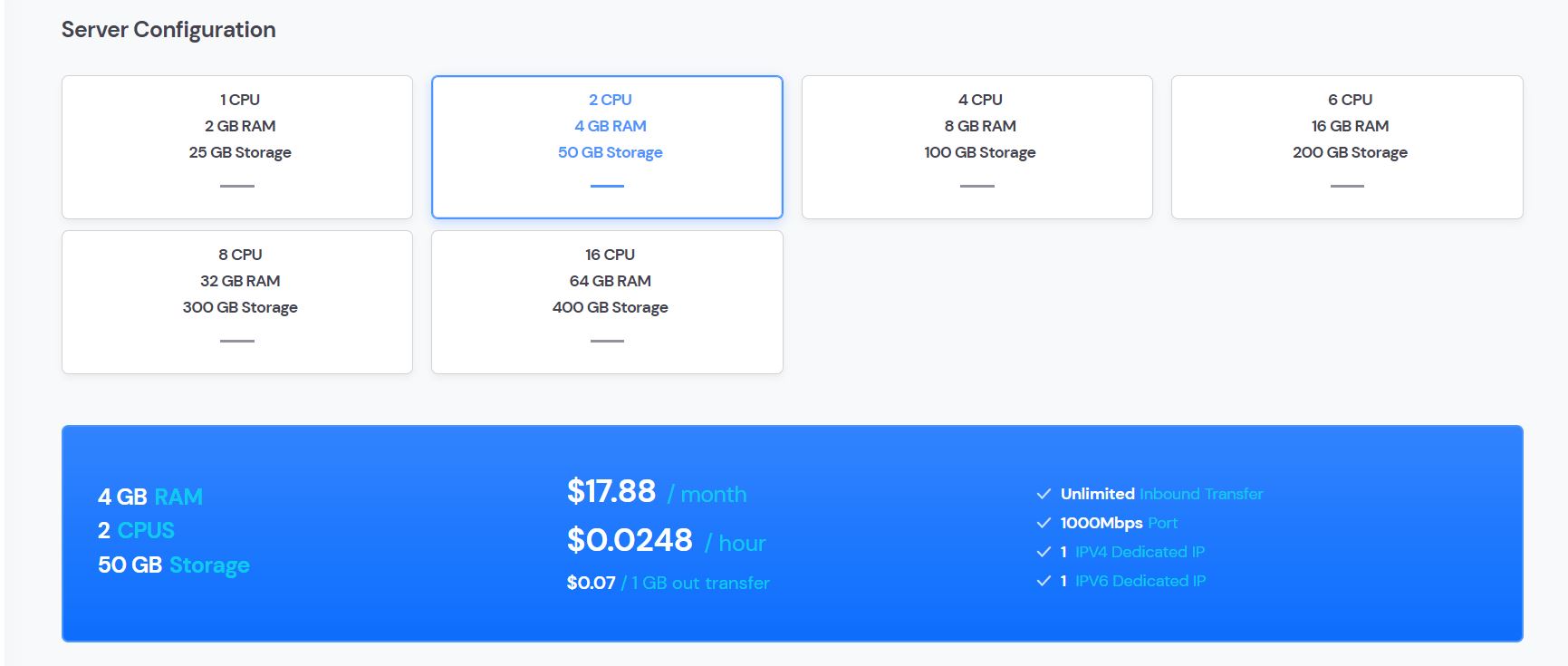
vmgen is a cloud-computing IaaS platform for developers and businesses. Vmgen users can create virtual machines in 28 data centers located around the World. The vendor states that data centers meet the requirements of the main security and compliance standards and have direct connections with the leading Internet exchange points (IX). Vmgen network supports IPv4 and IPv6 addressing and is resistant to DDoS attacks. The costs of using vmgen computing resources are billed to the second in…
$8.64
per month per installation
Pricing
AWS Cloud9
vmgen
Editions & Modules
No answers on this topic
No answers on this topic
Offerings
Pricing Offerings
AWS Cloud9
vmgen
Free Trial
No
Yes
Free/Freemium Version
No
No
Premium Consulting/Integration Services
No
No
Entry-level Setup Fee
No setup fee
No setup fee
Additional Details
—
—
More Pricing Information
Community Pulse
AWS Cloud9
vmgen
Considered Both Products
Amazon AWS
No answer on this topic
vmgen
Verified User
Chose vmgen
vmgen is simple and intuitive, has clear pricing and is easy to use. We didn't need to employ a DevOps Engineer to configure it. The cost of vmgen is predictable and cost-effective.
A de minimis incentive was given to thank the reviewer for their time. The incentive was not used to bias or drive a particular response, nor was the incentive contingent on a positive endorsement. More Info
Key User Insights
Would buy again
No answers on this topic
No answers on this topic
Delivers good value for the price
No answers on this topic
No answers on this topic
Happy with the feature set
No answers on this topic
No answers on this topic
Lived up to sales and marketing promises
No answers on this topic
No answers on this topic
Implementation went as expected
No answers on this topic
No answers on this topic
Features
AWS Cloud9
vmgen
Infrastructure-as-a-Service (IaaS)
Comparison of Infrastructure-as-a-Service (IaaS) features of AWS Cloud9 and vmgen
When I am working with a large team of developers. Also, when a security policy, you are not allowed to install any app on your laptop. Cloud 9 is well integrated with Cloud commit. So we don't have to spend time in configurations.
A de minimis incentive was given to thank the reviewer for their time. The incentive was not used to bias or drive a particular response, nor was the incentive contingent on a positive endorsement. More Info
Confusing documentation - AWS's documentation remains quite confusing, and the layout of other services/settings that you have to use with Cloud9 can be a bit of a handful.
Sometimes slow - As the size of a project increases, the editor gets increasingly slower, and starts slowing down the browser overall.
Long setup process - The setup for Cloud9 can be hard and tough, especially since the documentation is quite hard to understand.
A de minimis incentive was given to thank the reviewer for their time. The incentive was not used to bias or drive a particular response, nor was the incentive contingent on a positive endorsement. More Info
The interface for Cloud9 needs some improvement. It is simply not as powerful and intelligent as a local text editor would be and thus it lacks the capabilities of fast filling when coding. Otherwise, I think it has a fair interface that they have tried mimicking an IDE.
A de minimis incentive was given to thank the reviewer for their time. The incentive was not used to bias or drive a particular response, nor was the incentive contingent on a positive endorsement. More Info
[AWS] Cloud9 offers specific features not available in the competition: Code collaboration using the chat features is the highlight which sets it apart. [The] code completion feature makes [it] very similar to the offline IDE like eclipse. It's much easier to use compared to Codeanywhere. It provides terminal access to EC2 instances and hence other amazon services.
A de minimis incentive was given to thank the reviewer for their time. The incentive was not used to bias or drive a particular response, nor was the incentive contingent on a positive endorsement. More Info
vmgen is simple and intuitive, has clear pricing and is easy to use. We didn't need to employ a DevOps Engineer to configure it. The cost of vmgen is predictable and cost-effective.
A de minimis incentive was given to thank the reviewer for their time. The incentive was not used to bias or drive a particular response, nor was the incentive contingent on a positive endorsement. More Info