
Movavi Screen Recorder vs. Vmaker
Movavi Screen Recorder vs. Vmaker
| Product | Rating | Most Used By | Product Summary | Starting Price |
|---|---|---|---|---|
 Movavi Screen Recorder | Mid-Size Companies (51-1,000 employees) | Movavi Screen Recorder lets the user grab any screen video, audio, system sounds and web-cam from a computer with a single button click. Capture webinars, live streams, Skype chats, and anything else. The user can create GIFs from movie scenes and share them with collegues. Carry Out App Reviews and Software Demos Adjust the capture area Add captions and voice-over comments with mic Split audio and video into multiple segments Do video… | $39.95 per user | |
 Vmaker | N/A | Vmaker is a video-making tool that can record the user's screen, webcam, voice and internal audio. It can be used to make explainer videos, product demos, B-roll footage & how-to videos without having to spend a lot of time or money on production. It’s also a tool for marketers, L&D professionals and content creators. As videos become a more essential part of daily communication, and a source for connecting with an audience, Vmaker aims to make recording, editing & sharing video content… | N/A |
| Movavi Screen Recorder | Vmaker | |||||||||||||||
|---|---|---|---|---|---|---|---|---|---|---|---|---|---|---|---|---|
| Editions & Modules |
| No answers on this topic | ||||||||||||||
| Offerings |
| |||||||||||||||
| Entry-level Setup Fee | No setup fee | No setup fee | ||||||||||||||
| Additional Details | — | — | ||||||||||||||
| More Pricing Information | ||||||||||||||||
| Movavi Screen Recorder | Vmaker | |
|---|---|---|
| Small Businesses |  Sendspark Score 10.0 out of 10 | Sendspark Score 10.0 out of 10 |
| Medium-sized Companies |  Snagit Score 9.3 out of 10 | Snagit Score 9.3 out of 10 |
| Enterprises | Snagit Score 9.3 out of 10 | Snagit Score 9.3 out of 10 |
| All Alternatives | View all alternatives | View all alternatives |
| Movavi Screen Recorder | Vmaker | |
|---|---|---|
| Likelihood to Recommend | 10.0 (0 ratings) | 8.3 (0 ratings) |
| Movavi Screen Recorder | Vmaker | |
|---|---|---|
| Likelihood to Recommend | 
 Sanjay KV Founder / Head Of Content | 
|
| Pros |
Sanjay KV Founder / Head Of Content |
 Jason Greenwood Founder |
| Cons |
Sanjay KV Founder / Head Of Content |
 John Mankin Coach |
| Alternatives Considered |
Sanjay KV Founder / Head Of Content |
Jason Greenwood Founder |
| Return on Investment |
Sanjay KV Founder / Head Of Content |
John Mankin Coach |
| ScreenShots | Movavi Screen Recorder Screenshots 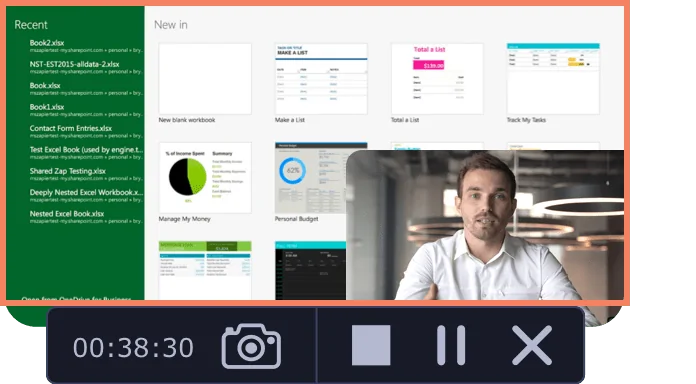  |