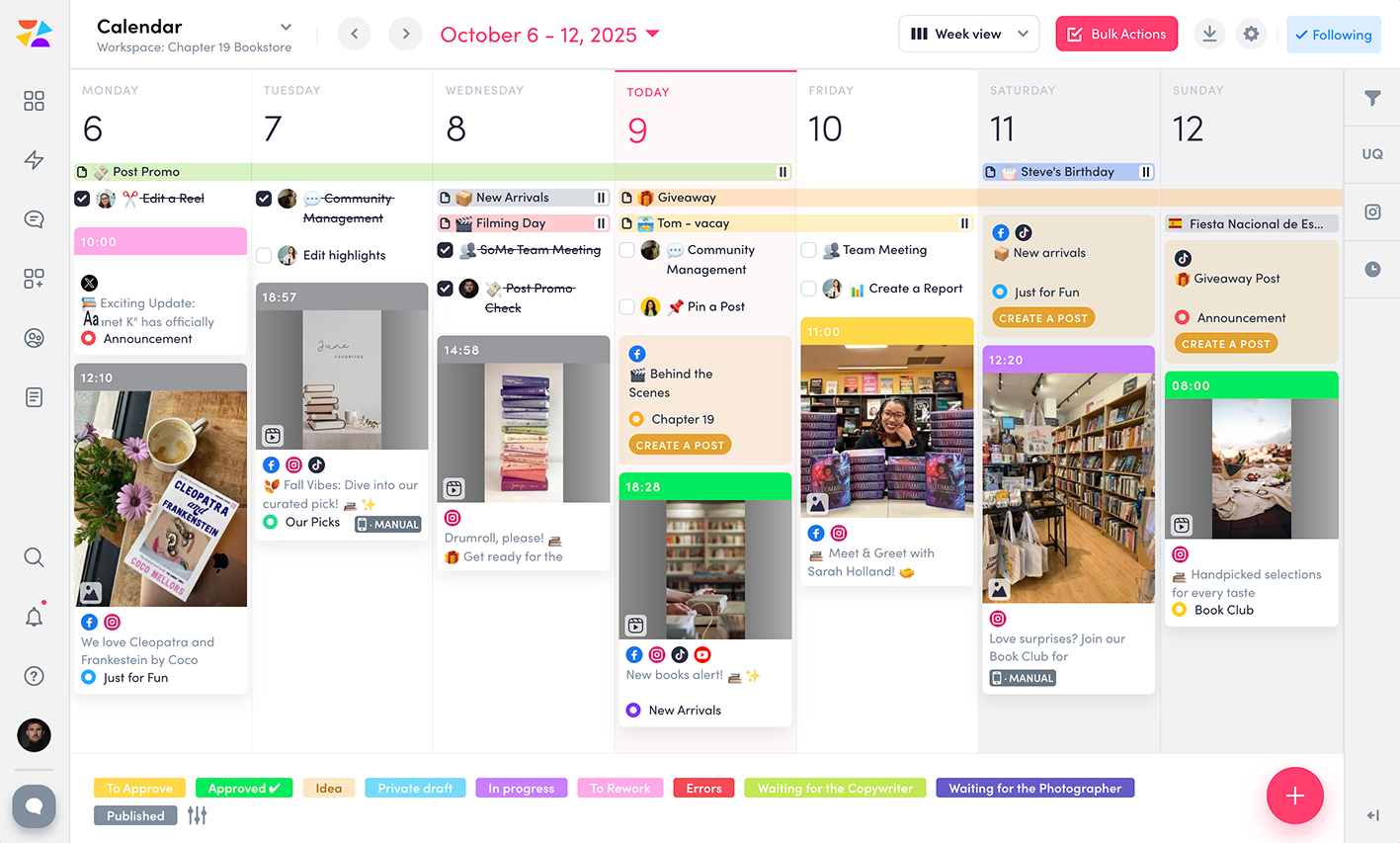
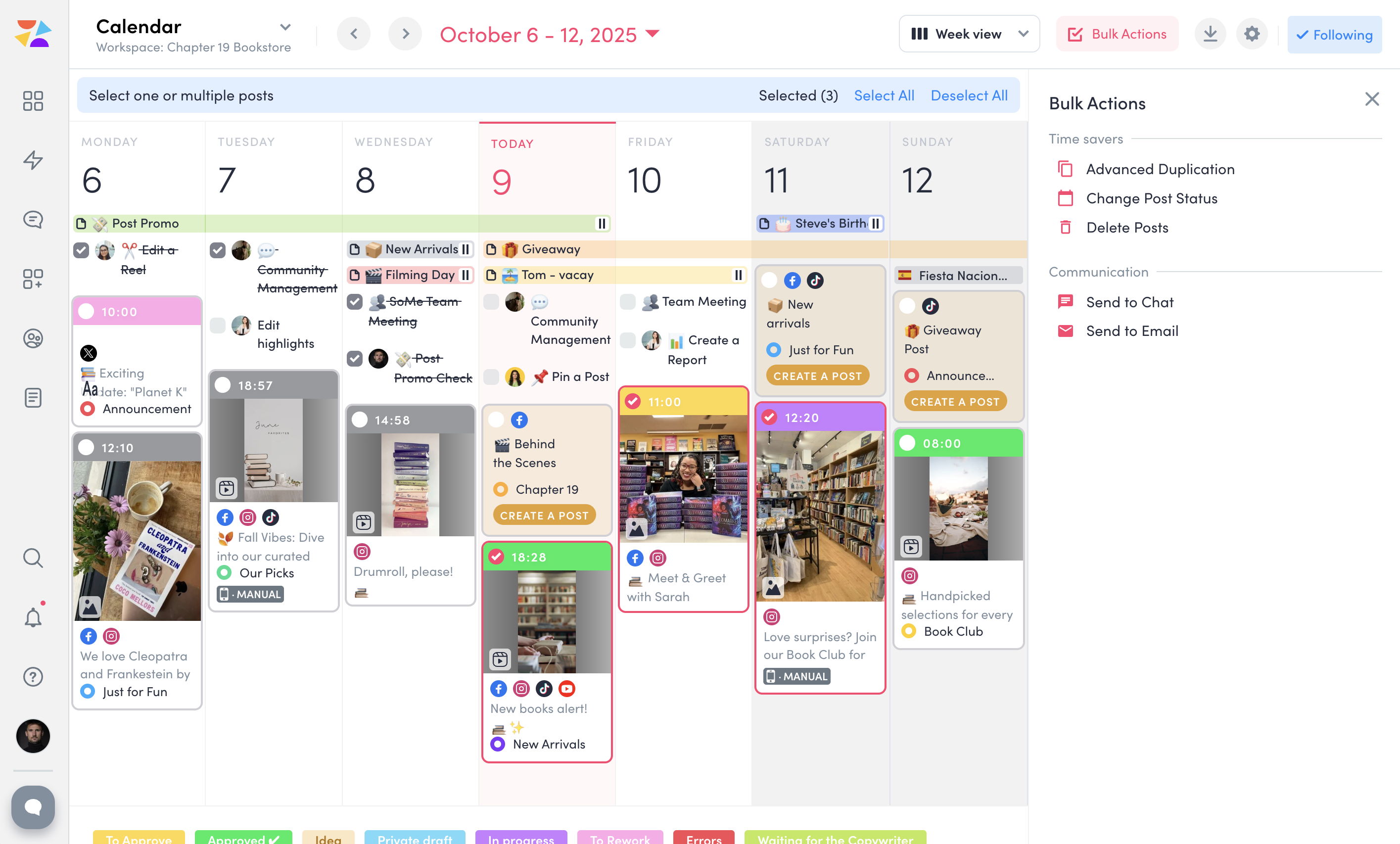
Vista Social is a social media management platform that offers features such as schedule of content, managing conversations through a universal inbox, managing reviews, social listening and reporting.
$79
per month
ZoomSphere
Score9.1 out of 10
N/A
ZoomSphere is a social media scheduling and management solution designed for teams to plan, schedule, auto-publish, and analyze their social media content across multiple platforms.
ZoomSphere is primarily used by social media managers, marketing teams, and agencies to streamline content workflows, improve collaboration, and track performance across various social media platforms, including Instagram, Facebook, TikTok, LinkedIn, YouTube, and X. The software helps users automate…
When I need to schedule a full week of posts for multiple clients. the calendar view makes it fast and clear. When a client sends last-minute edits, I can quickly reschedule or update posts by dragging them in the calendar. When I’m short on time I use the AI tools to generate quick captions and adjust them to fit the brand voice. When I manage comments and DMs I reply to everything from one inbox, without switching platforms. When planning content, I use Canva inside Vista Social and publish directly, which saves a lot of time.
ZoomSphere is suited for all companies - from small to big, for one brand or more brands within company. With ZoomSphere you can leverage your social media presence - but you need to use lot of apps ZoomSphere has. I think that ZoomSphere is not suited for company that want to use ZoomSphere for only one purpose, for example content creation and publishing. There are plenty of ways how to use ZoomSphere more complex.
A de minimis incentive was given to thank the reviewer for their time. The incentive was not used to bias or drive a particular response, nor was the incentive contingent on a positive endorsement. More Info
The design and layout of the site is simple, with the options to click through the different tools on the left hand side of the page. What I liked most about Vista Social is the ability to combine all the different tools that a social media manager needs into one platform.
I typically use various different apps and platforms to write down notes, assign tasks to different team members, and look at my overall content calendar for the month. It is brilliant that Vista Social is able to combine all of these into one platform.
When first signing up to Vista Social and exploring the platform, each page offers you a walkthrough of all of the tools available to you, which is really handy, as well as a customer support section on the right bottom hand corner.
A de minimis incentive was given to thank the reviewer for their time. The incentive was not used to bias or drive a particular response, nor was the incentive contingent on a positive endorsement. More Info
I think the price is quite high compared to hiring a person for the same task. This may put one off from purchasing as with a bit more time you can do the same job yourself or with an employee for much less
In my opinion, the interface is rather complicated visually and doesn't have an appeal. It is cramped with so many features that provide a sense of confusion whilst starting off
In my experience, the tutorials do leave a few questions afterwards regarding set up and this can take more time to figure out by yourself.
A de minimis incentive was given to thank the reviewer for their time. The incentive was not used to bias or drive a particular response, nor was the incentive contingent on a positive endorsement. More Info
Since the platform is user-friendly and easy to navigate, start using it and making content creation feel effortless. The dashboard and each module for content management and creation it has the visual hierarchies in place. Building, customizing and exporting reports to PDF facilitate the journey with the clients. Its overall usability is well rounded for such large and powerful tool.
There is always a space for improvement, but overall I see ZoomSphere as a valuable partner and tool for our business on social media. Maybe in a future rest of the apps in tool (community management, social media listening,...) will be on a same level as competitors and we will use only one tool for whole social media management. But if not, ZoomSphere is still awesome for the most of it
A de minimis incentive was given to thank the reviewer for their time. The incentive was not used to bias or drive a particular response, nor was the incentive contingent on a positive endorsement. More Info
Whenever I contacted customer service, I had a great response within minutes. Sometimes was not easy to solve, but somehow we figured it out. I would like to reccommend more proactive communication with clients regarding product roadmap, for example "In 1Q we will launch XY,..." Client should know that before implementation - client can prepare for news, client can test something,...
A de minimis incentive was given to thank the reviewer for their time. The incentive was not used to bias or drive a particular response, nor was the incentive contingent on a positive endorsement. More Info
It's reasonably priced compared to others and offers more capabilities for creating and implementing marketing campaigns. For example, social listening, reputation management, and employee advocacy are all tools it has that I haven't found in the previous ones. It also supports all marketing campaigns, not just social media.
We see ZoomSphere as a better option than Kontentino. They are almost the same in way you can use the tool, but ZoomSphere has better UI and UX and also customer service. We also know that pricing levels are better with ZoomSphere than Kontentino. But both tools are quite awesome for social media management. Just book a demo, have a trial and you will see by yourself.
A de minimis incentive was given to thank the reviewer for their time. The incentive was not used to bias or drive a particular response, nor was the incentive contingent on a positive endorsement. More Info
The DM automation feature means we're not missing out on important messages when we're off the clock (after hours essentially), which is a huge advantage in hospitality where response time is everything.
In most cases, time is money, and being able to manage all our platforms from one place has cut down hours of switching between apps and tabs. That in itself has boosted our company's productivity and allowed the team to respond faster to guests and potential leads.
The real-time insights and mentions helps us tweak content and react to trends quicker, which has increased our visibility and bookings.
A de minimis incentive was given to thank the reviewer for their time. The incentive was not used to bias or drive a particular response, nor was the incentive contingent on a positive endorsement. More Info