Tableau Cloud (formerly Tableau Online) is a self-service analytics platform that is fully hosted in the cloud. Tableau Cloud enables users to publish dashboards and invite colleagues to explore hidden opportunities with interactive visualizations and accurate data, from any browser or mobile device.
$15
per month billed annually per user
Visier People
Score 8.7 out of 10
Enterprise companies (1,001+ employees)
Visier aims to give organizations a "Workforce AI Edge:" A set of AI-powered capabilities that help leaders understand the relationship between people and work, elevate employee productivity, and win by adapting to change faster. The company offers people analytics, workforce planning, and compensation allocation. All Visier technology is underpinned by its Real-time People Data Platform, which uses AI to unlock the business-transforming potential of people data, work data, and the fusion…
N/A
Pricing
Tableau Cloud
Visier People
Editions & Modules
Tableau Viewer
$15
per month billed annually per user
Enterprise Viewer
$35
per month billed annually per user
Tableau Explorer
$42
per month billed annually per user
Enterprise Explorer
$70
per month billed annually per user
Tableau Creator
$75
per month billed annually per user
Enterprise Creator
$115
per month billed annually per user
Tableau+
Contact Sales
No answers on this topic
Offerings
Pricing Offerings
Tableau Cloud
Visier People
Free Trial
No
No
Free/Freemium Version
No
No
Premium Consulting/Integration Services
No
No
Entry-level Setup Fee
No setup fee
No setup fee
Additional Details
—
—
More Pricing Information
Community Pulse
Tableau Cloud
Visier People
Features
Tableau Cloud
Visier People
BI Standard Reporting
Comparison of BI Standard Reporting features of Product A and Product B
Tableau Cloud
7.0
Ratings
15% below category average
Visier People
-
Ratings
Pixel Perfect reports
7.00 Ratings
00 Ratings
Customizable dashboards
8.00 Ratings
00 Ratings
Report Formatting Templates
6.00 Ratings
00 Ratings
Ad-hoc Reporting
Comparison of Ad-hoc Reporting features of Product A and Product B
Tableau Cloud
6.9
Ratings
15% below category average
Visier People
-
Ratings
Drill-down analysis
8.00 Ratings
00 Ratings
Formatting capabilities
6.00 Ratings
00 Ratings
Integration with R or other statistical packages
6.00 Ratings
00 Ratings
Report sharing and collaboration
7.50 Ratings
00 Ratings
Report Output and Scheduling
Comparison of Report Output and Scheduling features of Product A and Product B
Tableau Cloud
7.1
Ratings
16% below category average
Visier People
-
Ratings
Publish to Web
7.00 Ratings
00 Ratings
Publish to PDF
7.50 Ratings
00 Ratings
Report Versioning
7.00 Ratings
00 Ratings
Report Delivery Scheduling
8.00 Ratings
00 Ratings
Delivery to Remote Servers
6.00 Ratings
00 Ratings
Data Discovery and Visualization
Comparison of Data Discovery and Visualization features of Product A and Product B
If you're using Tableau as the primary BI tool, then Tableau Cloud is well suited to publish and share the results with a wide(r) audience. It is well suited for various degrees of self-service proficiency, from pure consumers of analytical work to more advanced users who can use web editing for smaller or larger adjustments, and even for desktop power users who will publish their work to Tableau Cloud. It has many good ways to organize the content and make it easily accessible via search, favorites, folders, collections ("playlists for your data"), or history ("recents"). It might not be ideally suited if there are many on-prem sources to be used (even though there are options to connect them) or if you have very special requirements regarding custom server setup, which is limited in a shared cloud environment like Tableau Cloud.
This solution, prepared mail for the HR departments, is definitely well suited for decision making. This means that Visier enhances data analysis and drives planning, metrics, and business results to the next level. The ability to transform databases of employees' data (for example) into interactive, clear, and detailed reports supports and upgrades the current decision-making process.
Tableau Online is completely cloud based and that's why the reports and dashboards are accessible even on the go. One doesn't always need to access the office laptop to access the reports.
The visualizations are interactive and one can quickly change the level at which they want to view the information. For example, one person might be more interested in looking at the country level performances rather than client level. This is intuitive and one doesn't need to create multiple reports for the same.
The feature to ask questions in plain vanilla English language is great and helpful. For quick adhoc fact checks one can simply type what they are looking for and the Natural Language Programming algorithms under the hood parse the query, interpret it and then fetch the results accordingly in a visual form.
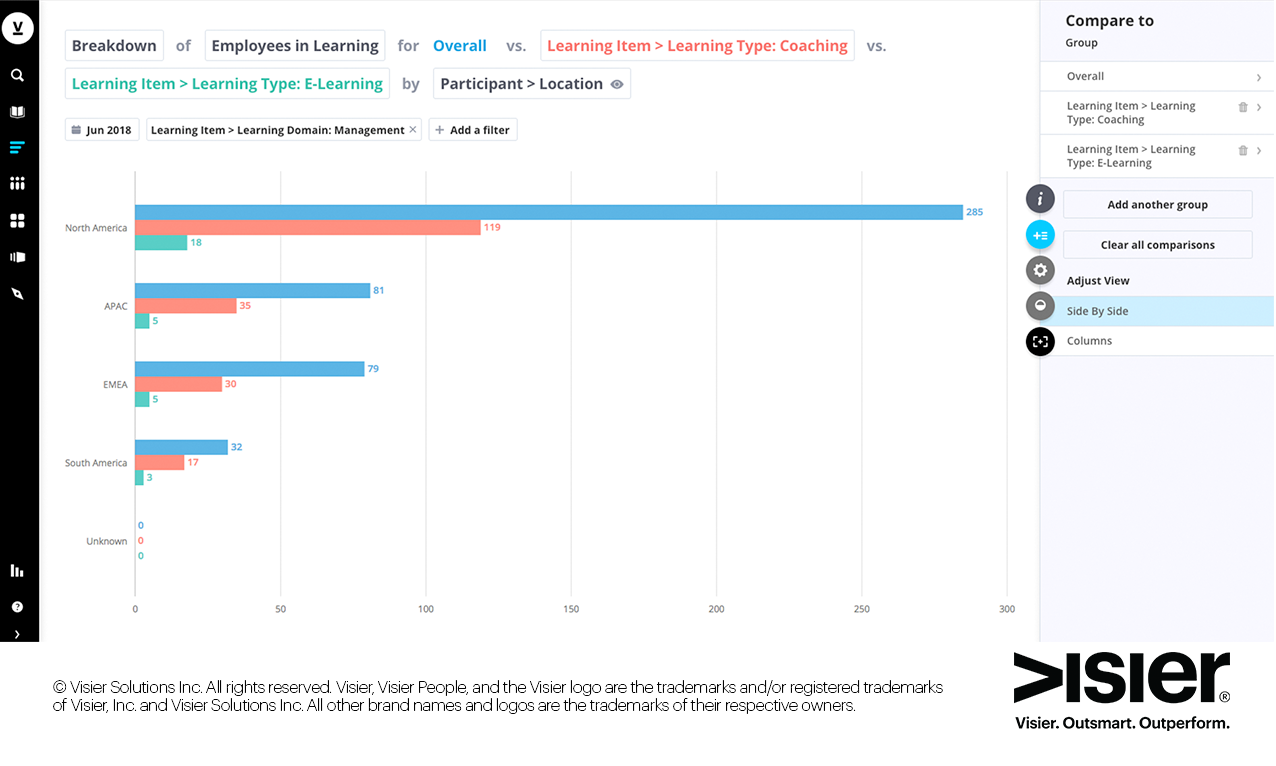
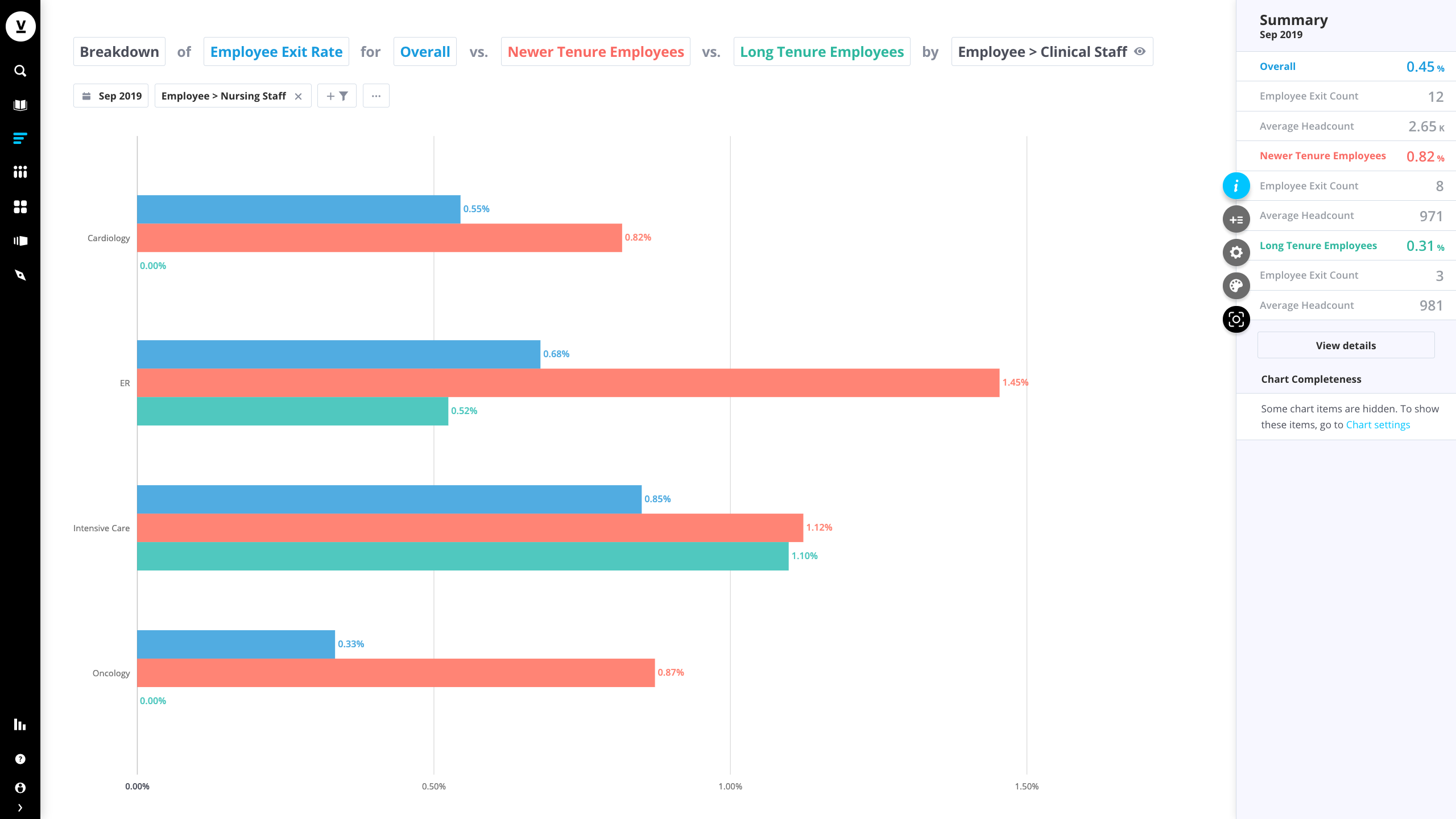
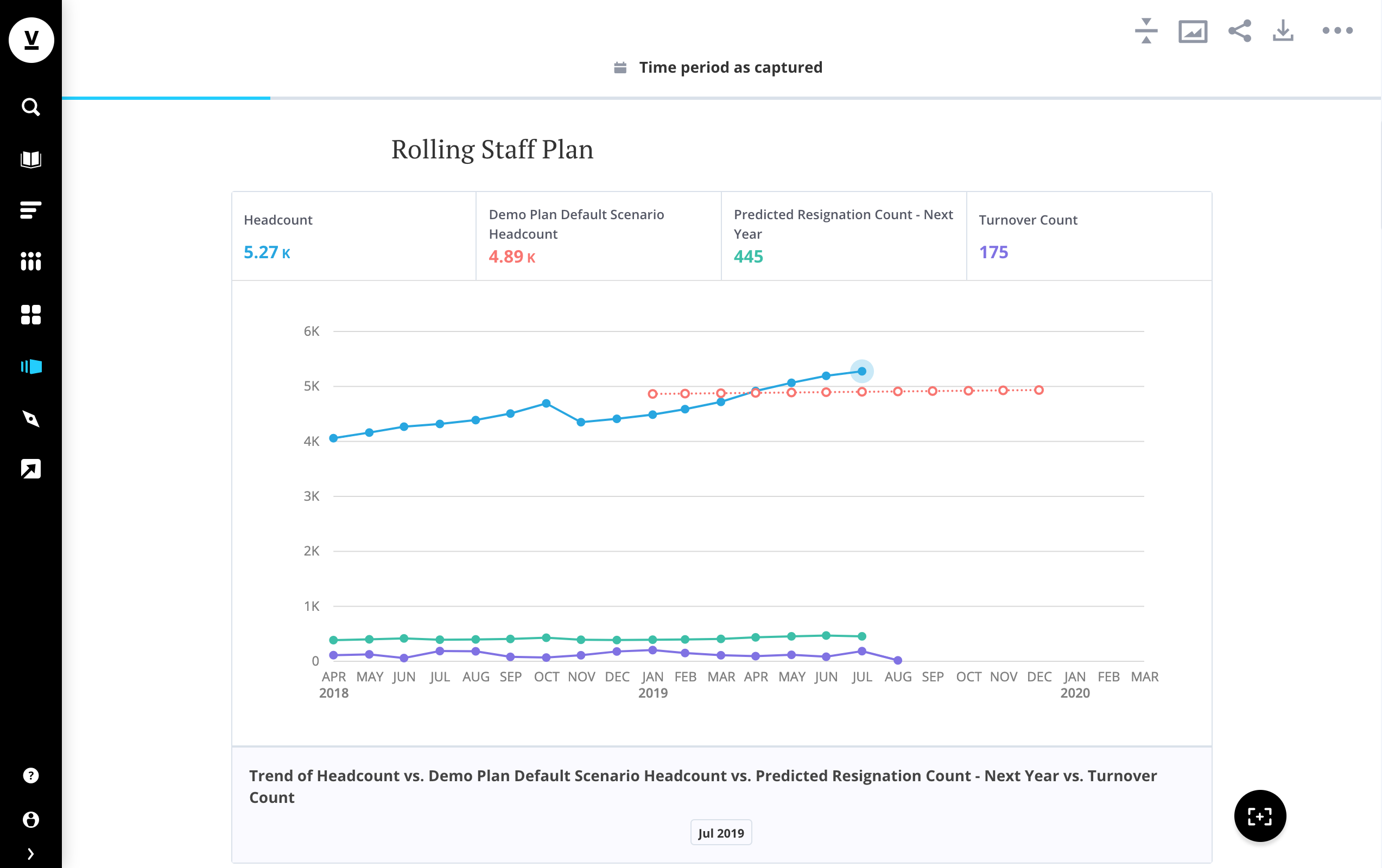
Visier does an excellent job providing summary charts and graphs of people data, including turnover, job information, and diversity and inclusion statistics.
Visier is flexible in setting up data feeds between various systems to ensure all of our data is accessible in one system. For example, we have a data connector between our market pricing, HCM, and recruiting systems.
Visier has an intuitive and user-friendly interface that empowers line managers and HR partners to use the system. Managers and HR partners can easily share data with other users.
Technical Deadlines Often Missed: On several occasions during data onboarding, or applying fixes to data, communicated deadlines were missed by 24-48 hours.
Security can be convoluted, but is effective.
Built on Flash and the only native mobile apps are for iPad (iPhone forthcoming).
It is a software with great resources, it increases the possibility that the entire workforce is productive, it gives us quick answers, it is the most powerful workforce analysis software that exists so far.
From an end user perspective Tableau Online is overall very easy to navigate once you get used to it, my only complaint is that when expanding or contracting a graph, the "plus" and "minus" on the bottom left is sometimes hidden, and should always be visible. From a builder perspective, it can take some getting used to but the sheer depth of customization makes it all worthwhile.
Visier People makes it very easy for all end users to go in and see, pull, or dig in to their data where previously my team would have to pull or schedule a report of the data to each user. It is also very fast in updating charts/analyses when changing or adding filters, which makes the ease of use better. Last, the charts and analyses are very visually appeasing, making users want to use the platform more.
I have no had a lot of experience with the support team, but I know that it’s hardly necessary for the end-user to contact. Usually, the main questions I get are on how to read a certain dashboard or how to navigate to a certain place. Overall, the simplicity of the software is what helps out with less need for support.
Visier can move as quickly or as slowly as the client needs. The topic-by-topic approach separates the project in clear phases and allows for focus on specific data. Depending on the size of the implementation team, implementation could move more rapidly if the subject matter experts are responsible for the individual topic data sets.
When weighing the pros and cons of Tableau Online vs. SAP ERP, two key considerations emerged as clear winners. SAP ERP is a powerful data purification tool, but it doesn't measure up to the competition in terms of data presentation. When it came to data visualization and analytics, Tableau was our go-to tool. The price is the second consideration. Tableau, on the other hand, was the more cost-effective option for our requirements.
Our business has experimented with the use of Skedulo, but it has not stacked up against Visier People, as we don't get the luxury of the nicely recorded data that Visier People gives us. We have been able to record important information day-to-day due to the use of Visier People - Skedulo just didn't compete.
No need to hire a team of developers to deliver our product, a huge cost savings for a start up company.
The ability to work off data extracts allows us to "set in and forget it" so to speak, which allows our customers to use the system during business hours with almost no cost in terms of database usage.
It has been a great internal tool for dashboarding company metrics and helping us track goals and implement solutions to meet those goals through efficient data analysis.
A quick analysis of the company's trends has been obtained, measuring the possible failures that may be found in the company.
Errors have been quickly performed efficiently, helping to have a better job optimization.
Thanks to the fact that many negative aspects of the company have been improved, better sales results have been obtained since the analyzes that have been made of the workforce with this platform have optimized the performance of the employees.