Veritas NetBackup vs. Zmanda

Overview
ProductRatingMost Used ByProduct SummaryStarting Price
Veritas NetBackup
Score 7.6 out of 10
N/A
Veritas NetBackup is a backup-as-a-service product providing data recovery and protection for enterprises. It supports physical, virtual, and cloud systems and features an automated disaster recovery capabilities.N/A
Zmanda
Score 8.0 out of 10
N/A
Zmanda is an enterprise backup and recovery solution that enables users to back up to cloud, NAS, and disk. Zmanda supports advanced features, such as ransomware protection with air gap, client-side deduplication, forever incremental backups, and zero trust. It can be deployed as a container, VM, or Zmanda-hosted instance. Zmanda is open-source based with OpenAPI V3 standard APIs. It is packaged in all major Enterprise Linux distros, including Red Hat, Ubuntu, Debian, Rocky Linux, and…
$499
per year Per usage
Pricing
Veritas NetBackupZmanda
Editions & Modules
No answers on this topic
Business
$499
per year Per usage
Business Plus
$978
per year Per usage
Offerings
Pricing Offerings
Veritas NetBackupZmanda
Free Trial
NoYes
Free/Freemium Version
NoNo
Premium Consulting/Integration Services
NoNo
Entry-level Setup FeeNo setup feeOptional
Additional Details
More Pricing Information
Community Pulse
Veritas NetBackupZmanda
Features
Veritas NetBackupZmanda
Data Center Backup
Comparison of Data Center Backup features of Product A and Product B
Veritas NetBackup
7.9
Ratings
5% below category average
Zmanda
-
Ratings
Universal recovery9.00 Ratings00 Ratings
Instant recovery7.00 Ratings00 Ratings
Recovery verification9.00 Ratings00 Ratings
Business application protection7.00 Ratings00 Ratings
Multiple backup destinations10.00 Ratings00 Ratings
Incremental backup identification10.00 Ratings00 Ratings
Backup to the cloud8.00 Ratings00 Ratings
Deduplication and file compression5.00 Ratings00 Ratings
Snapshots10.00 Ratings00 Ratings
Flexible deployment7.00 Ratings00 Ratings
Management dashboard4.00 Ratings00 Ratings
Platform support10.00 Ratings00 Ratings
Retention options9.00 Ratings00 Ratings
Encryption6.00 Ratings00 Ratings
Enterprise Backup
Comparison of Enterprise Backup features of Product A and Product B
Veritas NetBackup
8.4
Ratings
3% above category average
Zmanda
-
Ratings
Continuous data protection10.00 Ratings00 Ratings
Replication6.00 Ratings00 Ratings
Operational reporting and analytics8.00 Ratings00 Ratings
Multi-location capabilities8.00 Ratings00 Ratings
Ransomware Recovery10.00 Ratings00 Ratings
User Ratings
Veritas NetBackupZmanda
Likelihood to Recommend
8.0
(0 ratings)
-
(0 ratings)
Likelihood to Renew
9.0
(0 ratings)
-
(0 ratings)
Usability
9.0
(0 ratings)
-
(0 ratings)
Support Rating
10.0
(0 ratings)
-
(0 ratings)
User Testimonials
Veritas NetBackupZmanda
Likelihood to Recommend
Backuping complex infrastructures (VMware ESXi, Microsoft Hyper-V, Oracle, and MSSQL databases, etc.). Regarding product price, it's not the most affordable for small businesses, but it can handle nearly all infrastructures and systems. With good training people, it's a Swiss knife of company data backup, no stress about keeping backups in a safe place!
Read full review
No answers on this topic
Pros
  • The activity monitor allows me to easily see if there are issues with backup jobs or the environment.
  • Community support for NBU is very good. I've been able to research issues with ease and find other users that have been in similar situations.
  • Policy management for backups is very easy and there are lots of options.
Read full review
No answers on this topic
Cons
  • Admin console
  • SAP HANA application Templates should also be introduced instead of scripting
  • SAP MAXDB application template should also be introduced
  • Tape Management need improvement
  • MOBILE connectivity is missing
  • Admin console is so simple it should be more funcky or stylish
  • Small database should also be considered for backup
Read full review
No answers on this topic
Likelihood to Renew
Veritas continues to keep up with the backup game. There virtual machine backup capabilities are now top notch, and I believe they will prove valuable when our cloud presence demands a backup solution.
Read full review
No answers on this topic
Usability
NetBackup provides a complete, flexible data protection solution for a variety of platforms. The platforms include Microsoft Windows, UNIX, and Linux systems. NetBackup lets you back up, archive, and restore files, folders or directories, and volumes or partitions that reside on your computer.
During a backup or an archive, the client sends backup data across the network to a NetBackup server. The NetBackup server manages the type of storage that is specified in the backup policy. During a restore, users can browse, then select the files and directories to recover.
Read full review
No answers on this topic
Support Rating
Veritas support is very prompt and the acknowledgement/followup is hugely appreciable. They go deep to the issue and provide you satisfactory solutions. Creating ticket in portal is also very easy, does not adhere to severity priority, even if Sev2 response is very quick.
Read full review
No answers on this topic
Alternatives Considered
The software versus the appliance is about the same, the appliance is more convenient in the fact that it is an all in one solution. Using veritas netbackup you have to build out a backup environment with multiple media servers and a storage target for offloading to disk or offloading to tape. Using the appliance versus using just the software means you don't have to build out an environment as it comes with the appliance.
Read full review
No answers on this topic
Return on Investment
  • When data is lost, we are able to quickly restore and return to normal business.
  • When an application upgrade fails we are able to go back to a known good state.
  • Large restores are slow at times, so be sure to plan for this in your recovery point objective.
Read full review
No answers on this topic
ScreenShots

Zmanda Screenshots

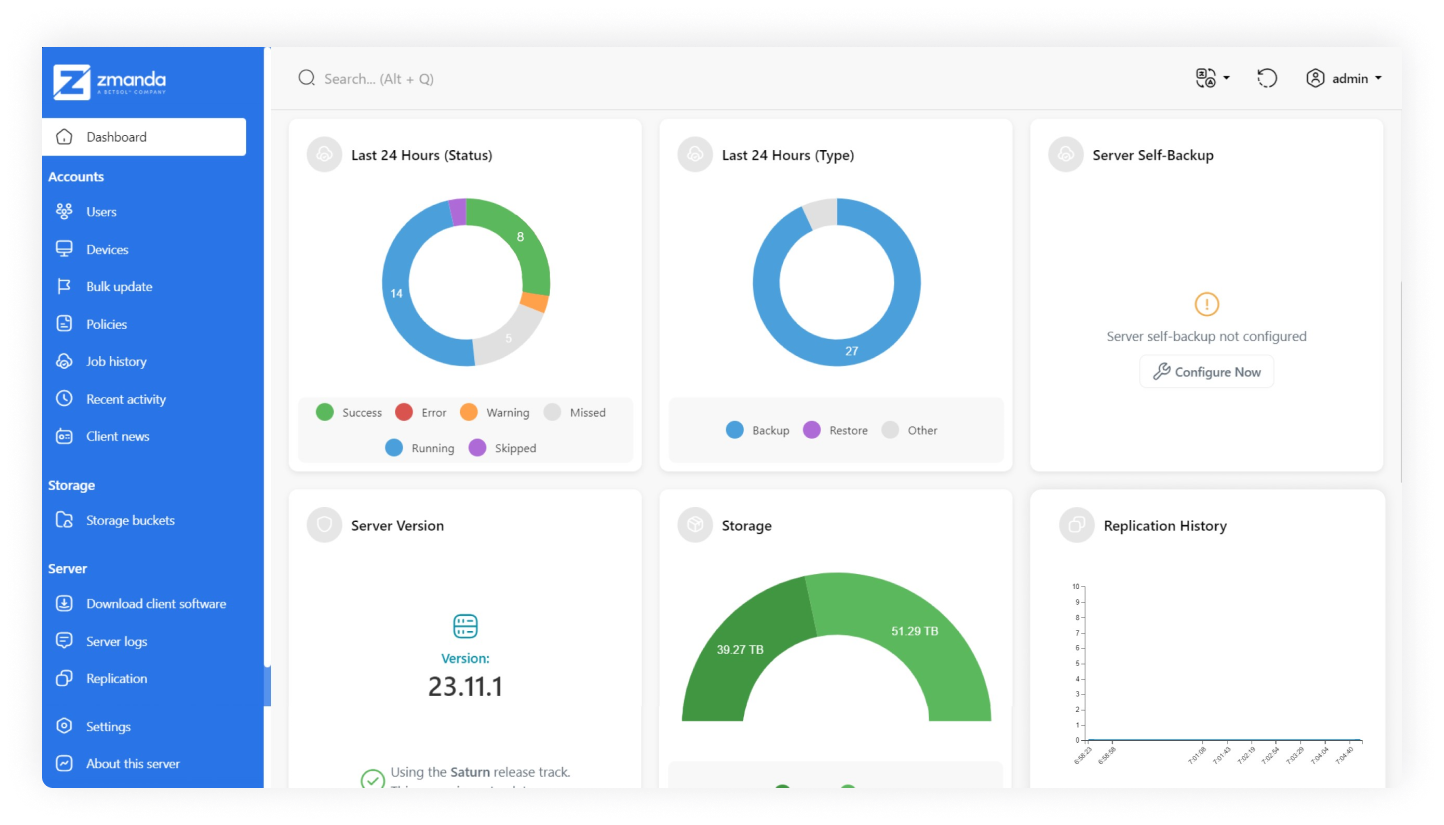
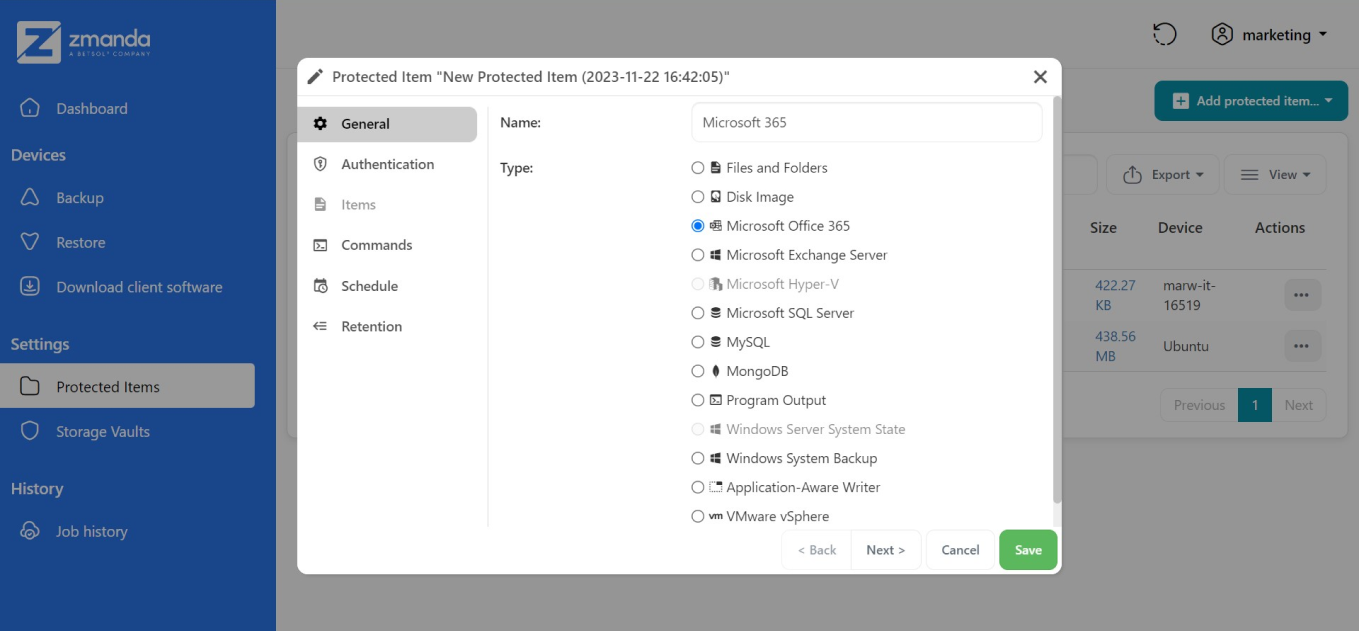
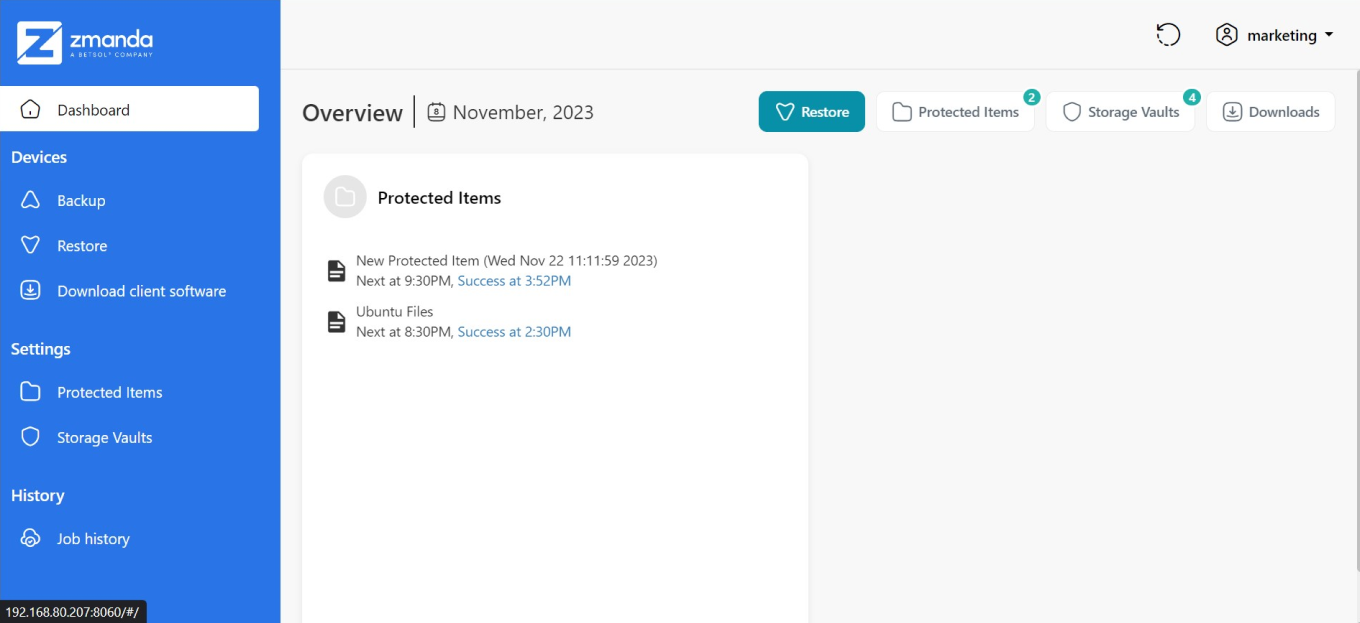
Screenshot of Zmanda's dashboard, which provides an overview of backup status, storage usage, server version, and replication history.Screenshot of the process for setting up a new protected item with Zmanda. Select from various data types, including Microsoft Office 365, or SQL Server.Screenshot of the view that illustrates the restore process for protected items, including new backup tasks and Ubuntu files, with recent successful restoration times. The interface also provides access to backup functions, client software downloads, and storage vault settings.