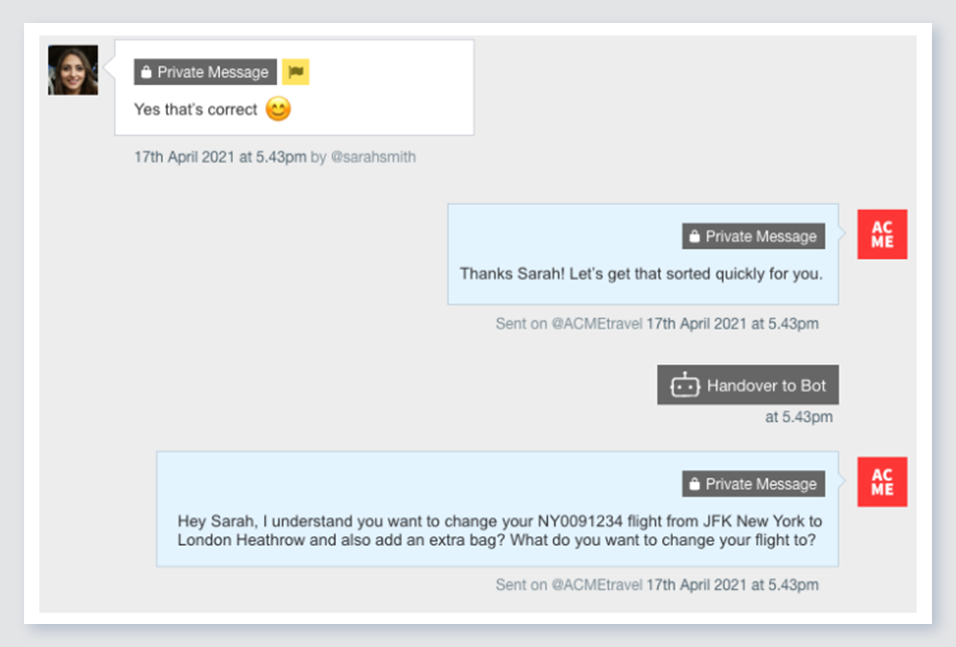
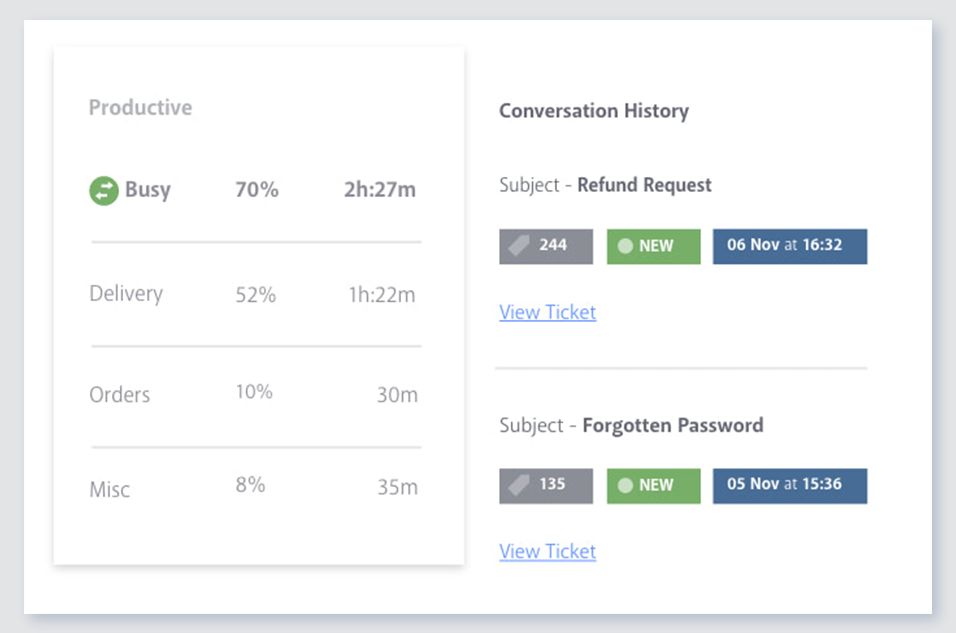
Verint Channel Automation is a social customer service software that enables companies to engage in large volumes of social media conversations with their customers. The cloud-based software combines intelligent prioritization with team management workflows.
N/A
Zendesk Suite
Score 8.8 out of 10
N/A
Zendesk is a customer support solution with built-in ticketing, conversational messaging, and live chat, designed to help businesses of all sizes and industries deliver personalized service at scale. Zendesk's AI agents are trained in CX to help Service teams resolve customer issues faster and more accurately while still providing a human-centered experience. Zendesk ultimately aims to help businesses improve time to value, reduce effort per ticket, and keep costs low.
It is well suited for larger organizations that see a lot of content. If you're a very small business with little engagement, Conversocial may not be the most appropriate tool for you. I would ask yourself how much content you see each day/week, is that number going to increase for any reason, and based on that Conversocial may be the perfect fit.
Benefits of Zendesk Suite: Support across channels In the case of a retail company with chat, email, WhatsApp and social DMs all piling up together, agents do not have to change tabs - everything comes into one screen in the Suite. An example could be a representative for this e-commerce company on a sale weekend when they have live chat up, and also must deal with emails and complaints on social. Zendesk Suite handled all of this interaction seamlessly. Knowledge base + self service: A SaaS platform receiving constant flow of "how do I reset my password" questions. You set up a help centre once, and are able to deflect hundreds of tickets for months and years. Even better when combining with Answer Bot, where the bot begins suggesting articles without even a human interacting with the tickets. Scaling customer service teams: A startup that has just expanded from 5 customer service representatives to 50 customer service representatives. Zendesk Suite automates routing, SLAs, macros, and analytics, when it could never work with Google Workspace + sticky notes. This is especially helpful when managers want to be able to report or analyze ticketing conversations to see trends in perhaps their backlog, or a customer service representative is running into consistent workflows. Globalization: A company with support teams that are spread across time zones and languages. Zendesk Suite enables for business hours, language packs, and localized help centers. It even comes with routing either by skill or region
Businesses can analyze how long it takes different agents to respond to customer inquiries on social media. This helps them understand staffing, response time, and how to become more efficient with customer care.
By utilizing the tagging and sentiment features across all conversations, businesses can better understand what their customers are talking most frequently about on social media and whether it's positive or negative. This can help identify frequent product issues that may lead to future design improvements.
Through the dashboard, customer representatives can also easily assign conversations to the appropriate team member. This makes it more efficient for different managers to handle different conversations related to their product expertise.
Determining the sentiment of a social message is something that every predictive modeled Social CRM tool can improve on.
Mechanism for posting to a native site might be more robust. Although our business did not choose to post through the tool. We did not use any other mechanism to automate our posts.
The only two reasons we would not continue using Conversocial are it's lack of comprehensive analytics and its lack of Radian6's categorization tools. Tags make up for the categorization pretty well, however, and we're considering switching everything over to this now that we've tested tags for a couple months within Conversocial. (I previously wrote that Conversocial lacks support for some social channels like Instagram, LinkedIn, and YouTube, but they have now added Instagram and YouTube.)
Zendesk is super easy to use and navigate. I really enjoy the sleek layout, the ability to tailor tickets, the macro option, and the quick key guide they have to make your use of time even more effective. My whole team loves working with Zendesk and rarely ever has problems.
Because of the number of features it offers and the manner in which they're presented. I've explored a number of other tools that just don't do it as well. When sorting through and responding to hundreds of social media messages each day, the number of clicks it takes to do something really matters. Conversocial does a great job of minimizing clicks and presenting the data we need without having to click to find it
I used to work without a ticketing service, and everything was handled on an email provider, this made it very difficult to track, no integrations to the software complicating the use of internal tools or other software like Guru, Zendesk Suite wasn't hard to learn, in fact it was very easy, very straightforward, and I was an admin learning to use several tools at the same time.
Our account rep at Conversocial has set up a call with me every two weeks to check in, talk about new features, or answer questions. I know I can email or call her for help anytime. Their support team also responds quickly.
We rarely need to contact their support team, but when we do they are responsive. However there have been notable times when communication between myself and the support rep was challenging despite me providing clear explanation of the issue, screenshots, and a thorough explanation of the goal we hope to achieve. It took several back and forth attempt, on a few occasions, to get resolution on an otherwise simple request
Comprehensive training in all aspects of the software and general usages (including social media) for both agents and managers. Simulation workshops really made the live deployment process very smooth.
Zendesk has tons of available material for training - videos, webinars, articles, etc. The only reason this is not a 10 is because it can be hard to figure out how to navigate to these things and find what you are looking for.
There is not a lot of implementation, it's all setup and you just start using it. We did do some email to ticket setup and that worked really well. The only thing that didn't work for us was the Salesforce integration, maybe your mileage will vary.
Early on we did comparisons with Hootsuite and later with Adobe. While they have similarities, the difference at the time and likely currently, was the personal interest and general accessibility of Conversocial's platform and people. The combination of an effective CRM solution and a team that was readily available to help proved to be the winning formula for our business.
Even these two have a ticketing system but that I also used previously but Zendesk Suite has a very clear ticketing system - it does not take much time to understand and use it, the interface is easy and the automation system also works up to the expectation, it is not just easy for the users but for us from the backed support as well, it is so user-friendly.
One of the biggest benefits we are seeing is that we have reduced the number of post-holiday complaints coming into head office. Since we are responding to issues and concerns as they arise, we can impact overall customer satisfaction.
The efficiencies gained from using a centralized platform for managing the response process has enabled us to reduce our team by 50%.
We can track that we are responding to a fan's first message within 30 minutes.
We can track the number of messages each user engages with.
We can see the most effective times of day to post and reply.
Customer Success looks at ticket resolution surveys as part of their CSAT scores and either thanks their customer for a positive review or reaches out if it's a negative review.
Sales uses Zendesk to make sure their new prospects are getting POCs properly set up quickly and fix any issues while they do a trial of our tool.
Onboarding uses Zendesk to quickly make sure new customers implementations and user access are set up to help them start implementation faster.