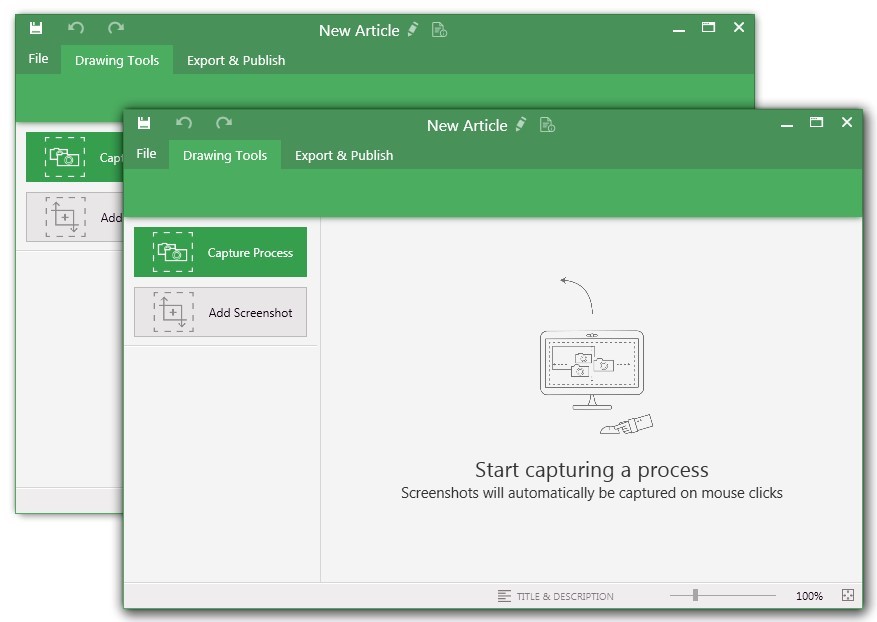
UiPath Task Capture (formerly StepShot, acquired October 2019) is a tool designed for quick and easy step-by-step documentation. During a recording mode, the software creates a separate screenshot on every click, groups them into a manual with automatically added metadata. Users can annotate captured images and structure documents in the way they want them to look.
N/A
UserTesting
Score 8.0 out of 10
N/A
UserTesting helps UX researchers, designers, product teams, and marketers gather actionable insights through research, testing, and feedback. With a network of real people ready to share their perspectives, UserTesting enables organizations to make customer-first decisions at scale.
N/A
Pricing
UiPath Task Capture
UserTesting
Editions & Modules
No answers on this topic
No answers on this topic
Offerings
Pricing Offerings
UiPath Task Capture
UserTesting
Free Trial
Yes
Yes
Free/Freemium Version
Yes
No
Premium Consulting/Integration Services
No
No
Entry-level Setup Fee
No setup fee
No setup fee
Additional Details
We have some discounts available all the time depending on the amount of ordered licenses.
StepShot is excellent for organizations of any size. Whether you're a solo-entrepreneur who has contractors occasionally help out or a Fortune 500 company, StepShot can help. It offers options to export to Word, PDF, PowerPoint, HTML, WordPress, and even Confluence. With so many output options available, StepShot is excellent for any organization, no matter how simple or complex their document structure is.
When working with general market customers. For example, a person between the ages of 30 and 60 who has a checking account and a mortgage with their primary bank, as long as they don't get too specific about a particular bank.
The annotations options are fantastic. You can adjust exactly where you want your mouse cursor to show up (if at all) and can create all images for step-by-step
It has a really nice interface, simple to use.
It's customizable - you can choose full screen, active area, etc.
I'm actually trying to get a license for my current job at my current company (recently moved to a new company). I gave it this rating because I am about to go to our executive to ask that we purchase it! I know that there will be value because we are forecasting a high volume of research next year
It can be difficult to organize our tests and go back and find information. I think the AI tools are helping and will help with this, but for now it is time consuming to sort through all of the tests and information and then synthesize it and share it with others. It just takes a lot of time.
I have only run into an issue once, which I believe was due to a newly released feature (cloud storage). I was running into issues with the functionality on my Mac. The team was incredibly helpful in both troubleshooting the issue by jumping on screen sharing sessions, as well as providing multiple releases for me to test to fix the problem!
I've used the "power hour," as I think it's called. This really helped me gain a greater understanding of my specific needs and wants from the platform. This excellent service points to the excellent relationship UserTesting provides its clients. I would recommend this service to any of my colleagues.
From a technical perspective, the implementation was extremely smooth. Most of the change management / implementation hurdles were clearing use of the tool through our various security, legal, and information privacy teams. Once these concerns were addressed (UserTesting.com was very helpful in providing all the needed documentation), the implementation process was very simple and we were able to get going right away.
While StepShot provides us with more options for modifying our screen recording and adding helper information for our audience, iSpring is a little more accessible since you can connect directly to YouTube for videos. Since most of our work doesn't require a video tutorial, we are happy with StepShot, but iSpring, like many other screen recorders, is a little more "well rounded" when it comes being able to connect our guides with our intended audience.
UserTesting is probably the most polished with the largest tester pool, fastest turnaround, and great tools for both moderated and unmoderated tests. Userlytics is a solid alternative, especially for the budget-conscious. It supports usability testing on lots of devices, and you can do both moderated and unmoderated sessions. The UI isn’t as seamless as UserTesting’s, but it gets the job done and it's pretty flexible in terms of study setup and participant targeting. Trymata is the most basic, but it’s relatively straightforward and affordable. You still get session recordings and written responses, but lacks dashboard polish or advanced features. It’s great for smaller teams or one-off tests.
This has saved us MANY HOURS in either walking clients through processes in person or having to create a one-off guide through taking screenshots and creating our own documents with the screenshots hand placed.
Client satisfaction is high when they receive these guides. It is documentation that they can refer to at anytime that is personalized to their use or individual needs.
We can build tests and gather the insights from those tests to validate our products at a breakneck pace.
By quickly validating our assumptions, we can adjust or refine our designs to ensure the final results are more user-focused.
Recently, by testing and comparing two different flows for a form, we were able to create the right solution that gave us better leads compared to the former form. This results in better leads, better data about the user, and better support at the end for this user.