Zephyr Enterprise provides optimization, quality, speed, and processing of testing activities in a single tool. Other features include creating test cases, defining user requirements and generating reports.
N/A
Tricentis qTest
Score9 out of 10
N/A
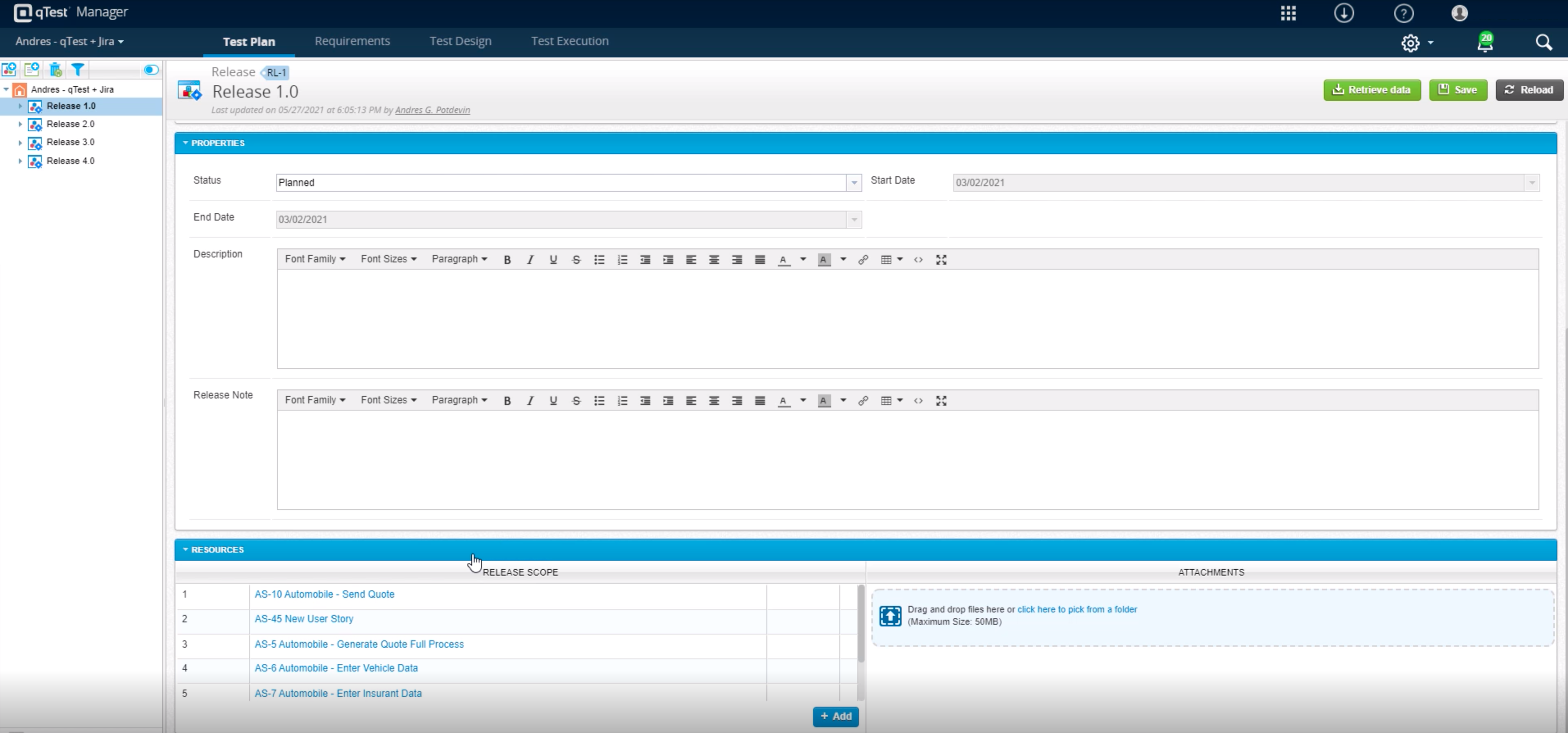
Tricentis qTest (formerly QASymphony) provides enterprise-level agile testing tools giving businesses visibility and control needed to ensure application quality in fast-paced development environments. Tricentis and QASymphony merged in summer 2018.
$1,200
per year per user
Pricing
Zephyr Enterprise
Tricentis qTest
Editions & Modules
No answers on this topic
No answers on this topic
Offerings
Pricing Offerings
Zephyr Enterprise
Tricentis qTest
Free Trial
Yes
Yes
Free/Freemium Version
No
No
Premium Consulting/Integration Services
No
Yes
Entry-level Setup Fee
No setup fee
Optional
Additional Details
Contact vendor for pricing information.
—
More Pricing Information
Community Pulse
Zephyr Enterprise
Tricentis qTest
Considered Both Products
SmartBear
No answer on this topic
Tricentis
Verified User
Chose Tricentis qTest
Didn’t have the same ease of use for us and didn’t integrate as well into our test process.
A de minimis incentive was given to thank the reviewer for their time. The incentive was not used to bias or drive a particular response, nor was the incentive contingent on a positive endorsement. TR verified that a representative sample of customers was invited. More Info
Verified User
Chose Tricentis qTest
We felt like for the feature set and due to the fact it was mid-range on the cost, it was a good choice. It also has some other plugins which we plan to utilize at some point like Tosca.
A de minimis incentive was given to thank the reviewer for their time. The incentive was not used to bias or drive a particular response, nor was the incentive contingent on a positive endorsement. TR verified that a representative sample of customers was invited. More Info
A de minimis incentive was given to thank the reviewer for their time. The incentive was not used to bias or drive a particular response, nor was the incentive contingent on a positive endorsement. More Info
Tricentis qTest integrates seamlessly with Jira, making it ideal for teams that manage user stories and defects in Jira while keeping test cases and execution in qTest. When paired with automation tools like tosca, Selenium, or WebdriverIO, qTest is excellent for aggregating both manual and automated test results in one place.
A de minimis incentive was given to thank the reviewer for their time. The incentive was not used to bias or drive a particular response, nor was the incentive contingent on a positive endorsement. More Info
A de minimis incentive was given to thank the reviewer for their time. The incentive was not used to bias or drive a particular response, nor was the incentive contingent on a positive endorsement. More Info
As a fresher, when I started using qTest it was very handy and easy to understand.
It helps us trace the test cases that are used to test the quality in a single location
The main thing is its integration with JIRA as soon as we create a ticket we would be getting all the requirements in the qTest so it became easy for me
A de minimis incentive was given to thank the reviewer for their time. The incentive was not used to bias or drive a particular response, nor was the incentive contingent on a positive endorsement. More Info
In requirements , we can't add multiple test cases at once, or search multiple cases at once, need to do one by one. Here actually qtest needs to improve.
Linking cloud hosted qtest and on-premise TOSCA is very difficult especially when you are working with client system with security wall. It requires tunnelling software which is not recommended.
A de minimis incentive was given to thank the reviewer for their time. The incentive was not used to bias or drive a particular response, nor was the incentive contingent on a positive endorsement. TR verified that a representative sample of customers was invited. More Info
A de minimis incentive was given to thank the reviewer for their time. The incentive was not used to bias or drive a particular response, nor was the incentive contingent on a positive endorsement. TR verified that a representative sample of customers was invited. More Info
A de minimis incentive was given to thank the reviewer for their time. The incentive was not used to bias or drive a particular response, nor was the incentive contingent on a positive endorsement. TR verified that a representative sample of customers was invited. More Info
A de minimis incentive was given to thank the reviewer for their time. The incentive was not used to bias or drive a particular response, nor was the incentive contingent on a positive endorsement. TR verified that a representative sample of customers was invited. More Info
A de minimis incentive was given to thank the reviewer for their time. The incentive was not used to bias or drive a particular response, nor was the incentive contingent on a positive endorsement. TR verified that a representative sample of customers was invited. More Info
A de minimis incentive was given to thank the reviewer for their time. The incentive was not used to bias or drive a particular response, nor was the incentive contingent on a positive endorsement. More Info
All of them offer formidable solutions in the test management realm, but each one caters to different niche and need. qTest distinguishes itself with its deep integration capabilities, especially with Agile and DevOps tools, enabling streamlined CI/CD process. Its modern, user-centric interface contrasts with ALM's more dated appearance and complex setup. While TestRail provides a clean user experience and caters to a broad spectrum of business, qTest's scalability, from SMBs to large enterprises, stands out. PractiTest's cloud-based solution is geared towards mid-sized companies, but qTest's flexibility, advanced analytics, and robust reporting grant teams actionable insights. qTest' approach to a more holistic test management closely aligning with modern software development practices
A de minimis incentive was given to thank the reviewer for their time. The incentive was not used to bias or drive a particular response, nor was the incentive contingent on a positive endorsement. More Info
A de minimis incentive was given to thank the reviewer for their time. The incentive was not used to bias or drive a particular response, nor was the incentive contingent on a positive endorsement. More Info
A de minimis incentive was given to thank the reviewer for their time. The incentive was not used to bias or drive a particular response, nor was the incentive contingent on a positive endorsement. TR verified that a representative sample of customers was invited. More Info