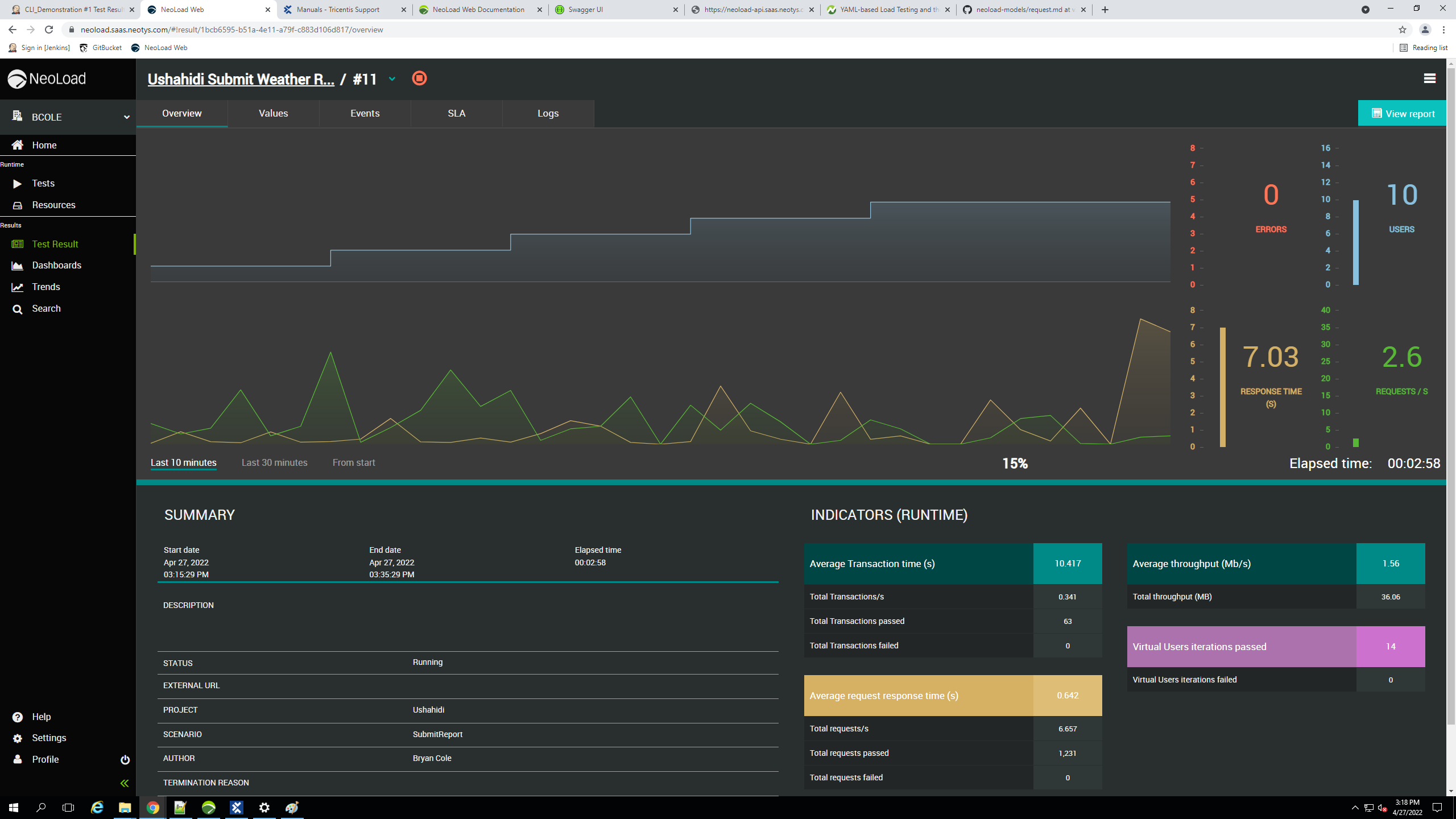
A solution simplifies performance load testing for colocated teams. With project-based capabilities, so teams can quickly identify abnormal application behavior.
N/A
Tricentis NeoLoad
Score 9.3 out of 10
N/A
Tricentis NeoLoad is a solution for continuous performance testing software to automate API and application load testing. It was developed by the French company Neotys and acquired by Tricentis, along with the company, in March 2021.
N/A
Pricing
OpenText LoadRunner Professional
Tricentis NeoLoad
Editions & Modules
No answers on this topic
No answers on this topic
Offerings
Pricing Offerings
LoadRunner Professional
Tricentis NeoLoad
Free Trial
No
Yes
Free/Freemium Version
No
No
Premium Consulting/Integration Services
No
No
Entry-level Setup Fee
No setup fee
Optional
Additional Details
—
—
More Pricing Information
Community Pulse
OpenText LoadRunner Professional
Tricentis NeoLoad
Features
OpenText LoadRunner Professional
Tricentis NeoLoad
Load Testing
Comparison of Load Testing features of Product A and Product B
Micro Focus LoadRunner is good for scripting and running a load test, but should be providing better customer service in case of user facing any issues.
While Tricentis NeoLoad supports SAP GUI protocols, recording and maintaining test scripts for complex SAP transactions (like those in the OTC module) can be cumbersome.
For instance, we had challenges recording a VA01 (Sales Order Creation) transaction because of the dynamic nature of SAP screen fields and session handling. NeoLoad sometimes struggles to properly correlate or handle SAP’s SAPGUI Dynpro fields automatically.
Support of multiple protocols like HTTP, RDP, Citrix, SAP, Oracle Database 12c, AJAX Tru Client, SOAP-based calls and others which is why it is used widely in our organization as we are using various applications in an industry for different usage.
Supporting the mobile agents which means it is not only used for web applications but also for mobile applications.
Latest version of HP LoadRunner makes the scripting easy by replacing dynamic changes in the script using correlation parameters. This means less coding and we can focus on major issues if needed.
Controller enhancements by specifying the cloud provider like Digital Ocean. We can provision our load generators with Amazon EC2, DigitalOcean and others.
Analysis provides a nice HTML report on the test executed with all the necessary metrics. We can simply put more analysis if needed and it will be automatically embedded in an HTML report.
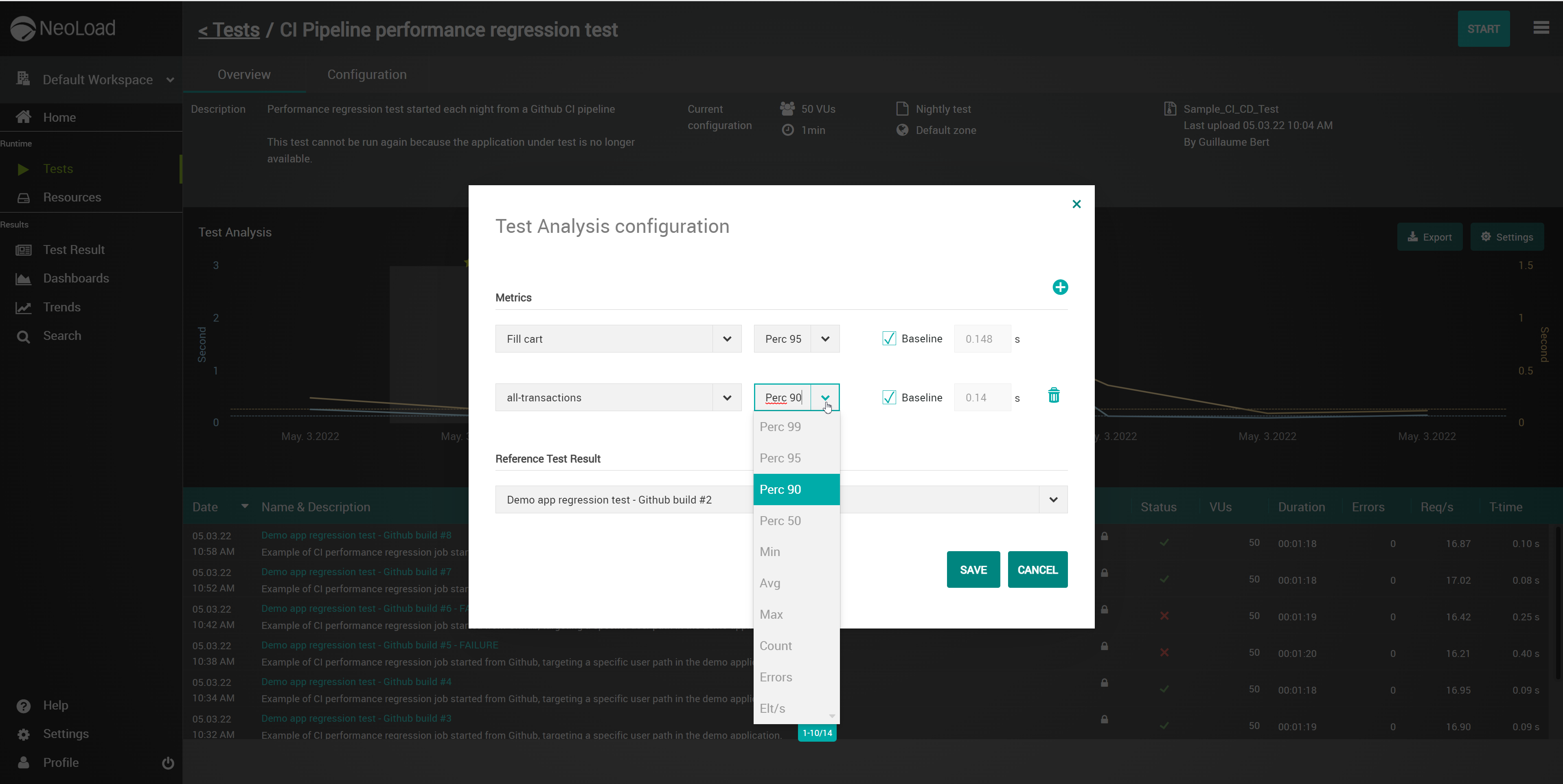
NeoLoad supports performance test engineers with a strong feature set to analyse the results. The first metric you have in mind is response time of the application. The metric satisfies the stakeholder if it meets the requirements. Otherwise, the stakeholder wants to know some comments and suggestions for improvement. I rely on the data gathered by monitoring agents when I analyse test results. The monitoring agent is a service which collects different counters from an operating system, databases, web server, etc. The results can be analysed in individual composed graphs. This is a powerful feature to deliver conclusive reports to stakeholders. Even the export of reports in various formats is helpful for communication with different stakeholders.
Our customers like the flexible license model of NeoLoad. A usual performance test project starts with the development of tests and configuration of the test environment. Finally, there is a first test execution followed by a couple of additional test executions. Usually, it is hard to say how long it takes to implement the issues based on the test results. So we usually do not know how long is the period between first and last test execution. It does not matter how long the period might be. In most of our projects we prefer daily licenses of NeoLoad. If you buy e.g. a four-day license you can use NeoLoad at four different days.
As a performance test engineer, I like the impressive APIs of NeoLoad. NeoLoad is just a performance test tool and the vendor Neotys is focused on this job. Whenever you would like to add something into a test scenario which is not mainly a performance issue you can integrate these parts by APIs which are easy to handle and very powerful. They also support you in case technologies which are not supported yet by NeoLoad. Maybe there is a new device which you want to monitor. Therefore you can report the measurements of the specific counters by the data exchange API during test execution. So you can analyse the data in the usual way. In our company we developed already a couple of features based on the APIs of NeoLoad and we are very happy with this flexibility.
Monitoring tools like SiteScope, AppDynamics should be used apart from HP Performance Center. Would be great if the tool can give good monitoring on app and db servers.
As the load goes high, the cost increases. In the open source world, it's not a bad idea to consider the licensing cost.
There is no support for VT3270 terminal emulation to support mainframe-hosted applications.
The ramp-up and ramp-down time data are not automatically excluded from the average response time calculations. Instead, you must exclude these times manually each time you run a test.
There is not a summary graphic that shows the distribution of all of the response times on a single graph. We currently export the data as a coma separated variable (CSV) file and import into Excel to generate this summary graph.
We find NeoLoad easy to use compared to their competitors. It requires minimal coding knowledge, also it is easy to train newcomers with NeoLoad. It also offers good integration and automation capability where with less code you can automate your testing process
Customer service is not that great. It's difficult to get hold of someone if an issue is supposed to be addressed on an urgent basis. No online chat service readily available.
This is the only area where we strongly feel Tricentis needs to improve. Their support process is inadequate, representatives are not so capable of providing solutions at one shot without consulting their internal engineering teams. Most importantly, the time they take to resolve simple issues is huge and at many times hampered our work.
Micro Focus LoadRunner fit well into our portfolio of tools with its long track record, ability to test near any application technology we adopt and allow for a single / cohesive toolset to drive our performance testing needs.
Tricentis NeoLoad is easier to use, with simpler steps to follow to record/write test scripts and to design scenarios. It is scalable and comparatively provides overall benefits in a fair cost. Neoload also provides APIs for anyone to leverage and build on top of the existing features. This adds up as an advantage.
Improved user experience: By identifying and fixing performance issues during testing, Tricentis NeoLoad has helped improve the overall user experience of our applications. This has increased customer satisfaction and loyalty, as well as increased revenue as users are now more likely to use the application or purchase products or services as a result of a better user experience.
Reduced risk of downtime: By identifying and fixing performance issues before they occur in production, Tricentis NeoLoad has helped reduce the risk of downtime. Downtime can be costly in terms of lost revenue and customer dissatisfaction, so reducing the risk of downtime has had a positive impact on overall business objectives.
Cost savings: We have been able to identify and fix performance issues before they occur in production, avoiding the costs associated with downtime, such as lost revenue and customer dissatisfaction.
Faster performance testing: Tricentis NeoLoad has enabled our teams to perform performance testing more quickly by automating the process of simulating user loads and measuring response times, throughput, and error rates.