JMeter, from Apache, is a load and performance testing tool.
$0
Tricentis NeoLoad
Score9.3 out of 10
N/A
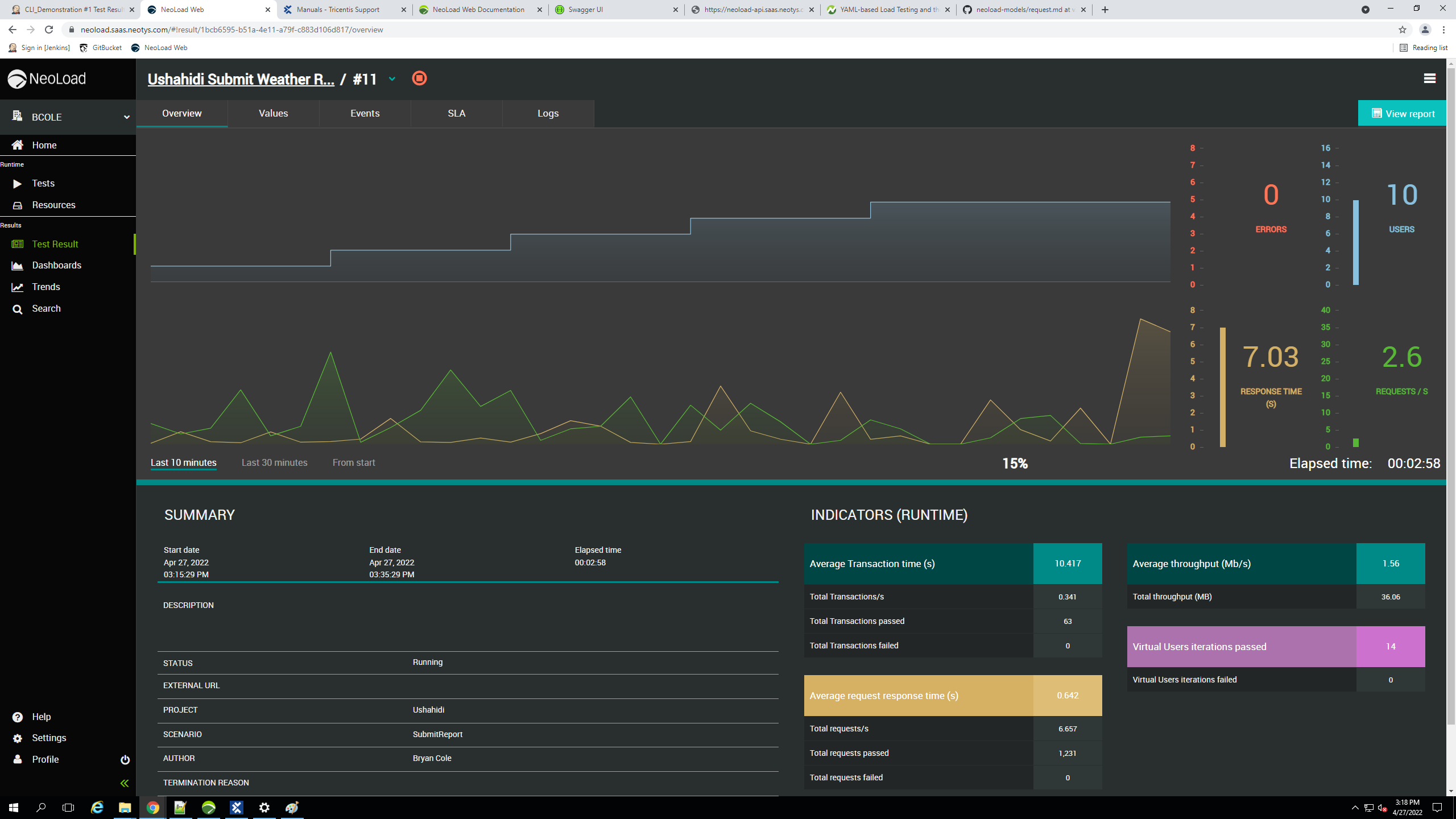
Tricentis NeoLoad is a solution for continuous performance testing software to automate API and application load testing. It was developed by the French company Neotys and acquired by Tricentis, along with the company, in March 2021.
$20,000
per year with 300 virtual users
Pricing
JMeter
Tricentis NeoLoad
Editions & Modules
No answers on this topic
No answers on this topic
Offerings
Pricing Offerings
JMeter
Tricentis NeoLoad
Free Trial
No
Yes
Free/Freemium Version
Yes
No
Premium Consulting/Integration Services
No
No
Entry-level Setup Fee
No setup fee
Optional
Additional Details
—
—
More Pricing Information
Community Pulse
JMeter
Tricentis NeoLoad
Considered Both Products
Apache
Verified User
Chose JMeter
It's very easy GUI helps the tester to perform various testing scenarios. Easy to configure test cases and modules which has proper and well-maintained documentation. Its an excellent tool for performance testing and running a variety of load tests, stress tests, and longevity …
A de minimis incentive was given to thank the reviewer for their time. The incentive was not used to bias or drive a particular response, nor was the incentive contingent on a positive endorsement. More Info
Verified User
Chose JMeter
I have evaluated LOADUI (web free version) and it was a very unstable tool and I could not rely on those results completely as I was not sure how the tool was performing. It only generated the top 10 less transaction times and when Jmeter was in use, it was very effective in …
A de minimis incentive was given to thank the reviewer for their time. The incentive was not used to bias or drive a particular response, nor was the incentive contingent on a positive endorsement. More Info
Verified User
Chose JMeter
NeoLoad is far ahead of JMeter in terms of reporting and user interface, the turn around time is less compared to JMeter as there are enough experts in market.
A de minimis incentive was given to thank the reviewer for their time. The incentive was not used to bias or drive a particular response, nor was the incentive contingent on a positive endorsement. More Info
Data Scientist in Information Technology at TechCASA (Information Technology & Services, 11-50 employees)
Chose Tricentis NeoLoad
When we used Apache JMeter we faced some problems like less documentation is available for integrating tools, and some integrations have not yet been deployed. Very few plugin updates are made. Since customer support is an open source tool, it is a major problem. While …
A de minimis incentive was given to thank the reviewer for their time. The incentive was not used to bias or drive a particular response, nor was the incentive contingent on a positive endorsement. More Info
Software Engineer in Engineering at Tech Casa LLP (Computer Software, 11-50 employees)
Chose Tricentis NeoLoad
We discovered that recording and playing back the performance scripts was easier than with JMeter.The application features an easy-to-use interface that allows us to record and run the script locally before attempting to run it through the Tricentis NeoLoad Web site.In order to …
A de minimis incentive was given to thank the reviewer for their time. The incentive was not used to bias or drive a particular response, nor was the incentive contingent on a positive endorsement. More Info
DevOps Engineer in Information Technology at Boxinall Softech (Information Technology & Services, 11-50 employees)
Chose Tricentis NeoLoad
When I used Apache JMeter in our organization, I faced a problem with its user interface, which was quite hard to understand. New and beautiful UI/UX designs can greatly improve the usability of the user interface. So we decided to switch to Tricentis Neoload, and we are happy …
A de minimis incentive was given to thank the reviewer for their time. The incentive was not used to bias or drive a particular response, nor was the incentive contingent on a positive endorsement. More Info
Verified User
Chose Tricentis NeoLoad
One major difference between the two tools is that Apache JMeter is an open-source tool, while Tricentis NeoLoad is a commercial product. Although Apache JMeter is free to use and Tricentis NeoLoad requires a license to use, Tricentis NeoLoad is more feature-rich and …
A de minimis incentive was given to thank the reviewer for their time. The incentive was not used to bias or drive a particular response, nor was the incentive contingent on a positive endorsement. More Info
System Coordinator & Development Officer in Product Management at Alkaram Textile Mills Pvt. Ltd (Textiles, 10,001+ employees)
Chose Tricentis NeoLoad
Its tools are very compatible with both Windows,Linus & can be reuse & share our test-suite & results to certain analytics. Neoload has good support of many protocols. like enterprise software SAP Oracle Siebel etc as compared to Apache JMeter. Moreover; for value-added & with …
A de minimis incentive was given to thank the reviewer for their time. The incentive was not used to bias or drive a particular response, nor was the incentive contingent on a positive endorsement. More Info
Software Engineer - Tech Lead in Information Technology at UPMC (Hospital & Health Care, 10,001+ employees)
Chose Tricentis NeoLoad
Because of noted as below points we leaning towards Tricentis NeoLoad over other tools: Easy to use, faster test design, script customization, real time test monitoring, IP spoofing, mobile testing, scalability, easy to setup and maintain, record and playback capability, …
A de minimis incentive was given to thank the reviewer for their time. The incentive was not used to bias or drive a particular response, nor was the incentive contingent on a positive endorsement. More Info
A de minimis incentive was given to thank the reviewer for their time. The incentive was not used to bias or drive a particular response, nor was the incentive contingent on a positive endorsement. More Info
Verified User
Chose Tricentis NeoLoad
Tricentis NeoLoad is easier to use, with simpler steps to follow to record/write test scripts and to design scenarios. It is scalable and comparatively provides overall benefits in a fair cost. Neoload also provides APIs for anyone to leverage and build on top of the existing …
A de minimis incentive was given to thank the reviewer for their time. The incentive was not used to bias or drive a particular response, nor was the incentive contingent on a positive endorsement. More Info
Verified User
Chose Tricentis NeoLoad
It outperformed all of the above mentioned tools in many aspects
A de minimis incentive was given to thank the reviewer for their time. The incentive was not used to bias or drive a particular response, nor was the incentive contingent on a positive endorsement. More Info
Presales Executive in Information Technology at Corporate Infotech Pvt Ltd (Information Technology & Services, 1001-5000 employees)
Chose Tricentis NeoLoad
Tricentis NeoLoad stacks up against them as it is generally used where there are many websites or applications with large number of users. It is less expensive and provides some additional functionlities than the other tools available in the market. It ensures if any website …
A de minimis incentive was given to thank the reviewer for their time. The incentive was not used to bias or drive a particular response, nor was the incentive contingent on a positive endorsement. More Info
Senior Test Engineer in Quality Assurance at twinformatics GmbH (Insurance, 201-500 employees)
Chose Tricentis NeoLoad
We used Jenkins for manual performance testing and had big efforts to script and evaluate the test results. Furthermore, the effort of maintaining and editing the scripts was very high. To generate a report, many tables must be analyzed. The efforts of these tasks are minimized …
A de minimis incentive was given to thank the reviewer for their time. The incentive was not used to bias or drive a particular response, nor was the incentive contingent on a positive endorsement. More Info
Verified User
Chose Tricentis NeoLoad
NeoLoad is more SAP-centric and offers use cases a lot closer to what we experiment on a daily basis. The main competition in the space would be loadrunner but it lacks the flexibility of NeoLoad, and also comes at a much higher price in a way that would have hurt our …
A de minimis incentive was given to thank the reviewer for their time. The incentive was not used to bias or drive a particular response, nor was the incentive contingent on a positive endorsement. More Info
Systems Administrator/Programmer in Information Technology at Indiana University (Higher Education, 10,001+ employees)
Chose Tricentis NeoLoad
NeoLoad's ability to provide accurate visual test results in GUI saves developer time. NeoLoad's focus on Load Testing saves developer time when compared to combing thru details of 3 or 4 other products we evaluated. NeoLoad's ability to view live testing metrics/results …
A de minimis incentive was given to thank the reviewer for their time. The incentive was not used to bias or drive a particular response, nor was the incentive contingent on a positive endorsement. More Info
Test Automation and Performance Test Engineer in Quality Assurance at G. Muth Partners GmbH (Computer Software, 11-50 employees)
Chose Tricentis NeoLoad
In small projects open source tools like JMeter are the hardest competitors because money is a reliable metric. But NeoLoad offers a value in case of reporting and scalability. The standard reports are very comprehensive and easy to understand for stakeholders. It takes much …
A de minimis incentive was given to thank the reviewer for their time. The incentive was not used to bias or drive a particular response, nor was the incentive contingent on a positive endorsement. More Info
Verified User
Chose Tricentis NeoLoad
Not use but for my customer, integration with tosca and qtest
A de minimis incentive was given to thank the reviewer for their time. The incentive was not used to bias or drive a particular response, nor was the incentive contingent on a positive endorsement. More Info
Easy of use - in generate load like HTTP requests, and processing/analyzing the responses. No coding is necessary at the basic level, just need to understand load testing and the infrastructure being tested.
Automatic management of things like cookies to help with session state support - so you don't specifically have to worry about it or handle it
Lots of testing/configuration options to suit your needs in making the right load generation (sampling requests), and analyzing the results, including any pre and post processing of the results first. Things like the Beanshell/BSF pre/post processors, response assertion, regular expression extractor, XPath extractor, CSV data set config
There is a JMeter cloud service called BlazeMeter that I think would be useful for those that need to scale up high load without provisioning their own systems. I've not personally tried it though, but I recently attended a meetup presentation that highlighted nice useful features that BlazeMeter provides. One should evaluate the service if they are considering JMeter and need to expand beyond existing hardware resources.
Jmeter requires many tweaks with respect to its configuration file and thread properties. users need to edit theses files themselves. There could be some interface where we can edit this fields.
Jmeter cannot handle more threads and hangs up when we increase the number of threads. This causes lot of inconvenience. In these situations, user can be notified that such change would be lead to slow performance so that user can do as required. The same appears when we try to view huge files on graph listener.
Jmeter should optimize the read and write access to output csv since it acts as overhead to the I/O performance. This affects our test results for the application which we are testing.
Price, Wiki and user sharing. Having access to the information provided by the developers and other open source providers is key for me. The ability to share information and get answers directly is very important to success in software testing. And the price of this product currently is amazing. Too many companies charge way too much money for products that are far behind in their value and pertinence
We find NeoLoad easy to use compared to their competitors. It requires minimal coding knowledge, also it is easy to train newcomers with NeoLoad. It also offers good integration and automation capability where with less code you can automate your testing process
A de minimis incentive was given to thank the reviewer for their time. The incentive was not used to bias or drive a particular response, nor was the incentive contingent on a positive endorsement. More Info
I can jump right into a new test plan and start building from scratch. The natural progression from test plan to thread group and then designing the basic format of the process is very streamlined and smooth. With only slight modifications I can build out a very complex model from a very basic beginning.
This is the only area where we strongly feel Tricentis needs to improve. Their support process is inadequate, representatives are not so capable of providing solutions at one shot without consulting their internal engineering teams. Most importantly, the time they take to resolve simple issues is huge and at many times hampered our work.
A de minimis incentive was given to thank the reviewer for their time. The incentive was not used to bias or drive a particular response, nor was the incentive contingent on a positive endorsement. More Info
A de minimis incentive was given to thank the reviewer for their time. The incentive was not used to bias or drive a particular response, nor was the incentive contingent on a positive endorsement. More Info
When we used Apache JMeter we faced some problems like less documentation is available for integrating tools, and some integrations have not yet been deployed. Very few plugin updates are made. Since customer support is an open source tool, it is a major problem. While Tricentis Neoload provides better documentations and customer services.
A de minimis incentive was given to thank the reviewer for their time. The incentive was not used to bias or drive a particular response, nor was the incentive contingent on a positive endorsement. More Info
Performance testing is like an insurance. An online store which is not available causes a loss of sales. Without a performance test you do not know if it might happen. The invest into performance tests reduces the risk of loosing sales. The flexible license model of NeoLoad allows or customers to choose reasonable and suiteable rate.
A de minimis incentive was given to thank the reviewer for their time. The incentive was not used to bias or drive a particular response, nor was the incentive contingent on a positive endorsement. More Info