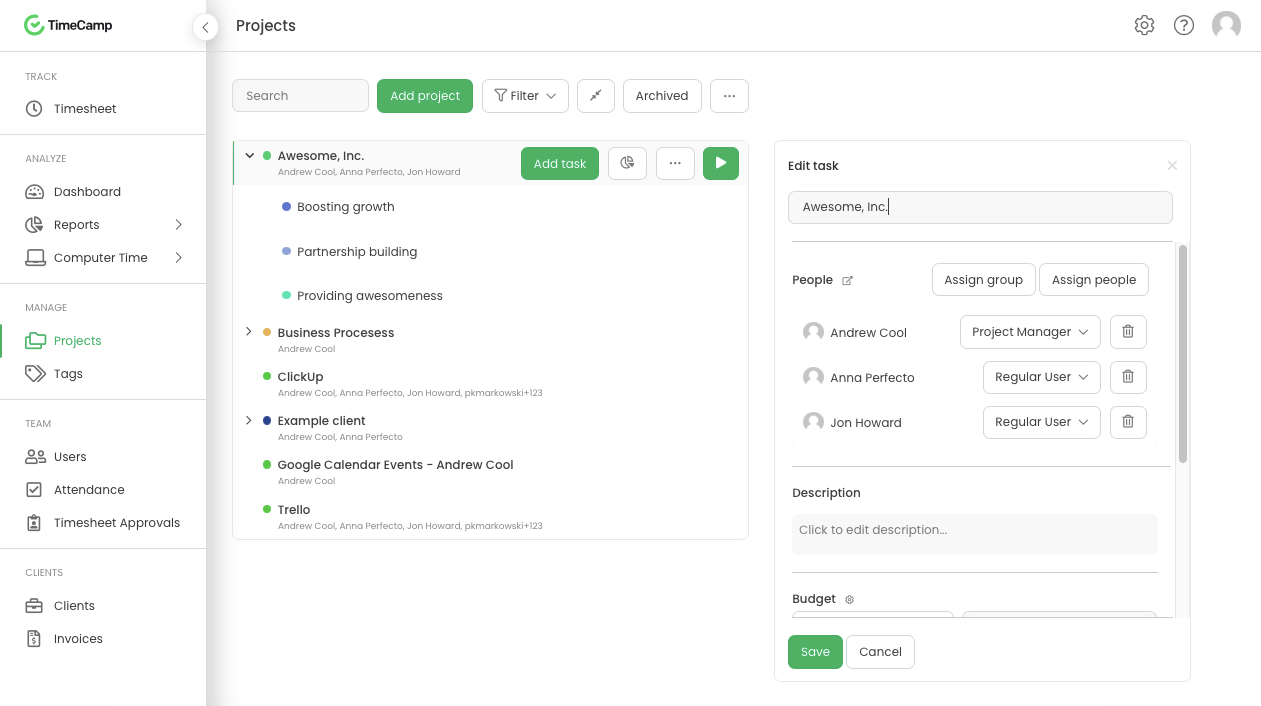
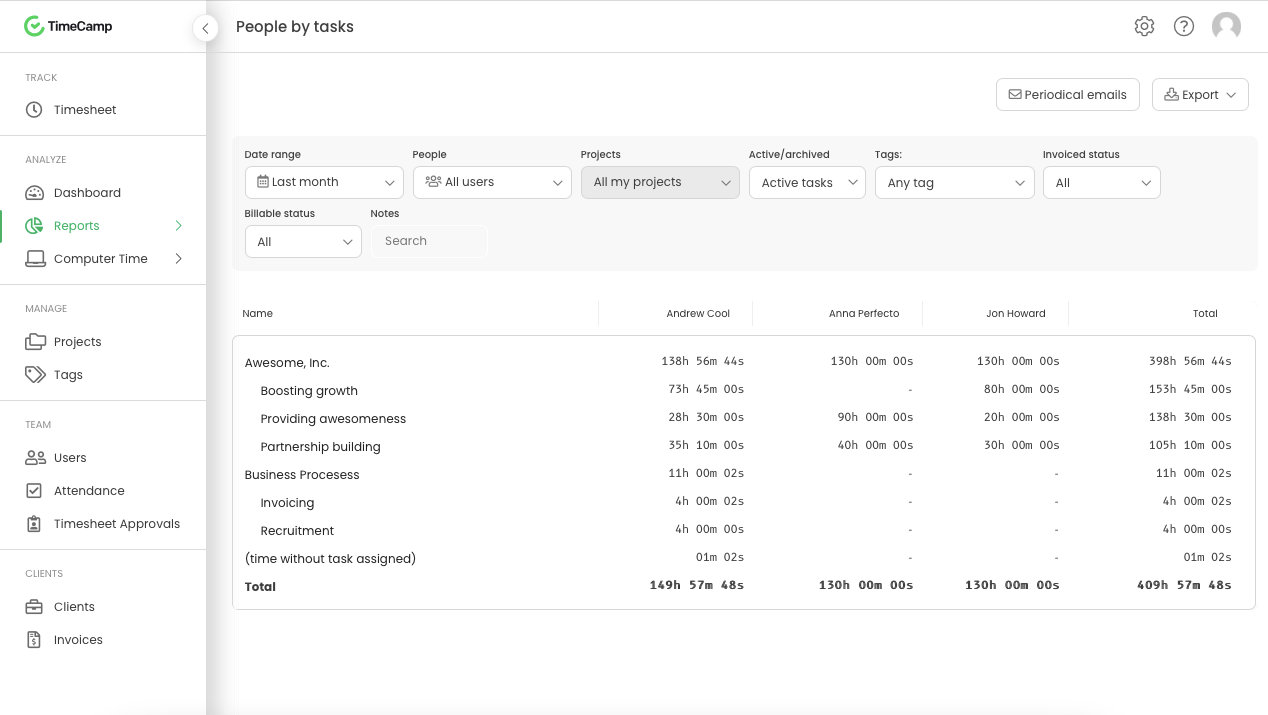
TimeCamp is cloud based, multi-platform (Windows, Mac, Linux, iOS, Android) time tracking and invoicing software.
$2.99
per month per user
TimeClock Plus
Score9.5 out of 10
N/A
TimeClock Plus is a time tracking and attendance solution from Data Management Incorporated (DMI) in San Angelo, Texas. The Express edition is targeted at small businesses, Standard and Pro at larger businesses, and finally TimeClock Plus OnDemand is a complete cloud-based solution.
N/A
Pricing
TimeCamp
TimeClock Plus
Editions & Modules
Free
$0
For unlimited users
Starter
$2.99
per month per user
Premium
$4.99
per month per user
Ultimate
$7.99
per month per user
Enterprise
Custom
No answers on this topic
Offerings
Pricing Offerings
TimeCamp
TimeClock Plus
Free Trial
Yes
No
Free/Freemium Version
Yes
No
Premium Consulting/Integration Services
Yes
No
Entry-level Setup Fee
No setup fee
No setup fee
Additional Details
Free plan includes: unlimited users, unlimited rojects & tasks, project templates, bulk edit, desktop & mobile app, one integration, tags, PDF export
TimeCamp is comparable to all other time tracking apps. It predominantly depends on your specific use case and if the UX works for you if TimeCamp will be a good fit. Personally, I found the software not super intuitive and I think that was a big turn off.
A de minimis incentive was given to thank the reviewer for their time. The incentive was not used to bias or drive a particular response, nor was the incentive contingent on a positive endorsement. More Info
I think the best place for TimeClock Plus to work would be at a restaurant or a busy business that has a lot of people to track and needs a robust dashboard to keep things in order. For my organization, we only have around 10 people max per location and it was a bit too expensive and complex for our needs. We could use a simpler system.
A de minimis incentive was given to thank the reviewer for their time. The incentive was not used to bias or drive a particular response, nor was the incentive contingent on a positive endorsement. More Info
TimeCamp does what it is made to do and it does it very well. It allows multiple levels of billing rates and does a great job tracking.
TImeCamp does take a little bit of time to set up, but that is no different than any other tool. The interface is easily understandable so the configuration goes pretty quickly.
A de minimis incentive was given to thank the reviewer for their time. The incentive was not used to bias or drive a particular response, nor was the incentive contingent on a positive endorsement. More Info
A de minimis incentive was given to thank the reviewer for their time. The incentive was not used to bias or drive a particular response, nor was the incentive contingent on a positive endorsement. More Info
TimeCamp is a little bit expensive. It needs overall improvement in all tools. Moreover, the mobile version is not as useful as the web version of TimeCamp.
Other than that, customer service needs more attention and requires more improvement.
Also, I feel like that if there are more features of TimeCamp then it would be better.
A de minimis incentive was given to thank the reviewer for their time. The incentive was not used to bias or drive a particular response, nor was the incentive contingent on a positive endorsement. More Info
A de minimis incentive was given to thank the reviewer for their time. The incentive was not used to bias or drive a particular response, nor was the incentive contingent on a positive endorsement. More Info
It's robust and does what we need it to do in terms of tracking worked time, also unworked time. It has a detailed Employee Profiles section but mostly it's because it keeps track of hours
A de minimis incentive was given to thank the reviewer for their time. The incentive was not used to bias or drive a particular response, nor was the incentive contingent on a positive endorsement. More Info
I absolutely love the ability to customize TCP to what you need it to be. There's lots of settings and areas where you get to decide how to want the system to operate. For every situation our team has said "I wish TCP would do it this way" we have been able to find a setting to adjust to make it do that. There are very minor adjustments I would like to make like hiding drop down menu items that we won't ever use.
A de minimis incentive was given to thank the reviewer for their time. The incentive was not used to bias or drive a particular response, nor was the incentive contingent on a positive endorsement. More Info
A de minimis incentive was given to thank the reviewer for their time. The incentive was not used to bias or drive a particular response, nor was the incentive contingent on a positive endorsement. More Info
Great performance, pages load quickly and reports generate quickly. They do take some time to complete if they're covering a large Start - Stop date, eg months but that's not an issue, they still complete fairly quickly.
A de minimis incentive was given to thank the reviewer for their time. The incentive was not used to bias or drive a particular response, nor was the incentive contingent on a positive endorsement. More Info
I am giving support a rating of 8 but that is quite arbitrary. Honestly, we have never had the need to contact support for any reason. There has not been a situation where we became stuck and could not figure out how to work through it. Sign up was easy and billing is like clockwork so there has been no need to contact billing support. I think this is a testament to the ease of use of TimeCamp.
A de minimis incentive was given to thank the reviewer for their time. The incentive was not used to bias or drive a particular response, nor was the incentive contingent on a positive endorsement. More Info
A de minimis incentive was given to thank the reviewer for their time. The incentive was not used to bias or drive a particular response, nor was the incentive contingent on a positive endorsement. More Info
TimeCamp is distinctive and virtuous because it provides a flexible payment system with a free plan to make it even more attractive, it simply provides the essential alternatives in our work processes, and the customer service team executes its work very effectively and with a positive attitude positive.
A de minimis incentive was given to thank the reviewer for their time. The incentive was not used to bias or drive a particular response, nor was the incentive contingent on a positive endorsement. More Info
TimeClock Plus is extremely easy to use for all employees!!! We want platforms that every employee feels comfortable using. Again, it is effortless to log hours on a day-to-day basis. I love that our employees have the ability to keep track of their hour details, such as paid time off, volunteerism, holiday, etc. This portal helps our team to stay compliant!!!
A de minimis incentive was given to thank the reviewer for their time. The incentive was not used to bias or drive a particular response, nor was the incentive contingent on a positive endorsement. More Info
A de minimis incentive was given to thank the reviewer for their time. The incentive was not used to bias or drive a particular response, nor was the incentive contingent on a positive endorsement. More Info
A de minimis incentive was given to thank the reviewer for their time. The incentive was not used to bias or drive a particular response, nor was the incentive contingent on a positive endorsement. More Info
A de minimis incentive was given to thank the reviewer for their time. The incentive was not used to bias or drive a particular response, nor was the incentive contingent on a positive endorsement. More Info